Do these 3 things before closing this tab:
1Repair Windows errors before they cause bigger problems2Fix the driver behind crashes, sound loss and screen glitches3Clear out junk files and repair common Windows errorsTo beat the Lord of Eroded Primal Fire, bring frequent elemental attacks, ideally with a Nightsoul attacker, and a healer. Use elemental or Nightsoul attacks to break its Void Wards and all three totems when they appear; those interruption windows are the fight’s key opportunity to stop its attacks and deal damage.
Where to find the Lord of Eroded Primal Fire
The Lord of Eroded Primal Fire is a Natlan weekly boss introduced in Version 5.3. Its domain is Stone Stele Records in Tezcatepetonco Range, southeast of the Masters of the Night-Wind area and south of the tribe. HoYoverse announced the boss with the Version 5.3 update on January 1, 2025; see the official announcement.

GameWith says you can reach the encounter through the Archon Quest or, at Adventure Rank 40 or higher, through the Adventurer’s Handbook. These access details come from a secondary guide and may change in later game updates. Game8 also identifies the domain as Stone Stele Records in Tezcatepetonco Range.
Prepare a team for wards and Attrition
Build around the encounter’s mechanics rather than a claimed best-in-slot team: the available guides do not establish a strongest team ranking. GameWith’s guide, updated October 6, 2026, recommends frequent elemental application, a Nightsoul attacker if available, and a healer.
Free tools Windows power users keep installed
One-click scans. No signup required.
- Frequent elemental attacks: The boss creates Void Wards that need elemental attacks to break. Characters with reliable, repeatable elemental application can keep pressure on the ward.
- Nightsoul attacks: GameWith reports that Nightsoul-aligned elemental attacks break the wards faster. Treat this as a useful team trait, not a requirement for clearing the fight.
- Healing: Attrition continuously drains character HP, so a healer can help stabilize the party during the encounter.
- Survivability: A shield can provide extra protection against incoming attacks, while mobility helps you avoid marked fire and falling arena sections.
How to break the totems and Void Wards
Attack all three totems
When the boss summons three pillars or totems, switch immediately to elemental or Nightsoul attacks and hit all three. GameWith says destroying the totems stuns the boss. The community wiki’s Starscourge move description adds that destroying all three Nightsoul Totems interrupts the attack, temporarily paralyzes the boss, and removes 10% of its maximum HP. That percentage and the paralysis details are community-wiki mechanics, not an official HoYoverse statement.
Break the Void Ward during Wave Blast
The community wiki describes a Wave Blast sequence in which the boss gains a Void Ward, sends out expanding flame waves, and then launches a large orb that pulls nearby players in before exploding. Keep elemental attacks ready and break the ward to interrupt the sequence. The wiki says this also causes temporary paralysis and a loss of 10% of the boss’s maximum HP. These precise effects are community-sourced details.
Quick Recap
Best Value

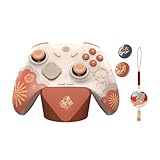
- Wide Compatibility: Get one Megadream iPhone controller to meet your different need on multiple devices; This game controller connect to iOS 13.0+ iPhone, iPhone 17 series, iPhone 16 series, iPhone 15 series, iPad, Android 6.0+ phone, Galaxy S24/S23/S22 series, tablet, PC, NS-Switch 2 (No ‘C’ key function), NS-Switch device by wireless connection directly
- Play Any Game That Supports Controllers: The wireless Android controller can directly play hundreds of controller-enabled games on iPhone/Android/PC/NS-Switch, such as Call of Duty, Roblox, Minecraft, Genshin Impact, Diablo Immortal and more; Supports virtually all cloud-based gaming services including GeForce Now, Netflix, Xbox Cloud Gaming, Luna, MFi A-pple Arcade and Delta Emulator
- Hall Effect Joysticks/Hall Trigger: Megadream PC controller with Hall Effect Sensor joystick, providing seamless 360° precision control, delivering the accuracy and durability mobile gamers demand; Hall-effect analog triggers provide unrivaled smoothness and responsiveness, giving you a competitive edge in any game
- Dual Vibration & 6-Axis Gyro: This Switch game controller features dual haptic feedback with 3 adjustable vibration intensity levels (100% - 70% - 0%), plus a highly responsive 6-axis gyro sensor for an immersive gaming experience
Rank #4

- WIDE SCREEN COMPATIBILITY — PHONE TO TABLET: X5 Lite is a versatile phone controller that stretches up to 213mm to fit iPhone 15/16, most Android phones, iPad mini 6/7, and compatible Android tablets. Secure Type-C connection keeps gameplay stable and responsive.
- MOBILE, CLOUD & REMOTE GAMING: Play supported mobile games like Zenless Zone Zero, or stream console and PC games through Xbox Game Pass, Steam Link, Moonlight, and remote play. Enjoy physical controls wherever you play.
- HALL EFFECT STICKS — PRECISE CONTROL: GameSir Hall Effect sensing sticks deliver smooth 360° control for accurate aiming, movement, and camera adjustments. Built for fast-paced mobile games and streamed console or PC titles.
- LIGHTWEIGHT & ERGONOMIC — 135.4G: At just 135.4g, X5 Lite stays lightweight during extended gaming. Ergonomic, laser-engraved textured grips provide a secure, comfortable hold at home or on the go.
- CUSHIONED MEMBRANE CONTROLS — COMFORTABLE & QUIETER: Cushioned membrane buttons and triggers provide comfortable feedback for repeated inputs while keeping operation quieter. Ideal for extended sessions or gaming in shared spaces.
Rank #3
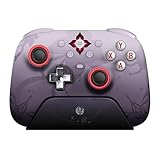
- Officially licensed by Honkai: Star Rail
- Compatible with Windows PC, Apple, Steam, and Android devices – 2.4G and wired connection for Windows, and Bluetooth for SteamOS, Apple and Android.
- TMR Joysticks - Delivers higher sensitivity, precision, and durability, featuring an RGB Fire Ring and wear-resistant joystick rings.
- Integrated charging dock keeps your controller always charged and ready, with auto-reconnection. Features customizable 6-Axis motion control, turbo, and rumble. Supports 8BitDo Ultimate Software V2.
- 1000Hz polling rate (for 2.4G and wired connection) & 8Speed Wireless Technology.
How to respond to the boss’s attacks
- Tracking purple fireballs: Watch for the ground markers and move clear of each marked area instead of attacking through the impact.
- Darkened arena and summoned enemies: When visibility drops and other creatures appear, target those enemies with elemental or Nightsoul attacks to interrupt the sequence.
- Rain of fire: Keep moving to avoid falling attacks. A shield can help absorb damage if you are caught.
- Sword slam and collapsing arena: Watch which section is about to fall and move off it before the slam lands; do not let the shrinking arena trap you at the edge.
- Attrition: Keep an eye on party HP and heal through the continuing drain rather than waiting for a character to reach critical health.
A practical fight sequence
- Start with your sustain and application plan: Keep your healer available and use characters who can apply elemental damage consistently.
- During ordinary attacks, prioritize safe positioning: Leave marked fire zones, keep moving through falling attacks, and avoid the arena section targeted by the sword slam.
- When a Void Ward appears, focus elemental attacks on it: A Nightsoul attacker can be especially useful according to GameWith’s guidance.
- When the three totems appear, hit each one promptly: Use elemental or Nightsoul attacks across all three to trigger the interruption.
- Use the stun or paralysis window to deal damage: Once the boss is interrupted, take the opening to attack before returning to defense and ward-breaking.
- Heal as needed through Attrition: Do not confuse the ongoing HP drain with a one-time hit; restore health while continuing to watch attack cues.
Product prices and availability are accurate as of the date/time indicated and are subject to change. Any price and availability information displayed on Amazon at the time of purchase will apply.



