Recommended Free Tools
To voice chat while playing Mario Kart 8 Deluxe, use Nintendo’s Nintendo Switch App on a smart device. Sign in with the Nintendo Account used on your Switch, start an online multiplayer mode, then open Smart Device Voice Chat in the app and select Start. You need an active Nintendo Switch Online membership, and app voice chat is for users age 13 or older.
Set up voice chat
-
Download or update the Nintendo Switch App on a compatible phone or other smart device, then sign in with the Nintendo Account you use on the Switch. Nintendo’s setup instructions require the same account on the app and console: Nintendo’s voice-chat setup guide.
-
On the Switch, launch Mario Kart 8 Deluxe with that account and enter an online multiplayer mode. Nintendo lists the game as compatible with app voice chat. Online play requires a Nintendo Switch Online membership; see Nintendo’s Mario Kart 8 Deluxe multiplayer guide.
-
Open the app and look for Smart Device Voice Chat near the bottom of its main page. Select Start to enter the voice-chat lobby.
The Tool Desk
Outbyte PC Repair FREEClear out junk files and repair common Windows errorsFree Scan →Outbyte Driver Updater FREEScan for outdated or missing drivers - takes under a minuteDriver Scan →Special offer. See more information about Outbyte and uninstall instructions. Please review EULA and Privacy policy.#1 Best Overall
Sale Ozeino Gaming Headset for PC, Ps4, Ps5, Xbox Headset with 7.1 Surround Sound Gaming Headphones with Noise Canceling Mic, LED Light Over Ear Headphones for Switch, Xbox Series X/S, Laptop, Mobile White
- Immersive 7.1 Surround Sound: This gaming headset delivering stereo surround sound for realistic audio. Whether you're in a high-speed FPS battle or losing yourself RPG adventures, this Ps5 headset provides crisp treble, punchy bass, and precise directional cues, giving you a competitive edge
- Great Humanized Design: Comfortable and breathable permeability protein over-ear pads perfectly on your head, adjustable headband distributes pressure evenly, you’ll enjoy lasting comfort during hours of gaming and suitable for all gaming players of all ages
- Sensitivity Noise-Cancelling Microphone: 360° omnidirectionally rotatable sensitive microphone, premium noise cancellation, sound localisation, your voice comes through loud and natural, ensuring your teammates catch every callout, even in chaotic battle scenes.
- Universal Compatibility: This gaming headphone support for PC, Ps5, Ps4, Xbox one, Xbox Series X/S, Switch, Laptop, Mobile Phone and other devices with 3.5mm jack.Note 1: When you use headset on your PC, be sure to connect the "1-to-2 3.5mm audio jack splitter cable" (Red-Mic, Green-audio). (Please note you need an extra Microsoft Adapter when connect with an old version Xbox One controller)
- Cool style gaming experience: Colorful RGB lights create a gorgeous gaming atmosphere, adding excitement to every match. Heightening immersion for FPS, MOBA, and action titles. These eye-catching lights give your setup a gamer-ready look while maintaining focus on performance. (*Note: The USB connector is for LED lighting only)
-
Other players can join the app’s chat lobby as they join the supported online game, provided they also use the app. The lobby is not a guarantee that every player in a race is connected to voice chat; Nintendo describes chat as connecting app users in supported modes: Nintendo Switch App FAQ.
What you need
-
An active Nintendo Switch Online membership for app voice chat, and a user age 13 or older, as required by Nintendo’s voice-chat instructions.
-
A compatible smart device, the Nintendo Switch App, and an internet connection. Nintendo’s update history says that after the November 26, 2025 update, the minimum supported operating systems are iOS 16.0 and Android 9.0: Nintendo Switch App update history.
Rank #2
Sale PDP Gaming LVL40 Airlite Stereo Headset for Nintendo Switch/Lite/OLED - Wired Power Noise Cancelling Microphone, Lightweight Soft Comfort On Ear Headphones (Mario Neon - Red & Blue)
- STEREO SOUND GAMING HEADSET - Powerful 40mm speaker drivers deliver immersive gaming experiences with strong bass and crisp highs.Control Type:Volume
- PREMIUM LIGHTWEIGHT BUILD - Designed for long gaming sessions with deluxe comfort padding, adjustable durable headband, noise-isolating ear cups, and breathable, surround soft foam cushions.
- FLEXIBLE NOISE-CANCELING MIC - Enables crystal clear voice to your teammates with less background and ambient noise. Flip to mute microphone when not in use.
- ON-EAR VOLUME CONTROL - Make quick audio adjustments on the ear-cup while keeping your eyes on the game.
- WIRED COMPATIBILITY - Officially licensed by Nintendo for Switch, Switch OLED & Lite. Works great with Smartphones, Wii, 3DS, Windows PC, Mobile, Tablet, iPad, Mac, VR Devices. Great for travel.
-
Headphones or a headset are optional. If you use one, connect it to the smart device; it carries the chat audio and microphone input. Nintendo says game sounds normally come from the TV or Switch console, rather than the phone. See the Nintendo Switch App FAQ.
Recommended: PC Feels Slow? A Free Scan Shows What's Dragging Windows Down →Recommended: Update Every Outdated Driver on Your PC in One Scan - Free →Special offer. See more information about Outbyte and uninstall instructions. Please review EULA and Privacy policy.
If voice chat does not appear or connect
-
Make sure Mario Kart 8 Deluxe is already in a compatible online multiplayer mode. The app’s Smart Device Voice Chat section appears for supported game activity, not simply because the app is open.
-
Check that the Nintendo Account signed in to the app is the same one being used on the console.
Rank #3
Sale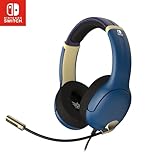 PDP Airlite Wired Gaming Headset for Nintendo Switch 2, Switch Lite, OLED
- STEREO SOUND GAMING HEADSET - Powerful 40mm speaker drivers deliver immersive gaming experiences with strong bass and crisp highs.
- PREMIUM LIGHTWEIGHT BUILD - Designed for long gaming sessions with deluxe comfort padding, adjustable durable headband, noise-isolating ear cups, and breathable, surround soft foam cushions.
- FLEXIBLE NOISE-CANCELING MIC - Enables crystal clear voice to your teammates with less background and ambient noise. Flip to mute microphone when not in use.
- ON-EAR VOLUME CONTROL - Make quick audio adjustments on the ear-cup while keeping your eyes on the game.
- WIRED COMPATIBILITY - Officially licensed by Nintendo for Switch, Switch OLED & Lite. Works great with Smartphones, Wii, 3DS, Windows PC, Mobile, Tablet, iPad, Mac, VR Devices. Great for travel.
-
Confirm the account has an active Nintendo Switch Online membership and the user meets the age requirement.
-
Update the app and check that the smart device meets the current minimum operating-system version listed in Nintendo’s update history.
PC Slower Than It Used to Be?
A free scan shows the junk files, broken settings and background clutter dragging Windows down - then fixes them in one click.Free scan · Windows 10 & 11Crashes, No Sound, or Screen Glitches?
Random freezes, missing sound and display glitches usually trace back to one bad driver. Find and replace yours safely.Free scan · under a minuteSpecial offer. See more information about Outbyte and uninstall instructions. Please review EULA and Privacy policy. -
Check the device’s internet connection. Nintendo notes that the app requires internet access and that data charges may apply: Nintendo Switch App FAQ.
Does Mario Kart voice chat use the phone or Switch?
The Nintendo Switch App handles voice chat on the smart device. You can speak and listen through its speaker and microphone or use a headset connected to that device. The game’s sounds generally remain on the TV or console, so using phone headphones for chat does not, by itself, route the race audio to the phone.
Quick Recap
Product prices and availability are accurate as of the date/time indicated and are subject to change. Any price and availability information displayed on Amazon at the time of purchase will apply.



