What’s actually slowing this PC down?
Pick the symptom - the matching free tool is one click away.
For a stable Fallout 4 VR setup, begin with the Fundamental Essentials modlist’s Bare Bones profile, or build a small custom list around VR-specific foundations. Add FRIK if you want a visible body and more physical interaction, then consider audio, interface, or visual changes according to your preferences and PC’s performance headroom. The key rule: check every mod for Fallout 4 VR compatibility. The VR edition lacks updates present in the flat game, so a mod designed for the newer version may depend on features VR does not have.
Choose a starting point: curated list or custom setup
There is no universal must-have list. Your best starting point depends on how much you want to change from vanilla and how much compatibility work you want to handle yourself.
Fundamental Essentials: the easiest baseline
Fundamental Essentials is a Fallout 4 VR-focused list for functionality and bug fixes. Its author describes it as a vanilla-plus setup or a foundation for a personalized list. It offers three profiles:
- Bare Bones: bug fixes, frameworks, and VR mods for a minimal foundation.
- Better Looking Bare Bones: adds visual and audio changes.
- Bountiful Bones: also adds restrained gameplay changes.
The list author provides installation and configuration instructions. Read those instructions for the profile you choose rather than assuming the list installs itself without further setup. Visual settings and texture-heavy additions can affect performance, and the author notes that the more ambitious profile may not suit every PC.
The Tool Desk
Outbyte Driver Updater FREEFix the driver behind crashes, sound loss and screen glitchesFind Drivers →Outbyte PC Repair FREERepair Windows errors before they cause bigger problemsFix Now →#1 Best Overall
![PlayStation VR Headset + Camera Bundle [Discontinued] (Renewed)](https://m.media-amazon.com/images/I/31SLOxVdX0L._SL160_.jpg)
- Ever Expanding Library of Games - PlayStation is committed to continuously delivering new worlds of unexpected gaming experiences through PlayStationVR.
- Plug and Play - Getting into PlayStationVR couldn't be easier
- Just plug the PSVR headset and your PlayStation Camera into any PlayStation4 system and you're ready to go.
- Lightweight Headset Design
- The PlayStationVR headset will make you forget that you are wearing one, keeping you free from distraction as you explore new gaming worlds.
A custom list: more control, more compatibility checking
If you prefer to select mods individually, build on VR-specific frameworks and add one change at a time. This makes it easier to identify conflicts, but you must check requirements, supported game versions, and VR patches for each mod yourself. Do not use a flat-game mod simply because its description sounds relevant: Fallout 4 VR is missing later updates, and mods relying on those additions may not work.
Install the VR-specific foundations first
F4SE VR
For behavior-changing mods, the minimal setup guide calls for the VR build of the Fallout 4 Script Extender, or F4SE VR. Install the version intended for Fallout 4 VR, not the flat-game script extender. Follow the extender’s own current installation instructions and verify that your other mods support the game version you are running.
FRIK for a visible body and physical interaction
FRIK adds a full body in VR and includes features such as two-hand grip. It is a direct choice for players who want their character’s body and hands to feel more present, but it has dependencies and setup requirements.
Rank #2

- 【Immersive 3D Movie Viewing】Gaming and watching movies in 3D works best when proper your eyes properly align with the screen. VR headset offers FD and OD adjustments (wide Field of Vision) to expand the viewing angle and perfectly match focal distance and unilateral myopic alignment for reduced distortion to ensure an optimal viewing experience.
- 【Better Control Experience】Our virtual reality headset provide a control that connected to the phone, then you can play and stop music, volume +/- directly. Put yourself right into the action with games, movies and more!
- 【Wide Compatibility】3D mobile VR headsets set compatible with 5.0-7.0 inch smartphones.
FRIK lists F4SE VR and VR Address Library as requirements. Its project page recommends installing through a mod manager, enabling FRIK.esp, and making the required INI edits. The author identifies skipped INI edits as a common cause of crashes when starting a new game or loading a save. Check the current project instructions for the exact edits and supported versions; do not rely on an old copied configuration.
Buffout 4 NG and VR for engine fixes and crash logs
Buffout 4 NG and VR describes itself as providing engine fixes and crash logging. Its changelog lists version 1.38.3 dated July 29, 2026; that is a release detail, not evidence of a particular performance gain or crash reduction. The project page distinguishes supported game versions and says Anniversary Edition is not supported, so confirm your game edition and version against its current requirements before installing.
Add improvements for the problems you actually notice
Positional audio
Binaural 3D Surround Sound is recommended in the minimal guide for positional audio and improved volume. Treat this as a subjective listening preference, not a guaranteed or measured improvement. If you use it, check the current instructions and test whether its sound profile works for you.
Rank #3

- NO WIRES, MORE FUN — Break free from cords. Game, play, exercise and explore immersive worlds — untethered and without limits.
- 2X GRAPHICAL PROCESSING POWER — Enjoy lightning-fast load times and next-gen graphics for smooth gaming powered by the SnapdragonTM XR2 Gen 2 processor.
- EXPERIENCE VIRTUAL REALITY — Take gaming to a new level and blend virtual objects with your physical space to experience two worlds at once.
- 2+ HOURS OF BATTERY LIFE — Charge less, play longer and stay in the action with an improved battery that keeps up.
- 33% MORE MEMORY — Elevate your play with 8GB of RAM. Upgraded memory delivers a next-level experience fueled by sharper graphics and more responsive performance.
Visuals, weather, and texture changes
Visual, lighting, weather, and texture mods are optional rather than universal essentials. They can improve the look of the game, but added visual load can affect performance. The older minimal guide advises choosing texture sizes according to your hardware; its specific hardware threshold is dated personal guidance, not a benchmark. Start conservatively, keep a working baseline, and add visual changes only if performance remains acceptable on your system.
Interface and unofficial-patch choices
The older minimal guide recommends the Unofficial Fallout 4 Patch alongside VR-specific patching, including separate patch instructions for Far Harbor/Nuka-World and Automatron/Robot Workbench. It also gives version-specific advice for FallUI, a VR patch, and the included sorter. These are not timeless instructions: versions and compatibility can change. Before installing either, follow the current VR-specific patch pages and the instructions for your chosen modlist, and do not assume the latest flat-game file is compatible with VR.
Install and troubleshoot in a controlled order
Use a mod manager and keep the setup small enough to diagnose. A curated list’s documented process is usually the clearest route for its own files; for a custom list, add and verify one layer at a time.
Rank #4
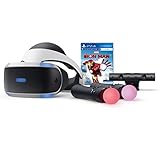
- Become Iron Man with the Sony PlayStation VR Marvel's Iron Man VR Bundle. This bundle comes with a PlayStation VR headset, a PlayStation Camera, and two PlayStation Move motion controllers.
- Pop in the included Marvel's Iron Man VR game disc into your PlayStation 4 console and put on the VR headset to become Iron Man. Use the PlayStation Move motion controllers to virtually replicate the Repulsor Jets that Iron Man uses and take to the skies. Battle Iron Man's foes, then go back to Tony Stark's garage to upgrade your armor and abilities.
- Don the PlayStation VR headset to suit up as the Armored Avenger in an original Iron Man adventure!
- Tony Stark has retired from making weapons and instead creates technology used to battle evil as Iron Man. After several years as a world-famous Super Hero, Tony is attacked by the mysterious Ghost, a hacker and anti-corporate activist who repurposes old Stark Industries weapons. In her efforts to topple his empire, Ghost attacks Stark’s corporate locations around the world, leading to ever-escalating stakes and a final showdown.
- RIBVVII USW | QAWXOJ USW Compatible Platform: PlayStation 4, PlayStation 5.
- Confirm the game edition and version. Check that every selected mod supports Fallout 4 VR and your installed version. Exclude mods whose requirements depend on flat-game updates absent from VR.
- Choose one baseline. Install Fundamental Essentials following its current installation and configuration guide, or establish a clean custom setup. Avoid mixing overlapping modlist components without checking compatibility.
- Install required foundations. Add F4SE VR and any framework or address library required by your chosen mods, using their current instructions.
- Install one feature mod at a time. For FRIK, use a mod manager, enable
FRIK.esp, and complete its required INI edits before testing. Follow each other mod’s VR-specific setup notes. - Test before expanding. Launch the game and check a new game or existing save as appropriate. If a crash begins after an addition, review that mod’s requirements, INI settings, supported versions, and patch order; remove or disable the newest addition to isolate the cause.
- Add performance-sensitive changes last. Try textures, lighting, weather, and other visual upgrades only after the foundation is working, so you can tell whether they affect performance or stability.
Why Fallout 4 VR compatibility needs special care
Fallout 4 VR is not simply the flat game with a headset. As FWDekker explains in the Fallout 4 VR modlist guide, “The VR version is missing several updates that were released only for the non-VR version, and as a result mods made for the non-VR version may use features that simply don’t exist in the VR version.” That is why a mod’s game-version requirements and VR patch matter more than its general reputation or apparent usefulness.
Guides can also become stale: the minimal guide’s recommendations for FallUI, unofficial patches, DLC, and Buffout reflect particular configurations and versions. Treat them as leads to verify against current project pages, not as blanket instructions for every installation.
Quick Recap
Product prices and availability are accurate as of the date/time indicated and are subject to change. Any price and availability information displayed on Amazon at the time of purchase will apply.



