What’s actually slowing this PC down?
Pick the symptom - the matching free tool is one click away.
No. Nintendo Life reported that Nintendo confirmed in April 2025 that Joy-Con 2 sticks do not use Hall-effect sensors. Early reports suggesting otherwise were preliminary and were superseded by that later account. The sensor choice does not establish how likely the controllers are to develop stick drift.
What is confirmed about Joy-Con 2 stick sensors?
Nintendo Life reported that Nintendo confirmed in April 2025 that the Joy-Con 2 analog sticks would not use Hall-effect sensors. Later controller coverage is consistent with that account. The early claims that Hall effect might be used should therefore be treated as preliminary, not as an equally current alternative explanation. Nintendo Life’s report is the source for the reported confirmation; no verbatim Nintendo quotation or named speaker is available here.
| # | Preview | Product | Price | |
|---|---|---|---|---|
| 1 |

|
Nintendo Joy-Con 2 (L)/(R) Light Blue/Light Red | $99.00 | Buy on Amazon |
| 2 |

|
Nintendo Joy-Con™ 2 (L)/(R) Light Purple/Light Green | $99.00 | Buy on Amazon |
| 3 |

|
Nintendo Neon Purple/Neon Orange Joy-Con (L-R) - Switch | $87.95 | Buy on Amazon |
| 4 |
|
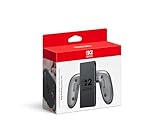
Joy-Con™ 2 Charging Grip | $39.88 | Buy on Amazon |
| 5 |

|
Joy-Con™ 2 (L) Light Blue | $54.00 | Buy on Amazon |
Nintendo’s published Switch 2 specifications list an accelerometer, gyroscope and mouse sensor for each Joy-Con 2, but do not specify the analog sticks’ sensing mechanism. That omission alone would not prove the sticks are not Hall effect. Nintendo’s April 2, 2025 Switch 2 announcement discusses mouse controls and sensors without naming the stick technology.
Does that mean Joy-Con 2 will drift?
No conclusion about drift frequency or lifespan follows from the sensor type alone. Hall-effect sticks use a different sensing approach, but the sources cited here do not provide a measured Joy-Con 2 drift rate, failure probability or durability comparison. There is no supported statistic to use for predicting how often these controllers may develop problems.
Free tools Windows power users keep installed
One-click scans. No signup required.
#1 Best Overall
- The updated Joy-Con 2 controllers have motion controls and HD rumble 2, along with the new C Button for easy GameChat* access and all-new mouse controls in compatible games.
- This set includes both a left and right Joy-Con 2 controller (along with a pair of Joy-Con 2 straps)—perfect for local multiplayer with a friend in compatible games.
- Includes two Joy-Con 2 straps.
- Only for use with the Nintendo Switch 2 system.
What to do if a Joy-Con 2 stick responds incorrectly
Nintendo’s support guidance is to troubleshoot a stick that does not respond or responds incorrectly. If the Joy-Con 2 is recognized as attached but the sticks still do not respond correctly after troubleshooting, Nintendo says the controller needs service. See the Nintendo of America troubleshooting page for the steps and service guidance.
Repair coverage depends on region. Nintendo UK says it will, until further notice, repair specified Joy-Con control-stick responsiveness problems at no charge for consumers in the EEA, UK and Switzerland, including cases attributed to wear and tear. This policy is regional and may change; check Nintendo UK’s current repair terms and your local Nintendo support channel for eligibility.
Rank #2
- Only for use with the Nintendo Switch 2 system.
Should you consider a third-party Hall-effect alternative?
A Hall-effect stick may be one factor in choosing a controller, but it is not by itself proof of better overall performance or a guarantee against problems. Before buying a Switch 2-compatible alternative, check its confirmed stick technology, console compatibility, whether it attaches in the Joy-Con position, support and repair route, and current price and availability. Tom’s Guide has reported on the NYXI Hyperion 3 as a Joy-Con-style option with Hall-effect sticks; verify its current claims and compatibility with the manufacturer before relying on them.
For official Joy-Con 2, Nintendo says the controllers charge via the console or the separately sold Joy-Con 2 charging grip. Buying another official pair does not guarantee protection from stick drift.
Quick Recap
Best Value
- The Joy-Con 2 (L) controller includes the Capture Button.
- Only for use with the Nintendo Switch 2 system.
Rank #4
- Attach the Joy-Con 2 controllers (sold separately) to the Joy-Con 2 Charging Grip to use as a classic-style controller—or a handy charging station with the included USB charging cable.
- Includes the GL/GR Buttons, which can be mapped to whatever buttons you like.
- Only for use with the Nintendo Switch 2 system.
Rank #3
- Two Joy Con can be used independently in each hand, or together as 1 game controller when attached to the Joy Con grip
- They can also attach to the main console for use in handheld mode, or be shared with friends to enjoy two player action in supported games
- Each Joy Con has a full set of buttons and can act as a standalone controller, and each includes an accelerometer and gyro sensor, making independent left and right motion control possible
Product prices and availability are accurate as of the date/time indicated and are subject to change. Any price and availability information displayed on Amazon at the time of purchase will apply.




