Quick wins for a faster PC:
Clear out junk files and repair common Windows errorsFree Scan →Scan for outdated or missing drivers - takes under a minuteDriver Scan →No—not from the documented promotion. Nintendo Australia’s offer of Super Mario 64 icon elements ended on December 7, 2022, at 11:59 a.m. AEDT. To see whether any icons have returned in your region, check Missions & Rewards on your Switch or Switch 2; Nintendo says available icon elements rotate weekly.
What happened to the Super Mario 64 icon offer?
Nintendo Australia announced the promotion on November 18, 2022. It listed icons featuring Super Mario 64, Kirby 64: The Crystal Shards, The Legend of Zelda: Majora’s Mask and Nintendo 64 hardware, available until December 7, 2022, at 11:59 a.m. AEDT. The announcement specified Nintendo Switch Online + Expansion Pack membership for the offer.
| # | Preview | Product | Price | |
|---|---|---|---|---|
| 1 |

|
Super Mario 64 Game for N64 (Renewed) | $74.94 | Buy on Amazon |
| 2 |

|
Super Mario 64 (Nintendo 64) (Complete - Very Good) | $64.94 | Buy on Amazon |
| 3 |

|
Super Mario 64 DS - Nintendo DS (Renewed) | $50.00 | Buy on Amazon |
| 4 |
![Super Mario 64 DS [video game]](https://m.media-amazon.com/images/I/51hGBZSdv+L._SL160_.jpg)
|
Super Mario 64 DS [video game] | $44.99 | Buy on Amazon |
| 5 |
|
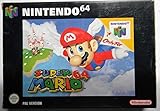
Super Mario 64 (Renewed) | $82.77 | Buy on Amazon |
That was a Nintendo Australia promotion, not evidence of a worldwide offer or a current claim window. The documented deadline has passed, and the available information does not establish that these particular icons have returned. Owning Super Mario 64 or earning Platinum Points does not make an expired offer available again.
How to check whether the icons are available now
Nintendo’s support instructions direct players to the Missions & Rewards section on their console to see the current rotation. Check the account and region you use; availability can change, and a past promotion does not guarantee the same elements are offered today.
PC Slower Than It Used to Be?
A free scan shows the junk files, broken settings and background clutter dragging Windows down - then fixes them in one click.Free scan · Windows 10 & 11Crashes, No Sound, or Screen Glitches?
Random freezes, missing sound and display glitches usually trace back to one bad driver. Find and replace yours safely.Free scan · under a minute#1 Best Overall
- On a Switch or Switch 2 connected to the internet, open Nintendo Switch Online from the HOME Menu.
- Select your user profile, then open Missions & Rewards.
- Browse the featured games and look for the icon elements you want. If an element is listed, select it and choose Redeem; follow any displayed Platinum Point or gameplay requirements.
- Open the collection using the icon at the top-right. Combine compatible character, frame and background elements, then set the finished design as your profile icon through Nintendo Switch Online.
Nintendo’s custom icon support page says elements generally combine with elements from the same game or with generic frames and backgrounds. Some elements require Platinum Points, playing the relevant game while the elements are available, or having played it on at least three separate days in the previous 30 days. Meeting a requirement does not restore an element that is no longer listed.
Independent reader supportYour contribution helps us test, update, and keep practical guides available for everyone.Membership and keeping redeemed icons
Redeeming icon elements generally requires a Switch or Switch 2, an internet connection and an active paid Nintendo Switch Online membership. Expansion Pack-exclusive elements require an active paid Nintendo Switch Online + Expansion Pack tier to qualify; Nintendo explains this in its Expansion Pack icon FAQ.
Once an element has been added to your collection, Nintendo says you keep access to it even if your membership later ends. That retention rule applies to elements already collected; it does not let you claim an expired offer.
Quick Recap
Best Value
Rank #4
- Super Mario 64, the classic 3D platformer for the Nintendo 64, arrives on the Nintendo DS with all-new features that take advantage of the portable system's dual screens, touch screen, and wireless multiplayer capability. Like the original game, Super Mario 64 DS challenges you to find all the power stars hidden throughout the royal castle in the effort to free Peach imprisoned inside the castle. This time, you can play as Mario, Luigi, Wario, and Yoshi, each of whom has unique abilities.
Rank #3
- Nintendo super mairo 64 ds
Product prices and availability are accurate as of the date/time indicated and are subject to change. Any price and availability information displayed on Amazon at the time of purchase will apply.
The Tool Desk
Outbyte PC Repair FREEClear out junk files and repair common Windows errorsFree Scan →Outbyte Driver Updater FREEFix the driver behind crashes, sound loss and screen glitchesFind Drivers →



