Quick wins for a faster PC:
Repair Windows errors before they cause bigger problemsFix Now →Fix the driver behind crashes, sound loss and screen glitchesFind Drivers →Clear out junk files and repair common Windows errorsFree Scan →If Fallout 76 crashes, stalls while loading, or does nothing after you click Play, start with reversible checks: confirm the PC meets Bethesda’s current requirements, update graphics drivers, repair the game files in your platform app, and test one launch with any controller unplugged. If the message points to maintenance or a connection timeout, check server status before reinstalling. These are troubleshooting steps, not a guaranteed fix; the right branch depends on what happens when you launch.
First identify where the launch fails
Note whether Fallout 76 crashes immediately, gets stuck during loading, opens but disconnects, or produces an error message. Those symptoms lead to different checks: a local launch failure calls for driver, file, and device troubleshooting, while maintenance or timeout messages may be service or network issues.
| # | Preview | Product | Price | |
|---|---|---|---|---|
| 1 |

|
Fallout 76: Wastelanders - PC | $33.99 | Buy on Amazon |
| 2 |
![Fallout 76 Tricentennial Edition [Online Game Code]](https://m.media-amazon.com/images/I/51LL0GS1mCL._SL160_.jpg)
|
Fallout 76 Tricentennial Edition [Online Game Code] | $59.99 | Buy on Amazon |
| 3 |
|
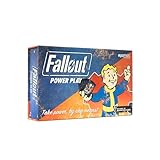
Fallout: Power Play Card Game | $31.07 | Buy on Amazon |
| 4 |

|
Fallout 3: Game of the Year Edition | $29.88 | Buy on Amazon |
| 5 |

|
Fallout 76: Official Guide | $19.18 | Buy on Amazon |
Bethesda Support advises checking the minimum requirements before performance troubleshooting, noting that “Most issues related to game performance can be attributed to hardware, first ensure your computer meets Fallout 76’s minimum system requirements.” See Bethesda’s PC crash and performance guidance and its launch troubleshooting guide for current requirements and steps. Do not rely on an old requirements list: the support pages consulted do not establish requirement figures in their visible text.
Try the reversible local fixes first
Update graphics drivers
Install a current driver from your graphics-card maker. For laptops, check the computer manufacturer’s driver guidance as well. If Fallout 76 still crashes, use the Windows DirectX Diagnostic Tool (DxDiag) and inspect its Windows Error Reporting entries. Bethesda describes a specific AMD case: if an Fallout76.exe APPCRASH is associated with amdvlk64.dll, its guidance points to AMD Cleanup Utility. That is a targeted diagnostic step, not a reason for every AMD user to remove files.
#1 Best Overall
- Bethesda Game Studios, the award-winning creators of Skyrim and Fallout 4, welcome you to Fallout 76, the online prequel where every surviving human is a real person. Work together, or not, to survive. Under the threat of nuclear annihilation, you’ll experience the largest, most dynamic world ever created in the legendary Fallout universe
- Reclamation Day, 2102. Twenty-five years after the bombs fall, you and your fellow Vault Dwellers—chosen from the nation’s best and brightest – emerge into post-nuclear America. Play solo or join together as you explore, quest, build, and triumph against the wasteland’s greatest threats
- Contains Digital Download Code. No Disc Included
- Must be redeemed on the Bethesda client
Run with appropriate permissions
Bethesda suggests trying administrator access for the game. Use this as a troubleshooting test and avoid changing permissions for unrelated files or folders.
Verify or repair the installation
Use the repair function for the platform where you installed the game. The labels differ:
Rank #2
- PRE-LOAD: Download the game now. Game will be playable on 11/14/18.
- Celebrate 300 years of freedom with the all-new Fallout 76 Tricentennial Edition, commemorating the opening of Vault 76. Our good friends at Vault-Tec have pulled double shifts, working around the clock to assemble this one-of-a kind compilation…for you! Be the talk of the town when you emerge from Vault 76 fully prepared and patriotically styled in the new American frontier! In addition to the highly anticipated game, the Fallout 76 Tricentennial Edition includes bonus in-game items:
- Tricentennial Power Armor Customization for the T-51, T-45, T-60, and X-01 Power Armors
- Tricentennial Weapon Customization for the 10MM Pistol, Hatchet, and Laser Rifle
- Spectacularly Handsome Vault Boy Mascot Head, Patriotic Uncle Sam Outfit, Celebratory Vault Boy Saluting Emote, First-Class Tricentennial Workshop Posters & Tricentennial Commemorative Photo Frame
- Steam: Open Fallout 76 in your Library, open its Properties, then choose Verify Integrity of Game Files.
- Xbox app: In My Library, open More Options for Fallout 76, then Manage → Files → Verify and repair. Bethesda documents this path in its crash guide; labels can vary as the app changes.
File verification checks the installed game data and can replace missing or damaged files. It does not establish that a crash is caused by corrupted files.
Test without a controller
Disconnect any connected controller and try launching once. This isolates a peripheral as a possible conflict; it is not a recommendation to buy or replace a controller.
Recommended Free Tools
Rank #3
- SEIZE POWER IN THE WASTELAND: Compete for dominance in a brutal post-apocalyptic world where only the strongest, smartest, and most ruthless survive.
- CONTROL ICONIC FALLOUT FACTIONS: Command one of four legendary factions—Brotherhood of Steel, Enclave, Raiders, or Super Mutants—each with unique strengths and playstyles.
- OUTSMART AND OUTMANEUVER YOUR RIVALS: Forge temporary alliances, complete dangerous quests, assassinate agents, and deploy dirty tricks to secure your path to victory.
- BALANCE STRATEGY SKILL AND LUCK: Combine guile, force, and raw luck as you battle opponents and the unforgiving wasteland itself in every match.
- DOMINATE FAST-PACED COMPETITIVE PLAY: Designed for 2–4 players, Fallout: Power Play delivers tense, high-stakes card game action perfect for Fallout fans and strategy gamers alike.
If clicking Play does nothing
Check which GPU the game uses
On a laptop with integrated and discrete graphics, check that Fallout76.exe is assigned to the primary, high-performance GPU. Windows and graphics-driver menus change over time, so use the current graphics settings for your system rather than relying on an old click path.
Check power settings
Bethesda’s launch guide also suggests checking the power profile and connecting the laptop to power. Treat this as a diagnostic possibility, not a confirmed cause of every no-launch problem.
Rank #4
- Good Condition: No manual; Includes original cover art and game
Try the remaining software checks
- Ensure DirectX is current.
- Try a Windows Clean Boot to see whether another startup program is interfering. Because a Clean Boot changes what starts with Windows, follow Microsoft’s current instructions and restore normal startup afterward.
- Check Game DVR or Xbox DVR settings; Bethesda lists changing or disabling these as a possible test.
If these checks and file repair do not help, Bethesda lists reinstalling as a later option. It takes longer than verifying files, so do it after the quicker checks rather than as the first response.
Independent reader supportYour contribution helps us test, update, and keep practical guides available for everyone.When security software may be blocking the game
If antivirus or firewall software may be interfering, check whether Fallout 76 or Steam is being blocked. Bethesda’s guidance includes adding them to antivirus or firewall exceptions. An exclusion reduces scanning or filtering for the files, folder, or app covered by it; use only the narrow exception needed, follow your security product’s instructions, and remove it if it does not resolve the problem.
Best Value
- Brand New in box. The product ships with all relevant accessories
Separate connection errors from crashes
“Unable to verify latest before launching”
Bethesda says this message usually indicates maintenance. Check Bethesda’s service-status guidance before changing local files or reinstalling.
Timeouts and connection failures
For a timeout, Bethesda recommends checking service status, trying a wired connection or another network, rebooting the modem or router, and checking firewall or antivirus allowances. Its connection-timeout troubleshooting guidance covers these checks. If the service is unavailable, local repairs are unlikely to address the immediate cause.
Remove unsupported modifications
Bethesda says Fallout 76 does not support mods, add-ons, or third-party programs. If you receive a modified-game-data message, update the game, remove custom files, and then verify or repair the installation through Steam or the Xbox app. See Bethesda’s modified game files guidance.
Choose the next step by symptom
| What you see | Best next check | Why |
|---|---|---|
| Immediate crash or loading failure | Update the graphics driver, then verify or repair files in your platform app. | These check common local software and installation issues without starting with a reinstall. |
| Play button does nothing on a dual-GPU laptop | Check GPU assignment and power settings; test with the laptop plugged in. | Bethesda lists GPU selection and power profile as possible launch factors. |
| Connection or timeout message | Check service status, then test the network and firewall allowances. | The failure may be service-side or network-related rather than a damaged installation. |
| Modified game data warning | Remove custom files, update the game, and verify or repair files. | Bethesda does not support mods, add-ons, or third-party programs. |
Bethesda’s support instructions do not report comparative success rates for these steps, and no one symptom identifies a root cause for every PC. If the relevant checks fail, retain the exact error text and the point at which the game stops; those details are more useful for further support than repeating unrelated fixes.
Windows Errors? Fix Them Before They Spread
Repair common Windows errors and clear accumulated junk for a smoother, more stable PC - no reinstall needed.Free scan · no reinstallCrashes, No Sound, or Screen Glitches?
Random freezes, missing sound and display glitches usually trace back to one bad driver. Find and replace yours safely.Free scan · under a minuteQuick Recap
Product prices and availability are accurate as of the date/time indicated and are subject to change. Any price and availability information displayed on Amazon at the time of purchase will apply.




