The Tool Desk
Outbyte Driver Updater FREEScan for outdated or missing drivers - takes under a minuteDriver Scan →Outbyte PC Repair FREEClear out junk files and repair common Windows errorsFree Scan →In July 2016, engineer James Laird-Wah, known as Dr. Abrasive, demonstrated a way to load Sega Saturn game images from USB through the console’s Video CD expansion slot. The method bypassed the optical drive’s protected-disc check; it did not reproduce Sega’s disc security feature on an ordinary CD-R. “After 20 years” is rounded shorthand for the roughly two decades since the Saturn’s mid-1990s launch.
What was cracked—and what was not?
The 2016 breakthrough was an alternate route for getting game data into a Saturn, not a method for copying the console’s protected pressed discs. An external interface connected through the Video CD slot and supplied disc-image data from USB, avoiding the original optical drive’s authentication path. Ars Technica and Game Developer reported the demonstration on July 12, 2016: Ars Technica’s report and Game Developer’s report.

So the headline’s “cracked” means the protected-disc requirement was worked around for loading games. It does not mean Dr. Abrasive cloned the manufacturing feature, or that a standard burner could make a CD-R the Saturn would accept as an original licensed game disc.
What was the Saturn security ring?
Sega’s 1995 Saturn Game-CD specification says discs had to conform to Sega’s format and protection settings. It also says those settings were handled with approved mastering equipment and certified manufacturing processes; nonconforming CDs would not be recognized as Saturn Game-CDs. The specification describes the manufacturing requirements but does not disclose their precise technical implementation: Sega Saturn disc-format specification.
Recommended Free Tools
#1 Best Overall

- The best hit chronicle series aims to bring you back in time to that first experience of products that made an impact
- The Sega Saturn celebrates its 25th anniversary In 2019, and brought the fun of various arcade games to homes.
- Now it comes back home to you in the form of a 2/5 scale model kit
- Product bears official Bluefin logo
Contemporary reporting describes a physical security pattern, often called a “wobble” or security ring, associated with licensed discs and difficult to reproduce with ordinary CD-R equipment. That description helps explain the obstacle, but it is reporting rather than a complete Sega technical specification.
The console’s CD Block handles CD commands and authentication. A technical reference describes command E0 as the ring check and explains that the IPL validates the disc security code during boot: SaturnRecomp technical reference. The hardware therefore checks for more than a game’s readable data; the expected authentication information is part of the boot path.
How did Dr. Abrasive’s USB workaround work?
- Use the expansion slot: The external interface connected to the Saturn’s Video CD slot rather than replacing or modifying the optical drive.
- Provide image data: The interface loaded game images from a USB storage device and passed data into the console through the alternate route.
- Route around disc authentication: Because the data did not arrive as a physical disc read by the original drive, the workaround avoided the usual protected-disc check instead of recreating the disc’s security feature.
Game Developer quoted Laird-Wah describing the prototype’s progress in 2016: “This is now at the point where, not only can it boot and run games, I’ve finished just recently putting in audio support, so it can play audio tracks,” (Game Developer). This is a report of the prototype’s state at that time, not a claim about every later device or current product.
Did it make burned copies work on an unmodified Saturn?
No. The USB interface was a bypass, not a way to make ordinary burned discs pass the Saturn’s original optical-drive authentication. A separate community-described approach called Rings of Saturn combines a burned system disc with the security-ring section cut from an original game disc; that is a different, physical-disc workaround, not Dr. Abrasive’s USB prototype: Rings of Saturn guide.
What’s actually slowing this PC down?
Pick the symptom - the matching free tool is one click away.
Rank #3
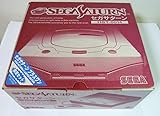
- Japanese Import Console
- Only Plays NTSC-J Region Games
These methods differ in what they ask the owner to do: one routes image data through an expansion slot, while the other uses a CD-R plus part of an original disc. Neither should be described as duplicating Sega’s licensed-disc manufacturing process.
Independent reader supportYour contribution helps us test, update, and keep practical guides available for everyone.How does this relate to Saturn optical drive emulators?
An optical drive emulator (ODE) is a later product category that substitutes for the optical drive’s role by loading game images from other storage. The community compatibility reference for the Satiator describes a plug-in device that uses the rear MPEG expansion slot and SD storage while leaving the original drive usable: Satiator reference. It is related context, not the identity of Dr. Abrasive’s 2016 prototype, and the reference does not establish current retailer availability.
Quick Recap
Rank #4

- Contains: Gray Dreamcast unit, modem, controller, power cable, and stereo a/v cable.
When did the workaround happen?
- May 17, 1995: Sega’s specification revision ST-40-R4-051795 documented the Saturn Game-CD recognition rules and Sega-certified manufacturing requirement.
- July 12, 2016: Ars Technica and Game Developer reported Dr. Abrasive’s USB-loading workaround using the Video CD slot.
Product prices and availability are accurate as of the date/time indicated and are subject to change. Any price and availability information displayed on Amazon at the time of purchase will apply.




