What’s actually slowing this PC down?
Pick the symptom - the matching free tool is one click away.
If Skyrim’s launcher shows Product Version 1.0.00, that value appears to describe the launcher executable—not the installed game runtime. By itself, it does not mean Skyrim failed to update, and there is no confirmed Bethesda explanation for why the launcher displays that metadata. For SKSE and version-sensitive mods, check SkyrimSE.exe instead.
Why does the launcher show 1.0.00?
The launcher and the game are separate executable files, so their version fields can differ. A Steam user reported seeing 1.00.00 on the launcher; a forum reply said there was nothing to correct. That is an anecdotal report, not an official Bethesda explanation. Microsoft describes ProductVersion as application version metadata, which supports reading the launcher’s value as metadata for that file rather than as the installed game runtime (Microsoft Learn: Application.ProductVersion; AnandTech forum discussion).


No official Bethesda source establishes why the launcher has this value. The display alone is not evidence that an update failed, and changing or replacing the launcher is not the fix for identifying your runtime.
How to check the Skyrim runtime version
- Open the folder containing your Skyrim installation.
- Right-click
SkyrimSE.exeand select Properties. - Open the Details tab and read Product Version.
DynDOLOD’s documentation gives this same method for checking the runtime version of SkyrimSE.exe (DynDOLOD DLL documentation). Use the number shown for this executable when checking compatibility; the launcher’s Product Version is not a substitute.
Free tools Windows power users keep installed
One-click scans. No signup required.
#1 Best Overall

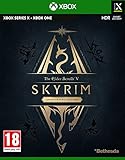
- EPIC FANTASY REBORN - Skyrim reimagines and revolutionizes the open-world fantasy epic, bringing to life a complete virtual world open for you to explore any way you choose.
- LIVE ANOTHER LIFE, IN ANOTHER WORLD - Play any type of character you can imagine, and do whatever you want; the legendary freedom of choice, storytelling, and adventure of The Elder Scrolls is realized like never before.
- YOU ARE WHAT YOU PLAY - Choose from hundreds of weapons, spells, and abilities. The new character system allows you to play any way you want and define yourself through your actions.
- BATTLE DRAGONS - Battle ancient dragons like you’ve never seen. As Dragonborn, learn their secrets and harness their power for yourself.
- INCLUDED CONTENT - The Anniversary Edition includes the core game, pre-existing and new Creation Club content, plus all three official add-ons: Dawnguard, Hearthfire, and Dragonborn.
How to choose the right SKSE build
SKSE compatibility depends on the exact runtime and storefront/build, not just whether a store calls the game “Anniversary Edition” or “Special Edition.” Match the Product Version you found on SkyrimSE.exe against the current SKSE compatibility listing before installing or troubleshooting SKSE-dependent mods.
| SKSE listing checked 2026-10-08 | Runtime |
|---|---|
| Steam Anniversary Edition build 2.3.1 | 1.7.104 |
| GOG Anniversary Edition build 2.2.6 | 1.6.1179 |
| Special Edition build 2.0.20 | 1.5.97 |
These are the mappings listed on the SKSE project download page as checked on 2026-10-08. They can change, so verify the listing again when you install. If a mod uses SKSE or a native DLL plugin, confirm its stated runtime and storefront requirements as well; the edition name alone may not identify a compatible download.
Quick Recap
Rank #4
![The Elder Scrolls V: Skyrim (Anniversary Edition) - [PlayStation 4] | kostenloses Upgrade auf PlayStation 5](https://m.media-amazon.com/images/I/51WubchYsEL._SL160_.jpg)
- Die Skyrim Anniversary Edition umfasst die Skyrim Special Edition sowie 74 Creations (darunter 26 brandneue) mit über 500 einzigartigen Inhalten aus dem Creation Club, darunter Quests, Behausungen und mehr
- Die Anniversary Edition enthält das Spiel mit allen drei Erweiterungen und liebevoll überarbeiteten Grafiken und Effekten
- Die Erweiterungen umfassen Dawnguard, Heathfire und Dragonborn
Rank #3
- Box contains a disc
- Persistent broadband internet connection required for use of online functionality and downloads of updates
Product prices and availability are accurate as of the date/time indicated and are subject to change. Any price and availability information displayed on Amazon at the time of purchase will apply.




