Yes—you can play Overcooked! 2 with two people on one Nintendo Switch using single-system local multiplayer. Connect or assign an input for each player, choose the local couch-play option, and have both players join before starting a kitchen. Nintendo lists one-system play for 1–4 players, with each additional chef using a Joy-Con; follow the game’s on-screen prompts for the exact join control.
Set up two-player couch co-op on one Switch
- Install and launch Overcooked! 2. You need the game on the console you plan to share. Nintendo’s Overcooked! 2 listing describes single-system play for 1–4 players.
- Make a controller available for each person. Nintendo says each additional chef can use a Joy-Con. Check the controllers you already have before buying anything.
- Choose local couch or single-system multiplayer. The precise offline menu wording can vary, and Nintendo’s listing does not give a button-by-button join sequence.
- Have player two join using the on-screen prompt. Check that both chefs appear before you start a level.
One-console play is different from local wireless or online
Two people sharing one Switch should use single-system local play; you do not need local wireless or an online session for couch co-op. Nintendo lists these as separate modes:
| # | Preview | Product | Price | |
|---|---|---|---|---|
| 1 |

|
Overcooked! + Overcooked! 2 (Nintendo Switch) | $30.99 | Buy on Amazon |
| 2 |
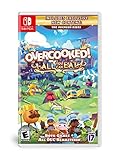
|
Overcooked! All You Can Eat - Nintendo Switch | $33.61 | Buy on Amazon |
| 3 |
![Overcooked! 2 - Nintendo Switch [Digital Code]](https://m.media-amazon.com/images/I/51iE31xauSL._SL160_.jpg)
|
Overcooked! 2 - Nintendo Switch [Digital Code] | $24.99 | Buy on Amazon |
| 4 |
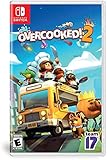
|
Overcooked! 2 - Nintendo Switch | $31.99 | Buy on Amazon |
| 5 |
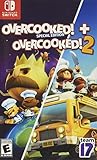
|
Overcooked! Special Edition + Overcooked! 2 | $30.92 | Buy on Amazon |
| Mode | Supported players | What it means |
|---|---|---|
| Single-system local play | 1–4 | Players share one Switch. Nintendo says each additional chef can use a Joy-Con. |
| Local wireless | 2–4 | Players use multiple Switch consoles connected locally. |
| Online play | 2–4 | Players connect over the internet; Nintendo associates online play with Nintendo Switch Online membership. |
These are player counts in Nintendo’s 2018 product listing, not a claim about a particular match or current online availability. See Nintendo’s listing for its mode descriptions.
If you have a Switch Lite
Nintendo cautions that compatibility and the play experience can differ on Switch Lite, and additional accessories may be required. Check that you have suitable controllers and a way to use them with your Lite before trying to set up shared play. Nintendo does not specify a universal Switch Lite accessory configuration for two players in its product listing.
Quick wins for a faster PC:
Clear out junk files and repair common Windows errorsFree Scan →Scan for outdated or missing drivers - takes under a minuteDriver Scan →Repair Windows errors before they cause bigger problemsFix Now →#1 Best Overall
- Get ready for a double helping of cooperative cooking as Overcooked! And Overcooked! 2 come together in chaotic Harmony.
- Overcooked! Play solo or engage in classic, chaotic couch co-op for up to four players in both co-operative and competitive challenge modes.
- hold onto your aprons… it's time to save the world (again!)
- Chop, Fry and serve your way through a series of unconventional kitchens. Play with over 20 chefs in 75 levels across both games!
- includes the base game for both Overcooked! And Overcooked! 2
Playing with someone on another console
If you mean playing online from separate households, that is a different setup from couch co-op. Team17’s instructions for mixing local and online players say the host starts an online session. Users on another console join the host’s kitchen; on Switch, local users may be asked whether all local players should attempt to join. Choosing yes brings those players into the session if there is room. Read Team17’s local-and-online multiplayer instructions for that flow.
Independent reader supportYour contribution helps us test, update, and keep practical guides available for everyone.Does Overcooked! 2 support crossplay?
Team17 says console crossplay is not supported in base Overcooked! 2. Its cross-platform option is Overcooked! All You Can Eat, and all players need to use that edition. The distinction matters when another player is on a different platform; it does not affect two players sharing one Switch. See Team17’s Overcooked! 2 crossplay guidance.
Quick Recap
Best Value
- Get ready for a double helping of cooperative cooking as Overcooked! and Overcooked! 2 come together in chaotic harmony.
- Overcooked! Play solo or engage in classic, chaotic couch co-op for up to four players in both co-operative and competitive challenge modes.
- You must cook up a range of different dishes and work together in order to become the Ultimate, effective team!
- Overcooked! 2 Overcooked returns with a brand-new helping of chaotic cooking action! Journey back to the Onion Kingdom and assemble your team of chefs in classic couch co-op or online play for up to four players. Hold onto your aprons… it’s time to save the world (again!)
- Chop, fry and serve your way through a series of unconventional kitchens. Play with over 20 chefs in 75 levels across both games!
Rank #4
- Online/local multiplayer madness- you'll need to work together to get the highest score in chaotic local and online multiplayer
- Feast your eyes on this- cook in new kitchens ranging from sushi Restaurant, magic schools and mines!
- Romaine calm! travel through teleporters, across moving platforms and save time by throwing ingredients across dynamic kitchens that shift and evolve
- Whet your appetite! cook up a range of new recipes including sushi, cakes, burgers and Pizzas
- Entertainment Software Rating Board (ESRB) Content Description: Suitable_for_all_users
Rank #3
- ONLINE/LOCAL MULTIPLAYER MADNESS - You’ll knead to work together (or against each other) to get the highest score in chaotic local and online multiplayer with up to 3 other chefs
- FEAST YOUR EYES ON THIS - Journey across a brand new overworld map by land, sea and air. Get cooking in new themes ranging from sushi restaurants, magic schools, mines and even alien planets!
- WHET YOUR APPETITE! - Travel the land cooking up a range of new recipes that are sure to cater to any tastes, including sushi, cakes, burgers and pizzas.
- ROMAINE CALM! - Travel through teleporters, across moving platforms and save time by throwing ingredients across dynamic kitchens that shift and evolve. Some kitchens even whisk your chefs away to new locations.
Rank #2
- Overcooked! Goes online- for the first time ever, online multiplayer has been fully integrated into Overcooked!
- Enjoy the cooking chaos with all of your friends using cross platform multiplayer and voice chat. A shared multiplayer queue means reduced waiting times for games, more time for culinary carnage!
- Tasty new content! New levels, new chefs and new mayhem - all exclusive to Overcooked! All you can eat.
- Multiple modes! Players can enjoy campaign, survival and Practice modes, and new to all you can eat - assist mode!
- Overcooked! All you can eat contains a features to allow as many players as possible to join in the food frenzy! Scalable UI, dyslexia friendly text and Color blindness options are all available.
Product prices and availability are accurate as of the date/time indicated and are subject to change. Any price and availability information displayed on Amazon at the time of purchase will apply.



