The Tool Desk
Outbyte Driver Updater FREEScan for outdated or missing drivers - takes under a minuteDriver Scan →Outbyte PC Repair FREERepair Windows errors before they cause bigger problemsFix Now →The most dependable way to level Miner and Botanist in Final Fantasy XIV: Dawntrail is to gather resources listed for your current level in the Gathering Log, using your class’s location-finding action to reach the nodes. For Fisher, ocean fishing is a documented way to earn experience through level 99. Leves and collectables can also award experience, but at level 90 or higher, turn-ins below level 90 are capped at 1,000 experience. Square Enix’s Patch 7.0 notes establish these mechanics; they do not establish a fastest route or XP-per-hour ranking.
What is the best leveling approach?
Choose activities in the gatherer’s current level range rather than relying on old turn-ins. For Miner and Botanist, build a repeatable route around items shown in the Gathering Log. For Fisher, consider ocean fishing if you want a scheduled group activity. Leves and collectables are additional options, but the level-90 reward cap makes below-level-90 turn-ins a poor choice for pushing a level-90-or-higher gatherer.
Dawntrail raised the Disciples of the Land level cap to 100. The sources cited here document useful mechanics, not a measured fastest path; actual leveling speed cannot be ranked from them.
Level Miner and Botanist with the Gathering Log
Use current-level entries in the Gathering Log as the backbone of a solo gathering loop. The official Miner guide explains that gaining levels expands the areas Miner can harvest and grants access to rarer materials. It describes Miner deposits and outcrops, and Botanist trees and vegetation patches. The log lists item locations, while Lay of the Land for Miner and Arbor Call for Botanist help locate gathering spots. Square Enix’s Miner guide
#1 Best Overall
![Final Fantasy XIV Online: 60 Day Time Card [Online Game Code]](https://m.media-amazon.com/images/I/51bYMOf2hEL._SL160_.jpg)
- Adventure awaits you beyond the horizon in FINAL FANTASY XIV.
- This product is a digital 60-Day Game Time Card for FINAL FANTASY XIV Online. It serves as a payment option that allows players to add 60 days of game time to their FFXIV account at the Standard subscription rate, subject to account limits. Both the game and game time are required to play.
- This product can be redeemed on service accounts registered with the Windows, Mac, PlayStation, or Steam versions of FINAL FANTASY XIV Online. However, it cannot be redeemed on service accounts that have only the XBOX or Nintendo Switch 2 versions registered.
- Open the Gathering Log and choose a gatherable item available to your class and level.
- Check the item’s listed location, then travel to the appropriate area and gather from its nodes.
- Use Lay of the Land as Miner or Arbor Call as Botanist to help find gathering locations.
- Repeat with other items in your current access range as you gain levels.
This loop is supported by the official guide’s descriptions of the log and location actions. It is not a verified best-in-slot route: the available sources do not compare specific items or locations by experience per hour.
Use ocean fishing to level Fisher
Ocean fishing is a documented Fisher experience option, particularly if you prefer a scheduled voyage to repeatedly fishing at one spot. Square Enix’s Patch 7.0 gatherer-reward notes specify experience at levels 1–49, experience plus purple gatherers’ scrips at levels 50–99, and purple scrips at level 100, with orange scrips possible at level 100 under specified conditions. Square Enix’s Patch 7.0 gatherer-reward notes
Rank #2

- Remaster of the original CRISIS CORE - FINAL FANTASY VII-, featuring a complete HD graphics overhaul, a remastered soundtrack, a reimagined UI, and an updated combat system.
- The story begins seven years before the events of FINAL FANTASY VII (1997) and follows Zack Fair, a young and ambitious Shinra SOLDIER operative. Zack is tasked with tracking down a missing SOLDIER 1st Class operative named Genesis Rhapsodos.
- But as his adventure unfolds, he discovers the dark secrets of Shinra's experiments and the monsters they create. The game features a number of characters from the FINAL FANTASY VII franchise such as Cloud, Sephiroth, Aerith and others.
These reward bands show that ocean fishing remains relevant for experience through level 99; they do not show that it is faster than ordinary fishing, leves, or collectables. Pick it for its activity style and documented rewards rather than an unsupported speed claim.
When to use leves and collectables
Dawntrail added tradecraft and fieldcraft leves. However, the Patch 7.0 notes say that for gatherers at level 90 or above, experience from leves whose requirement is below level 90 is capped at 1,000. The same 1,000-experience cap applies when a level-90-or-higher gatherer delivers collectables at level 90 or below. Square Enix’s Patch 7.0 notes
Rank #3

- 5021290096875
- Below level 90: Leves and collectables award experience, but the cited notes do not rank particular options as the most efficient.
- Level 90 or above: Do not rely on below-level-90 leves or level-90-or-lower collectables for a substantial experience push; each is subject to the 1,000-experience cap.
- At level 100: The notes identify orange gatherers’ scrips and exchanges through Splendors Exchanges and custom deliveries. Those are scrip-related rewards, not evidence of an experience-maximizing route.
The notes also state that Dawntrail introduced no multi-turn-in Fisher fieldcraft leves. They do not provide a complete list of best leves or collectables by level, so choose activities in your current range rather than assuming older turn-ins remain efficient.
Which option should you choose?
| Option | Best fit | Documented leveling detail | What is not established |
|---|---|---|---|
| Gathering Log route | Miner or Botanist players who want to gather at class-appropriate nodes | The Miner guide says the log lists item locations and that Lay of the Land and Botanist’s Arbor Call help locate gathering spots. Square Enix Miner guide | A fastest item or route, or XP per hour |
| Ocean fishing | Fisher players who prefer scheduled voyages | Experience is listed for levels 1–49 and 50–99; level-50–99 voyages also award purple gatherers’ scrips. Square Enix Patch 7.0 notes | Whether it outpaces other Fisher activities |
| Leves and collectables | Players choosing turn-ins for experience or scrip rewards | Below-level-90 leves and level-90-or-lower collectables are capped at 1,000 experience when turned in by a gatherer at level 90 or above. Square Enix Patch 7.0 notes | A complete best-by-level list or comparative XP rate |
How current is this guidance?
The specific reward mechanics above come from Square Enix’s official Patch 7.0 notes, and the gathering-log guidance comes from its Miner guide. These sources establish Dawntrail’s level cap, reward bands, and stated caps; they do not verify later patch changes or the current fastest route. Check current in-game requirements and patch notes if you need to confirm whether a later update changed a particular activity.
Quick Recap
Rank #4
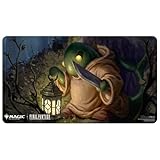
- Officially licensed Playmat for Magic: The Gathering Final Fantasy x Universes Beyond - A collectible-quality accessory approved by both franchises, perfect for fans and players looking to elevate their game setup with authenticity.
- Features exclusive artwork of Poison the Waters by Arif Wijaya - Highlights vibrant, limited-edition art from the Final Fantasy universe, bringing a cinematic flair to your Magic: The Gathering sessions.
- Approximately 24 in. x 13.5 in. and lies flat - Ideal size for gameplay or desk use, offering ample space while ensuring the mat stays wrinkle-free and ready for action.
- Soft fabric top protects cards during gameplay - Designed to minimize card wear and damage, making it a reliable surface for shuffling, tapping, and drawing.
- Non-slip rubber backing keeps the playmat from shifting during use - Provides stability during intense matches or daily desktop use, doubling as a durable and stylish mousepad.
Product prices and availability are accurate as of the date/time indicated and are subject to change. Any price and availability information displayed on Amazon at the time of purchase will apply.



