Usually, no. A standard PS4 has no general setting that forces games above 60 frames per second (FPS), and a faster TV or HDMI cable cannot make a game render frames it does not support. On PS4 Pro, Boost Mode may improve performance in some older games, while selected titles have their own Pro enhancements. Neither feature guarantees more than 60 FPS.
Can a PS4 run games above 60 FPS?
There is no universal PS4 setting to unlock higher frame rates. The game’s design and the console’s supported capabilities determine its frame rate. Sony’s PS4 Pro documentation describes enhancements for selected games, not an across-the-board frame-rate unlock. To know what a particular game supports, check its own settings and official information.
It also helps to distinguish a game’s frame rate from the video signal sent to a screen. Sony’s 2016 PS4 Pro FAQ specifies 4K video output at up to 60 frames per second when used with a supported 4K TV and Premium High Speed HDMI Cable. That is an output specification, not a claim that every game renders at 60 FPS—or that games can exceed it. Sony’s PS4 Pro 4K resolution guide
What PS4 Pro Boost Mode does
Boost Mode is a PS4 Pro feature intended to help some PS4 games released before the Pro launched. Sony’s guidance is deliberately conditional: “Turning on Boost Mode may improve the frame rate of some PS4 games that were released before the introduction of the PS4 Pro console on November 10, 2016.” It does not promise a benefit for every older game or a frame rate above 60 FPS. PlayStation Support: PS4 Pro Boost Mode
#1 Best Overall

- PlayStation 4 Pro - the super charged PS4 - take play to the next level with PS4 Pro: See every detail explode into life with 4K gaming and entertainment, experience faster, smoother frame rates and more powerful gaming performance and enjoy richer, more vibrant colours with HDR technology
- 4K gaming and entertainment - games and movies shine with amazing 4K clarity
- graphics become sharper and more realistic, skin tones become warmer and more lifelike, while textures and environments burst into life like never before
- High dynamic range - With an HDR enabled TV, compatible PS4 games display an intensely vibrant range of colours, closer to the full spectrum that the human eye can see
- Enhanced games - PS4 Pro games burst into life with intensely sharp graphics, stunningly vibrant colours, textures and environments and smoother, more stable performance
Turn Boost Mode on or off
- On PS4 Pro, open Settings > System.
- Highlight Boost Mode and press X to toggle it on.
- Try the same game and section before and after enabling it if you want to assess whether it helps that title.
If Boost Mode causes unexpected behavior, Sony recommends turning it off. The feature’s possible effect is game-dependent, so treat it as an option to test rather than a guaranteed upgrade. PlayStation Support: PS4 Pro Boost Mode
How PS4 Pro enhancements vary by game
Some games have Pro-specific frame-rate improvements; others prioritize resolution or different visual settings. The available options and results vary by title, so look for a game’s own performance, frame-rate, or graphics setting and consult its official support information. Sony’s general PS4 Pro feature overview does not provide a complete current list of title-by-title modes. PlayStation 4 Pro features
Rank #2

- This Certified Refurbished product is tested and certified to look and work like new. The refurbishing process includes functionality testing, basic cleaning, inspection, and repackaging. The product ships with all relevant accessories, a minimum 90-day warranty, and may arrive in a generic box. Only select sellers who maintain a high performance bar may offer Certified Refurbished products on Amazon.com
- Spectacular graphics – Explore vivid game worlds with rich visuals heightened by PS4 Pro.
- Enhanced gameplay – Support for faster frame rates delivers super-sharp action for select PS4 games.
- One unified gaming community – Compatible with every PS4 game. Play online with other PS4 players with PlayStation Plus.
- Extraordinary entertainment – With up to 4K streaming and 4K auto-upscaling for video content.
What standard PS4 owners can do
A standard PS4 does not have Sony’s Pro-only Boost Mode. Check the individual game’s settings for any performance options, and use ordinary troubleshooting if the game is performing inconsistently. Changing display settings or adding an accessory cannot force the console to render a frame rate the game does not support.
Would a display, cable, or PS4 Pro unlock more FPS?
High-refresh display or HDMI cable
A display’s refresh-rate rating describes what the screen can show; it does not change how many frames a PS4 game produces. Likewise, a cable cannot unlock a game’s unsupported frame rate. Sony’s stated PS4 Pro 4K output capability is up to 60 frames per second with supported equipment, not an in-game FPS guarantee. Sony’s PS4 Pro 4K resolution guide
Quick wins for a faster PC:
Clear out junk files and repair common Windows errorsFree Scan →Scan for outdated or missing drivers - takes under a minuteDriver Scan →Repair Windows errors before they cause bigger problemsFix Now →Rank #3
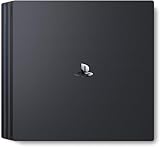
- Heighten your experiences. Enrich your adventures. Let the super charged PS4 Pro lead the way
- 4K TV Gaming : PS4 Pro outputs gameplay to your 4K TV
- More HD Power: Turn on Boost Mode to give PS4 games access to the increased power of PS4 Pro
- HDR Technology : With an HDR TV, compatible PS4 games display an unbelievably vibrant and life like range of colors
PS4 Pro
PS4 Pro is a reasonable upgrade only if you want the possibility of improved performance or visuals in games that support them. Sony says selected PS4 Pro enhanced games can improve frame rates, and Boost Mode may help some pre-Pro games. The result depends on the title; buying a Pro does not guarantee performance above 60 FPS in every game. PlayStation 4 Pro features · PlayStation Support: PS4 Pro Boost Mode
Independent reader supportYour contribution helps us test, update, and keep practical guides available for everyone.What Supersampling Mode is for
On PS4 Pro connected to an HDTV at 1080p or lower, Supersampling Mode can improve image resolution in certain games. Sony presents it as an image-quality feature, not an FPS control, so do not enable it expecting a frame-rate boost. PlayStation Support: Supersampling Mode
Quick Recap
Best Value

- PlayStation 4 Pro: see every detail explode into life with 4K gaming and entertainment, experience faster, smoother frame rates and powerful gaming performance, and enjoy richer, more vibrant colours with HDR technology
- 4K gaming and entertainment - games and movies shine with 4K clarity
- Graphics become sharper and more realistic, skin tones become warmer and more lifelike, while textures and environments burst into life like never before
- High Dynamic Range - with an HDR enabled TV, compatible PS4 games display a vibrant range of colours, closer to the full spectrum that the human eye can see
- Enhanced games - PS4 Pro games burst into life with sharp graphics, vibrant colours, textures and environments, and smoother, more stable performance
Rank #4

- Heighten your experiences. Enrich your adventures. Let the super charged PS4 Pro lead the way
- 4K TV Gaming : PS4 Pro outputs gameplay to your 4K TV
- More HD Power: Turn on Boost Mode to give PS4 games access to the increased power of PS4 Pro
- HDR Technology : With an HDR TV, compatible PS4 games display an unbelievably vibrant and life like range of colors
- Turn on Boost Mode to give PS4 games access to the increased power of PS4 Pro
Product prices and availability are accurate as of the date/time indicated and are subject to change. Any price and availability information displayed on Amazon at the time of purchase will apply.



