Do these 3 things before closing this tab:
1Repair Windows errors before they cause bigger problems2Scan for outdated or missing drivers - takes under a minute3Clear out junk files and repair common Windows errorsIn texts, chats, and social media, JK usually means “just kidding.” It signals that the message immediately before it was meant as a joke or was not meant literally. Because tone can be hard to read in a message, JK can clarify intent—but it cannot guarantee that a joke will land well.
What does JK mean?
JK is an informal abbreviation for “just kidding.” Dictionary.com lists both JK and jk with that meaning and describes the abbreviation as originating in digital communications. Collins likewise defines it as “just kidding” and notes its use in messaging and social media. Dictionary.com Collins Dictionary
The spelling J/K also appears in informal writing. Treat capitalization and the slash as style variations; the context, rather than punctuation, tells you how the sender intends it.
How do you use JK in a message?
Put JK after the teasing, exaggerated, or deliberately false statement you want the reader to take as a joke. These are constructed examples:
#1 Best Overall

- 💻 ✔️ EVERY ESSENTIAL SHORTCUT - With the SYNERLOGIC Reference Keyboard Shortcut Sticker, you have the most important shortcuts conveniently placed right in front of you. Easily learn new shortcuts and always be able to quickly lookup commands without the need to “Google” it.
- 💻 ✔️ Work FASTER and SMARTER - Quick tips at your fingertips! This tool makes it easy to learn how to use your computer much faster and makes your workflow increase exponentially. It’s perfect for any age or skill level, students or seniors, at home, or in the office.
- 💻 ✔️ New adhesive – stronger hold. It may leave a light residue when removed, but this wipes off easily with a soft cloth and warm, soapy water. Fewer air bubbles – for the smoothest finish, don’t peel off the entire backing at once. Instead, fold back a small section, line it up, and press gradually as you peel more. The “peel-and-stick-all-at-once” method only works for thin decals, not for stickers like ours.
- 💻 ✔️ Compatible and fits any brand laptop or desktop running Windows 10 or 11 Operating System.
- 💻 ✔️ Original Design and Production by Synerlogic LLC, San Diego, CA, Boca Raton, FL and Bay City, MI, United States 2025. All rights reserved, any commercial reproduction without permission is punishable by all applicable laws.
- “I ate the last cookie—JK, it’s still there.”
- “You’re banned from choosing the movie again. JK.”
In both examples, JK asks the reader to reinterpret the preceding statement as non-serious. A linguistic study of “just kidding” and related forms describes this kind of expression as a signal that an earlier remark should be reconsidered as funny or not meant literally. It can also help manage rapport, though humor can create misunderstanding when the intent or response is uncertain. Text & Talk study
When is JK appropriate?
Casual, low-stakes conversation
JK is most at home in casual messages with someone who is likely to recognize the abbreviation and understand the joke. It may soften playful teasing, but the relationship, timing, and original remark still shape how it feels to the recipient.
Rank #2

- 【Essential Excel & Windows Shortcuts Cheat Sheet】Master your workflow with our comprehensive keyboard shortcuts cheat sheet for Windows, Word, and Excel. This excel shortcuts cheat sheet places the most frequently used commands right at your fingertips, helping users of all skill levels—from beginners to professionals—learn and memorize shortcuts with ease. Whether you need an excell cheat sheet for daily tasks or a quick windows shortcuts cheat sheet for system navigation, this sticker set has you covered
- 【Boost Productivity with a Windows Shortcut Sticker】Work faster and smarter with this practical windows shortcut sticker designed for laptops and desktops. Acting as a permanent quick-reference guide, it offers instant lookup for essential Windows and Office commands. This excel cheat sheet sticker transforms your keyboard area into a productivity hub, enabling smoother, more intuitive computing without interrupting your flow
- 【Durable & Discreet Keyboard Shortcuts Cheat Sheet】Crafted from high-quality laminated vinyl, our keyboard shortcuts cheat sheet stickers feature a scratch-resistant, water-resistant, and UV-resistant surface that prevents fading over time. The clear, compact format fits discreetly on the palm rest or adjacent area of most 14-inch and smaller laptops, ensuring this windows shortcuts cheat sheet stays legible and useful for years
- 【Universal Compatibility & Practical Gift】This versatile excel shortcuts cheat sheet set is universally compatible with any laptop or desktop running Windows 10 or 11, regardless of brand. More than just an excell cheat sheet, it's an ideal desk accessory and a thoughtful gift for students, new computer users, or anyone looking to boost their digital skills with a reliable windows shortcut sticker
- 【Complete Package Contents】You'll receive 2 shortcut stickers, each measuring approximately 8 x 7 cm (3.15 x 2.75 inches)—the perfect compact size for placement near your keyboard. Crafted from durable PP+PE synthetic paper with a laminated finish, this excel cheat sheet sticker set combines sleek aesthetics with long-lasting practicality
Work, unfamiliar audiences, and important messages
In a workplace or with someone who may not know the abbreviation, spell out “just kidding” only when the joke is appropriate—or state your intended meaning plainly. A professional-writing handout cautions against assuming that everyone knows text abbreviations and advises writers to say what they mean. Purdue OWL: Appropriate Language
Do not rely on JK to clarify a statement that could trigger consequential action or cause harm. The cited linguistic study discusses an air-traffic-control example in which a humorous clarification came too late: the original instruction had already been acted on. If the literal meaning could matter, make the instruction clear before anyone acts rather than attaching JK afterward. Text & Talk study
What’s actually slowing this PC down?
Pick the symptom - the matching free tool is one click away.
Rank #3

- Windows 11 Shortcut Sticker ①Size:(7.25 x 9 cm) Windows Shortcut Sticker, Windows + Word/Excel Shortcuts Sticker for Windows systems Laptop and Desktop Computer. Compatible for Windows 11 and Windows 10 systems Laptop,Desktop
- BOOST YOUR PRODUCTIVITY INSTANTLY-Stop Googling shortcuts! This visual cheat sheet puts the most essential Windows 11/10, Microsoft Word, and Excel commands directly onto your keys. Master copy/paste, formatting, navigation, and advanced functions without breaking your flow.
- TWO STYLES IN ONE PACK — MAXIMUM FLEXIBILITY-Get both Clear stickers for a sleek, invisible look AND Color-coded stickers for fast visual identification. Use the clear set for work meetings, switch to color when learning new shortcuts. It's like having two products for the price of one.
- PREMIUM QUALITY THAT LASTS-Crafted from durable matte-finish vinyl. These stickers resist fading, smudging, and peeling from daily use. The adhesive is strong enough to stay put but removes cleanly with zero sticky residue—perfect for shared or company laptops.
- UNIVERSAL FIT FOR ANY KEYBOARD-Precisely cut to fit standard US layout keyboards. Compatible with all major brands including Dell, HP, Lenovo, ASUS, Acer, and external mechanical keyboards. Easy peel-and-stick application takes under 2 minutes.
Where did JK come from?
Dictionary.com describes JK’s origin broadly as use in digital communications. Voice of America’s Texting Dictionary, published January 10, 2012, lists “jk” as “just kidding,” showing that the abbreviation was documented in texting by that date. These sources do not establish an exact first-use date or identify who first used it. Dictionary.com Voice of America: Texting Dictionary
Quick Recap
Best Value
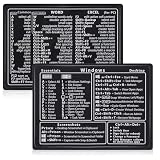
- Quick Shortcut Reference: This 4-pack excel shortcut keyboard stickers puts the most essential Windows, Word, and Excel commands right at your fingertips. No more searching online mid-task—just glance down at your keyboard shortcut stickers and speed up your workflow instantly. Perfect for office professionals, remote workers, and anyone using a PC laptop.
- Universal Compatibility: These keyboard shortcut stickers are designed for any Windows laptop or desktop running Windows 10 or 11. Each keyboard shortcut label measures 3.35 x 2.36 inches and fits perfectly on 14-inch and smaller laptops, palm rests, or desk surfaces for quick reference.
- Premium Residue-Free Material: Crafted from durable PP+PE synthetic paper, these keyboard shortcut stickers feature a strong yet gentle adhesive that sticks firmly without leaving sticky residue when removed. The matte non-reflective surface ensures easy reading under any lighting condition for long work sessions.
- Stylish Workspace Decor: Featuring a sleek black-and-white design, these excel shortcut stickers double as minimalist office accessories that blend seamlessly into any home office or cubicle decor. Keep your workspace organized while maintaining a professional look.
- Package Includes: 4 shortcut stickers (2 black + 2 white), neatly packed in a resealable bag. A practical gift for coworkers or a smart upgrade for your own work desk accessories to boost productivity every day.
Rank #4

- Shortcut Keys for Adobe Photoshop: Forget hunting through on-screen menus for common functions. We are collecting the most commonly used shortcuts on this keyboard. Only click the shortcut keys to perform simple actions such as Free Transform and Pen tool. (Note: Please make sure your device is under English(US) configuration so that this keypad will work properly.)
- Reliable 5.1 Bluetooth Connection: The strong and secure Bluetooth connection allows you to work efficiently with a 10m range. You only need to press “CONNECT” button to enter Bluetooth pairing mode.
- Backlit Keys for Any Lighting Environment: The keyboard with 7 colors and 3 levels of brightness allow you to type day or night. The backlit shortcut keys allow you to manually adjust the color and brightness of the keys.
- Wide Compatibility: The keypad is compatible with Windows, MacOS and iOS devices. The wide compatibility allows you to use the shortcut keyboard on ipad, imac, macbook, windows pc computer, etc.
- Long Lasting Rechargeable Battery: It can work up to 220 hours without backlighting thanks to auto-sleep power saving mode and an/off switch button. Note: The battery life may vary based on use and computing conditions.
Product prices and availability are accurate as of the date/time indicated and are subject to change. Any price and availability information displayed on Amazon at the time of purchase will apply.



