Free tools Windows power users keep installed
One-click scans. No signup required.
The clearest documented difference is the factory language defaults listed for certain model families: Sony’s manual shows Japanese defaults for PSP-1000/2000/3000 and English defaults for PSP-1002/2002/3002. That is not a guarantee that every Japanese PSP can be switched to English, nor does it establish which languages a particular UMD supports. For a purchase, check the exact model, the settings you need, the specific discs you plan to play, and the included power adapter.
What differs between the Japanese and American model families?
Sony’s official settings pages list different defaults for two groups of PSP models. The Japanese-numbered group in the manual is PSP-1000/2000/3000; the other table is PSP-1002/2002/3002. These are the model families shown on those pages, not a complete list of every regional suffix.
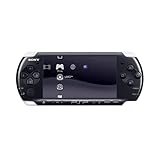
![Sony PlayStation Portable 3000 Console Value Pack (Radiant Red) - Sony PSP [Pre-Owned] (Japanese Import)](https://m.media-amazon.com/images/I/31-jg1cTdtL._SL160_.jpg)

| Setting listed by Sony | PSP-1000/2000/3000 defaults | PSP-1002/2002/3002 defaults |
|---|---|---|
| UMD-video menu language | Japanese | English |
| UMD-video subtitle language | Japanese | English |
| Character set | Japanese Shift-JIS | Multilingual Latin 1 |
| System language | Not stated in the cited Sony table for this model group | English |
Sony’s default-settings page for PSP-1000/2000/3000 and its page for PSP-1002/2002/3002 document defaults. A default is not an exhaustive list of selectable options. These pages do not prove that every Japanese unit offers English system menus, or that every UMD contains English audio, subtitles, or menus.
Does a Japanese PSP play American games or UMD movies?
Game UMDs
Sony’s PSP-1000 launch specifications list region and parental controls under access control, but the cited material does not provide a complete compatibility matrix for Japanese consoles and American game UMDs. It is therefore not safe to infer from these sources alone that every game UMD works across regions or that a game will appear in English. Check the particular game’s packaging or documentation and the console’s exact model and region before buying.
Quick wins for a faster PC:
Clear out junk files and repair common Windows errorsFree Scan →Fix the driver behind crashes, sound loss and screen glitchesFind Drivers →Repair Windows errors before they cause bigger problemsFix Now →#1 Best Overall
UMD videos
Do not assume an American UMD video will play on a Japanese console, or vice versa. Sony’s cited documentation establishes that region is relevant to access behavior, but does not spell out a complete Japanese-to-American UMD-video compatibility chart. Confirm the disc’s region and language information for the specific title.
Are the hardware differences regional or generation-based?
Many differences people notice are between PSP generations, rather than between Japanese and American versions of the same generation. Sony’s August 2008 PSP-3000 announcement described an enhanced, anti-reflective LCD and a built-in microphone. Sony said the PSP-3000 would be available in Japan, Asia, North America, and Europe from October 2008. Those are PSP-3000 generation features, not evidence that Japanese PSPs as a whole have different screens or microphones from American PSPs.
Rank #2

- Sony PSP 3000 International Console, Fully Technician Tested.
Sony also noted that video-output cables were sold separately and product lineups could vary by country or region. For a used unit, confirm what is actually included rather than assuming every market’s package contents were identical.
Independent reader supportYour contribution helps us test, update, and keep practical guides available for everyone.Will the charger or battery work?
Match accessories to the exact PSP series, not just the country where the console was sold. PlayStation Japan’s accessory compatibility table distinguishes adapters and batteries by PSP-1000, 2000, and 3000 series. It lists the PSP-100 AC adapter for all three series and the PSP-380 adapter supplied with PSP-3000 for the 3000 series only; battery compatibility also has series-specific details and exceptions.
Recommended Free Tools
Sony’s original PSP-100 adapter specification gives an input of 100–240V, 50/60Hz and output of 5V/2.0A. That broad input range applies to that adapter specification, not automatically to every charger bundled with a used console. Read the label on the adapter you receive and verify its connector and compatibility against the console model.
Quick Recap
Best Value

- Sony PSP 3000 International Console, Fully Technician Tested.
What to check before buying an imported PSP
- Read the model label. Record the complete model number and identify whether it is a PSP-1000, 2000, or 3000 series unit. Regional suffixes and generation are distinct clues.
- Confirm the language you need. Ask the seller to show the system-language menu on the actual console. Do not treat Sony’s factory-default table as proof of every available menu language.
- Check your exact games and movies. Verify region compatibility and language support for each UMD you plan to use; game UMD and video UMD behavior should not be assumed identical.
- Inspect the accessories. Ask for clear photos of the AC adapter label, battery, and connector. Check compatibility using the console’s series and the accessory model.
- Assess the used unit itself. Confirm the screen, buttons, disc drive, battery condition, and all listed included parts with the seller. A regional model does not guarantee a particular condition or package.
Product prices and availability are accurate as of the date/time indicated and are subject to change. Any price and availability information displayed on Amazon at the time of purchase will apply.



