Pick up a found PDA for its information, then check your Notes and map for documents, clues, audio logs, or cache markers. Keep it if it still appears tied to a mission; once it has served its purpose, sell it to a trader or put it in your stash. This is different from Skif’s own PDA interface, which remains useful for navigation and missions throughout the game.
What happens when you pick up a found PDA?
A found PDA is loot that can provide information. The official beginner guide says picking up a dead stalker’s PDA can add a cache mark. Prima Games also reports that information from some found PDAs transfers to Skif’s PDA and may appear in Notes or on the map.
| # | Preview | Product | Price | |
|---|---|---|---|---|
| 1 |
|
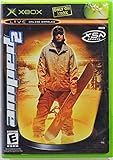
Amped 2 - Xbox | $69.99 | Buy on Amazon |
| 2 |

|
Mafia 2 - Xbox 360 | $15.48 | Buy on Amazon |
| 3 |

|
The Art of S.T.A.L.K.E.R. 2: Heart of Chornobyl | $31.19 | Buy on Amazon |
| 4 |

|
Halo 2 - Xbox | $36.95 | Buy on Amazon |
| 5 |

|
The Crew 2 - Xbox one | $8.99 | Buy on Amazon |
After collecting one, open Notes and check the map for anything new. You can then use the clue or cache marker without necessarily carrying the found item indefinitely.
How to tell whether you should keep it
Prima Games reports that a brown tick icon in the upper-left of a found PDA’s inventory icon indicates it has not yet fulfilled its mission purpose. If you see that marker, keep the PDA while you advance the linked mission. The icon guidance comes from a third-party guide, not GSC’s official support documentation.
Free tools Windows power users keep installed
One-click scans. No signup required.
#1 Best Overall
- Amped 2 offers a freestyle snowboarding experience with a large and varied trick library. You'll explore vast areas of wide-open, real mountains packed with terrain parks. Play head-to-head with friends in the various multiplayer modes. When you're ready to take it to the next level, connect to Xbox Live to check rankings and challenge the world's best virtual riders. Travel the globe, and pull sick tricks in front of sponsors, photographers, and fans. The latest snowboarding magazines or videos
Prima Games also says a PDA that the game will not let you sell or transfer is likely still mission-critical. That is not an official universal rule, so treat it as a reason to hold the item rather than proof of a particular quest state. For a named quest PDA, its role can depend on that quest.
When to sell or stash a found PDA
When the brown tick is gone and you have no unresolved quest interaction involving the item, Prima Games advises selling it to a trader or placing it in your stash. GSC’s beginner guide generally recommends selling or stashing unnecessary items to free inventory capacity before heading out.
Rank #2
Prima Games reports that each found PDA weighs 0.2 kg, making ten PDAs 2 kg in total. That figure is from its 2024 guide and is not confirmed on the official support pages; check the current game build if exact weight matters to you.
Independent reader supportYour contribution helps us test, update, and keep practical guides available for everyone.Do not confuse found PDAs with your own PDA
Skif’s PDA is the game’s main interface, not a disposable loot item. GSC describes it as a stalker’s key tool in the Zone. It brings together the map, mission log, Notes, upgrades, and training materials.
Recommended Free Tools
Rank #3
- Map: View explored locations, your position, quest markers, caches, and other markers; you can add your own notes.
- Mission log: Review active and completed missions, then select an objective or mark an unexplored location to decide where to go next.
- Notes: Read collected documents, letters, audio logs, and other information.
- Upgrades and training: Check installed and available weapon or equipment upgrades, and access training materials.
According to GSC’s support page, press P on keyboard or View on controller to open the PDA. Keyboard shortcuts are M for Map, J for Journal, K for Notes, U for Upgrades, and O for Training. See the official PDA guide for the interface details and the official beginner’s guide for general inventory advice.
Quick Recap
Best Value
- The Crew 2 - Xbox one
Rank #4
- Master Chief can now wield two weapons at once, board Covenant vehicles and steal Covenant weapons like the incredible double energy sword
- Lead an all-new unit of super-soldiers, the ODST -- tougher, badder and deadlier versions of your old comrades
- New enemies, allies and surprises around every corner - intense combat action with enhanced AI and real-time lighting
- Immense single-player action with maassive landscapes and huge cities to explore and defend - destructible and interactive environments
- Take the action online with your Xbox Live and switch sides, to become a Covenant Elite!
Product prices and availability are accurate as of the date/time indicated and are subject to change. Any price and availability information displayed on Amazon at the time of purchase will apply.




