Windows Errors? Fix Them Before They Spread
Repair common Windows errors and clear accumulated junk for a smoother, more stable PC - no reinstall needed.Free scan · no reinstallOutdated Drivers Are Slowing You Down
One free scan finds every outdated or missing driver and matches the right update for your exact hardware.Free scan · exact hardware matchYes—you can use the Sony PlayStation Eye camera on a PC, but it is not usually plug-and-play. Linux generally recognizes it through the Video4Linux camera system. Windows 10 and 11 usually require a third-party or community driver, and the correct driver depends on whether you want a normal webcam, head tracking, or computer-vision access.
The PS3 Eye is still useful for low-cost tracking and experimentation. However, its 640×480 maximum resolution, dated image quality, and uncertain modern Windows compatibility make a current UVC webcam the better choice for reliable video calls.
| # | Preview | Product | Price | |
|---|---|---|---|---|
| 1 |

|
Sony PlayStation 3 PS3 Eye Camera (Renewed) | $33.06 | Buy on Amazon |
| 2 |
|
PlayStation Eye | $29.99 | Buy on Amazon |
| 3 |

|
Sony PlayStation Eye Camera (Bulk Packaging) | $71.66 | Buy on Amazon |
| 4 |

|
Eye Toy USB Camera for PlayStation 2 Game Console (Black) | $18.95 | Buy on Amazon |
| 5 |
![Playstation 3 Eye Camera Pack [Japan Import]](https://m.media-amazon.com/images/I/41F4DVb1j6L._SL160_.jpg)
|
Playstation 3 Eye Camera Pack [Japan Import] | $38.36 | Buy on Amazon |
First, identify the camera
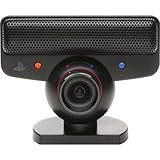
This article concerns the original Sony PlayStation Eye, the cylindrical, swiveling PS3 accessory with a blue indicator light and permanently attached USB cable. Sony specifies a USB 2.0 connection, fixed focus from approximately 25 cm to infinity, a 56–75-degree field of view, and a built-in four-microphone array.
Do not confuse it with the PlayStation 2 EyeToy, PlayStation 4 Camera, or PlayStation Camera HD for PS5. Those are different devices with different driver requirements.
#1 Best Overall
- This Certified Refurbished product is tested and certified to look and work like new. The refurbishing process includes functionality testing, basic cleaning, inspection, and repackaging. The product ships with all relevant accessories, a minimum 90-day warranty, and may arrive in a generic box. Only select sellers who maintain a high performance bar may offer Certified Refurbished products on Amazon.com
- For Ps3
According to Sony’s PlayStation Eye manual, its stated capture modes are:
| Resolution | Stated maximum frame rate |
|---|---|
| 640×480 | 60 fps |
| 320×240 | 120 fps |
Those are camera specifications, not a guarantee that every PC driver or application will expose every mode. The 120-fps setting generally requires compatible software, reduced resolution, and a suitable driver.
Compatibility by operating system
Windows 10 and Windows 11
The PS3 Eye can work on modern Windows systems, but it does not normally follow the simple path used by a current UVC webcam. Microsoft’s built-in camera support is intended for UVC-compliant devices; the PS3 Eye commonly needs a specialized driver instead. See Microsoft’s UVC implementation guide.
There are two distinctly different Windows approaches:
Quick wins for a faster PC:
Scan for outdated or missing drivers - takes under a minuteDriver Scan →Repair Windows errors before they cause bigger problemsFix Now →Fix the driver behind crashes, sound loss and screen glitchesFind Drivers →- DirectShow-style driver: Intended to make the camera available to ordinary video software such as capture utilities and, in compatible configurations, OBS or video-call applications.
- libusb-based driver: Intended primarily for specialist programs such as opentrack and motion-tracking software. It may give that application direct access without creating a normal Windows webcam.
Code Laboratories’ CL Eye Platform historically provided a Windows driver and DirectShow integration. Its published operating-system list names Windows XP, Vista, and Windows 7, so it should not be described as officially guaranteed for Windows 10 or Windows 11.
For current Windows tracking projects, the community-maintained opentrack PS3 Eye instructions describe an open-driver route using libusbK. This is often the more relevant option for head tracking, but it is not automatically a webcam solution.
Rank #2
- Free EyeCreate download editing software, which allows users to save, edit and add cool visual effects to photos, video and audio clips
- Camera and audio reception making it an integral part of the PlayStation Move motion control system
- A sophisticated microphone with the ability to reduce background noise and focus on spoken word for smoother, more accurate speech recognition
- Two fast frame rates for improved tracking, responsiveness and smoothness
- Two position zoom lens for close-up and full body options and 4 channel audio input - 16-bits/channel, 48kHz, SNR 90db
Linux
Linux is generally the cleaner platform for this camera. The Linux kernel’s gspca camera list identifies the Sony HD Eye for PS3 under the ov534 driver family. On a compatible distribution, the camera should appear through the standard Video4Linux interface.
Connect the camera directly, then use these diagnostic commands:
The Tool Desk
Outbyte PC Repair FREEClear out junk files and repair common Windows errorsFree Scan →Outbyte Driver Updater FREEFix the driver behind crashes, sound loss and screen glitchesFind Drivers →lsusb
v4l2-ctl --list-devices
v4l2-ctl --list-formats-ext -d /dev/video0v4l2-ctl is normally provided by your distribution’s Video4Linux utilities package. A successful setup should show a /dev/video* device and list available formats and frame rates. You can then select it in a camera application, OBS, or an OpenCV program.
Linux support is not an absolute guarantee for every distribution. Kernel version, device permissions, USB behavior, and application support still matter.
What about macOS?
Reliable current macOS support is not established by the sources used here. Treat any macOS setup as experimental and verify the current project and operating-system support before relying on it.
Windows setup: choose the driver for the job
Route 1: DirectShow-style setup for webcam applications
This route is appropriate when your goal is to make the camera visible to conventional Windows video software.
Rank #3
- PlayStation Eye PS3 USB Camera - Black
- Create a Windows restore point.
- Disconnect other cameras temporarily to reduce driver-selection confusion.
- Use the official Code Laboratories documentation or an established project repository. Avoid unofficial or pirated driver packages.
- Install the driver and reboot if requested.
- Open the driver’s test utility and confirm that the camera produces an image.
- Check Windows camera privacy permissions and the target application.
- Test the microphone separately.
Because the CL Eye documentation lists legacy Windows versions, installation on Windows 10 or 11 is configuration-dependent. An old driver may work in its own utility but fail in a newer application, and a future Windows update could disrupt it.
Route 2: opentrack and libusbK for head tracking
Use this route for flight simulators, racing games, motion tracking, and similar specialist applications. The opentrack guide directs users to remove an existing closed-source PS3 Eye driver, install the libusbK development kit and INF wizard, attach the open driver, and use the camera from opentrack.
The important trade-off is interface compatibility. A libusb driver may work perfectly for tracking while preventing the camera from appearing as a standard DirectShow webcam. The PSMoveServiceEx setup guide explicitly warns about this distinction.
A driver that works for tracking is not necessarily a driver that works in Zoom, Teams, Discord, or OBS. Avoid installing multiple competing driver paths unless you understand how to remove and reassign them.
Recommended Free Tools
Using the PS3 Eye with OBS and video calls
When it appears as a normal capture device
- Open OBS Studio.
- Add a Video Capture Device source.
- Select the PS3 Eye or CL Eye device.
- Start with 640×480 at 30 or 60 fps.
- Test the preview before trying high-frame-rate modes.
- Select a separate microphone source if necessary.
If OBS can access the camera but your call application cannot, OBS Virtual Camera may provide an intermediary. Select OBS Virtual Camera in the call application after starting it in OBS.
When it works only inside another program
If the camera is visible only in a tracking or test application, OBS can capture that application window and output it through its virtual camera. This adds configuration and latency, and it is inferior to having a genuine camera device exposed directly to the target application.
Rank #4
- Eye Toy USB Camera for PlayStation 2 Game Console (Black)
OBS cannot repair an incompatible driver. If the camera is not visible to OBS or another compatible capture interface, adding OBS will not solve the underlying problem.
Microphone support
Sony described the PlayStation Eye as having a four-microphone array. On a PC, whether that microphone appears separately depends on the driver path. The opentrack instructions note that simultaneous camera and microphone use may require libusbK rather than another libusb driver choice.
Test the microphone in Windows sound settings or your Linux audio controls. For calls, a headset or separate USB microphone is usually more predictable because the camera’s audio exposure and quality depend on the chosen driver.
Independent reader supportYour contribution helps us test, update, and keep practical guides available for everyone.Best uses for a PS3 Eye today
Head tracking
This remains one of the camera’s strongest uses. Its low-resolution high-frame-rate modes can suit head tracking in flight simulators, racing games, accessibility projects, and experiments. You may need a mount, adequate lighting, reflective markers or LEDs, and calibration software such as opentrack.
The camera alone does not provide depth sensing or full-body tracking.
Computer vision and robotics
On Linux or through a suitable specialist Windows interface, it can provide an inexpensive image source for motion detection, color tracking, blob tracking, robotics, multi-camera experiments, and educational OpenCV projects. Its resolution is better suited to movement and feature tracking than detailed photography or recognition.
What’s actually slowing this PC down?
Pick the symptom - the matching free tool is one click away.
Best Value
Streaming
It can be used for low-resolution streaming if the selected driver exposes it to OBS. Expect 480p maximum official capture resolution, dated image quality, older exposure behavior, and possible need for a separate microphone. It lacks the resolution, autofocus, HDR, and modern image processing of current streaming cameras.
Video calls
Video calls are possible only when the operating system exposes the camera through an interface the application understands. Test the exact application before relying on it for work, school, interviews, or live events.
Multi-camera experiments
Code Laboratories historically offered multi-camera SDK and pack options, but its basic driver information describes single-camera personal non-commercial use. Do not assume that a basic installation supports multiple cameras or commercial development.
Troubleshooting
| Symptom | Likely issue | First action |
|---|---|---|
| Nothing detects the camera | USB, cable, hardware, or driver problem | Check the blue LED, try another USB port, and inspect Device Manager or lsusb. |
| It works in a test utility but not Zoom or Teams | The driver exposes an incompatible interface | Try a DirectShow-compatible path, check permissions, or use OBS only if OBS can see the camera. |
| Black screen | Unsupported mode, driver conflict, or application negotiation failure | Start at 640×480 and 30 or 60 fps, close other camera applications, and avoid 120 fps until basic video works. |
| Tracking works but webcam software does not | libusb access is not DirectShow access | Use the tracking driver for tracking, or install a separate webcam-compatible driver path. |
| Video works but the microphone does not | The driver exposes video only or audio differently | Check system sound inputs and use a separate headset or USB microphone. |
| Windows breaks after an update | Legacy driver incompatibility | Record the working driver version, use a restore point, and avoid mixing multiple driver packages. |
On Linux, if no /dev/video* device appears, reconnect the camera, check dmesg, confirm video-device permissions, try another USB port, close applications that may already own the device, and verify that you have the PlayStation Eye rather than an EyeToy.
Is it worth using in 2026?
- Already own one: Yes, especially for head tracking, Linux, OpenCV, robotics, or experimentation.
- Need 120 fps at low resolution: It remains interesting, provided your driver and application expose the mode.
- Need a reliable Windows 11 webcam: Usually no. A modern UVC webcam is simpler and more predictable.
- Need high-quality video: No. The official maximum is 640×480.
- Need dependable calls: Prefer a current webcam and, if necessary, a separate microphone.
Do not buy a PS3 Eye solely because it is inexpensive and assume it will work like a modern webcam. Its value is reuse, high frame rate at low resolution, and specialist projects—not convenience or image quality.
Quick Recap
Product prices and availability are accurate as of the date/time indicated and are subject to change. Any price and availability information displayed on Amazon at the time of purchase will apply.



