The Tool Desk
Outbyte Driver Updater FREEScan for outdated or missing drivers - takes under a minuteDriver Scan →Outbyte PC Repair FREERepair Windows errors before they cause bigger problemsFix Now →Error 12 means Pokémon GO cannot obtain or accept a usable location from your device; it does not, by itself, prove that your account has been soft-banned. Start by checking whether your phone can locate you in Maps, then restore Pokémon GO’s precise-location permission and use the official app. If you have used GPS spoofing or modified software, stop using it rather than trying to hide it: no workaround can guarantee protection from enforcement.
What Pokémon GO Error 12 means
“Failed to detect location (12)” is a location-detection error. The game is either not receiving a sufficiently reliable position or is rejecting the location information it receives. The message alone does not identify the cause, and Scopely does not publish a public Error 12 decision tree that maps it to a specific device fault or account penalty.
Possible causes include disabled system Location Services, an app permission that allows only approximate location, poor GPS reception, Android location settings, network-assisted location trouble, a VPN or filtering conflict, stale app data, an outdated or modified installation, or an unsupported device environment.
A “soft ban” is informal player terminology, not an official diagnosis contained in Error 12. Location failure can prevent ordinary gameplay before a restriction is even relevant. If you have used spoofing or modified software, enforcement risk is a separate concern; the error by itself cannot establish whether an account action has occurred.
#1 Best Overall
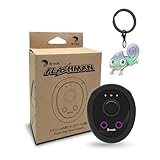
- 【Save & Return to Key Spots】Double-press FN button to store a location; long-press to instantly teleport back—perfect for item zones, quest points, or patrol areas.
- 【Share & Receive Coordinates】Mouse Function Button sends or receives locations for team sync; short-press for mouse mode to navigate menus or tap in-game elements.
- 【Smart Roaming & Manual Control】Auto-move along preset routes or switch to precise joystick control for targeted navigation.
- 【Adjustable Speeds】Toggle High Speed (up to 100 km) for fast travel or Low Speed (up to 10 km) for fine control in resource zones.
- 【Package Includes】Flashman × 1, Brook Keychain × 1, Wrist Strap × 1, Type-C Charging Cable × 1, Quick Start Guide (Card) × 1.
Start with this safe diagnostic path
- Test the phone’s location outdoors. Open Apple Maps, Google Maps, or another reputable map app in an open area. Wait briefly and check whether the location dot appears near your actual position and settles rather than jumping around.
- Check system and app permissions. Turn on system Location Services and allow Pokémon GO precise location access. The iPhone and Android paths are below.
- Restart location and connectivity. Force-close Pokémon GO, switch Airplane Mode on for about 10 seconds and off again, then restart the phone. Test outdoors using mobile data or reliable Wi-Fi.
- Temporarily disable a VPN or traffic filter. This is a diagnostic step, not a claim that VPNs universally cause Error 12. Pokémon Support recommends disabling a VPN for certain login problems: Pokémon GO login troubleshooting.
- Use only the official, current app. Update Pokémon GO through its official store. If you have used mock-location, cloned, modified, or automation software, stop using it and return to a standard setup.
- Repair the installation if needed. On Android, clear the app cache first. If the error persists, reinstall from the official store; confirm you know your login method before deleting the app.
- Contact in-app support if Maps locates you correctly, permissions are right, and the official app still reports Error 12.
Check location access on iPhone
- Open Settings → Privacy & Security → Location Services and make sure Location Services is on.
- Tap Pokémon GO in the app list and allow location access while using the app, or choose the most permissive option your iOS version offers.
- Turn on Precise Location.
- Reopen Pokémon GO outside and check whether the location dot stabilizes.
Apple explains that apps cannot use Location Services when the system-wide setting is off and that app-specific access is managed in this settings area: Apple Location Services settings.
If access appears correct, restart the iPhone and update iOS and Pokémon GO. Reinstalling from the App Store is another way to repair a damaged app installation. As a last resort, reset permissions through Settings → General → Transfer or Reset iPhone → Reset → Reset Location & Privacy, then grant Pokémon GO access again. This reset affects permissions for other apps, which will have to ask again; it does not erase your Pokémon GO account or progress. Confirm your login method before deleting the game.
Check location settings on Android
Menu wording varies among Samsung, Pixel, Motorola, OnePlus, and other manufacturers. These are the general settings to find:
Rank #2

- REDESIGNED TO DO MORE: The redesigned Galaxy SmartTag2 is made so you can keep calm and keep track; Its design makes it easy for you to tag and carry your belongings
- EASY TO USE: It's IP67-rated water- and dust-resistant, activates your compatible IoT devices and stays powered for up to 500 days or even up to 40% more on Non-Power Saving Mode
- RELAX, YOU'VE GOT IT TAGGED: Simply register a new Galaxy SmartTag2 and get started right away with SmartThings Find; With its intuitive tracking experience, you now have a way to keep track of things you love right in the palm of your hand
- SEARCH NEAR WHEN IT'S NOT FAR: Lose something. Switch on Search Nearby and get guided instructions to your item's location via Compass View; If you still don't see it, just ring your Galaxy SmartTag2 to have it send out an audible signal
- Type of battery needed: replaceable CR2032 1 ea Lithium battery (not included)
- Open Settings → Location and turn on Use location.
- Open the app-location permissions, choose Pokémon GO, and allow location while using the app.
- Enable Precise location; approximate location alone may not provide what the game needs.
- Enable Improve Location Accuracy or the equivalent location-accuracy setting, if available.
- Reopen the game outdoors and test again.
Android can provide approximate or precise location. Its Location Accuracy service can combine GPS, Wi-Fi access points, cellular towers, and device sensors; on Android 12 and later, precise permission is separate from the broader Location Accuracy setting. See Google’s Location Accuracy guidance and Android location permissions documentation.
Resolve Android conflicts safely
- If your phone offers Developer Options → Select mock location app, make sure no mock-location app is selected. Remove fake-GPS or virtual-location apps instead of trying to conceal them.
- Remove duplicated Pokémon GO installations created through app cloning, parallel-app features, or a work-profile copy while troubleshooting; use a single official installation.
- Check whether battery restrictions are aggressively suspending Pokémon GO’s location access. Menu names and controls vary by manufacturer.
- Install available Android system and Google Play services updates.
- Clear the cache through Settings → Apps → Pokémon GO → Storage → Clear cache, then reboot and test.
Do not enable mock locations, hide mock-location status, inject coordinates, use root-hiding modules, or patch the game. Those are circumvention methods, not safe location repairs.
If you have used spoofing or modified software
Stop using location-spoofing, GPS joystick, virtual-location, automation, or cloning tools. Close Pokémon GO, remove those components, and reinstall the official version from the Apple App Store, Google Play, or Samsung Galaxy Store where available. Do not use modified Pokémon GO builds or a rooted or jailbroken setup to play.
Rank #3
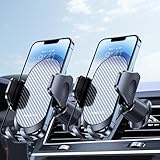
- Never Fall Off-Metal Hook Design: Miracase car phone holder adopts simplified locking design. The steel metal hook(with silicone pad and mat) will catch one of car air vent blades and provide excellent strudiness. It will work well for your car even in extremely harsh environments. NOTE: ONLY Compatible with horizontal and vertical vents. Not suitable for round vents. Also can be used on bedstand and desk.
- One-hand Operation: With quick release button, adjustable clamp arms and foot, Miracase car phone mount makes it very easy to insert and remove your phone with single hand. Provide you with safer driving whether you are talking, navigating or listening to music or charging.
- Universal Compatibility: Miracase cell phone stand for car mount is compatible with the smartphones (4.0-7.2 inches) and thicker cases. Note!!The lengh of vent clip hook is MAX 1.4inch(3.6cm), it will be compatible with vent blades less than 1.4 inches (3.6 cm) wide. Not suitable for Round Vent. Also for bedstand & desk
- 360-degree Flexible Rotation: The 360-degree rotatable design will provide you with the best viewing angle to keep secure driving. You can place your phone in any orientation (landscape, portrait and more), Just enjoy the best drving experience
- Professional Support: Please contact us for any product issues, a satisfying solution is promised forever
Scopely’s Terms and Player Guidelines prohibit falsifying location and identify modified or unofficial software as a violation. Niantic’s published guidance also states that rooted or jailbroken devices and third-party apps are unsupported: device and app compatibility guidance and gameplay policy enforcement update.
Returning to a standard setup stops continued use of the prohibited behavior and gives troubleshooting a supported baseline. It cannot erase past activity or guarantee that an account will avoid enforcement. There is no reliable, policy-compliant method to keep spoofing while guaranteeing that the game will not detect it.
Tell a location problem from a possible gameplay restriction
These symptoms can guide troubleshooting, but they are not proof of a particular cause. Scopely does not publish a symptom-to-sanction lookup for Error 12.
Rank #4

- 【UPGRADED EXPANDABLE SOLID BASE】The upgraded adjustable base of this cup holder tablet mount can be extended from 2.36 to 3.9 inches (60-95mm), adapts to most round cup holders. Meanwhile, the heavy-duty base is designed with three non-slip silicone extensions, forming a triangular stable structure, the cup tablet holder will be securely locked in your cup holder, makes it easy for map-viewing, phone calls and hassle-free charging, suitable for most cars, vehicles, SUV, trucks, boats, etc.
- 【360° ROTATION CLAMP | HEIGHT ADJUSTABLE 360° & 180° ARM】Thanks to the rotating swivel ball is the clamp of this tablet car mount 360 degrees rotatable, you can position your device horizontally and vertically. The telescopic sturdy arm can be extended from 11 to 15 inches, the upper arm is 360° adjustable and the bottom arm is 180° adjustable, the adjustable Arm Height and Angle to meet your perfect viewing angle without blocking your sight.
- 【WIDE COMPATIBILITY】The stretchable side clamp (0.8" thickness) of this iPad holder for car can be extended from 4.7" to 10.6", fits for all 4.7"-12.9" smartphones and tablets with or without case, such as iPad Pro 12.9/11/10.5/9.7, iPad Air 5/4/3/2, iPad Mini 6/5/4/3/2/1, iPhone 17/Pro/Max, iPhone 16/Pro/Max, iPhone 15/Pro/Max, iPhone 14/13/12/11/XS/XS Max/XR/X/SE/8 Plus/8/7/7 Plus/6 Plus/6, for Galaxy Tab/ Galaxy Note/ Galaxy S/ Galaxy Z Fold 6/5/4/3/ Z FliP 6/5, Amazon Fire HD 10/8/7/6 and etc.
- 【FULL PROTECTION & HASSLE-FREE CHARGING】With the soft silicone pad on the back and four feet of clip can this iPad car mount not only protect your tablet or phone from scratch and collision, but also prevent your devices slipping from tablet cup holder mount when driving on the bumpy road. The middle hollow design of the clip makes a hassle-free charging. The metal core of the bracket allows your devices to be clamped firmly in place.
- 【SOLID CONSTRUCTION & LIFETIME WARRANTY】The high temperature resistant TPU and plastic materials make the iPad cup holder car mount sturdier than other pure ABS mounts. We offer a 90-day refund and a 24-month worry-free warranty. If there is any quality problem with our cup holder iPad mount or you are not happy with your purchase in our store, please feel free to contact us and we will solve it for you in 24 hours.
| What you observe | What it points toward |
|---|---|
| Maps also cannot locate the phone | Device location settings, GPS reception, permissions, network assistance, or a hardware issue. |
| Error began after changing permissions | App-specific or precise-location permission. |
| Error occurs with a mock-location app enabled | An Android mock-location or unsupported-environment conflict. |
| Error followed use of a modified app, root, or jailbreak tools | An unsupported software/device environment and separate enforcement risk. |
| The map loads, but Pokémon flee or PokéStops fail to give items | A possible gameplay restriction, connection problem, or temporary server issue—not specifically an Error 12 diagnosis. |
| One account fails on a standard phone while another works | A possible account-specific issue, though this is not definitive. |
| Every account fails and Maps also fails | A device or network issue is more likely than an account-only problem. |
| Error disappears after going outdoors or restarting | A temporary location-acquisition or system issue is more likely. |
Official enforcement can include warnings, degraded gameplay, suspension, or account termination. The current Player Guidelines describe enforcement, while Niantic’s gameplay fairness notice discusses progressive enforcement. Do not assume every case follows an identical three-step sequence or that an appeal will reverse an action.
Independent reader supportYour contribution helps us test, update, and keep practical guides available for everyone.When to update, clear cache, or reinstall
First check for Pokémon GO updates in the official app store and install available operating-system updates. If the game still fails, Android players can clear its cache using the path above. iPhone players can delete and reinstall the App Store version; Android players can reinstall from their official store if cache clearing did not help. Pokémon Support recommends updates, cache clearing on Android, reinstalling on iOS, and restarting for related Pokémon GO access problems: Pokémon Support troubleshooting.
Reinstallation repairs the local app; it does not remove an account strike or guarantee protection from enforcement. Never install an APK from an unofficial source, a modified client, or an “anti-ban” build.
Recommended Free Tools
Best Value

- 👍Compatible Vehicles:only For Lexus 2010 2011 2012 2013 2014 2015 RX350 / RX450h,Tailored models are more sturdy than general models and do not block air vents,The most appropriate location, make sure the phone is in the best viewing Angle.When driving, it will not slip or fall off, providing you with the most stable and safe driving experience. Unique design forms a three point support, ensuring that this car phone stand does not slip on bumpy roads or sharp turns
- 👍360° ROTATABLE:This phone holder for car features a flexible 360° ball joint , allowing you to easily switch between portrait and landscape view. Super stable cell phone holder for car ensuring that you can keep your hands free and your eyes on the road, making for a safer and more comfortable driving experience.
- 👍ONE-BUTTON RELEASE:MikeHam phone stand for car have quick-release button and adjustable clamp arms, that enables you only take 0.3S to lock or release your phone. Provide you with safer driving whether you are talking, navigating, listening to music or charging.
- 👍BIG PHONES & THICK CASES FRIENDLY:Super wide and deeper adjustable clamp arms enable MikeHam cell phone holder for car to fit for all cell phones (4.0-7.0 inches) and thick phone cases, such as compatible with iPhone 15/ 15 Pro/15 Pro Max/15 Plus/ iPhone 14/14 Plus/14 Pro/14 Pro Max/13/13 Pro/13 Pro Max/13 Mini/12/12 Pro/12 Pro Max/12 Mini/SE/11 Pro Max/11 Pro/11/XS MAX/XS/XR/X/8/8 Plus/7/7 Plus/ Samsung Galaxy 20/S21/S21+/S20+/S20 Ultra/S10+/Sony, LG, Google Pixel and most mobile phones, GPS devices.
- 👍If you have any questions, please contact us and we will get back in time. Send us a picture that will help us understand your problem better.
When to contact support
If other map apps locate you correctly, your permissions are right, and Error 12 continues in the official app, use Pokémon GO’s in-app support. The support page identifies this as the best and fastest route: Pokémon GO support.
- Open Pokémon GO, tap Main Menu → Settings → Get Support, then follow the help or contact options.
- Include your phone model, operating-system version, Pokémon GO app version, the exact error text, when it began, and what you have tried.
- Say whether Maps gets a correct fix and whether the problem occurs indoors, outdoors, or both. Disclose relevant VPN, mock-location, root, jailbreak, cloning, or third-party software history accurately.
- If an account warning or suspension is displayed, capture the exact notice and use the official support route for the account issue. A location fix cannot remove an account action.
Do not share passwords, recovery codes, or payment details, and avoid third-party “unban,” strike-removal, or account-recovery services.
Travel, indoor GPS, and unstable location
GPS can struggle in basements, parking garages, dense buildings, or between tall structures. Move to an open area, wait for the phone to establish a stable real location, and avoid gameplay interactions while the displayed position is clearly wrong. If the location dot jumps or rubber-bands, poor satellite reception, Wi-Fi or cellular positioning, battery restrictions, or manipulated data may be involved; it is not a reason to use spoofing tools.
Ordinary air or ground travel is not automatically cheating. After arriving, wait until the phone reports a stable location at your real destination before playing. Avoid continuing to interact while the device still shows a prior or impossible location. No fixed cooldown duration is established by the official sources cited here as a universal Error 12 cure or guarantee against sanctions.
Windows Errors? Fix Them Before They Spread
Repair common Windows errors and clear accumulated junk for a smoother, more stable PC - no reinstall needed.Free scan · no reinstallCrashes, No Sound, or Screen Glitches?
Random freezes, missing sound and display glitches usually trace back to one bad driver. Find and replace yours safely.Free scan · under a minuteIf Maps still cannot find you
When multiple location apps fail after a restart and a permissions check, the fault is more likely at the device or operating-system level than in Pokémon GO alone. Check for available system updates; if the phone continues to fail outdoors, contact the device manufacturer or a qualified repair provider about its location hardware or system software.
Quick Recap
Product prices and availability are accurate as of the date/time indicated and are subject to change. Any price and availability information displayed on Amazon at the time of purchase will apply.




