Quick wins for a faster PC:
Fix the driver behind crashes, sound loss and screen glitchesFind Drivers →Clear out junk files and repair common Windows errorsFree Scan →Yes. You can charge original Nintendo Switch Joy-Con without the console or dock, but you need a powered charging accessory: a Joy-Con Charging Grip (HAC-012), a charging stand, or a compatible third-party charger. The ordinary Joy-Con Grip (HAC-011) is only a holder, and Joy-Con cannot be charged by plugging a cable directly into them.
Choose the charging method that matches your setup
| Your situation | What to use |
|---|---|
| You have a Switch console but no dock | Attach the Joy-Con to the console and connect the console to its AC adapter. |
| You have no console or dock | Use a Joy-Con Charging Grip, a charging stand, or a compatible third-party charger connected to power. |
| You have a Switch Lite | Use a separate Joy-Con Charging Grip, Charging Stand, or compatible charger; Joy-Con do not attach to the Lite. |
| You have a Switch 2 | Use a Joy-Con 2-compatible charger, such as the Joy-Con 2 Charging Grip (BEE-010), rather than assuming an original Joy-Con accessory will fit. |
Know the difference between the two original Joy-Con grips
The similarly named grips are easy to confuse, but only one charges:
- Joy-Con Grip HAC-011: The standard holder included with some Switch bundles. It has no charging function.
- Joy-Con Charging Grip HAC-012: A separate accessory with a USB charging connection that charges attached original Joy-Con while connected to power.
Check the model number and product description before buying. The word “Grip” by itself does not mean the accessory charges. Nintendo identifies the standard Grip as non-charging and the Charging Grip as a separate product in its Joy-Con charging troubleshooting guidance.
Charge original Joy-Con with a Charging Grip
- Slide both Joy-Con onto the rails of the Joy-Con Charging Grip HAC-012 until seated.
- Connect the grip’s USB charging connection to the Nintendo Switch AC adapter (HAC-002), or use another power source only if the accessory’s instructions support it.
- Plug the adapter into a wall outlet and leave the controllers attached while they charge.
- Allow about 3.5 hours for a full charge. Nintendo gives this as an approximate charging time, not a guarantee for every battery or power setup.
The Charging Grip is not a battery pack: it supplies power to the controllers only while connected to USB power. Nintendo says the Charging Grip or Charging Stand can connect directly to the Switch AC adapter, so a dock is not needed. Its recharge LED stays lit while charging and turns off when the Joy-Con are fully charged, according to Nintendo’s Joy-Con charging instructions and Charging Grip troubleshooting information.
#1 Best Overall
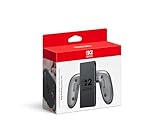
- Attach the Joy-Con 2 controllers (sold separately) to the Joy-Con 2 Charging Grip to use as a classic-style controller—or a handy charging station with the included USB charging cable.
- Includes the GL/GR Buttons, which can be mapped to whatever buttons you like.
- Only for use with the Nintendo Switch 2 system.
Use a charging stand or third-party charger
A charging stand holds Joy-Con in charging slots and connects to external power. Nintendo lists a Joy-Con Charging Stand as a charging option, including for Switch Lite users. Third-party docks can also be useful for multiple pairs or a fixed tabletop setup, but compatibility and included accessories vary.
- Confirm it is made for the controller generation you own: original Joy-Con or Joy-Con 2.
- Check that the rail and slot design fits your controllers and how many controllers it can charge at once.
- Check whether the USB cable and wall adapter are included, and whether the stand needs a separate adapter.
- Look for clear charging indicators and product instructions; do not assume every USB power source is supported.
- Choose a reputable product with appropriate safety certifications, and do not treat a third-party product as Nintendo-approved unless its documentation establishes that.
For the least compatibility uncertainty with one pair of original Joy-Con, the official HAC-012 Charging Grip is the direct choice. A stand is more convenient if you want a cradle or need to charge multiple controllers; a third-party multi-slot charger may offer more slots, but its fit, cable requirements, and generation compatibility need checking. Nintendo’s accessory listing confirms the Charging Grip as an available accessory. Current prices and stock are not established here, so check the seller’s current listing before buying.
Rank #2

- Enhanced Comfort & Grip: Transform your left and right Joy-Con controllers into a larger, more ergonomic gamepad with this comfort grip. Designed for extended play, its special abrasive material reduces hand fatigue, while the anti-slip grooves ensure a secure hold—even during intense gaming sessions.
- Convenient Stand Function: The grip stands upright on its own, offering a stylish and practical way to display or store your Joy-Con controllers when not in use.
- Bright LED Indicators: Features a reflective player indicator light design, making it easy to see your Joy-Con’s status lights clearly.
- with Charging Station: This is a chargeable grip, charging via type c port—compatible with both Nintendo Switch/Switch OLED Joy-Con controllers.
- Package Includes: 1 x Joy-Con Comfort Grip WITH CHARGING STANTION.
What will not charge Joy-Con
- The standard Grip HAC-011: It holds the controllers but does not charge them.
- A cable plugged directly into a Joy-Con: Joy-Con have no user-accessible USB-C charging port; power reaches them through their side-rail contacts.
- A USB cable by itself: It must connect to a compatible charging accessory.
- A dock with loose Joy-Con: The controllers must be attached to the console or seated in a charging accessory. The dock does not directly charge loose controllers.
- An unpowered or unsuitable USB port: Power behavior depends on the system generation and accessory. Follow the accessory instructions rather than assuming every dock port or adapter will work.
For an original Switch dock, Nintendo lists the Joy-Con Charging Grip as compatible with the dock’s USB port (Nintendo dock and accessory information). Switch 2 dock USB behavior differs: Nintendo’s documented Charging Grip setup requires the dock to be docked and connected to power. Connecting the correct accessory directly to its specified AC adapter avoids confusing loose-controller charging with accessory charging.
Charge Joy-Con with a Switch but without the dock
If you still have an original Nintendo Switch or Switch OLED, the console itself can charge attached Joy-Con; the dock is optional.
Free tools Windows power users keep installed
One-click scans. No signup required.
Rank #3

- Ergonomic Design: Featuring a sleek and sturdy construction, this grip provides a comfortable and secure hold for your Joy-Con controllers.
- Charging Capability: Integrated charging ports allow you to charge your Joy-Con controllers while playing, ensuring uninterrupted gameplay.
- LED Indicators: Intuitive LED lights indicate the charging status, letting you know when your controllers are fully powered.
- Universal Compatibility: Designed to work seamlessly with the Switch console, this grip offers a versatile gaming experience.
- Lightweight and portable, it is very convenient to use at home or on the go. We offer a 12-month warranty and 24-hour email service. If you have any questions, please feel free to contact us.
- Attach the Joy-Con to the console.
- Connect the console to the Nintendo Switch AC adapter.
- Leave the console powered on or in Sleep Mode.
- Check charging status from the Controllers screen.
Nintendo says the console must be connected to the AC adapter and either powered on or in Sleep Mode for attached Joy-Con to charge (Nintendo’s controller charging guidance).
Switch Lite owners need a separate charging accessory
Joy-Con do not attach to the Switch Lite body, so the Lite cannot charge them directly. Nintendo specifies a separately sold Joy-Con Charging Grip or Charging Stand for charging Joy-Con used with Switch Lite. Attach the controllers to that accessory and connect it to the power source required by its instructions; the Lite itself does not need to be part of the charging setup. See Nintendo’s charging methods.
Rank #4

- For Switch Joy-Con: This charger is compatible with Nintendo Switch NS/OLED Joy-Con controller. (Joycon, protective case and charging cable are not included.)
- Play while Charging: Game playing will not be affected while charging the Joycon and the power of Joycon continues to increase.
- Safe and Durable: The Joy-Con charging grip adopts intelligent control circuit technology, resettable fuse, and flame retardant shell. The charger continuously and safely charges joycons.
- Easy to Use: Slide the Joycon into the rail and connect to a power source with a type-C charging cable. Red light indicates charging, green light indicates fully charged.
- Convenient to Carry: Lightweight and portable, it is very convenient to use at home or on the go. We offer 12 months warranty and 24 hour email service. If you have any questions, please feel free to contact us.
Switch 2 uses Joy-Con 2 and a different charging path
Do not assume an original Joy-Con accessory fits or charges Joy-Con 2. Nintendo names the Joy-Con 2 Charging Grip as model BEE-010. Joy-Con 2 can charge while attached to the Switch 2 console or while attached to that Charging Grip; Nintendo says the grip can connect to the Switch 2 dock or directly to the Switch 2 AC adapter, model NGN-01. Its approximate full-charge time is 3.5 hours, according to Nintendo’s Joy-Con 2 instructions.
| Controller | Standalone charging accessory |
|---|---|
| Original Switch Joy-Con | Joy-Con Charging Grip HAC-012, an original Joy-Con Charging Stand, or a compatible third-party charger |
| Joy-Con 2 | Joy-Con 2 Charging Grip BEE-010 or a charger explicitly compatible with Joy-Con 2 |
| Standard included Grip | Does not charge either controller generation |
Troubleshoot a Joy-Con that will not charge
| Symptom | Checks and next step |
|---|---|
| No charging light | Seat the Joy-Con fully; verify the accessory is the Charging Grip, not HAC-011; check the cable, adapter, and outlet; then test another supported power source. |
| Charging stops or seems not to start | Disconnect the AC adapter from both the wall and accessory for at least 30 seconds, then reconnect it. Nintendo recommends this reset in its troubleshooting steps. |
| Only one Joy-Con charges in a multi-slot stand | Test each controller separately and inspect the corresponding slot and rail contacts for visible debris or damage. |
| Charges but does not last long | Aging battery, dirty or damaged contacts, a faulty accessory, cable or adapter, or controller hardware could be involved. One failed attempt does not identify the cause; Nintendo advises service if a Joy-Con will not hold a charge or its charge does not last long. |
| Charges on a grip but not when attached to the console | This may point to a console rail or console-power issue. Nintendo says service may be needed if the controllers charge correctly with a Charging Grip but not on the console. |
| Long-stored controller will not charge | A battery left unused for an extended period, particularly at a depleted state, may become impossible to charge; Nintendo’s safety information warns of this risk. |
For visible debris, use safe, dry cleaning only; do not scrape contacts or apply liquid. Do not open a Joy-Con or attempt battery replacement unless you have the appropriate repair skills. Stop using a controller with a swollen, hot, leaking, or physically damaged battery and seek Nintendo or qualified repair service.
Quick Recap
Best Value

- For Switch Joy-Con: Specially designed to Nintendo Switch and Switch OLED model Joy-Con controllers, serving as a dedicated charging grip for daily game controller power supplementation. (Note: Joy-cons, protective case and charging cable are NOT included)
- Uninterrupted Gaming Experience: Supports pass-through charging function, allowing you to charge your Joy-Con controllers while playing games. It effectively replenishes controller power in real time without interrupting your gaming process, eliminating the trouble of sudden power failure during gameplay.
- Safe & Reliable Charging Protection: Built with intelligent control circuit, resettable fuse and flame-retardant outer shell. This charging grip provides stable, constant and safe charging output, effectively avoiding overcharging, overheating and short circuit risks to protect your Joy-Con controllers and extend their service life.
- Easy to Use: Features a simple slide-in rail design for easy installation and fixation of Joy-Con controllers. Equipped with intuitive LED indicator lights: red light stays on during charging, and green light lights up automatically when fully charged, helping you grasp the charging status at a glance via Type-C power connection.
- Convenient to Carry: Lightweight and portable, it is very convenient to use at home or on the go. We offer 24-hour email service, If you have any questions, please feel free to contact us.
Pick an accessory by how you will use it
- One pair of original Joy-Con, simplest setup: Choose the official HAC-012 Charging Grip if you want Nintendo-documented compatibility and can keep it connected to power while charging.
- A tabletop charging spot or multiple pairs: Choose a stand or multi-slot dock after confirming the exact controller generation, slot count, power requirements, and included cable/adapter.
- Switch 2 controllers: Follow the Joy-Con 2 accessory path and verify Joy-Con 2 support explicitly; original Joy-Con compatibility does not establish Joy-Con 2 compatibility.
Product prices and availability are accurate as of the date/time indicated and are subject to change. Any price and availability information displayed on Amazon at the time of purchase will apply.




