It depends on the workload. The 2021 MacBook Pro with M1 Max is the more capable general-purpose computer and the stronger choice for professional video and productivity work. The PS5 is the better gaming machine: its games are built for a fixed console, and its software library and optimization matter more than a near-match in theoretical GPU throughput.
Which device is more powerful for each task?
| Workload | Better fit | Why |
|---|---|---|
| Everyday computing and CPU-heavy productivity | MacBook Pro with M1 Max | It is a general-purpose computer with a 10-core CPU and support for professional applications. |
| Video editing and encoding | MacBook Pro with M1 Max | It has dedicated media engines, including ProRes acceleration. |
| Theoretical GPU throughput | Roughly comparable on paper | A secondary estimate puts the 32-core M1 Max GPU near 10.4 FP32 teraflops, versus Sony’s official 10.3 TFLOPS for PS5; the figures are not directly equivalent performance tests. |
| Game availability and predictable console performance | PS5 | Games are designed and optimized for a known console configuration. |
| Gaming value | PS5 | It is a dedicated gaming system; buying a premium laptop mainly to play games is a poor fit. |
The M1 Max MacBook Pro is arguably the more capable computer; the PS5 remains the more effective gaming platform.
What hardware is being compared?
The M1 Max MacBook Pro is a 2021 generation, introduced in October 2021—not a new 2026 product. It was available in 14-inch and 16-inch models, with M1 Max GPU configurations of 24 or 32 cores. The top 16-inch configuration Apple described had a 10-core CPU, 32-core GPU, 32GB unified memory and 1TB SSD. M1 Max configurations could use up to 64GB of unified memory and provide up to 400GB/s memory bandwidth. Apple’s 2021 announcement and its M1 Max specifications give the details; the 14-inch model specifications distinguish the available GPU configurations.
The PS5 figures below refer to the original console hardware specifications. The Digital Edition performs equivalently to the disc model; its main difference is the absence of an optical drive, according to Sony’s FAQ.
Quick wins for a faster PC:
Repair Windows errors before they cause bigger problemsFix Now →Fix the driver behind crashes, sound loss and screen glitchesFind Drivers →#1 Best Overall

- Apple M1 Max chip for a massive leap in CPU, GPU, and machine learning performance
- Up to 10-core CPU delivers up to 3.7x faster performance to fly through pro workflows quicker than ever
- 16-core Neural Engine for up to 11x faster machine learning performance - Up to 17 hour battery life
- 1080p FaceTime HD camera with advanced image signal processor for sharper video calls
| Specification | M1 Max MacBook Pro | PS5 |
|---|---|---|
| CPU | 10 cores: 8 performance and 2 efficiency cores | 8-core / 16-thread AMD Zen 2, up to 3.5GHz |
| GPU | Up to 32-core Apple GPU | AMD RDNA 2-based GPU, 36 compute units, up to 2.23GHz |
| Published or estimated graphics figure | About 10.4 FP32 TFLOPS in a secondary theoretical estimate; not an Apple gaming specification | 10.3 TFLOPS, Sony’s official figure |
| Memory | 32GB or 64GB unified memory on M1 Max configurations | 16GB GDDR6 shared system memory |
| Memory bandwidth | Up to 400GB/s | 448GB/s |
| Ray tracing | Results depend on the graphics API, software and title; teraflops do not establish parity | Hardware ray-tracing acceleration |
| Internal storage | Configurable SSD; options reached 8TB at launch | 825GB SSD; Sony quoted 5.5GB/s raw read bandwidth |
Sony’s original PS5 technical specifications and PS5 FAQ document the console figures, including its memory and ray-tracing support.
Why the teraflop figures do not decide gaming performance
Sony officially rates the PS5 GPU at 10.3 teraflops. A secondary theoretical calculation places the top 32-core M1 Max GPU at roughly 10.4 FP32 teraflops. That makes the comparison interesting, but it does not show that the Mac renders games faster: Apple does not publish the M1 Max figure as a PS5-equivalent gaming rating, and the estimate is not an apples-to-apples game test.
- Apple and AMD GPUs use different architectures; a GPU core does not mean the same thing on both.
- Theoretical throughput depends on assumptions such as clock speed and precision.
- Real game performance also depends on drivers, graphics APIs, shader compilers, memory behavior, engine design and thermal limits.
- Teraflops do not measure ray-tracing performance or tell you whether a game exists for macOS.
Use the numbers as a rough comparison of theoretical compute capacity, not as a verdict about frame rates, image quality or compatibility.
CPU and general-purpose performance
The MacBook has a 10-core CPU with eight performance cores and two efficiency cores. The PS5 uses an eight-core, 16-thread Zen 2 CPU running at up to 3.5GHz. The designs serve different purposes: Apple’s chip runs a laptop and professional software, while Sony’s processor is part of a fixed gaming system.
Outdated Drivers Are Slowing You Down
One free scan finds every outdated or missing driver and matches the right update for your exact hardware.Free scan · exact hardware matchWindows Errors? Fix Them Before They Spread
Repair common Windows errors and clear accumulated junk for a smoother, more stable PC - no reinstall needed.Free scan · no reinstallRank #2

- Apple M1 Max chip for a massive leap in CPU, GPU, and machine learning performance
- Up to 10-core CPU delivers up to 3.7x faster performance to fly through pro workflows quicker than ever
- 16-core Neural Engine for up to 11x faster machine learning performance - Up to 17 hour battery life
- 1080p FaceTime HD camera with advanced image signal processor for sharper video calls
A Geekbench comparison page shows a particular M1 Max MacBook Pro result ahead of a PS5 result in single-core performance. It is not a standardized comparison of complete systems, so it should not be treated as a universal benchmark win. In practical terms, the MacBook is the more versatile choice for compiling code, multitasking, photo work and professional applications. A stronger general-purpose CPU does not guarantee higher game frame rates when a Mac port is unavailable or poorly optimized.
Why the PS5 is the better gaming machine
The PS5 gives developers a stable hardware target: one console graphics configuration, a fixed memory design and a graphics pipeline tailored to the platform. Games can be tested and tuned for that hardware. The console also has hardware ray-tracing acceleration, though a game’s actual ray-tracing features and performance vary by title.
The M1 Max MacBook Pro runs macOS and uses Apple’s Metal graphics stack. Apple’s Game Porting Toolkit and its developer session on evaluating Windows games for Mac help studios assess porting work; they do not make Windows or PS5 games automatically native to macOS.
Check the route a specific game uses before treating it as available on Mac:
Do these 3 things before closing this tab:
1Repair Windows errors before they cause bigger problems2Fix the driver behind crashes, sound loss and screen glitches3Clear out junk files and repair common Windows errorsRank #3

- Apple M1 Max chip for a massive leap in CPU, GPU, and machine learning performance
- 10-core CPU delivers up to 3.7x faster performance to fly through pro workflows quicker than ever
- 16-core Neural Engine for up to 11x faster machine learning performance
- 32-core GPU with up to 13x faster performance for graphics-intensive apps and games
- 1080p FaceTime HD camera with advanced image signal processor for sharper video calls
- Native macOS game: Built for Mac, though performance and features still depend on the particular port.
- Compatibility layer: May run some Windows games, but results and anti-cheat support vary; storefront availability alone does not guarantee compatibility.
- Cloud gaming: Streams a supported game and depends on the service, network and catalog.
- Remote play: Lets a Mac access a PS5 elsewhere; the console remains the system running the game.
Games may differ between platforms in launch timing, graphics settings, controller support, multiplayer features and performance. “4K” on PS5 may refer to native, reconstructed or dynamic resolution depending on the game; a MacBook’s high-resolution display does not mean a game will render at its native resolution.
Ray tracing and graphics features
Sony specifies hardware ray-tracing acceleration in the PS5. A near-equal FP32 throughput estimate does not establish that the M1 Max is faster at ray tracing: that depends on hardware features, the renderer, the game and the software implementation. The PS5 has a clearly documented ray-tracing path and titles tuned for the console; Mac support varies by game and Metal implementation.
The Mac’s graphics strengths matter more in a different context: it combines its GPU with up to 64GB of unified memory and dedicated media hardware. That capacity can help large projects and assets fit in memory, but it does not mean every byte is available to games in the same way as console memory or that extra capacity automatically raises frame rates.
Independent reader supportYour contribution helps us test, update, and keep practical guides available for everyone.Where the M1 Max pulls ahead: creative and professional work
The clearest Mac advantage is professional media work. Apple specifies hardware acceleration for H.264, HEVC, ProRes and ProRes RAW; the 32-core M1 Max includes two video encode engines and two ProRes encode/decode engines. Those features can accelerate supported workflows such as editing, export and transcoding. How much they help depends on the application, codec, project and settings. Apple’s technical specifications list the engines.
Rank #4
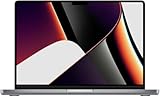
- Apple M1 Max Performance – Powered by Apple's M1 Max chip for exceptional speed, advanced graphics performance, and incredible efficiency, making it ideal for professional creative and technical workloads.
- Massive Memory & Storage – Equipped with 64GB unified RAM and a 2TB SSD for effortless multitasking, rapid file access, and plenty of space for large applications, media libraries, and professional projects.
- 16.2-Inch Liquid Retina XDR Display – Stunning high-resolution display with extreme brightness, incredible contrast, ProMotion adaptive refresh rate up to 120Hz, and vibrant, true-to-life colors.
- Professional Connectivity – Features three Thunderbolt 4 (USB-C) ports, HDMI, SDXC card slot, MagSafe 3 charging, and a 3.5mm headphone jack, providing versatile connectivity for professional workflows.
- Premium Apple Design – Finished in sleek Space Grey with a full-size QWERTY English keyboard, Force Touch trackpad, advanced six-speaker sound system, 1080p FaceTime HD camera, and exceptional battery life for productivity anywhere.
Apple also reported up to 13 times faster complex timeline rendering in Final Cut Pro versus the previous-generation 13-inch MacBook Pro. That is an Apple-reported result for its specified test conditions, not a universal speed claim for every project or comparison system. Apple’s announcement provides its test context.
For video editors, developers and other professionals, the Mac offers a desktop operating system, application ecosystem, laptop display and large-memory configurations. A PS5 is not designed to replace a workstation for these tasks, even though its GPU is powerful for games.
Power, portability and sustained use
The MacBook is a portable, battery-powered computer, so a workload may behave differently on battery than when plugged in; external displays and use conditions also matter. The 16-inch M1 Max configuration shipped with a 140W USB-C power adapter. The PS5 is a mains-powered console designed around sustained gaming sessions. These are different operating conditions, so a peak theoretical figure or performance-per-watt claim should not be mistaken for a direct sustained-performance comparison. Apple’s efficiency comparisons are manufacturer claims under specified test conditions.
Which one should you buy?
Choose a PS5 for gaming first
- You want PlayStation games, a broad console library and a controller-first TV experience.
- You value a known hardware target and do not want to check macOS compatibility title by title.
- You are choosing a device mainly to play games: the PS5 is the better-value purpose-built option.
Choose an M1 Max MacBook Pro for work first
- You need macOS, a portable computer or professional applications.
- You edit video, especially in workflows that use ProRes or other supported media acceleration.
- You want one device for work, school and occasional gaming, and have verified that your games run on Mac.
The M1 Max is a 2021-generation chip, so a used or refurbished unit is a different buying proposition from a current laptop. Its value depends on the exact GPU, memory and SSD configuration, battery condition, warranty and asking price. Apple’s refurbished Mac inventory changes over time; compare the specific machine rather than assuming a standard current price. If buying new, check the current MacBook Pro lineup instead of treating an older M1 Max as the default.
Keep both when the jobs are different
If you need a Mac for professional work and want console gaming at home, a MacBook and PS5 complement each other. A premium laptop should not be framed as a PS5 replacement just because one theoretical GPU estimate is close to Sony’s figure. Check the PS5 product information for current availability and the PlayStation Direct console listings for Digital Edition options; prices and bundles depend on market and availability.
Quick Recap
Product prices and availability are accurate as of the date/time indicated and are subject to change. Any price and availability information displayed on Amazon at the time of purchase will apply.




