The MSI GP72VR 7RFX Leopard Pro remains a capable large-screen 1080p gaming laptop for older games, but it is a sensible 2026 purchase only at a bargain used price. Its comfortable RGB keyboard, useful ports and potentially excellent 120Hz display are real strengths; the GTX 1060’s 3GB of VRAM, very short battery life and aging hardware are serious limits. Buy the condition and configuration in front of you—not the laptop’s old “VR-ready” pitch or original price.
What configuration is this review about?
“GP72VR 7RFX” identifies a model family, not one guaranteed retail specification. Laptop Mag’s reviewed unit had a Core i7-7700HQ, GeForce GTX 1060 with 3GB GDDR5, 16GB RAM, a 512GB NVMe SSD, a 17.3-inch 1920×1080 display, Windows 10 Home, a DVD drive and an RGB-backlit keyboard. That unit weighed about 6.4 pounds and was reviewed at $1,599—a historical price, not a current valuation. Laptop Mag’s review describes that specific configuration.
MSI’s platform specifications list two DDR4-2400 memory slots supporting up to 32GB, one M.2 slot for NVMe PCIe Gen3 or SATA storage, a 2.5-inch SATA bay, a 41Wh six-cell battery, GTX 1060 graphics with 3GB GDDR5, and a 180W adapter. The 2017 product brochure associates the 7RFX variant with a 17.3-inch Full HD 120Hz display, but confirm the panel on the individual listing rather than assuming every regional unit has it. See MSI’s specifications and the 2017 MSI brochure.
| Item | What to expect |
|---|---|
| Reviewed CPU | Intel Core i7-7700HQ (Laptop Mag test unit) |
| Reviewed GPU | Nvidia GeForce GTX 1060, 3GB GDDR5 (Laptop Mag test unit) |
| Reviewed memory and storage | 16GB RAM and 512GB NVMe SSD (Laptop Mag test unit) |
| Display | 17.3-inch, 1920×1080; 120Hz is configuration-dependent |
| Platform memory support | Up to 32GB DDR4-2400 in two slots (MSI) |
| Platform storage | One M.2 slot and one 2.5-inch SATA bay (MSI) |
| Battery | 41Wh, six-cell (MSI) |
| Operating system | Windows 10 Home on the Laptop Mag test unit; other listings may differ |
For an individual listing, ask the seller for the exact CPU/GPU, installed memory, SSD capacity, panel refresh rate and a photo of the system information screen. Don’t assume the review configuration is what is being sold.
Free tools Windows power users keep installed
One-click scans. No signup required.
#1 Best Overall

- 32GB ( 16GBx2 ) DDR4 2666 MHz Non-Parity/Non-ECC Unbuffered SODIMM DRAM Memory 260 pin Dual Rank Module.
- PC4-21300 | 2Rx8 | 1.2v | SODIMM
- Compatible with MSI GP72VR 7RF Leopard Pro,GT73VR 6RF Titan Pro,GV62 8RE Laptop
Design, size and build
This is a conventional 17-inch desktop-replacement: black gaming styling, red MSI branding, a full-size keyboard with number pad, and a DVD drive. Laptop Mag measured its unit at about 16.5 × 10.6 × 1.5 inches and 6.4 pounds; Notebookcheck measured its test unit at about 2.836kg. The small weight difference reflects separate review measurements and rounding, not a reason to treat it as portable in the modern ultraportable sense.
The lid uses aluminum, while much of the lower chassis is plastic. Notebookcheck found the construction serviceable but not especially premium, and noted that heat could spread through the upper chassis during load. A used machine is not inherently fragile, but inspect the hinges, keyboard deck and rear exhaust area for wear or damage.
Display: a useful size, but check the panel
The 17.3-inch Full HD screen gives games and desktop work room without asking the GTX 1060 to render at a higher-than-1080p resolution. Laptop Mag praised the reviewed display’s vivid color and detail. Notebookcheck reviewed a configuration with an excellent 120Hz panel; MSI’s 2017 brochure also lists a 120Hz display for the 7RFX variant. Refresh rate and panel quality are separate things: a 120Hz screen can make supported games feel smoother, but it does not guarantee modern levels of brightness, contrast, color coverage or response time.
At 120Hz, the GPU needs to deliver up to 120 frames per second to fully exploit that refresh rate. The GTX 1060 can do so in some older or lighter games, but not consistently in demanding modern titles. On a used unit, verify the refresh rate in the operating system and inspect for dead pixels, backlight bleed, pressure marks and uneven brightness.
Do these 3 things before closing this tab:
1Clear out junk files and repair common Windows errors2Scan for outdated or missing drivers - takes under a minute3Repair Windows errors before they cause bigger problemsKeyboard, touchpad and webcam
The SteelSeries RGB keyboard is one of the laptop’s standout features. Laptop Mag praised its comfortable feel, and Notebookcheck rated the keyboard highly. It has a number pad and gaming-friendly layout; exact lighting control and effects depend on the installed software and the individual unit. The touchpad is adequate for basic navigation, but the keyboard is the more compelling input device.
Rank #2
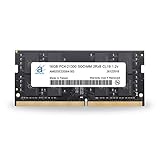
- 16GB ( 16GBx1 ) DDR4 2666 MHz Non-Parity/Non-ECC Unbuffered SODIMM DRAM Memory 260 pin Dual Rank Module.
- PC4-21300 | 2Rx8 | 1.2v | SODIMM
- Compatible with MSI GP72VR 7RF Leopard Pro,GT73VR 6RF Titan Pro,GV62 8RE Laptop
The 720p webcam is dated by current standards, and the built-in audio is serviceable rather than a reason to buy. MSI specifies four 2W speakers and a 720p camera. Laptop Mag found dialogue somewhat hollow, while Notebookcheck rated audio and camera below the keyboard and display. Headphones or external speakers are preferable for games and video calls.
Test every key before paying, particularly WASD, spacebar, arrows, number pad, function-row shortcuts and lighting. Check for intermittent input, excessive deck flex or keys that feel unlike their neighbors.
Ports and wireless connectivity
The reviewed unit offers a practical spread for a desk: two USB 3.0 ports, one USB 2.0 port, one USB Type-C port, HDMI, Mini DisplayPort, an SD card reader, headphone and microphone jacks, a Kensington lock slot and a DVD drive. MSI lists Killer Gigabit Ethernet, 802.11ac Wi-Fi and Bluetooth 4.2. The mix is useful for peripherals and external displays, but this is not a modern high-speed connectivity platform: do not assume the USB-C port supports Thunderbolt, USB4 or USB-C charging. Verify display output and charging behavior on the exact unit.
Recommended Free Tools
Gaming performance: strong for its time, constrained now
Reviews used different scenes, settings and methods, so their benchmark figures should be read separately rather than averaged. Laptop Mag reported these results for its test configuration:
- Batman: Arkham Knight: about 57–70fps at 1080p on high settings, including roughly 58fps in a demanding tank sequence.
- Rise of the Tomb Raider: 33fps at high settings.
- Grand Theft Auto V: 48fps at very high settings.
- SteamVR performance test: 7.1.
Notebookcheck reported a Fire Strike Graphics score of 11,870, about 40fps in The Witcher 3 at 1080p/highest in its long-term test, approximately 74fps in Metro: Last Light at 1080p/Very High, and approximately 81fps in Batman: Arkham Knight at 1080p/High. See the separate methods and results in Laptop Mag and Notebookcheck.
Rank #3

- 1,Fully and effortlessly handle an 18-inch laptop with great stability, and this is even more true for laptops ranging from 11 to 18 inches.
- 2, Anti slip material: Made of reinforced nylon, 304 stainless steel and silicone, durable and stable, black looks more noble
- 3, ERGONOMIC DESIGN: 26 and 30 degree angle adjustable, comfortable eye-level design ease you from the tension of using laptop for a long time and protect your spine
- 4, Uncompromising Quality: Strong enough to hold 10kg with ease. Thoroughly tested for maximum durability and reliability.Perfectly hold laptop varying from 11" to 18" with one detachable hooks steadily
- 5, GOOD VENTILATION: laptop stand keeps your laptop cool and no more heating up. Easy to use and set-up was a breeze
Those results show why it was a credible 1080p gaming machine in 2017, not what every used unit will achieve today. The GPU’s 3GB VRAM is now the sharpest limitation: older games and esports titles are the best fit, while newer AAA games may need low settings, reduced textures, upscaling or a 30fps target. Texture-heavy games can stutter when memory is insufficient. Ray tracing and current frame-generation features are not realistic reasons to choose this laptop. The i7-7700HQ remains usable for ordinary tasks and older games, but may limit high-refresh play and newer CPU-heavy titles.
The 2017 “VR-ready” framing also needs context. The recorded SteamVR score is a period-specific test result, not evidence of a satisfying modern VR experience.
Quick wins for a faster PC:
Clear out junk files and repair common Windows errorsFree Scan →Fix the driver behind crashes, sound loss and screen glitchesFind Drivers →Everyday and creative-work performance
For browsing, office work, school tasks and older games, the reviewed i7-7700HQ and 16GB RAM remain serviceable. Laptop Mag reported that its unit handled 45 browser tabs, including 1080p video streaming, without obvious trouble. That is a historical review observation, not a guarantee for every machine or current browser workload.
Light photo editing, basic 1080p video editing and streaming gameplay from a newer PC or console are reasonable occasional uses. Heavy 4K editing, large software builds, modern 3D rendering, newer CPU-intensive games and AI workloads that depend on a recent GPU are poor matches for this generation.
Thermals, fan behavior and sustained performance
Notebookcheck recorded CPU clock fluctuation after the processor reached about 95°C under full stress. In GPU-only stress, the GPU peaked around 68°C; combined CPU/GPU stress reached about 95°C on the CPU and 75°C on the GPU. Cooler Boost delayed thermal events but did not fundamentally change real-world behavior. The same review noted heat around the keyboard and touchpad area.
Rank #4
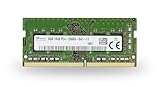
- 8GB ( 8GBx1 ) DDR4 2666 MHz Non-Parity/Non-ECC Unbuffered SODIMM DRAM Memory 260 pin Single Rank Module.
- PC4-21300 | 1Rx8 | 1.2v | SODIMM
- Compatible with MSI GP72VR 7RF Leopard Pro,GT73VR 6RF Titan Pro,GV62 8RE Laptop
Those are measurements from Notebookcheck’s test unit under its stress conditions, not a forecast for every used laptop. A dusty heatsink, dried thermal paste, blocked vents or aging fan can make a particular machine run worse. Warmth alone does not prove a fault; look for fan bearing noise, fans that fail to ramp, clock drops, sudden shutdowns, performance loss after several minutes, dust-packed fins or evidence of missing heat-pipe screws. Use monitoring logs during a sustained game or graphics test rather than guessing from the chassis temperature. A raised rear edge or cooling pad may improve airflow but is not a cure for a failing cooling system.
The Tool Desk
Outbyte Driver Updater FREEScan for outdated or missing drivers - takes under a minuteDriver Scan →Outbyte PC Repair FREEClear out junk files and repair common Windows errorsFree Scan →Battery life: plan to use the charger
MSI specifies a 41Wh battery, and both Laptop Mag and Notebookcheck identified runtime as a major weakness when the machine was new. The review findings do not predict the health of an eight- or nine-year-old battery; the original pack may have degraded substantially or been replaced.
On Windows, run powercfg /batteryreport from Command Prompt or Windows Terminal. Open the generated report and compare “Design capacity” with “Full charge capacity”; the saved report location can vary by Windows version and user environment. Treat this laptop as a plugged-in desktop replacement, not a travel machine for long unplugged sessions.
Storage and upgrades
MSI’s platform supports up to 32GB of DDR4-2400 memory across two slots, one M.2 NVMe PCIe Gen3/SATA SSD and one 2.5-inch SATA drive. That allows useful upgrades if the unit has limited RAM or storage. A larger NVMe SSD or a 2.5-inch SATA SSD in place of a mechanical drive can make the system more responsive; confirm the existing configuration and the fit of any replacement part against the exact submodel and connector.
Notebookcheck praised the NVMe storage performance but described disassembly as unusually nerve-racking on its test unit. Supported upgrade slots do not mean opening the case is easy or risk-free. If you are comfortable proceeding:
Best Value
- 1,Fully and effortlessly handle an 18-inch laptop with great stability, and this is even more true for laptops ranging from 11 to 18 inches.
- 2, Anti slip material: Made of reinforced nylon, 304 stainless steel and silicone, durable and stable, black looks more noble
- 3, ERGONOMIC DESIGN: 26 and 30 degree angle adjustable, comfortable eye-level design ease you from the tension of using laptop for a long time and protect your spine
- 4, Uncompromising Quality: Strong enough to hold 10kg with ease. Thoroughly tested for maximum durability and reliability.Perfectly hold laptop varying from 11" to 18" with one detachable hooks steadily
- 5, GOOD VENTILATION: laptop stand keeps your laptop cool and no more heating up. Easy to use and set-up was a breeze
- Confirm the existing memory and storage, and back up important files.
- Shut the laptop down fully and unplug the charger.
- Use the correct Phillips screwdriver and a plastic pry tool; photograph screw and cable locations as you go.
- Work carefully around the bottom cover and do not force it if it resists.
- Check for any remaining warranty seal or tamper sticker before opening.
- Clean fans and heatsinks only if you can reassemble them safely; replace thermal paste only if experienced with laptop disassembly.
Prioritize a move from 8GB to 16GB RAM, a larger SSD, dust cleaning or a genuinely degraded battery, depending on the unit’s condition. Do not buy a replacement battery or drive on the assumption that every part advertised for a GP72 fits every submodel.
Independent reader supportYour contribution helps us test, update, and keep practical guides available for everyone.What to inspect before buying used
Ask for clear photographs of the actual laptop, its screen and the power adapter, plus the exact specification and return terms. Test it in person or request a sustained-load video where possible.
- Condition: Check hinge looseness or cracking, keyboard-deck flex, missing rubber feet, bezel separation, damage near rear exhausts and whether the bottom cover appears to have been removed cleanly.
- Display: Confirm resolution and refresh rate; look for dead pixels, pressure damage, bleed or uneven brightness.
- Inputs and ports: Test all keys and RGB zones, touchpad, USB ports, HDMI, Mini DisplayPort, SD reader, audio jacks and DVD drive.
- Cooling: Listen for fan grinding or rattling, check that both fans respond under load, and watch for shutdowns or falling clocks.
- Battery and power: Request a battery report; verify that the correct 180W charger is included and that the laptop charges and runs under load.
- Configuration and value: Confirm RAM, SSD, GPU and panel details. Compare the total price, including shipping and charger, with newer RTX-equipped systems; factor in the return policy and parts availability.
Unexplained shutdowns, a noisy or nonworking fan, display defects, a missing charger or a seller unwilling to show the exact unit are reasons to walk away rather than assume a cheap repair.
How it compares with newer gaming laptops
A new or recent laptop with a modern RTX GPU is a much better gaming purchase if its price is within reach. For example, MSI’s U.S. store listed Cyborg A17 AI configurations with an RTX 5060 Laptop GPU, 8GB GDDR7, a 17.3-inch Full HD 144Hz screen, Ryzen 9 270, 16GB or 32GB DDR5 and a 1TB NVMe SSD. Prices observed on the store on August 16, 2026 were about $1,499 promotional for one configuration and $1,599.99 for another; these are dated store listings, not guaranteed current offers. See MSI’s gaming laptop listings and its price-sorted store page.
What’s actually slowing this PC down?
Pick the symptom - the matching free tool is one click away.
The Cyborg is not a like-for-like used bargain: it costs far more than an old GP72VR should, and exact display and build details vary by SKU. Its relevance is that spending close to the GP72VR’s original $1,599 review price would make little sense when a far newer platform was listed at a comparable figure. MSI’s current product inventory can be checked at MSI’s U.S. laptop site.
Acer’s Predator Helios 300 line is another family to consider if you want a more recent gaming platform; the exact generation and graphics configuration matter. Acer’s product page describes configurations reaching 17.3-inch QHD high-refresh displays and RTX graphics. Older official store examples with RTX 2060 or RTX 3060 were listed around $1,599.99–$1,749.99 but were marked out of stock when observed, so they are not reliable current buying options. See Acer’s Helios 300 page and its older store example. Notebookcheck also identified the Helios 300 as an alternative with easier disassembly on the models it compared; that does not describe every Helios generation.
Who should buy or keep the GP72VR 7RFX?
It makes sense if
- You can get it substantially below the cost of a newer RTX laptop.
- You mainly play older games or esports titles at 1080p.
- You value a large screen, full-size keyboard, broad legacy ports or DVD drive.
- The cooling system, charger and display are sound, and you accept plugged-in use.
- You can upgrade its RAM or storage affordably and carefully.
Choose something else if
- The asking price approaches that of a newer RTX-equipped system.
- You need modern AAA gaming, ray tracing, frame generation or more than 3GB of VRAM.
- You need long battery life, frequent travel, USB-C charging, Thunderbolt/USB4, Wi-Fi 6 or a modern webcam.
- You depend on sustained professional workloads or modern GPU-heavy creation.
- The seller cannot verify stability, condition or the exact configuration.
MSI still lists specifications and a support page for the model, but no current official retail price or new-stock listing was established; treat it as a used, refurbished or leftover-stock purchase. The current MSI support page is here.
Quick Recap
Product prices and availability are accurate as of the date/time indicated and are subject to change. Any price and availability information displayed on Amazon at the time of purchase will apply.



