Recommended Free Tools
If Minecraft says your Realm needs an update, update the game on the device you use to play and launch the latest stable release. There is no universal “update Realm” button for players: Realms are hosted online, and Java and Bedrock Realms are separate services. If you mean changing the active world on a Bedrock Realm, use its Realm Hub instead.
Update Minecraft to fix a Realm version mismatch
Realms are cloud-hosted worlds that invited players can join while the owner is offline. For an ordinary version mismatch, the practical fix is to bring your Minecraft client up to date; players do not install a server patch themselves. Minecraft Help advises using the latest game version for Realm connection problems and notes that older versions may not be supported by some Realms (Minecraft Realms connection errors).
- Check which edition the Realm uses. Java Edition players need a Java Realm; Bedrock players need a Bedrock Realm. The editions cannot join each other’s Realms (Minecraft Realms; How Do I Play Minecraft?; Minecraft Java or Bedrock Edition).
- Install the game’s normal update for your device. The update route differs across Windows, consoles, and mobile. Use the platform-specific manual update instructions linked from Minecraft Help rather than assuming one set of menu steps works everywhere (Minecraft Realms connection errors).
- Launch a normal stable release. In the Java Launcher, select the latest release, not a Preview or Snapshot profile, when connecting to a regular Realm (Minecraft Realms connection errors).
- Try joining again. If you still cannot connect, restart Minecraft or the device and follow the official connection troubleshooting guidance. Updating is a common version-mismatch fix, but it does not resolve every connection problem.
Update Minecraft on a phone or tablet
Minecraft on mobile normally updates automatically, but you can check whether the installed game matches the store version. Open Minecraft and note the version number in the bottom-right corner of the launch screen, then compare it with the current Minecraft listing in your device’s app store. If the store offers a newer release, use the store’s update option (Minecraft for mobile devices).
Make sure your edition matches the Realm
Java and Bedrock are not interchangeable for Realm access. A Java player must launch Java Edition to join a Java Realm; a Bedrock player must use Bedrock Edition to join a Bedrock Realm. Bedrock is available across supported Bedrock devices, while Java Realms are for Java Edition players (Minecraft Realms; Minecraft Java or Bedrock Edition). If your game is current but the Realm still does not appear or accept the connection, verify with the owner which edition the Realm uses.
#1 Best Overall

- Digital Max Resolution:4096 X 2160.Form Factor:ATX.Analog max resolution 2048 x 1536
- Powered by NVIDIA GeForce GT 730 GPU
- Integrated with 2048MB DDR3 memory and 64-bit memory interface
- Core Clock: 902MHz.Avoid using unofficial software
- Features Dual-Link DVI-D / HDMI / D-Sub
Change the active world on a Bedrock Realm
If by “update a Realm” you mean replacing or managing the world it currently uses—not updating Minecraft’s version—open Play → Realms → Realm Hub → World. Realm Hub is accessed from the Realms Play screen, and its World tab provides the relevant world-management controls. The current interface also includes a redesigned Edit World screen for world changes and pack management (Bedrock Edition 26.20 changelog). Choose the world-management option that matches the change you want to make; this is separate from installing a game update.
If the latest update is not available
Update availability can differ by platform. If your device’s update screen does not offer the newest release, check the official manual-update instructions for that platform and try again later. The official help guidance does not give one universal server rollout schedule or a single button that forces every hosted Realm to a particular version, so do not assume that restarting or changing a Realm setting can make an unavailable client update appear (Minecraft Realms connection errors).
Rank #2

- NVIDIA Ampere Streaming Multiprocessors
- 2nd Generation RT Cores
- 3rd Generation Tensor Cores
- Powered by GeForce RTX 3060
- Integrated with 12GB GDDR6 192-bit memory interface
When updating does not fix the connection
Check that the Realm subscription is active and that the service is available, restart Minecraft or your device, and consult Minecraft’s official Realm connection troubleshooting page. A version mismatch is only one possible cause of a failed connection; the error may need a different fix.
Quick Recap
Rank #3
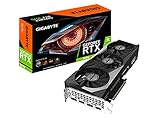
- NVIDIA Ampere Streaming Multiprocessors
- 2nd Generation RT Cores
- 3rd Generation Tensor Cores
- Powered by GeForce RTX 3070
- Integrated with 8GB GDDR6 256-bit memory interface
Product prices and availability are accurate as of the date/time indicated and are subject to change. Any price and availability information displayed on Amazon at the time of purchase will apply.



