To find out whether a PC game will work offline, check the exact edition’s store listing and publisher requirements for online activation, account or launcher requirements, and a connection needed at every launch. A “single-player” label or a launcher’s offline mode is not enough to guarantee offline play. If the listing is unclear, ask the publisher; after buying, install and activate the game online, then test the exact game and features you need with the network disconnected.
First, decide what you mean by “offline”
There is no single standard storefront label that answers every offline-play question. A game may have a single-player campaign but still require a connection for activation or launch. Separate the need into three questions:
| # | Preview | Product | Price | |
|---|---|---|---|---|
| 1 |

|
Sniper: Ghost Warrior 3 Season Pass Edition - PC | $14.24 | Buy on Amazon |
| 2 |

|
Star Wars: Battlefront - Standard Edition - PC | $9.99 | Buy on Amazon |
| 3 |

|
Grand Theft Auto V - PC | $36.99 | Buy on Amazon |
| 4 |
|
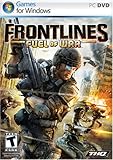
Frontlines: Fuel of War - PC | $8.04 | Buy on Amazon |
| 5 |

|
Battlefield 2 - PC | $11.93 | Buy on Amazon |
- Offline launch: Can you start the installed game without connecting to the internet?
- Offline play: Can you make progress in the single-player mode without a network connection?
- Offline features: Which extras—such as multiplayer, live services, cloud saves, or updates—will be unavailable?
Multiplayer and live features depend on connectivity. For single-player, check the specific requirements rather than assuming the mode works offline.
Check the exact game listing and publisher requirements
Confirm the storefront and edition you plan to buy, then review both the store page and the publisher’s current support or legal information. Requirements can differ by product or how it is obtained, so don’t rely on another edition’s details.
Quick wins for a faster PC:
Scan for outdated or missing drivers - takes under a minuteDriver Scan →Repair Windows errors before they cause bigger problemsFix Now →Fix the driver behind crashes, sound loss and screen glitchesFind Drivers →#1 Best Overall
- Sniper: Ghost Warrior 3 is a story of brotherhood, faith and betrayal in a land soaked in the blood of civil war. You are an American sniper dropped behind enemy lines in Georgia, near the Russian border.
- Ruthless warlords have taken over part of the area and it falls on you to prevent the entire country from collapsing into chaos. Explore large open maps with dynamic weather and a day/night cycle that actually impacts your play and decisions.
- Be a Sniper: Engage your targets from the long range. Factor in scope elevation, wind speed and direction, breath control and stance, along with weapon and bullet choice.
- Be a Ghost: Stalk your enemies and eliminate them silently with a broad variety of takedowns. The advanced stealth gameplay includes drone recon and vertical navigation.
- Be a Warrior: Wield a wide variety of advanced weapons and modify them to suit the needs of your mission and your own personal style. Choose from assault rifles, shotguns, machine guns, and even explosives.
Look for the kind of connection the game requires
Search the listing and publisher documentation for terms such as “internet connection required,” “online activation,” “account required,” “third-party DRM,” or a required launcher or client. Determine whether a connection is needed only to download and install, for first activation, at every launch, or throughout play. If the wording doesn’t make that clear, check publisher support before buying.
Check account, launcher, and DRM requirements
A game may require an account or launcher even when you buy it elsewhere. EA’s PC legal disclosures illustrate why checking the exact product matters: disclosures can specify an internet connection, an EA Account, EA app installation, registration using a single-use product code, or third-party DRM. Those requirements are not universal across EA games; consult the current disclosure for the specific product. EA legal disclosures.
Rank #2
- Product Packaging Notice: This product includes a download code in packaging, no physical media disc included.
- Visit classic planets from the original Star Wars trilogy, detailed with an unprecedented amount of realism and sense of authenticity that will transport you to a galaxy far, far away
- Pilot a diverse set of ground-based vehicles including nimble speeder bikes, massive AT-ATs, and more
- Encounter a variety of beloved characters from the original trilogy such as C-3PO and R2-D2
- Pilot the Millennium Falcon, X-wings, TIE fighters, and more of your favorite vehicles in exhilarating aerial combat
Check the launcher’s offline rules—but don’t treat them as a game guarantee
A launcher can support offline use without making every game installed through it playable offline. The game’s own requirements still matter.
Steam
Steam says Offline Mode lets you play games without an active Steam Network connection, but advises checking each game for additional installation or update requirements. Steam also says, “Most games require an initial start-up while connected to the Steam Network before they will work in offline mode.” Launch the game while connected before relying on it offline; a game that appears ready to play may still fail to start in Offline Mode. See Steam Support’s Offline Mode instructions.
Outdated Drivers Are Slowing You Down
One free scan finds every outdated or missing driver and matches the right update for your exact hardware.Free scan · exact hardware matchWindows Errors? Fix Them Before They Spread
Repair common Windows errors and clear accumulated junk for a smoother, more stable PC - no reinstall needed.Free scan · no reinstallRank #3
- Will take full advantage of the power of new generation systems and PC to deliver across-the-board enhancements including increased resolution and graphical detail, denser traffic, greater draw distances, upgraded AI, new wildlife, and advanced weather and damage effects for the ultimate open world experience.
- The biggest, most dynamic and most diverse open world ever created and now packed with layers of new detail.
- Grand Theft Auto V blends storytelling and gameplay in new ways as players repeatedly jump in and out of the lives of the game’s three lead characters, playing all sides of the game’s interwoven story.
- Includes Grand Theft Auto Online, the ever-evolving Grand Theft Auto universe.
- All new content and gameplay created and released since the launch of Grand Theft Auto Online including new Jobs, an arsenal of new weapons, scores of new vehicles, new properties and player customizations
Epic Games Launcher
Epic says Offline Mode lets you play supported single-player games without an internet connection, but the game must already be installed. “Supported” is important: single-player status alone does not prove that a title is eligible. See Epic Games Support’s Offline Mode instructions.
Use this checklist before purchase
- Identify the exact release. Check the edition and storefront you intend to buy; don’t generalize from another version or platform.
- Read the store page and publisher documentation. Look for connection, activation, account, launcher, and DRM requirements.
- Pin down when connectivity is required. Is it only for download or installation, for initial sign-in or activation, for every launch, or continuously during play?
- Check the mode you plan to use. Confirm whether your intended single-player content works without a network; don’t infer this from the “single-player” label.
- Check the launcher’s conditions. For example, Steam advises a connected initial startup for most games, while Epic’s Offline Mode applies to supported single-player games that are already installed.
- Ask if the answer is still unclear. Contact publisher support or consult its documentation before buying rather than assuming offline access.
After purchase, test the exact game before you depend on it
Store and publisher information can’t establish how a particular installed version will behave on your PC. Steam recommends trying games before relying on Offline Mode. A practical check is to prepare the game while connected, then test it disconnected:
Rank #4
- Windows XP/Vista, Intel Core2 E6400 or AMD Athlon X2 5000 2.3GHz Processor
- 1.5GB RAM, 11.5GB Hard Disk Space, DirectX 9.0
- Nvidia 8600GTX/ATI 2500 Video Cardw/ latest drivers, DirectX 9.0, Compatible Sound Card, DVD-ROM Drive
- Sound Blaster X-Fi Series Sound Card, Broadband Internet connection and latest drivers
- Download, fully install, and update the game.
- Sign in, activate, and launch it while connected; finish any required setup.
- Enable the launcher’s supported offline mode, if applicable.
- Disconnect from the network and try launching the game.
- Test the specific single-player content and features you plan to use. Note what fails, including any online-only extras.
This test reflects the installed version and setup you tried; it does not establish that a later update or a different edition will behave the same way. Storefront requirements and launcher behavior can change, so recheck the exact product information close to purchase.
Independent reader supportYour contribution helps us test, update, and keep practical guides available for everyone.Compare candidate games on the details that affect offline use
If you’re choosing between games, compare them against the same questions rather than relying on a simple offline/online label:
The Tool Desk
Outbyte Driver Updater FREEScan for outdated or missing drivers - takes under a minuteDriver Scan →Outbyte PC Repair FREERepair Windows errors before they cause bigger problemsFix Now →Quick Recap
Best Value
- War simulation, online multiplayer action with 64 players on the PC
- Battle as U.S., Chinese, or Middle East Coalition troops
- 30+ land, sea, and air vehicles; choose from a variety of soldier classes
- New state-of-the-art weapon systems, including heat seeking missiles
- Increase rank and unlock awards; voice-over IP (VOIP) supported
- When is an internet connection required: installation, first activation, every launch, or continuous play?
- Is an account or extra launcher required, and can the game authenticate without a connection?
- Is the specific single-player mode available offline?
- Which desired features—such as updates, DLC, cloud saves, or online services—won’t work offline?
- Have you tested the exact installed version disconnected?
Product prices and availability are accurate as of the date/time indicated and are subject to change. Any price and availability information displayed on Amazon at the time of purchase will apply.



