Windows Errors? Fix Them Before They Spread
Repair common Windows errors and clear accumulated junk for a smoother, more stable PC - no reinstall needed.Free scan · no reinstallOutdated Drivers Are Slowing You Down
One free scan finds every outdated or missing driver and matches the right update for your exact hardware.Free scan · exact hardware matchTo find out whether a college football player is expected to play, check the official availability report for the game’s governing conference—or the College Football Playoff (CFP) report for a playoff game. Confirm the opponent and game date, read the report’s timestamp, and check again closer to kickoff because a player’s designation can change. These reports communicate expected availability; they do not necessarily reveal a medical diagnosis.
Start with the report for the right game
First identify whether the game is a conference matchup, a non-conference contest, or a CFP game. Reporting coverage can be limited to a conference’s games or the playoff, so do not assume that a conference report will cover every game a school plays.

- Open the official source: use the conference availability-report page for a conference game, or the CFP reporting page for a playoff game.
- Find the player and team: check the opponent and game date as well as the player’s name.
- Read the timestamp: note whether the entry is a midweek update or a game-day report.
- Check again near kickoff: use the newest report for that specific game, since a designation may change.
Official college football availability-report sources
| Competition | Where to check | Timing and scope |
|---|---|---|
| SEC | SEC football report page; SEC report archive | For Saturday SEC conference games, the first report is due Wednesday, updates are due Thursday and Friday, and the final report is due 90 minutes before kickoff. The policy applies to SEC games. |
| Big Ten, 2026 process | Reports are to be published at BigTen.org. | For conference-opponent games, reports are required three, two, and one days before the game by 8 p.m. ET / 7 p.m. CT / 5 p.m. PT, plus a final report two hours before kickoff. Do not assume this process covers non-conference games. |
| Big 12 | Big 12 availability reporting page | For conference football games, daily reports begin three days before each game and are posted at 9 p.m. CT, with updates and a final game-day designation. |
| College Football Playoff | CFP reporting page. | For playoff games, participating teams report beginning three days before each game, with daily updates and a final report 90 minutes before game time. |
Deadlines and coverage differ by competition. For example, the SEC final report is due 90 minutes before kickoff, while the announced Big Ten 2026 process calls for a final report two hours before kickoff. Consult the relevant official page for the particular matchup rather than applying one conference’s schedule to another.
How to interpret a player’s designation
Use the latest report available for that game. A Wednesday “questionable” or “probable” label is not necessarily the final word if a later update has been published. The CFP uses available, probable, questionable, doubtful, or out before game day; its game-day designations are available, game time decision, or out.
#1 Best Overall

- Current physical rule book for college coaches, officials, and athletic programs
- Printed reference for meetings, clinics, preparation, and event-day review
- Compact physical format that stays available without a device or login
Some policies treat players who are not listed as available, but that inference depends on the competition’s rules and any stated exemptions. Check the applicable policy before treating an unlisted player as available.
Describe only what the report establishes. For example, “listed as questionable on the team’s Wednesday availability report” is different from saying the player has a particular injury. A diagnosis requires a separate reliable source that actually reports it; absence, depth-chart changes, practice observations, or social media speculation do not establish one.
Independent reader supportYour contribution helps us test, update, and keep practical guides available for everyone.When there is no report—or reports do not match
A missing listing does not prove that a player is healthy or that a report should exist for the game. The reporting rule may not cover a non-conference contest, or the competition may have different publication arrangements. If two reports appear to conflict, prefer the most recent official report that matches the opponent and game date, and identify its timestamp when describing the player’s status.
The NCAA’s March 2026 announcement concerned an availability-report pilot for Division I men’s and women’s basketball championships. It should not be read as a universal NCAA football injury-report program.
What’s actually slowing this PC down?
Pick the symptom - the matching free tool is one click away.
Quick Recap
Best Value

- Quarterback Design: Designed by an NFL Quarterback Kurt Benkert, using insights from his professional football preparation and film study. This notebook will help you design plays that can be easily understood and executed on the field.
- 50 Double-Sided Play Design Pages: The playbook is designed with plenty of room to sketch formations, routes, coverages, and game plans.
- Premium Hard Cover: The notebook's durable construction is built to hold up through practices, meetings, and travel. Unlike paperback playbooks, this notebook will help coaches and players all season long.
- Tear-Out Pages: The pages are designed to be ripped out for easy sharing with players and other coaches. Bring your play designs to the field or film room.
- Players and Coaching Staff: The playbook is a perfect fit for coaches, QBs & football fans. From Pop Warner and flag football to high school and weekend leagues, the playbook can help with strategy building, quarterback training, film study, or designing your own team's playbook.
Rank #4
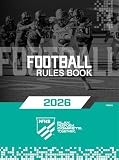
- Official NFHS Football Rules Book
Rank #3

- Scores 12 games
- Separate sections for recording kicks, returns, turnovers and penalties
- Detailed possession and scoring summary sections
- Heavy back cover provides rigid writing surface
- Directions and examples on how to score
Product prices and availability are accurate as of the date/time indicated and are subject to change. Any price and availability information displayed on Amazon at the time of purchase will apply.




