Recommended Free Tools
Test more than one disc before assuming your player is broken. If only one disc fails, check its condition, format, region, and recording method; if several compatible discs of the same type fail, troubleshoot the player. DVD-only and Blu-ray-only problems can have different causes.
First, determine whether the problem follows the disc or the player
- Check that the disc is inserted correctly, with the label facing the direction specified by the player. Inspect it for fingerprints, dirt, scratches, or other damage. Wipe gently with a soft, lint-free cloth.
- Try multiple known-good discs, testing DVDs and Blu-rays separately if your player supports both. LG USA Support advises testing at least three discs of each type—three Blu-rays and three DVDs—to help identify where the problem occurs: LG support.
- Note the pattern. If one title fails but other discs of the same type play, investigate that disc. If several DVDs fail but Blu-rays work, focus on DVD compatibility or the player’s DVD playback; if Blu-rays fail while DVDs work, focus on Blu-ray compatibility or playback. If all discs fail, proceed to the player checks below.
Panasonic likewise recommends trying another disc to help distinguish a disc problem from a player problem. See Panasonic Blu-ray and DVD support.
Check disc condition, format, and region
Clean or replace a damaged disc
Visible dirt and scratches can interfere with playback. Clean gently rather than rubbing hard or using an abrasive material. If a disc is deeply scratched, cracked, or otherwise damaged, test another copy; cleaning cannot repair physical damage.
Confirm the disc type is supported
Players do not necessarily support every DVD, Blu-ray, CD, or recordable-media format. Check the operating manual for your exact player model and confirm that it supports the format printed on the disc or its packaging. A disc that works in the recorder or computer that made it may still be unsupported by a different player.
#1 Best Overall
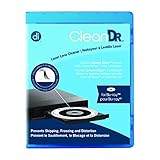
- Laser lens cleaner for Blu-Ray players and Blu-Ray video game systems having issues with discs that load slowly, skip, or freeze during playback
- Patent-pending Zero-Clearance Technology and 10-Brush Cyclone Clean process removes dirt and dust build-up that causes audio and video dropout and distortion
- Cleaning the laser lens can extend the life of the Blu-Ray player while improving sound and image quality
- Includes Image & Sound Calibration Tools and instructions in English, French or Spanish
- Works with Blu-Ray Players, DVD Players, XBOX/XBOX 360/XBOX ONE, PS/2/3/4. Not compatible with CD only players
Check regional compatibility
DVD-Video and Blu-ray discs can use regional codes. Compare the disc’s region marking with the player’s supported region, using the player manual and disc packaging. A disc bought in another region may not play even when it is undamaged and otherwise compatible. Panasonic’s support guidance identifies region incompatibility as a possible playback issue; check model-specific documentation rather than assuming all players behave alike.
If it is a home-recorded or burned disc
Check both the recording format and whether the disc was finalized or finished. Some players cannot read a disc left open for further recording. LG also cautions that discs made in a “Like a USB thumbdrive” mode may not play correctly in another device; an unfinalized disc may work only in the recorder that created it. Consult the recorder’s instructions and the player manual, since supported formats and recording modes vary by model. See LG support.
Rank #2

- 【Why to Use】Laser Lens Cleaner for CD/VCD/DVD players experiencing slow loading, skipping or freezing of discs during playback.
- 【Special Technology】The 2-brush clean process removes dirt and dust deposits that cause audio and video dropouts and distortions.
- 【Usage Effect】Cleaning the laser lens can extend the service life of CD / VCD / DVD player, and improve the sound and image quality at the same time.
- 【Compatible Players】Works with CD/VCD/DVD player. Not compatible with PS1/2/3/4,Xbox/Xbox 360/Xbox One/Xbox X,Wii/Wii U/Bose player.
- 【What You will Get】Cleaner disc*1, A piece of glasses cloth*1,Disc cleaning fluid*2, After Sales Card*1. If any problem, please contact us, we are 24 hours standby to serve you.
Restart the player and check for model-specific firmware
- Turn the player off and unplug it briefly, then reconnect it and test a disc again.
- If Blu-ray discs still fail, visit the manufacturer’s support page and search for firmware for the exact model. Follow that model’s update instructions; menu names and update methods differ, so do not rely on steps for another player.
Panasonic and LG include restart or model-specific troubleshooting guidance in their support materials: Panasonic and LG.
Understand “NO PLAY” or “NO READ” messages
These messages do not identify one specific fault. Possible causes include a dirty or badly scratched disc, an unsupported format or region, or a playback restriction such as parental ratings. Check the exact wording on the display and consult the manual for your model. Panasonic’s support information and operating manuals describe compatibility and restriction checks; instructions are model-specific.
Rank #3
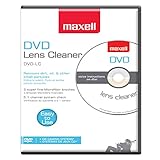
- SUPER FINE MICROFIBER BRUSHES: The Thunder on brush system features ultra-fine synthetic fibers impregnated with copper for maximum cleaning and demagnetization. Ideal for removing scratches.
- MAXELL RECOMMENDS: It is recommended to clean the DVD player's lens after every 10 hours of use. When the brush shows signs of wear or after 20 usages, it is recommended to replace the product.
- IMPROVING QUALITY: Laser lens cleaners can enhance DVD player quality, fixing issues like slow loading, skipping, and freezing during playback. Cleaning the lens boosts player durability, sound, and image quality.
- COMPATIBLE: This product is safe for use with Blu-Ray players, all DVD players, computers (DVD), laptops (DVD), XBOX/XBOX360, and PS1/2 gaming systems, but it is not suitable for use with PS3, PS4, or WiiU.
- EASY TO USE: Insert the DVD lens cleaner with graphics facing up and arrow forward. Play the video, press stop to remove it for cleaning only. Carefully take the disc out of the player and return it to its case.
When to try a lens cleaner—and when to stop troubleshooting
LG suggests a laser lens cleaner as one possible step when a player has trouble reading recorded discs. Treat it as a limited option, not a general repair: consult the player manual before using one. A cleaner will not resolve a region mismatch, unsupported format, damaged disc, or confirmed hardware failure.
If several known-compatible discs still fail after the checks and restart, contact the manufacturer or an authorized service center. Panasonic advises seeking service when troubleshooting does not resolve playback problems, including cases where the player cannot play any discs. Do not open the player or attempt to adjust its optical pickup as routine troubleshooting.
Quick Recap
Best Value

- 【Why to Use】Laser Lens Cleaner for CD/VCD/DVD players experiencing slow loading, skipping or freezing of discs during playback.
- 【Special Technology】The 2-brush clean process removes dirt and dust deposits that cause audio and video dropouts and distortions.
- 【Usage Effect】Cleaning the laser lens can extend the service life of CD / VCD / DVD player, and improve the sound and image quality at the same time.
- 【Compatible Players】Works with CD/VCD/DVD player. Not compatible with PS1/2/3/4,Xbox/Xbox 360/Xbox One/Xbox X,Wii/Wii U/Bose player.
- 【What You will Get】Cleaner disc*1, A piece of glasses cloth*1,Disc cleaning fluid*1, After Sales Card*1. If any problem, please contact us, we are 24 hours standby to serve you.
Rank #4

- 【Why to Use】Laser Lens Cleaner for CD/VCD/DVD players experiencing slow loading, skipping or freezing of discs during playback.
- 【Special Technology】The 2-brush clean process removes dirt and dust deposits that cause audio and video dropouts and distortions.
- 【Usage Effect】Cleaning the laser lens can extend the service life of CD / VCD / DVD player, and improve the sound and image quality at the same time.
- 【Compatible Players】Works with CD/VCD/DVD player. Not compatible with PS1/2/3/4,Xbox/Xbox 360/Xbox One/Xbox X,Wii/Wii U/Bose player.
- 【What You will Get】Cleaner disc*1, A piece of glasses cloth*1, User manual*1.
Product prices and availability are accurate as of the date/time indicated and are subject to change. Any price and availability information displayed on Amazon at the time of purchase will apply.



