What’s actually slowing this PC down?
Pick the symptom - the matching free tool is one click away.
A DIY rotary spinner can make games such as Arkanoid, Tempest, and Breakout easier to control when an emulator accepts dial, spinner, or mouse movement. The projects covered here use rotary encoders, so they send relative movement rather than the absolute position produced by a true analog paddle. Which games work—and how well they feel—depends on the controller’s USB mode, emulator mapping, and sensitivity settings.
What a DIY spinner does—and how it differs from a paddle
Turning a rotary spinner produces movement: its encoder detects rotation and firmware translates that into input for a computer or console. A true analog paddle instead reads the knob’s position, typically with a linear potentiometer. The MiSTer spinner and paddle adapter documentation distinguishes the two: a paddle input uses a potentiometer, while a spinner uses a two-phase rotary encoder.
Some firmware or MiSTer modes may call a mapping “paddle emulation.” That describes how input is mapped for a game or platform; it does not turn an encoder into an analog position sensor. Project authors also use terms such as “dial,” “rotary controller,” and “paddle,” so check the actual input hardware and output mode rather than relying on the label.
How the encoder becomes a game control
A rotary encoder reports transitions on two outputs, commonly called A and B. Their sequence indicates direction, and firmware counts transitions to determine movement. The Arduino_ArcadeSpinner project describes a magnetic encoder that detects rotation and translates it into pulses; the Arcade-Spinner project describes an optical two-phase encoder and its quadrature signals.
The Tool Desk
Outbyte Driver Updater FREEFix the driver behind crashes, sound loss and screen glitchesFind Drivers →Outbyte PC Repair FREERepair Windows errors before they cause bigger problemsFix Now →#1 Best Overall

- Manufacturer Warranty
The USB controller can present that movement in different ways. One design acts as a USB mouse; another documents both mouse and gamepad/joystick reporting. Mouse X-axis movement is a common route for spinner-style games in emulators, but the emulator and game still need to be configured to use it.
Three documented build approaches
| Project | Documented parts or specifications | What to consider |
|---|---|---|
| Arduino_ArcadeSpinner | Arduino Pro Micro; C38S6G5-600B-G24N rotary encoder; 40 mm knob with a 6 mm internal diameter; two 24 mm and two 30 mm buttons; enclosure or box. | Follow that project’s voltage/jumper and pin assignments for its board and encoder. Its instructions describe mouse emulation for MAME and game-specific spinner or paddle modes for MiSTer. |
| Arcade-Spinner | Pro Micro-class ATmega32U4 board; 5 V two-phase encoder; momentary switches. The project describes an optical encoder option rated at 600 pulses per revolution, or 2,400 quadrature transitions. | That resolution is a project component specification, not a universal target. Check the board’s voltage and clock, the wiring, and the USB cable type against the project instructions. |
| Spinner Mouse Game Controller | ATmega32U4 USB board, incremental encoder, knob, buttons, small electronics, and case. The author’s build uses an encoder with 24 pulses per turn and 96 quadrature steps per turn. | The project describes configurable speed behavior and emulator sensitivity adjustments. Its encoder figures describe that build, not a general recommendation for every game. |
These are examples rather than interchangeable recipes. Encoder voltage, resolution, mounting, knob bore, board pins, firmware, and USB reporting must match the chosen project. In particular, do not assume that a component with the same broad description will work with another project’s wiring or settings.
Rank #2
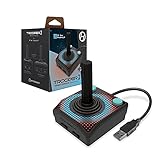
- Premium USB game controller, ideal for emulation on Windows, macOS, Linux, and Raspberry Pi.
- Ergonomic design. Chamfered corners grips provide increased comfort to hold in your hands for long gaming sessions.
- Durable construction and high quality Materials. Solid base, plastic joystick, soft rubber grommet and quality cord ensure long life.
- Quiet movement joystick and responsive Buttons providing smooth and precise inputs when play video games, computer games, old school arcade games and so on.
- Classic Atari feel gamepad is complemented by modern upgrades, including 10 foot USB cable, 4 way joystick, and 6 mappable Buttons to play various consoles and also Escape to menus.
Configure the emulator and game
Compatibility is a chain: controller output mode, emulator or core support, game input assignment, and sensitivity all matter. A controller may enumerate successfully over USB and still need per-game setup before its rotation moves the intended on-screen control.
MAME
The Arduino_ArcadeSpinner instructions say to select Mouse Emulation mode and assign the dial device to the mouse. The Arcade-Spinner documentation likewise describes enabling mouse support and mapping mouse X-axis movement to the dial or spinner control. Exact menus can vary by MAME version and front end, so follow the relevant project’s instructions and the emulator’s own control configuration for the version in use.
Rank #3

- Manufacturer Warranty
- Jamma and Mame
MiSTer and individual games
The Arduino_ArcadeSpinner project lists games including Arkanoid, Breakout, Pong, and Tempest, with game-specific notes. Some entries call for selecting spinner or paddle mode, changing a game setting, or applying a workaround. Treat these as instructions for the listed project and game setup, not as a promise that every core or game configuration will behave identically.
Other emulators
The Spinner Mouse author describes using mouse movement for spinner games and provides RetroPie scripts for changing speed behavior by emulator. Sensitivity can differ from game to game; adjust the emulator or game setting after confirming that mouse X movement is assigned to the correct control. The available project documentation does not establish universal compatibility across platforms.
Rank #4

- Spinner and Trackball in one: Eliminates the need for separate configuration
- Spinner and Trackball in one: Eliminates the need for separate configuration
- Advanced optical technology: Provides superior trackball performance
- Customizable LED effects: Allows for personalized visual appeal
- Universal mounting: Designed for 28mm hole setups, ideal for DIY and arcade projects
Choose parts by matching the whole input path
- Input type: Choose an encoder spinner for relative rotation; choose a potentiometer-based paddle if the game or adapter specifically requires absolute position.
- USB report mode: Confirm whether the target platform expects a mouse, gamepad/joystick, or a platform-specific spinner or paddle mode.
- Encoder and mechanics: Check optical or incremental type, supply voltage, resolution, shaft and mounting dimensions, and knob fit against the selected build.
- Firmware and board: Confirm the board class, voltage and clock, pin assignments, bootloader/firmware instructions, and required libraries before wiring.
- Build work: Plan for wiring or soldering, firmware setup, buttons, and an enclosure. The documented projects use different components and implementation details.
There is no controlled comparison among these projects establishing which is smoother, faster, or better for every game. Their documentation supports the listed build details and setup approaches, not a universal performance ranking.
Quick Recap
Best Value
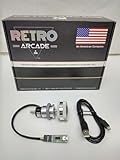
- Manufacturer Warranty
- Jamma and Mame
Product prices and availability are accurate as of the date/time indicated and are subject to change. Any price and availability information displayed on Amazon at the time of purchase will apply.



