What’s actually slowing this PC down?
Pick the symptom - the matching free tool is one click away.
Verdict: The Acer Aspire 5 (2023) is still a capable Windows laptop for school, office work, browsing, streaming, programming, and light creative tasks—but only at the right price and with the right configuration. Look for an A515-58P or A515-58M with a Core i5, 16GB RAM, a 512GB SSD, and an IPS display. Avoid assuming that every “Aspire 5 (2023)” has the same screen, ports, webcam, battery, or upgrade options.
This review focuses primarily on the mainstream A515-58P/A515-58M family. The RTX 2050-equipped A515-58GM is a separate, more gaming-oriented machine and should be judged differently.
Quick verdict
The Aspire 5 remains a sensible affordable productivity laptop when it is substantially discounted. Its strengths are practical rather than glamorous: a large 15.6-inch 1080p screen, full-size keyboard with number pad, generally useful connectivity, decent everyday performance, and serviceable storage access on applicable models.
The compromises are equally clear. Many versions have a dim, narrow-gamut 60Hz display, average speakers and webcam, plastic construction, and soldered LPDDR5 memory. The 2023 range is also no longer current in 2026, with Acer having moved on to the Aspire 15 family. Acer’s US listing for one A515-58M configuration showed $799.99 and out of stock, a price at which a newer laptop is usually the better choice. Acer’s listing and RTINGS’ review illustrate why today’s buying decision must be based on the exact SKU and asking price.
#1 Best Overall
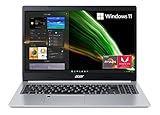
- 【AMD Ryzen 3 3350U Processor】 The Acer Aspire 5 features the high-performance AMD Ryzen 3 3350U processor, providing desktop-like power and excellent battery life in a slim form factor. Experience the blazing speeds of up to 3.5GHz for all your demanding tasks and applications.
- 【Display】 Immerse yourself in a stunning visual experience with the 15.6" Full HD display. It features an impressive 82.58% screen-to-body ratio, a 16:9 aspect ratio, and narrow bezels, allowing you to see more and enjoy a captivating viewing experience.
- 【Backlit Keyboard】&【Fingerprint Reader】 Ensure the security of your Acer PC with the biometric fingerprint reader and Windows Hello sign-in options. The backlit keyboard enhances visibility and convenience, especially in low-light environments.
- 【Tech Specs】Stay connected with the latest technology, including 802.11ax Wi-Fi 6 with dual-band support for 2.4GHz and 5GHz, featuring MU-MIMO technology. It also offers 10/100/1000 Gigabit Ethernet LAN for fast wired connections. Additional features include Bluetooth 5.1, USB 3.2 Type-C, two USB 3.2 Gen 1 ports (one with Power-off Charging), USB 2.0, HDMI 2.0 with HDCP support, a headphone/speaker line-out jack, and Ethernet connectivity.
- 【Operating System】Enjoy the benefits of Windows 11 Home in S mode, which comes with advanced security features built right in. These features include protection against phishing attempts and malicious software, providing you with peace of mind when browsing new websites or downloading apps.
Configuration warning: “Aspire 5 (2023)” is not one laptop
Acer sold multiple substantially different Aspire 5 models during 2023. The A515-58P and A515-58M are mainstream productivity versions, while the A515-58GM adds an Nvidia RTX 2050 graphics processor and a different cooling design.
| Family or configuration | Typical hardware | Best suited to |
|---|---|---|
| A515-58P / A515-58M, U-series | Core i3-1305U, i5-1335U, or i7-1355U; integrated Intel graphics; 8GB or 16GB LPDDR5 | School, office work, browsing, video calls, coding, and light multitasking |
| A515-58P / A515-58M, H-series | Core i5-13420H, i7-13620H, or higher; integrated graphics | Heavier compiling, spreadsheets, and sustained CPU work |
| A515-58GM | Intel processor with Nvidia RTX 2050 graphics | Entry-level gaming and GPU-accelerated applications |
| Touchscreen or regional variants | Specifications vary for panel type, webcam, ports, battery, and biometrics | Only after checking the complete part number |
RTINGS limits its testing to A515-58P and A515-58M configurations. Its results should not automatically be applied to the RTX 2050 A515-58GM or to every regional A515-58M listing. Acer’s own product pages show materially different A515-58M specifications, including differences in display technology, USB-C capabilities, webcam, and fingerprint reader. Compare the NX.KHGAA.001 specification with the NX.KQ8AA.001 specification before buying.
Design and build quality
The Aspire 5 uses a largely plastic chassis, but its restrained styling looks more businesslike than many ultra-cheap laptops. It is a conventional 15.6-inch machine rather than a thin-and-light ultraportable. One US A515-58M listing measures approximately 14.21 by 9.4 inches, is about 0.70 inches thick, and weighs roughly 3.97 pounds; other batteries and regional configurations can change those figures. Acer’s product listing is the appropriate reference for that specific model.
The size is worthwhile if you want a spacious palm rest, a number pad, or a larger work area for spreadsheets. It is less attractive for frequent commuting, where a 14-inch laptop will usually be easier to carry. Expect some keyboard-deck flex and ordinary lid rigidity rather than premium-metal sturdiness. The hinge is adequate for desk use, but this is not a rugged business laptop.
Do these 3 things before closing this tab:
1Fix the driver behind crashes, sound loss and screen glitches2Repair Windows errors before they cause bigger problems3Scan for outdated or missing drivers - takes under a minuteDisplay: usable for work, weak for color
Most 2023 configurations use a 15.6-inch, 1920×1080 display with a 60Hz refresh rate and a matte ComfyView coating. That resolution is a good match for this size: text is sufficiently sharp, windows have useful room, and 1080p video displays naturally.
The important limitation is quality, not resolution. Many configurations cover only around 45% of NTSC, which means visibly restricted color compared with a good modern IPS panel. Brightness is also modest; Tech Advisor measured just under 250 nits on its sample. That is adequate indoors but uncomfortable near a bright window or outdoors. The matte surface reduces reflections, but it cannot compensate for limited brightness.
Panel technology is not universal. IPS appears on many models, while at least one Acer regional listing identifies a TN panel. Do not treat “Full HD” as proof of good viewing angles, contrast, brightness, or color. Verify the exact display type and specifications for the SKU you are considering. The Tech Advisor review provides useful brightness context, while RTINGS’ testing documents the limitations of its reviewed configuration.
Rank #2

- 【Display】With the 15.6-inch display, your entertainment just got pushed to the very edge. Get expansive, 1920 x 1080 resolution (Full HD), vibrant images with awesome colors, and intuitively control your PC right from the screen.
- 【Processor】AMD Ryzen 5 7520U processor(up to 4.3GHz) brings the perfect combination of features to make you unstoppable. With 4MB of L3 cache, 4 cores and 8 threads are ready to handle all your work.
- 【Upgraded】Up to 8GB DDR5 RAM significantly increases performance, and up to 2TB SSD has no moving parts, resulting in faster start-up times and data access, no noise, and reduced heat production and power draw on the battery.
- 【Graphics】Smoothly stream 4K content and play your favorite games with AMD Radeon Graphics. Impressive performance for creating, gaming, and entertainment. A new level of graphics performance and crisp, stunning visuals – with the convenience of a thin and light laptop.
- 【Windows 11 Home】From a rejuvenated Start menu, to new ways to connect to your favorite people, news, games, and content, Windows 11 Home is the place to think, express, and create in a natural way.
Display verdict: good enough for documents, web pages, streaming, and general schoolwork; a poor choice for professional photo, video, design, or other color-critical work.
Recommended Free Tools
Keyboard and touchpad
The full-size keyboard and number pad are among the Aspire 5’s best practical features. They suit accounting, spreadsheets, data entry, and anyone who prefers desktop-style typing. Key travel and layout are generally comfortable for long productivity sessions, although the number pad shifts the main keyboard left. Users who type centrally may need time to adjust.
Keyboard backlighting is optional, not standard across the family. Check the listing rather than assuming it is included. RTINGS also notes that the 2023 model has a larger touchpad than the 2022 version. The touchpad is suitable for normal navigation and gestures, though its click mechanism feels functional rather than luxurious.
Performance
For everyday Windows work, the Core i5 U-series configuration is the sensible center of the range. A Core i5-1335U handles word processing, spreadsheets, email, streaming, video calls, browser tabs, and moderate multitasking without difficulty. The Core i7-1355U can be faster, but it is not automatically better value if the upgrade means giving up memory, storage, or display quality.
H-series processors such as the Core i5-13420H and Core i7-13620H can deliver considerably more sustained multi-core performance. They make more sense for large spreadsheets, heavier local development, repeated compiling, and CPU-intensive workloads. The trade-off is increased heat, fan activity, and potentially shorter battery life. A U-series model is usually the better all-rounder for a student or office user.
Windows Errors? Fix Them Before They Spread
Repair common Windows errors and clear accumulated junk for a smoother, more stable PC - no reinstall needed.Free scan · no reinstallCrashes, No Sound, or Screen Glitches?
Random freezes, missing sound and display glitches usually trace back to one bad driver. Find and replace yours safely.Free scan · under a minuteWorkload guide
| Workload | Verdict |
|---|---|
| Word processing, email, spreadsheets | Very good |
| Many browser tabs | Good with 16GB; more limited with 8GB |
| Zoom, Teams, and streaming | Good |
| Programming and local development | Good with 16GB and a 512GB SSD |
| Large spreadsheets or sustained compiling | Prefer an H-series model, after checking thermals |
| Casual photo editing | Usable, but the display is not color-accurate |
| Light 1080p video editing | Possible for modest projects |
| 4K editing, 3D rendering, or AI workloads | Not recommended without a discrete GPU |
| Older games and esports titles | Playable at reduced settings on suitable integrated graphics |
| Modern AAA games | Not recommended, except cautiously on RTX 2050 models |
Integrated Intel UHD or Iris Xe graphics are designed for everyday use and light gaming, not demanding modern titles at high settings. The A515-58GM with RTX 2050 is a different product category: it is the version to investigate for entry-level gaming or GPU acceleration, but it will also have different heat, noise, battery, and weight characteristics. Do not use an integrated-graphics review as its gaming verdict.
Memory and storage
Choose 16GB whenever possible. Eight gigabytes is acceptable for basic schoolwork and office use, but it leaves less headroom for browser-heavy multitasking, development tools, and future Windows applications.
Rank #3
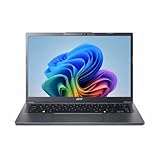
- Next‑Gen Performance with AI Power – Equipped with the Intel Core Ultra 5 226V processor (2.1GHz), delivering smooth multitasking, fast responsiveness, and built‑in AI acceleration for smarter productivity and everyday computing.
- Stunning 14” WUXGA IPS Display – Enjoy ultra‑vivid colors, deep blacks, and sharp detail on a 14-inch WUXGA IPS screen, perfect for content creation, streaming, and immersive visual experiences.
- Fast & Efficient Memory – 16GB of LPDDR5X RAM ensures seamless multitasking, quicker app launches, and improved power efficiency for all‑day performance.
- Massive 1TB SSD Storage – Store large files, photos, videos, and applications with ease while benefiting from lightning‑fast boot times and rapid data access.
- Modern, Portable Windows 11 Experience – Preloaded with Windows 11 Home, combining a clean, intuitive interface with enhanced security features in a sleek, lightweight design ideal for work, school, or travel.
The major catch is that many 2023 models use onboard LPDDR5 memory. In those configurations, RAM cannot be upgraded later even if the SSD can be replaced. Do not infer upgradeability from older Aspire 5 generations or from a retailer’s vague “maximum memory” field. Check the exact service documentation and part number.
A 512GB NVMe SSD is the practical minimum for a primary Windows laptop. A 256GB drive becomes restrictive after Windows, applications, recovery files, and personal media consume space. M.2 PCIe NVMe storage is commonly used, and the Aspire 5 lifecycle documentation provides serviceability guidance for applicable models. Consult the Acer lifecycle guide before planning an upgrade.
Free tools Windows power users keep installed
One-click scans. No signup required.
Ports and wireless connectivity
Typical Aspire 5 configurations offer two USB-A ports, USB-C, HDMI, and a headphone jack. Wi-Fi 6 or Wi-Fi 6E may be included depending on the model. Ethernet is present on some variants but absent on others.
USB-C capabilities vary especially widely. Some A515-58M listings support USB4, DisplayPort over USB-C, Thunderbolt 4, and USB charging; other implementations may be more limited. A USB-C port does not automatically guarantee Thunderbolt 4, USB4, monitor output, or USB-C charging. Verify each feature in the exact specification before buying a dock, monitor, or charger. Acer’s US A515-58M listing and regional specification pages demonstrate these differences.
Webcam, speakers, and biometrics
Many reviewed configurations use a 720p webcam. Some newer or higher-end regional models list a 1080p camera with Acer noise-reduction features. Fingerprint readers are optional. These features should be treated as SKU-specific, not family-wide.
The stereo speakers are adequate for calls, notifications, and casual video, but headphones or external speakers are preferable for games and music. Webcam resolution is not the whole story: microphone quality, lighting, and Acer’s software processing also affect video-call quality.
Battery life, thermals, and fan noise
Acer’s advertised battery figures are “up to” laboratory estimates, not a promise of mixed-use runtime. One US A515-58M listing claims approximately nine hours, while regional models can specify different battery capacities and figures. Screen brightness, browser tabs, video calls, power mode, background applications, battery age, and CPU class all change the result.
Rank #4

- Exceptional Performance and Productivity: Experience smooth and responsive performance powered by an Intel Core 3 processor N355, 8GB memory and fast 128GB UFS storage. Enjoy extended productivity thanks to exceptional battery life and the support of Copilot, your everyday AI companion
- Copilot in Windows - your AI Assistant: Do more, quicker than ever across multiple applications with the centralized generative AI assistance of Copilot in Windows Accessible with a single touch of the Copilot Key
- Immersive Visuals: With its narrow bezel design the 15.6" 1080p Full HD IPS display is perfect for casual web browsing and watching movies or streaming, allowing for a sharp, detailed view of what's in front of you. And with Acer BluelightShield, lower the levels of blue light to lessen the negative effects of blue light exposure.
- User-Friendly by Design: Seamlessly connect or charge your devices through dual full-function USB Type-C ports, while Wi-Fi 6 and HDMI 2.1 connectivity enhance your digital experiences to be faster, smoother, and more enjoyable.
- Unlock More with AcerSense: Intuitive device control is available at the touch of a button with AcerSense, which manages battery life, storage, and apps for optimal performance. Acer TNR solution and Acer PurifiedVoice enhance your video calling experience to a new level of clarity and quality.
U-series models are the safer choice for balanced endurance and quieter daily use. H-series versions can be faster under sustained CPU loads but may run warmer and make the fans more noticeable, especially while compiling, rendering, charging, or using the processor heavily. The RTX 2050 A515-58GM requires a separate thermal and battery assessment.
LaptopMedia’s testing of A515-58P and A515-58M models is useful for understanding sustained-load behavior, temperatures, and battery methodology. Read its A515-58P review and A515-58M review as configuration-specific evidence rather than universal results.
Independent reader supportYour contribution helps us test, update, and keep practical guides available for everyone.Windows software and support
Windows 11 Home is common. Acer provides drivers, manuals, BIOS files, warranty information, and product-specific troubleshooting through its support portal. Search using the complete model number, not simply “Aspire 5.” The A515-58M support page and Acer’s downloads page are useful starting points.
Do not install a BIOS update casually. Follow Acer’s instructions, use the correct file for the exact machine, connect reliable power, and do not interrupt the installation.
Who should buy it?
- Buy it when the exact unit has 16GB RAM, a 512GB SSD, a confirmed IPS display, and a meaningful discount versus newer laptops.
- Buy the U-series model for school, office work, browsing, streaming, video calls, and general programming.
- Consider H-series only when sustained CPU performance matters enough to justify more heat, noise, and battery trade-offs.
- Consider the A515-58GM only if you specifically want entry-level discrete graphics and have checked independent testing for that model.
Who should avoid it?
- Buyers paying $700–$800 for an 8GB/256GB model or a weak display.
- Anyone doing professional color-sensitive photo or video work.
- Gamers seeking strong modern AAA performance.
- Travelers who prioritize low weight and premium battery life.
- Buyers who require Thunderbolt 4, Ethernet, a backlit keyboard, fingerprint login, an IPS panel, or an FHD webcam without verifying the SKU.
Buying used or refurbished
Because the 2023 Aspire 5 is now an older generation, remaining inventory may be refurbished or sold by regional marketplace sellers. Before paying, verify:
- Battery health and charge capacity.
- Screen defects, dead pixels, backlight issues, and panel type.
- Authentic charger and correct wattage.
- SSD health and Windows activation.
- Hinge condition, missing screws, and bottom-cover damage.
- Return policy, warranty, and accidental-damage terms.
- That the seller has not substituted a different A515-58M, A515-58P, or A515-58GM SKU.
Alternatives in 2026
Compare the Aspire 5 against the actual current price of newer budget laptops, not against its original launch position. Acer’s newer Aspire 15 category is the most direct family alternative. Lenovo’s IdeaPad Slim 3 and Slim 3i range may offer a lower new-unit price, while ASUS lists budget Vivobook Go 15 and Vivobook 15 models in its $250–$500 filter.
None is automatically superior: budget configurations also vary in screen quality, memory, storage, processor, and USB-C features. A newer laptop is usually the better purchase when it provides 16GB RAM, 512GB storage, a brighter or wider-gamut display, and a current processor at a similar price. The older Aspire 5 still earns consideration when its large keyboard, ports, SSD serviceability, or unusually strong discounted specification matters more.
Quick wins for a faster PC:
Scan for outdated or missing drivers - takes under a minuteDriver Scan →Repair Windows errors before they cause bigger problemsFix Now →Fix the driver behind crashes, sound loss and screen glitchesFind Drivers →Best Value

- Ultra slim and portable; AMD ryzen 5 7520u processor (2.80 ghz, up to 4.30 ghz max boost, 4 cores, 8 threads, 4 mb cache); radeon graphics; Windows 11 home edition
- 15.6in full high definition (1920x1080) ips comfyview; Acer true harmony high performance sound system with two built in stereo speakers; wifi 6 and bluetooth
- 16gb ddr5 memory; 1tb solid state drive; precision touchpad; webcam; long lasting battery
- 1 - usb 3.2 (type-c) gen 1 port (up to 10 gbps); 2 - usb 3.2 gen 1 type a; 1 - hdmi 2.0 port with hdcp support
Recommended configurations
- Best mainstream choice: Core i5-1335U, 16GB RAM, 512GB SSD, IPS display.
- Best for heavier CPU work: Core i5-13420H or Core i7 H-series, provided cooling and battery trade-offs are acceptable.
- Best budget compromise: Core i5, 8GB RAM, 512GB SSD, only at a low price and for light workloads.
- Usually avoid: Core i3, 8GB RAM, and 256GB SSD unless the discount is substantial and the use is basic.
- Separate category: A515-58GM with RTX 2050 for entry-level gaming or GPU-accelerated work.
Pre-purchase checklist
Before ordering, confirm the complete model number and check the listing for:
- Core i5 or better, with U- versus H-series identified.
- 16GB memory and whether it is soldered.
- 512GB NVMe SSD.
- IPS rather than an unspecified or TN panel.
- Brightness and color coverage if display quality matters.
- USB-C charging, DisplayPort, USB4, or Thunderbolt 4 if required.
- Webcam resolution, keyboard backlight, fingerprint reader, and Ethernet.
- Battery capacity, return terms, warranty, and seller identity.
- A price clearly below comparable newer laptops.
Frequently Asked Questions
Is the Acer Aspire 5 (2023) still worth buying in 2026?
Yes, but only when the exact configuration is discounted. A 16GB/512GB Core i5 model with a confirmed IPS display remains good for productivity and schoolwork; an overpriced 8GB/256GB model is poor value against newer laptops.
Can the RAM be upgraded?
Do not assume so. Many 2023 A515-58P and A515-58M configurations use onboard LPDDR5 memory, making RAM upgrades impossible. Verify the exact service documentation.
Is it good for gaming?
Mainstream integrated-graphics models are suitable mainly for older or lightweight games at reduced settings. The RTX 2050 A515-58GM is more capable, but it is a separate configuration with different thermals and battery behavior.
Does every Aspire 5 have Thunderbolt 4?
No. USB-C capabilities vary by SKU. Some models list USB4, DisplayPort, Thunderbolt 4, and USB charging; others have more limited ports.
The Bottom Line
Buy the 2023 Acer Aspire 5 only when the exact SKU is well specified and substantially cheaper than a newer alternative. Prioritize 16GB RAM, a 512GB SSD, and a confirmed IPS display over Core i7 branding. Choose another laptop for color-critical work, demanding gaming, premium portability, or near-$800 pricing.
Quick Recap
Product prices and availability are accurate as of the date/time indicated and are subject to change. Any price and availability information displayed on Amazon at the time of purchase will apply.



