Some links on this page are affiliate links: if you buy through them we may earn a commission, at no extra cost to you.
The headset in ASUS’s product listings is the ROG Delta II, not “ROG Prism Delta 2.” It combines a 2.4 GHz USB wireless connection, Bluetooth and a wired 3.5 mm connection, with a detachable microphone and simultaneous game-and-phone audio. The main catches: Xbox use is wired only, ASUS’s longest battery estimates require RGB lighting off, and a travel case is not listed among the included accessories.
What the ROG Delta II offers
ASUS positions the ROG Delta II as a premium headset for people who move between gaming devices and a phone. Its three connection options are ROG SpeedNova 2.4 GHz wireless, Bluetooth and analog 3.5 mm. A feature called DualFlow Audio can play 2.4 GHz and Bluetooth audio at the same time—for example, game sound and a phone stream.
That flexibility is more useful than the model’s “tri-mode” label alone suggests, but it does not mean every platform works wirelessly. ASUS lists Xbox support through the 3.5 mm connection only. The 2.4 GHz USB connection is intended for compatible PCs, PlayStation consoles, Nintendo Switch and other supported devices. Check your device’s USB audio support and ports before relying on the dongle.
Specifications at a glance
| Feature | ROG Delta II |
|---|---|
| Connections | ROG SpeedNova 2.4 GHz, Bluetooth, wired 3.5 mm |
| Drivers | 50 mm titanium-plated diaphragm drivers |
| Frequency response | 20 Hz–20 kHz |
| Wireless audio specification | Up to 24-bit/96 kHz in 2.4 GHz mode, according to ASUS; LC3+ support in that mode |
| Microphone | Detachable 10 mm super-wideband boom mic |
| Weight | 318 g |
| Battery estimates | Up to 110 hours (2.4 GHz, RGB off); 24 hours (2.4 GHz, default RGB); 140 hours (Bluetooth, RGB off); 27 hours (Bluetooth, default RGB) |
| Fast charging | ASUS says 15 minutes of charging can provide up to 11 hours of use |
| Xbox | 3.5 mm wired connection only |
| Included accessories listed by ASUS | USB-C wireless dongle, USB-C-to-USB-A adapter, USB-C charging cable, 3.5 mm cable, detachable mic and two types of ear cushions; no carry case is listed |
Specifications and performance claims are from ASUS’s ROG Delta II product page and product details. Battery figures are manufacturer estimates, not independent runtime measurements.
#1 Best Overall

- Versatile Tri-Mode Connectivity: Features Bluetooth, 2.4GHz (via ROG SpeedNova wireless technology), and 3.5mm wired connection options for extensive compatibility
- Multi-Platform Compatibility: Comptaible with PC and Mac, PlayStation (PS4/PS5), Xbox (Series X|S and One), Nintendo (Switch 1/Switch 2), and mobile. The ROG Delta II is also the top ROG xbox Ally / Ally X accessories choice
- DualFlow Audio: Simultaneously connect to two devices via 2.4GHz and Bluetooth. This wireless gaming headset makes it easy to switch between PC, console, and mobile audio or pick up phone calls with a single press of the earcup button
- Immersive High-Fidelity Audio: Over-ear headphones equipped with 50mm titanium-plated diaphragm drivers, delivering high-resolution 24-bit/96 kHz audio (in 2.4GHz mode) to create natural, realistic audio for an gaming, music, and everyday use
- Super-Wideband Microphone: Features a 10mm detachable boom mic with a super-wideband frequency range to ensure your voice is captured with exceptional clarity and detail during intense team battles, streaming, and online calls, including for work
Choosing a connection
- 2.4 GHz: Use the included USB-C dongle for wireless gaming on supported devices. ASUS describes its ROG SpeedNova connection as low-latency and power-efficient; those are manufacturer claims, and no latency figure is established here. Use the included USB-C-to-USB-A adapter where appropriate.
- Bluetooth: A convenient option for phones, tablets and compatible computers. It is also the second source for DualFlow Audio.
- 3.5 mm: The wired fallback, and the connection ASUS lists for Xbox. It avoids relying on the wireless dongle, though ASUS cautions that audio characteristics can differ between wired and wireless modes.
ASUS lists compatibility with PC, Mac, PlayStation 4 and 5, Nintendo Switch, iPad, iOS, Android, Bluetooth devices and Xbox through 3.5 mm. That broad list is not a guarantee for every device revision or setup: port availability, USB audio support and any required adapter still matter.
DualFlow: game audio plus Bluetooth
DualFlow is the feature to focus on if you play while staying connected to your phone. With the headset connected to a 2.4 GHz source and a Bluetooth source, it can play sound from both. ASUS says a user can answer a phone call using an earcup button without fully stopping the game.
Rank #2
- Tri-mode connectivity: Connect via Bluetooth or low-latency 2.4 GHz with ROG SpeedNova wireless technology, as well as a wired 3.5 mm analog connection
- DualFlow Audio with intuitive controls: Listen to audio from two connected 2.4 GHz and Bluetooth devices simultaneously
- 50 mm titanium-plated diaphragm drivers: Ensure rich, detailed sound with wide 20 Hz–20 kHz frequency response
- 10 mm super-wideband boom microphone: Covers a wide frequency range to ensure detailed, clear voice
- Exceptional battery life and fast charging: Enjoy up to 153 hours* in 2.4 GHz mode, with a 15-minute fast charge providing up to 17 hours of use
Calls have a trade-off: according to ASUS’s DualFlow FAQ, the microphone switches to Bluetooth during a call and returns to 2.4 GHz after the call ends. Bluetooth call audio takes priority over other Bluetooth audio. DualFlow is therefore a useful two-source feature, not a promise of an unrestricted audio mixer or independent controls for every sound.
What’s actually slowing this PC down?
Pick the symptom - the matching free tool is one click away.
What the driver and microphone claims do—and don’t—tell you
The 50 mm titanium-plated diaphragm drivers are a design specification, not proof by themselves of superior sound. ASUS says they are intended to provide detailed treble, reduced distortion and balanced, realistic game audio, and lists virtual 7.1 surround support. Virtual surround is audio processing, not discrete physical 7.1 speaker hardware. Fit and seal, tuning, equalization, enclosure design, source quality and connection mode all affect what a listener hears. ASUS also notes that audio characteristics can vary between wired and wireless use.
Rank #3

- Versatile Tri-Mode Connectivity: Features Bluetooth, 2.4GHz (via ROG SpeedNova wireless technology), and USB-C wired connection options for extensive compatibility. Enjoy lag-free audio across gaming, music, and everyday use.
- Multi-Platform Compatibility: Works seamlessly across multiple devices including PC and Mac, consoles such as PlayStation (PS4/PS5), Nintendo (Switch 1/Switch 2), and mobile. The ROG Pelta is also the top choice as a ROG xbox Ally / Ally X accessories and headset.
- Immersive High-Fidelity Audio: 50mm titanium-plated diaphragm drivers ensure rich, detailed sound with wide 20 Hz–20 kHz frequency response.
- Super-Wideband Microphone: Features a 10mm detachable boom mic with a super-wideband frequency range to ensure your voice is captured with exceptional clarity and detail during intense team battles, streaming, and online calls, including for work.
- Ergonomic, Lightweight Comfort: Weighing only 309 grams with a breathable, three-level adjustable elastic headband, this over-ear headset is engineered for maximum comfort during extended gaming without pressure or fatigue.
The detachable boom microphone is 10 mm and described by ASUS as super-wideband. ASUS cites speech-quality testing by PAL Acoustic Technology using the MOS-LQO method; that is a claim reported by the manufacturer, not an independent test of this article. The available information does not establish how well the mic rejects keyboard or fan noise, how it compares with a dedicated USB microphone, or whether call-mode voice quality will suit every user.
Battery life: the RGB setting changes the headline
The “up to 110 hours” figure applies to 2.4 GHz use with RGB off. ASUS’s rating drops to 24 hours with default RGB lighting in that mode. For Bluetooth, the corresponding figures are up to 140 hours with RGB off and 27 hours with default lighting. These are not directly comparable real-world guarantees: runtime depends on conditions, and ASUS’s estimates already show how much the lighting setting can matter. For a trip or long session away from a charger, turn RGB off if battery life takes priority. ASUS also advertises up to 11 hours of use from a 15-minute charge.
Rank #4

- Versatile Tri-Mode Connectivity: Features Bluetooth, 2.4GHz (via ROG SpeedNova wireless technology), and USB-C wired connection options for extensive compatibility. Enjoy lag-free audio across gaming, music, and everyday use.
- Multi-Platform Compatibility: Works seamlessly across multiple devices including PC and Mac, consoles such as PlayStation (PS4/PS5), Nintendo (Switch 1/Switch 2), and mobile. The ROG Pelta is also the top choice as a ROG xbox Ally / Ally X accessories and headset.
- Immersive High-Fidelity Audio: 50mm titanium-plated diaphragm drivers ensure rich, detailed sound with wide 20 Hz–20 kHz frequency response.
- Super-Wideband Microphone: Features a 10mm detachable boom mic with a super-wideband frequency range to ensure your voice is captured with exceptional clarity and detail during intense team battles, streaming, and online calls, including for work.
- Ergonomic, Lightweight Comfort: Weighing only 309 grams with a breathable, three-level adjustable elastic headband, this over-ear headset is engineered for maximum comfort during extended gaming without pressure or fatigue.
Portable, but not especially compact
At 318 g, the Delta II can serve a desk, handheld or mobile setup, but it is still an over-ear gaming headset rather than a pocketable travel option. ASUS lists two types of D-shaped ear cushions and a detachable microphone. Its listed accessories include cables and adapters, but no protective carry bag or case. If the headset will regularly ride in a backpack, plan for your own protection. The USB-C dongle may also be awkward with some phones or tablets, so Bluetooth or a suitable wired connection may be more practical on the move.
Software and setup
ASUS provides Armoury Crate Gear – ROG DELTA II for Windows 10 64-bit and Windows 11 64-bit. Its support page showed version 1.0.1.14 dated April 30, 2026; software availability and versions can change, so check the current ASUS download page before installing. ASUS describes Gear as a focused device utility, but says it does not provide Aura Sync. Do not assume every RGB control is available in Gear, or that settings available on Windows will be available on consoles or mobile devices.
Best Value
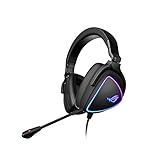
- HEADSET FOR CLEAR, DETAILED AUDIO - ASUS ROG Delta S Gaming Headphones feature high-resolution ESS 9281 with QUAD DAC technology and MQA technology support to deliver impeccably detailed, true-to-life audio that gives you an edge to win!
- Ai NOISE-CANCELLING MICROPHONE - The unidirectional, detachable mic is designed to reduce over 50 million types of background noise, including chatter, keyboard clatter & mouse clicks by up to 95%. The mic is certified by, both, Discord and TeamSpeak
- FPS GAMING ACE - The ROG Delta S can achieve an extraordinary SNR of 130 dB, a level untouched by single-DAC gaming headsets, allowing you to precisely pinpoint the origin of enemy footsteps, location of gunfire or explosions in FPS intense games
- MULTI-PLATFORM GAMING HEADPHONES - This gaming & music headset is as versatile as can be - the USB-C connector ensures high-fidelity audio experience with PCs, MAC, smartphone devices and gaming consoles such as Nintendo Switch and PS4 & PS5
- ERGONOMIC DESIGN - D-shaped ear cups closely match the shape of your ears, and the sloped design ensures superior sound quality. The cushions are made of 100% protein leather & fast-cooling memory foam that provide optimum comfort for long gaming sessions
If the wireless dongle is not recognized, first confirm the headset is set to 2.4 GHz rather than Bluetooth, try another suitable USB port, and use the included adapter if the device requires USB-A. Check ASUS support for available software or firmware updates. Testing the 3.5 mm cable can help determine whether the issue is confined to wireless operation. For exact button sequences, consult the current manual rather than guessing.
Price and who should consider it
ASUS’s U.S. pages showed different price snapshots: one buying view displayed $229.99, while other ASUS pages displayed promotional figures of $159.99 and $149.99. Treat $229.99 as the apparent list-price signal and the lower amounts as time-sensitive promotions, not guaranteed or permanent prices. Check the live listing before buying. These U.S. figures do not establish pricing in other regions.
The strongest case for the Delta II is for a gamer who will actually use low-latency 2.4 GHz audio, Bluetooth at the same time, multiple platforms and a wired fallback. If DualFlow and multi-device switching are central to your setup, the feature mix may justify paying more than for a basic wired or Bluetooth headset. If you only need analog audio, a simpler wired model avoids charging and dongle management. If small size matters most, earbuds are easier to carry; if you want wireless Xbox operation, this is the wrong fit. ASUS’s product page also names the ROG Pelta, ROG Delta II-KJP and ROG Cetra True Wireless SpeedNova as related products, but their current prices and exact specifications should be checked separately before comparing.
Do these 3 things before closing this tab:
1Fix the driver behind crashes, sound loss and screen glitches2Clear out junk files and repair common Windows errors3Scan for outdated or missing drivers - takes under a minuteVerdict
The ASUS ROG Delta II is a versatile multi-device gaming headset with three connection options and a genuinely useful 2.4 GHz-plus-Bluetooth listening feature. Its best-fit buyer is someone who will use that flexibility. The limits are equally clear: Xbox is wired only, the longest battery estimates require RGB off, and no travel case is listed. Buy for the connection mix—not on the assumption that titanium plating alone guarantees better sound or that the headset will work wirelessly with every platform.
Quick Recap
Product prices and availability are accurate as of the date/time indicated and are subject to change. Any price and availability information displayed on Amazon at the time of purchase will apply.

