The Tool Desk
Outbyte PC Repair FREERepair Windows errors before they cause bigger problemsFix Now →Outbyte Driver Updater FREEFix the driver behind crashes, sound loss and screen glitchesFind Drivers →Yes—a GeForce GTX 1080 can run PC VR. It is above SteamVR’s listed recommended GTX 1060 class, and NVIDIA includes it in the company’s VR Ready program. In 2026, however, it is best treated as a capable older card that needs sensible headset choices and settings—not as a guarantee of native-resolution, high-refresh-rate performance in every modern game.
The answer also depends on what “run VR” means. A GTX 1080 is irrelevant when a standalone headset runs its own games; it matters when the headset receives frames from your PC over DisplayPort, USB, or a wireless network.
What “running VR” actually means
Standalone VR
Headsets such as Meta Quest 3 and Quest 3S can run native games without a computer. In that mode, the GTX 1080 does no rendering and has no effect on performance.
Wired PC VR
With a compatible headset, the GTX 1080 renders the game and sends the result through a DisplayPort, HDMI, or USB connection, depending on the headset. SteamVR and the headset maker’s PC software handle tracking and display.
#1 Best Overall

- Item Package Dimension -10.699999989086L X 3.699999996226W X 2.49999999745H Inches
- Item Package Weight - 2.1495070545 Pounds
- Item Package Quantity - 1
- Product Type - Video Card
Wireless PC VR
For Quest-style wireless PC VR, the GTX 1080 still renders the game, but the frames are compressed and transmitted over your local network. Wi-Fi interference, router capacity, bitrate, and latency can make this feel worse even when the GPU itself is adequate.
Does the GTX 1080 meet official VR requirements?
NVIDIA’s VR Ready program includes the desktop GeForce GTX 1080. NVIDIA’s historical guidance identified a GTX 1060 or better for standard desktop VR and a GTX 1070 or better for HTC Vive Pro-class requirements.
Valve’s SteamVR listing specifies a GTX 970 as the minimum GPU and a GTX 1060 as the recommended GPU. It also lists an Intel Core i5-4590 or AMD FX 8350 equivalent processor, 4 GB of RAM, HDMI 1.4 or DisplayPort 1.2-or-newer output, and Windows 10 or later for current Steam Client support. The GTX 1080 is above SteamVR’s recommended graphics tier, but that baseline does not promise smooth performance at a modern headset’s native resolution.
GTX 1080 hardware that affects VR
- Graphics memory: The card has 8 GB of VRAM, useful for many VR games but not a guarantee that every high-resolution workload will fit comfortably.
- System memory: NVIDIA’s GTX 1080 guide lists 8 GB of system RAM as a minimum and 16 GB as recommended. For current PC VR, 16 GB is the more sensible floor.
- Power: The same guide specifies a 500-watt-or-greater power supply and an 8-pin PCIe connector for the described card configuration. These are installation requirements, not performance guarantees.
- Desktop versus laptop: A laptop GTX 1080 can be limited by cooling, power limits, CPU performance, display routing, or hybrid-graphics switching. Verify the exact laptop model and ensure the headset is connected to the discrete GPU.
Headset compatibility by category
Older Vive- and Rift-era headsets
Original HTC Vive, Oculus Rift-class, and similar lower-resolution PC headsets are the most natural partners for a GTX 1080. Many older and well-optimized games should be workable at standard refresh rates, subject to the processor and game settings.
Do these 3 things before closing this tab:
1Fix the driver behind crashes, sound loss and screen glitches2Repair Windows errors before they cause bigger problems3Scan for outdated or missing drivers - takes under a minuteRank #2
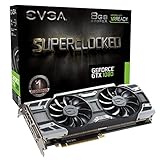
- This Certified Refurbished product is tested and certified to look and work like new. The refurbishing process includes functionality testing, basic cleaning, inspection, and repackaging. The product ships with all relevant accessories, a minimum 90-day warranty, and may arrive in a generic box. Only select sellers who maintain a high performance bar may offer Certified Refurbished products on Amazon.com
- Real Base Clock: 1708 MHz / Real Boost Clock: 1847 MHz; Memory Detail: 8192MB GDDR5X
- Run Longer, Play Longer with EVGA "ACX 3.0" Cooling
- What you see is what you get! – No additional software required to achieve listed clock speeds
- DX12 OSD Support with EVGA Precision XOC. Operating System Support: Windows 10 32/64bit,Windows 8 32/64bit, Windows 7 32/64bit
Meta Quest 2
A GTX 1080 is above the graphics class historically used for Quest PC VR, but official compatibility depends on the current Meta PC application, cable or wireless method, driver, and game. Check Meta’s current Quest support documentation for the headset and software version you intend to use.
Meta Quest 3 and Quest 3S
Both can run standalone games without the GTX 1080. When connected to a PC, the card can provide usable PC VR at moderate render resolutions and settings. Quest 3’s higher-resolution display makes maximum-resolution, high-refresh-rate operation substantially less predictable; do not assume that an old “VR Ready” label means every game will run at 120 Hz.
Valve Index
The GTX 1080 can be a workable SteamVR GPU for the Valve Index, particularly when refresh rate and render resolution are chosen conservatively. Demanding games may require reduced resolution, lower graphics settings, or a lower refresh mode rather than maximum Index settings.
High-resolution headsets
High-resolution displays increase the per-eye rendering workload and often require more supersampling or distortion overhead. A GTX 1080 may function with reduced render resolution and medium settings, but it is not a safe choice for every high-resolution headset at its native refresh rate.
Rank #3

- Real Base Clock: 1556 MHz/Real Boost Clock: 1670 MHz; Memory Detail: 11264MB GDDR5X. Redesigned cooling with L-shaped contact fins to improve contact surface area for better heat dissipation
- EVGA iCX Cooling - Delivering industry-leading cooling performance to your Graphics Card. Vulkan API
- Requirements-Minimum of a 600 Watt power supply. An available 6-pin PCI-E power connector and an available 8 pin PCI-E power connector.Total Power Draw- 250 Watts
- New vented heatsink fin design and pin fins for optimized airflow. An available 6-pin PCI-E power connector and an available 8 pin PCI-E power connector. Windows 10 32/64bit ,Windows 8 32/64bit, Windows 7 32/64bit
- DX12 OSD Support with EVGA Precision XOC. Stream extreme GeForce GTX PC gaming experiences to portable device like NVIDIA SHIELD with super-smooth, low-latency performance
Windows Mixed Reality headsets
Microsoft historically listed a GTX 1080, at least 8 GB of RAM, and DisplayPort 1.3 for high-resolution 90 Hz systems such as the HP Reverb G2 class. That hardware guidance is now overshadowed by platform support: Microsoft says Windows Mixed Reality is unsupported on Windows 11 version 24H2 and newer. Existing devices can continue through Steam for users who remain on Windows 11 version 23H2, with the remaining support window ending after November 2026. See Microsoft’s compatibility guidance and removed-features notice. Do not buy a Windows Mixed Reality headset as a forward-looking GTX 1080 setup.
What performance should you expect?
There is no honest universal frame-rate number: headset resolution, refresh rate, game engine, CPU, runtime, render scale, and connection method all change the result. The useful distinction is workload:
| Workload | GTX 1080 outlook |
|---|---|
| Older Vive/Rift-era games | Generally favorable |
| Stylized or well-optimized titles | Usually workable |
| Moderate games at reduced or medium settings | Reasonable |
| High-resolution headsets at native resolution | Often requires compromises |
| 120 Hz and similarly demanding modes | Not a safe universal expectation |
| Flight, racing, and other demanding simulators | May require substantial reductions |
| Heavy supersampling | Usually a poor trade-off |
| Ray-traced VR | Generally unsuitable as a target feature |
VR exposes inconsistent frame timing more severely than ordinary monitor gaming. Stutters, dropped frames, and repeated reprojection can cause discomfort even when an on-screen benchmark appears acceptable. Motion smoothing can make a game feel playable by synthesizing frames, but it does not mean the GTX 1080 is genuinely rendering every frame at the headset’s full refresh rate.
Independent reader supportYour contribution helps us test, update, and keep practical guides available for everyone.Recommended first settings
- Confirm the connection: Use the headset maker’s approved DisplayPort, HDMI, USB, Link, or wireless method. For wireless PC VR, connect the PC to the router by Ethernet where possible and use a 5 GHz or 6 GHz network.
- Install current software: Update the graphics driver that supports your operating system and headset application, then install the manufacturer’s PC software and SteamVR if required.
- Start conservatively: Choose 90 Hz or the headset’s standard refresh rate, automatic or 100% render resolution, medium in-game settings, and no supersampling.
- Increase one variable at a time: Raise render resolution or visual quality only after frame timing remains stable in the games you actually play.
- Fix instability in order: Lower headset resolution, then shadows, effects, textures, and anti-aliasing; reduce refresh rate if available; close overlays and recording tools; check CPU load and temperatures; and verify that the headset is routed to the GTX 1080 rather than integrated graphics.
For Quest-based streaming, a proper Meta Quest Link Cable can avoid wireless congestion, but it cannot make the GPU render faster. Microsoft’s Mixed Reality Link guidance likewise recommends 5 GHz or 6 GHz Wi-Fi and a gigabit network for Quest-based streaming.
Rank #4

- Item Package Dimension- 12.9133858136L x 6.9291338512W x 3.7401574765H inches
- Item Package Quantity - 1
- Product Type - Video Card
- Accessories may not be original but will be compatible and fully functional. Product may come in generic box.
Games and systems that reveal the limits
Expect the most tuning in flight simulators, racing simulators, large open-world games, physics-heavy sandboxes, heavily modded titles, and anything using substantial supersampling. These workloads can become CPU-limited even when the GTX 1080 is not at full utilization. A modern midrange processor can make the same GPU feel considerably better than an old four-core CPU.
Should you buy a GTX 1080 for VR in 2026?
Keep one you already own
Keeping the card makes sense if you target older or moderate-resolution PC VR, accept medium settings, and have a reasonably capable CPU and at least 16 GB of RAM. A Quest 3 or Quest 3S also gives you standalone games when the PC workload is too demanding.
Be cautious with a used purchase
A GTX 1080 is a borderline buy when paired with a high-resolution headset, 120 Hz ambitions, wireless streaming on a congested network, or a laptop with thermal and hybrid-graphics limitations. Inspect fan condition, temperatures, power connectors, and the card’s history; do not pay a premium for an aging GPU simply because it carries the “VR Ready” label.
Upgrade for fewer compromises
Choose a newer GPU if your priority is high-resolution modern PC VR, demanding simulators, high refresh rates, or a longer support horizon. A GPU upgrade will not fix an inadequate CPU, 8 GB of RAM, poor USB bandwidth, weak Wi-Fi, or an incompatible headset, so check the whole system first. NVIDIA’s current graphics-card range is listed at its official page.
Windows Errors? Fix Them Before They Spread
Repair common Windows errors and clear accumulated junk for a smoother, more stable PC - no reinstall needed.Free scan · no reinstallCrashes, No Sound, or Screen Glitches?
Random freezes, missing sound and display glitches usually trace back to one bad driver. Find and replace yours safely.Free scan · under a minuteBottom line
The GTX 1080 remains a legitimate PC VR card, not a universal high-end VR solution. It is a good fit for older headsets and many moderate games, especially when you begin at 90 Hz and medium settings. Modern high-resolution headsets, 120 Hz modes, demanding simulators, and heavy supersampling require compromises, and Windows Mixed Reality is a poor forward-looking platform because its Windows support is ending.
Quick Recap
Product prices and availability are accurate as of the date/time indicated and are subject to change. Any price and availability information displayed on Amazon at the time of purchase will apply.




