The Tool Desk
Outbyte Driver Updater FREEScan for outdated or missing drivers - takes under a minuteDriver Scan →Outbyte PC Repair FREERepair Windows errors before they cause bigger problemsFix Now →If you can’t link your WB Games account to Hogwarts Legacy, first check which of the three accounts is causing the problem: your Harry Potter Fan Club profile, your WB Games account, or your PlayStation, Xbox, Nintendo Switch, Steam, or Epic Games account. Then use the official linking flow and verify the connection in the game. Linking is optional for this profile integration and its cosmetic rewards; it is not required to play.
Know which account you’re linking
The process involves three separate accounts, and linking one does not automatically link the others:
| # | Preview | Product | Price | |
|---|---|---|---|---|
| 1 |

|
Hogwarts Legacy - Nintendo Switch | $37.49 | Buy on Amazon |
| 2 |

|
Warner Games Video Game for Switch Hogwarts Legacy: The Legacy of Hogwarts | $43.69 | Buy on Amazon |
| 3 |

|
Hogwarts Legacy - Nintendo Switch 2 | $31.99 | Buy on Amazon |
| 4 |
|
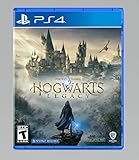
Hogwarts Legacy - PlayStation 4 | $24.99 | Buy on Amazon |
- Harry Potter Fan Club profile: The profile used for the Hogwarts Legacy account integration on the Harry Potter website.
- WB Games account: The account that connects the Fan Club profile and your gaming platform.
- Platform account: Your PlayStation, Xbox, Nintendo Switch, Steam, or Epic Games account—the one you use to play.
WB Games lists those five platforms as supported for this feature in its Hogwarts Legacy account-linking FAQ. The integration is described as a way to customize the experience and unlock specific cosmetics, not as a requirement to access the game.
Link the intended accounts using the official flow
- Open the Hogwarts Legacy connection page and sign in to your Harry Potter Fan Club profile, or create one.
- Complete the House Sorting and Wand ceremonies if prompted, then return to the account-linking page. The page is available in English only, according to the FAQ.
- Continue to WB Games. Sign in to the WB Games account you want to use, or create one.
- Connect the platform account for the device or PC storefront where you intend to play. Check that the platform account shown is the right one before confirming.
You can also connect a platform from the WB Games website: open the WB Games account Connections page, choose CONNECT next to the platform, sign in to that platform, confirm the displayed account name, and approve the connection. This links the platform account to WB Games; it is distinct from linking the Harry Potter Fan Club profile.
Free tools Windows power users keep installed
One-click scans. No signup required.
#1 Best Overall
- EXPLORE AN OPEN WORLD. The wizarding world awaits you. Freely roam Hogwarts, Hogsmeade, the Forbidden Forest, and the surrounding Overland area.
- BE THE WITCH OR WIZARD YOU WANT TO BE. Learn spells, brew potions, grow plants, and tend to magical beasts along your journey. Get sorted into your house, forge relationships, and master skills to become the witch or wizard you want to be.
- EXPERIENCE A NEW WIZARDING WORLD ADVENTURE. Experience the wizarding world in an unexplored era to uncover a hidden truth from its past. Battle against trolls, Dark Wizards, goblins, and more as you face a dangerous villain threatening the fate of the wizarding world.
If the Fan Club profile is already linked elsewhere
WB Games says a Fan Club profile that is already associated with another WB Games account cannot simply be reused on the account you intended. Try the email addresses you may have used for WB Games or the Fan Club profile before creating more accounts. If the profile is linked to the wrong WB Games account, the FAQ suggests using a different Fan Club account or contacting support if you cannot identify the account.
To disconnect a mistaken link, sign in to the WB Games account and review its linked accounts. Select Disconnect for the wrong Fan Club profile or platform. For help with a wrongly linked Fan Club profile, WB Games asks players to use the email address registered to their WB Games account in the support contact form.
Rank #2
- Video game for Switch from the brand Warner Games
- Color: Multicolor
- Dimensions: 10.5 x 16.8 x 1.2 cm
- Reference: S7830090
- If what you want is quality at the best price do not keep looking!
Resolve WB Games sign-in and verification problems
Email verification
If the WB Games email-verification link does not work, sign in at account.wbgames.com and select Verify Email in the banner to request another message. If that does not resolve it, contact WB Games Customer Service.
Forgotten password or account access
Use the official WB Games password-reset page if you have forgotten your password. The Hogwarts Legacy FAQ recommends submitting a support ticket if resetting the password does not restore access.
Recommended Free Tools
Check the link in Hogwarts Legacy and find the cosmetics
In the game, open Settings > User Interface Options > WB Games Account to inspect account linking. The FAQ says the Beaked Skull Mask and House Fan-atic School Robe appear in inventory on the first day at Hogwarts, after the introduction sequence, once you receive the Field Guide and the Gear screen becomes available. They are not described as available immediately at the start of the game.
Rank #3
- This edition of Hogwarts Legacy has been enhanced for Nintendo Switch 2, including Joy-Con 2 mouse sensor support, improved graphics, audio, load times, and controls.
- Hogwarts Legacy is an immersive, open-world action RPG set in the world first introduced in the Harry Potter books. Take control of the action and be at the center of your own adventure in the wizarding world.
- Experience Hogwarts in the 1800s. Make allies, battle Dark wizards, and ultimately decide the fate of the wizarding world. Your legacy is what you make of it. Live the Unwritten.
The FAQ also says your sorted Hogwarts House is the default, but you can change it before the sorting ceremony ends. Your Patronus does not carry over.
Independent reader supportYour contribution helps us test, update, and keep practical guides available for everyone.What “Unable to connect to WB Games online services” means
The message “Unable to connect to WB Games online services, please check your connection” is language players may see or report, but the official guidance cited here does not establish its cause or confirm a current outage. It does not, by itself, prove that your home internet is broken or that WB Games is down. The documented steps address account identity, linking, email verification, and password access; they do not identify a universal technical fix for this message.
Rank #4
- We’re overwhelmed with gratitude for the response to Hogwarts Legacy from fans around the globe. The team is working hard to deliver the best possible experience on all platforms and we need more time to do this. Hogwarts Legacy will launch for PS4 and Xbox One May 5, 2023.
- EXPLORE AN OPEN WORLD. The wizarding world awaits you. Freely roam Hogwarts, Hogsmeade, the Forbidden Forest, and the surrounding Overland area.
- BE THE WITCH OR WIZARD YOU WANT TO BE. Learn spells, brew potions, grow plants, and tend to magical beasts along your journey. Get sorted into your house, forge relationships, and master skills to become the witch or wizard you want to be.
- EXPERIENCE A NEW WIZARDING WORLD ADVENTURE. Experience the wizarding world in an unexplored era to uncover a hidden truth from its past. Battle against trolls, Dark Wizards, goblins, and more as you face a dangerous villain threatening the fate of the wizarding world.
If you have confirmed the intended accounts and completed the official flow but still cannot link them, contact WB Games support through the FAQ’s support route. The official materials do not give a support-ticket response-time guarantee.
Quick Recap
Product prices and availability are accurate as of the date/time indicated and are subject to change. Any price and availability information displayed on Amazon at the time of purchase will apply.



