Start with this diagnostic checklist
cgamex86.dll is the multiplayer client-game library for Star Wars Jedi Knight: Jedi Academy. If Windows says cgamex86.dll is missing or cannot load, the problem is usually inside the game installation or an installed mod, not inside Windows.
Before changing anything, check:
- Which edition are you using: Steam, GOG, a disc installation, OpenJK, or a mod.
- When does the error appear: at launch, when opening multiplayer, or when joining a server.
- What is the exact message:
VM_Create on cgame failed,The specified module could not be found, or a Windows missing-DLL dialog. - Which architecture is involved: the original
x86module is a 32-bit Windows DLL, even when Windows 11 or Windows 10 is 64-bit. - Whether a mod is installed: a mod can replace or load its own client library from a different directory.
Do not begin by downloading cgamex86.dll from a random DLL website or copying it into C:WindowsSystem32.
| # | Preview | Product | Price | |
|---|---|---|---|---|
| 1 |

|
Star Wars Jedi Knight: Jedi Academy (Renewed) | $24.38 | Buy on Amazon |
| 2 |
|
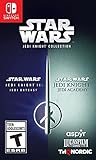
Star Wars Jedi Knight Collection - Nintendo Switch | $21.42 | Buy on Amazon |
| 3 |

|
Star Wars: Heritage Pack - Nintendo Switch | $35.47 | Buy on Amazon |
| 4 |

|
Star Wars Jedi Knight: Jedi Academy | $15.50 | Buy on Amazon |
| 5 |

|
Star Wars Jedi Knight: Jedi Academy (Jewel Case) - PC | $10.99 | Buy on Amazon |
What cgamex86.dll actually is
cgamex86.dll is a private game-code module used by Jedi Knight: Jedi Academy multiplayer. The game engine loads it as the client-side portion of the multiplayer game. Related components include a server-side game library and a user-interface library.
The original x86 name identifies the 32-bit Windows build. That is normal for this older game and does not mean your copy of Windows is faulty. A 64-bit Windows installation can run the 32-bit game, but it must load compatible 32-bit libraries and dependencies.
Outdated Drivers Are Slowing You Down
One free scan finds every outdated or missing driver and matches the right update for your exact hardware.Free scan · exact hardware matchPC Slower Than It Used to Be?
A free scan shows the junk files, broken settings and background clutter dragging Windows down - then fixes them in one click.Free scan · Windows 10 & 11#1 Best Overall
- You assume the place of a young Jedi trainee, recently accepted to the new academy built by master Luke Skywalker. Continue this line of great warriors and use the Force as your ally in a number of missions.
- Learn the powers and dangers of The Force, while you interact with classic characters like Master Luke Customize everything - your fighting stance, the look of your lightsaber handle, een your style -- choose a single, double or dual-bladed style
- Immerse yourself in the classic Star Wars universe -- new weapons, vehicles and environments are available
- Multiple exciting missions await you as you play through amazing single- and multi-player missions and develop new Force powers
- Face difficult decisions every step of the way -- and decide to follow the path of the Light or Dark Side of The Force!
The file normally belongs in the game’s GameData directory, the base directory, or the active mod directory. It is not a Windows component, Microsoft runtime, graphics driver, or general-purpose DLL for other programs.
Fix 1: Verify the game files first
This is the fastest and most reliable repair when the original game file was deleted, modified, or quarantined.
Steam
- Open Steam and select Library.
- Right-click STAR WARS Jedi Knight: Jedi Academy.
- Select Properties.
- Open Installed Files.
- Select Verify integrity of game files.
- Wait for Steam to complete the scan.
- Restart Steam and launch the game again.
Steam may replace missing or corrupted files. It can also report that some files failed verification because local configuration files are intentionally different. That does not always indicate a failed repair.
If the game now reaches the multiplayer menu, the original installation was the problem. If the same error returns immediately, continue with the mod and antivirus checks below.
What’s actually slowing this PC down?
Pick the symptom - the matching free tool is one click away.
GOG or a standalone installation
Use the launcher’s repair or verification option if it provides one. If it does not, reinstall the game from the original GOG offline installer or another legitimate installer that you own.
Install it into a new folder rather than reinstalling over a damaged directory. Afterward, test the unmodified multiplayer installation before restoring mods.
Fix 2: Repair the mod installation and its folder layout
If single-player works but multiplayer fails, or the error appears only after selecting a mod, suspect the mod before suspecting Windows.
Rank #2
- Star Wars Jedi Knight II: Jedi Outcast: As Kyle Katarn, agent of the New Republic, use your Lightsaber and the full power of the Force to combat a new evil plaguing the galaxy.
- Star Wars Jedi Knight II: Jedi Outcast: Choose wisely from an arsenal of 13 weapons including disruptor rifle, thermal detonators, trip mines, and Wookiee bowcaster.
- Star Wars Jedi Knight: Jedi Academy: Play with up to 16 online players in six online multiplayer modes including: Siege, Capture the Flag, and Free for All.
- Star Wars Jedi Knight: Jedi Academy: Customize your character by defining both look and gender before entering the Academy to learn the power and dangers of the Force.
Close the game, launcher, server browser, and any OpenJK or mod processes. Then:
- Open the game’s installation folder.
- Locate
GameData,base, and the folders used by your mod. - Check whether the mod’s files are in the directory expected by its instructions.
- Remove or move stale copies of
cgamex86.dllfrom unrelated folders. - Reinstall the mod from its official project distribution.
- Launch the mod using its intended shortcut or launcher.
- Test the original game separately.
The engine searches the active mod directory before falling back to the base directory. A stale DLL in the wrong location can therefore override the intended file. Do not mix DLLs from the original game, OpenJK, Movie Battles, JA+, or other Jedi Academy modifications.
A mod may also extract game libraries from a .pk3 archive while starting. If extraction fails because of permissions, antivirus protection, a locked file, or insufficient disk space, the visible result can be VM_Create on cgame failed even though you never manually deleted a DLL.
Fix 3: Check antivirus quarantine
Security software can remove or block a game DLL after an update or a false detection.
- Open Windows Security.
- Select Virus & threat protection.
- Select Protection history.
- Look for an event involving the Jedi Academy installation or
cgamex86.dll. - Do not restore the file until you confirm that it came from your legitimate game or mod installation.
- If it is legitimate, restore it according to your security software’s instructions.
- Immediately verify the game files again.
- Start the game and check whether the file disappears again.
If antivirus protection repeatedly removes the same file, do not keep downloading replacements. Confirm the mod’s source, scan the complete installation, and use the mod’s official support channel if the file is being detected.
Fix 4: Determine whether a dependency is missing
“The specified module could not be found” does not always mean that cgamex86.dll itself is absent. Windows can show that message when the requested DLL exists but one of the DLLs it depends on cannot be loaded.
Look at the game’s console log or Windows Event Viewer for a more specific failure. To open Event Viewer:
Rank #3
- The following games are included in the cartridge: STAR WARS Jedi Knight: Jedi Academy (3.6 GB)
- STAR WARS Jedi Knight II: Jedi Outcast (1.1 GB)
- STAR WARS Episode I Racer (254 MB)
- STAR WARS Republic Commando (2.5 GB)
- STAR WARS: The Force Unleashed (3.4 GB)
- Press Windows key, type
Event Viewer, and open it. - Expand Windows Logs.
- Select Application.
- Look for an error at the time of the failed launch.
- Record the named module or runtime if one is shown.
Do not install every runtime package you can find. For the original game, file verification is normally more appropriate than immediately installing Visual C++.
For a mod or rebuilt engine that specifically identifies a Visual C++ dependency, install the matching x86 package from Microsoft. Microsoft’s Visual C++ 2013 package is provided as vcredist_x86.exe, while newer builds may require a different supported generation. A 64-bit runtime is not a substitute for the x86 runtime required by a 32-bit module.
The Tool Desk
Outbyte Driver Updater FREEScan for outdated or missing drivers - takes under a minuteDriver Scan →Outbyte PC Repair FREEClear out junk files and repair common Windows errorsFree Scan →Legacy DirectX components can also matter to older games. Microsoft’s DirectX End-User Runtime installs optional legacy components such as D3DX, XAudio 2.7, XInput 1.3, and XACT. It does not replace cgamex86.dll or upgrade the core DirectX version built into Windows.
After installing a runtime:
- Restart Windows.
- Verify the game files again.
- Launch the unmodified game.
- Test the mod separately if the original game works.
Fix 5: Check permissions, locks, and the installation path
A file can be present but inaccessible.
- Close Steam, the game, mod launchers, and server browsers.
- Open Task Manager with Ctrl+Shift+Esc.
- End any remaining
jamp.exe, OpenJK, or mod process. - Restart Windows.
- Try the game again.
- If it still fails, right-click the game folder and select Properties.
- Open the Security tab and confirm that your Windows account can read and execute files there.
- Check that the drive has free space.
- Avoid installing the game inside a folder controlled by unusual permissions or synchronization software.
- Verify the files again.
Do not routinely run the game as administrator. If you use Run as administrator as a temporary diagnostic and the game works only that way, the real problem is usually folder permissions, mod extraction, or security software.
Fix 6: Repair Windows components only when evidence points there
SFC and DISM repair protected Windows components. They cannot recreate a missing third-party game DLL, so they should not be the first response to cgamex86.dll errors.
Use them when other Windows programs are also failing, Windows reports corrupted components, or the game’s loader fails alongside broader system problems.
Do these 3 things before closing this tab:
1Repair Windows errors before they cause bigger problems2Scan for outdated or missing drivers - takes under a minute3Clear out junk files and repair common Windows errors- Open Start.
- Type
Command Prompt. - Right-click Command Prompt.
- Select Run as administrator.
- Run:
DISM.exe /Online /Cleanup-image /Restorehealth
- Wait for DISM to finish.
- Run:
sfc /scannow
- Restart Windows.
- Verify the Jedi Academy installation again.
Microsoft recommends running DISM before SFC. If either command reports that it could not repair files, restart and repeat the process once, then investigate Windows servicing or disk problems rather than repeatedly reinstalling the game.
Rank #4
- You assume the place of a young Jedi trainee, recently accepted to the new academy built by master Luke Skywalker. Continue this line of great warriors and use the Force as your ally in a number of missions.
- Learn the powers and dangers of The Force, while you interact with classic characters like Master Luke Customize everything - your fighting stance, the look of your lightsaber handle, een your style -- choose a single, double or dual-bladed style
- Immerse yourself in the classic Star Wars universe -- new weapons, vehicles and environments are available
- Multiple exciting missions await you as you play through amazing single- and multi-player missions and develop new Force powers
- Face difficult decisions every step of the way -- and decide to follow the path of the Light or Dark Side of The Force!
When manually hunting through Windows repair steps becomes the slow part, Outbyte PC Repair can scan for system issues and show what it finds; its repair functions require the full version. Reinstalling Jedi Academy remains the definitive fix for a missing game-owned DLL.
Fix 7: Update drivers only for related graphics or launch symptoms
A graphics driver normally does not provide cgamex86.dll. Driver work is therefore not the primary repair for this error. Consider it only if the game also crashes with display initialization errors, corrupted rendering, or failures across several games.
To check the graphics driver:
- Right-click Start.
- Select Device Manager.
- Expand Display adapters.
- Right-click your graphics adapter.
- Select Update driver.
- Choose Search automatically for drivers.
- Restart Windows if a driver is installed.
For a clean vendor driver update, use the graphics manufacturer’s official support page. Do not replace a game DLL with a driver file.
When identifying the correct driver manually means comparing hardware IDs and several package versions, Outbyte Driver Updater can scan and show outdated drivers; installation of drivers is handled by the full version. It is not a substitute for verifying or reinstalling Jedi Academy.
Independent reader supportYour contribution helps us test, update, and keep practical guides available for everyone.Why System32 and regsvr32 are wrong here
Do not copy cgamex86.dll into C:WindowsSystem32 or C:WindowsSysWOW64. That can create an architecture conflict, leave the game loading the wrong binary, and expose Windows to an untrusted file.
cgamex86.dll is loaded by the Jedi Academy engine as private game code. It is not a COM or ActiveX component intended for registry self-registration. Running this command is not an appropriate repair:
regsvr32 cgamex86.dll
regsvr32 applies to DLLs that expose registration entry points such as DllRegisterServer. A game-code module generally does not provide those entry points. Registration will not restore a missing game file, repair a mod path, or install a missing dependency.
Free tools Windows power users keep installed
One-click scans. No signup required.
Windows Features also do not provide this file. Enabling unrelated features such as .NET Framework or legacy components will not recreate it.
If the message says the DLL is not designed to run on Windows
That wording usually points to corruption, an architecture mismatch, or an incompatible mod DLL.
Best Value
- First-person Star Wars action/adventure, with a story-based singled-player campaign and a variety of multiplayer combat modes
- Learn the ways of the Force from Master Luke Skywalker
- Customize your character by choosing species, gender, clothing, and physical attributes such as hair and facial features
- Create a custom lightsaber by choosing hilt design, blade color, and style: single, double, or dual sabers
- Unique level selection system allows players to choose their own path through the game
Check these in order:
- Verify or reinstall the original game.
- Remove mixed DLLs from old mods.
- Reinstall the affected mod.
- Confirm that the mod matches the engine and game edition.
- Check whether antivirus altered the file.
- Install a required x86 runtime only if the log identifies one.
- Test from a clean installation folder.
Do not replace a 32-bit module with a 64-bit build or copy a similarly named file from another Jedi Academy derivative.
Last resort: clean reinstall and evidence collection
If verification and mod repair fail:
- Back up save files and personal configuration files.
- Uninstall the game.
- Remove leftover installation files, especially old mod DLLs.
- Restart Windows.
- Install again from Steam, GOG, or your original legitimate installer.
- Launch the unmodified game once.
- Add one mod at a time and test after each installation.
If the clean installation still fails, collect:
- The exact error text.
- The game edition and launcher.
- Your Windows version.
- Whether Windows is 32-bit or 64-bit.
- The full path where the DLL exists or should exist.
- The mod name and version if applicable.
- The game console log.
- Any antivirus quarantine event.
- Whether the failure occurs at startup or only when joining multiplayer.
That information distinguishes a missing file from a dependency failure, stale mod path, blocked extraction, or incompatible binary.
Recommended Free Tools
Frequently asked questions
Is cgamex86.dll a Windows DLL?
No. It is a 32-bit client-game library associated with Jedi Knight: Jedi Academy multiplayer.
Where should it be installed?
Usually in the game’s GameData, base, or active mod directory. The correct location depends on the game edition and mod. It should not be placed in a Windows system folder.
Why does VM_Create on cgame failed appear when the file exists?
The engine may be unable to load the file because of a missing dependency, incompatible mod DLL, incorrect search path, antivirus interference, permissions, or failed extraction.
Should I download a replacement DLL?
No random replacement is safe. A DLL download sites site may provide malware, the wrong architecture, an incompatible version, or a file that does not match your game. Restore the file through launcher verification, a legitimate installer, or the mod’s official distribution.
Do I need Visual C++ 2013?
Only when the diagnostic evidence points to a missing dependency or the affected mod requires it. It is not the universal fix for the original game file, and the required package may need to be x86.
Will regsvr32 fix the error?
No. This is a game-code module, not a self-registering COM or ActiveX DLL.
What if the file keeps disappearing?
Check antivirus quarantine, verify the game source, remove stale mod copies, and reinstall the affected game or mod. Repeatedly downloading the same file hides the cause and can make the installation less trustworthy.
Quick Recap
Product prices and availability are accurate as of the date/time indicated and are subject to change. Any price and availability information displayed on Amazon at the time of purchase will apply.
Quick wins for a faster PC:
Clear out junk files and repair common Windows errorsFree Scan →Scan for outdated or missing drivers - takes under a minuteDriver Scan →Repair Windows errors before they cause bigger problemsFix Now →



