For most new RTX 3080 builds, choose a quality 850W power supply. NVIDIA specifies 750W for the Founders Edition, so a healthy, reputable 750W unit can also be enough for a modest system. Choose 1,000W for a high-power CPU, substantial overclocking, or a planned GPU upgrade. Check the exact graphics-card model before buying: partner cards can have different power ratings and connectors.
RTX 3080 power requirements at a glance
Three figures matter, and they are not interchangeable:
- Graphics-card power is what the GPU card can draw. NVIDIA lists the RTX 3080 Founders Edition at 320W.
- Recommended system PSU wattage is a manufacturer estimate for powering the whole PC, not just the GPU. NVIDIA lists 750W for the Founders Edition, based on a system with an Intel Core i9-10900K; NVIDIA notes that a lower rating may work depending on the complete configuration. NVIDIA’s RTX 3080 specifications
- PSU rated output is the unit’s continuous power capacity. It does not alone guarantee stability with every combination of components, cables, condition, and transient load.
Do not assume every RTX 3080 matches the Founders Edition. MSI, for example, lists its Ventus 3X 10G at 320W with two 8-pin connectors, while its Gaming Z Trio 10G LHR is listed at 370W with three 8-pin connectors. Both list a 750W recommended PSU. Check your own card’s specification page and revision rather than applying another model’s figures. MSI Ventus 3X 10G specifications; MSI Gaming Z Trio 10G LHR specifications
Choose 750W, 850W, or 1,000W
| PSU capacity | Best fit | What to consider |
|---|---|---|
| 750W | A quality unit already in a stable system with a moderate CPU and stock or modestly overclocked RTX 3080. | It is NVIDIA’s Founders Edition recommendation, but the exact GPU, CPU, PSU model, age, and cabling matter. Treat it as a sensible baseline, not an automatic answer for every build. |
| 850W | Most new RTX 3080 gaming builds. | Offers practical margin for CPU and GPU load variation and is a balanced choice when replacing or buying a PSU. Corsair also presents 850W as a safer general choice in its RTX 3080 guidance, which is a vendor recommendation rather than a universal minimum. Corsair’s RTX 3080 PSU guidance |
| 1,000W | High-power CPUs, aggressive CPU/GPU overclocking, unusually high GPU power limits, substantial auxiliary hardware, or a planned high-power GPU upgrade. | Adds capacity and potential operating-noise margin, but costs more and is unnecessary for many stock-clocked systems. It is not required simply because an RTX 3080 can have transient load excursions. |
If you already own a reputable, healthy 750W PSU and the system is stable under demanding games, there may be no reason to replace it. If buying new for a typical build, 850W is the practical target. Corsair’s recommendation of 1,000W is aimed at buyers seeking greater headroom, not everyone with this GPU.
#1 Best Overall

- 80 PLUS GOLD CERTIFIED
- 10-year limited warranty, guaranteeing long term reliable operation
- Fully modular design
- ATX 3.1 & PCIE 5.1
How the rest of the PC changes the choice
The PSU powers the CPU, motherboard, storage, cooling, fans, and peripherals as well as the graphics card. A mainstream six- or eight-core CPU generally leaves more margin than a high-end processor running relaxed motherboard power limits or an overclock. A CPU’s nominal TDP is not necessarily its maximum package power.
Use this as a planning principle: estimated sustained system load plus reasonable headroom equals target PSU capacity. Include meaningful loads such as pumps, additional drives, capture cards, and USB-powered devices. Do not subtract the GPU’s board-power figure from the PSU rating and treat the remainder as a complete CPU allowance; that ignores other components and brief load changes. NVIDIA’s stated 750W figure is tied to a specified Core i9-10900K test system, not a promise for every PC configuration. NVIDIA’s RTX 3080 specifications
Rank #2

- Fully Modular: Reliable and efficient low-noise power supply with fully modular cabling, so you only have to connect the cables your system needs.
- Cybenetics Gold-Certified: Rated for up to 91% efficiency, resulting in lower power consumption, less noise, and cooler temperatures.
- ATX 3.1 Compliant: Compliant with the ATX 3.1 power standard from Intel, supporting PCIe 5.1 and resisting transient power spikes.
- Native 12V-2x6 Connector: Ensures compatibility with the latest graphics cards with a direct GPU to PSU connection – no adapter necessary.
- Embossed Cables with Low-Profile Combs: Sleek, ultra-flexible embossed cables look great and make installing and connecting the RMx a breeze.
Check the exact GPU and its cables
- Identify the full RTX 3080 model and revision, then open that manufacturer’s specification page.
- Record the listed board power, recommended PSU wattage, number and type of GPU sockets, and any included adapter.
- Check the PSU label for its rated wattage and 12V output, and confirm its model, age, condition, warranty, and reputation.
- Verify that it has the right number of PCIe power cables. Use separate PSU cables for separate GPU sockets when available; avoid relying on one daisy-chained cable unless the PSU maker explicitly supports that setup for your unit.
- Confirm the CPU model and whether its power limits or overclocking are enabled. Factor in other substantial components before deciding.
The Founders Edition uses an adapter to a 12-pin card connector and calls for two separate PCIe 8-pin cables from the PSU. Partner cards may instead have two or three 8-pin sockets; for instance, MSI lists two on the Ventus 3X 10G and three on the Gaming Z Trio 10G LHR. Follow the instructions for your specific model. NVIDIA Founders Edition specifications; MSI Ventus 3X 10G specifications; MSI Gaming Z Trio 10G LHR specifications
- Never use modular PSU cables from another PSU brand or model family. The PSU-side pinout may differ even when the connectors fit.
- Do not confuse PCIe and CPU/EPS cables. They can look similar but are not interchangeable.
- If an adapter or connector is hot, damaged, incompletely seated, or under strain, stop using the system and inspect the connection and cable before powering it again.
What makes a PSU suitable beyond its wattage?
Wattage and 80 Plus efficiency labels are not quality rankings. Gold certification describes efficiency under specified conditions; it does not establish that a particular model has excellent voltage regulation, protections, transient behavior, or reliability.
Rank #3

- ATX 3.1 & PCIe 5.1 Ready: The PSU can hold up to 200% total power excursion & 300% GPU power excursion
- 80 Plus Gold Certified: The 80 PLUS Gold certification promises higher efficiency & lower energy consumption
- Fully Modular: Full module with flat white cables, improves airflow & strengthens cable management
- Native 12VHPWR Cable: It can generate up to 600W of power to PCIe 5.1 graphics cards
- Stable +12V Output: DC-DC structure, Full Bridge LLC resonance assist, 12V synchronous rectification provides a stable & safe output
Compare the exact PSU model, not only the brand or badge. Look for credible independent electrical testing, appropriate over-voltage, under-voltage, over-current, over-power, short-circuit, and over-temperature protections, a clear warranty, sufficient PCIe cable provision, and a noise profile that suits your build. Fully modular units simplify cable management; semi-modular or non-modular units can also work electrically. Modularity is a convenience, not a performance or safety rating.
There is no universal PSU replacement age. Scrutinize a unit that is around a decade old, has operated for years in heat or under heavy load, has a noisy or failing fan, smells electrical, buzzes or clicks, lacks the required cables, or has caused unexplained instability. Age raises concern but is not, on its own, proof that a quality unit has failed. A used PSU also carries uncertainty around its history, warranty, revision, and original modular cables.
Rank #4
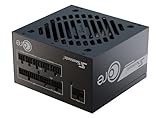
- ATX 3.1 / PCIE 5.1 ready. Native 12V-2x6 connector
- 80 PLUS Gold and Cybenetics Platinum certified
- OptiSink Design
- NVIDIA RTX 5080 AMD RX 9000 ready
- 12V-2x6 to dual 8-pin PCIe cable included
Do you need an ATX 3.0 PSU?
No. An RTX 3080 does not require ATX 3.0. A suitable, good-quality ATX 2.x unit can work if its capacity, connectors, protections, and condition are appropriate. ATX 3.0 introduced explicit testing for rapid load changes and power excursions; Intel’s guidance details different excursion expectations, including for supplies supporting PCIe 12VHPWR-class operation. Intel ATX 3.0 power-excursion requirements; Intel desktop PSU test plan
For a new purchase, ATX 3.0 or newer can be a useful feature, particularly if you value newer transient-load testing or future compatibility. It is separate from the question of wattage, and a native modern GPU cable is useful only if it matches the graphics card. The RTX 3080 Founders Edition uses its own adapter arrangement, while partner-card connectors vary. ATX 3.0 branding alone does not guarantee model quality.
What’s actually slowing this PC down?
Pick the symptom - the matching free tool is one click away.
Best Value

- ATX 3.1 and PCIe 5.1 Support: Fully compatible with Intel ATX 3.1 specifications, with native PCIe 12V-2x6 (12+4 pin) connectors for modern GPUs.
- 80 PLUS Gold Efficiency: Provides up to 90% efficiency, reducing energy consumption and heat output during operation.
- Smart Zero Fan Technology: Automatically adjusts fan speed based on load, minimizing noise during low-load operations.
- Fully Modular Design: Includes low-profile flat black cables, making cable management easier and improving airflow inside your case.
- High Amperage Single +12V Rail: Provides reliable and stable power delivery, optimized for high-end gaming and workstation builds.
Small-form-factor builds need extra checks
A suitable SFX or SFX-L PSU can power an RTX 3080, but verify more than its wattage before committing:
- Check the exact GPU length, thickness, and socket placement against the case and PSU cable space.
- Confirm the PSU supplies the required number of PCIe cables and that any adapter has room to sit without strain.
- Consider case airflow, PSU cooling, fan behavior, and whether the unit’s protection behavior suits the card.
Troubleshoot shutdowns before replacing parts
A sudden shutdown or reboot during a game can involve PSU protection, transient margin, a loose or poorly arranged GPU cable, PSU overheating, unstable overclocking, or motherboard and CPU power issues. A black screen while fans continue can also be a driver crash, display-cable fault, GPU instability, or thermal problem; it does not by itself identify the PSU as the cause.
- Return the GPU and CPU to stock settings, then see whether the fault continues.
- Power down and reseat the graphics card and all GPU power connectors. Confirm the card’s required socket count and use separate PCIe cables where possible.
- Check GPU and PSU temperatures, display connections, and driver behavior; investigate these alongside power delivery rather than assuming wattage is the answer.
- Review system logs as supporting evidence, not proof. A generic kernel-power event does not establish PSU failure.
- If possible, test with a known-good PSU of suitable capacity and cable configuration. If the fault disappears, the original unit may have been defective or lacked adequate margin.
If the PC will not boot after installing a replacement PSU, check the 24-pin motherboard cable, CPU/EPS cable, GPU PCIe cables, PSU switch, and GPU seating. Confirm every modular cable belongs to the new PSU; never transfer cables merely because their plugs fit.
Recommendations by build type
- Existing stable 750W unit, moderate CPU, stock RTX 3080: Keep it if the exact card’s recommendation, PSU condition, and cable setup check out.
- New mainstream gaming build: Choose a quality 850W unit with the necessary separate PCIe cables.
- High-end CPU plus factory-overclocked GPU: Consider 850W to 1,000W based on CPU limits, card power, and other components.
- Heavy overclocking or planned high-power GPU upgrade: A quality 1,000W unit is a reasonable headroom choice.
- Small-form-factor system: Choose a quality 750W SFX/SFX-L unit only after confirming card fit, cables, cooling, and airflow.
- Unknown, aging, unreliable, or cable-incomplete PSU: Replacing it is wiser than relying on its wattage label alone.
A 650W PSU is below NVIDIA’s stated 750W Founders Edition recommendation. NVIDIA says lower ratings may work depending on the complete system, but 650W should be treated as a configuration-specific case rather than a default recommendation. NVIDIA’s RTX 3080 specifications
Quick wins for a faster PC:
Repair Windows errors before they cause bigger problemsFix Now →Scan for outdated or missing drivers - takes under a minuteDriver Scan →Do not apply RTX 3080 figures to the RTX 3080 Ti: it is a different, higher-power GPU and needs its own model-specific PSU check.
Quick Recap
Product prices and availability are accurate as of the date/time indicated and are subject to change. Any price and availability information displayed on Amazon at the time of purchase will apply.




