Recommended Free Tools
Start by identifying where the failure occurs: disc not recognized, installation failure, rejected CD key, or a Play Disc prompt at launch. Those symptoms have different fixes. The original disc-based Diablo II requires its Play Disc in the CD-ROM drive while playing; Blizzard also lists a separate download installer for owners of eligible original CD keys.
Identify which CD-ROM problem you have
- The disc is not recognized: Check the disc and optical drive before changing game or key settings.
- Installation fails: If the disc is readable but setup will not complete, consider Blizzard’s official download-install option if you have an eligible original key.
- The installer rejects the CD key: This is a key issue, not evidence that the CD-ROM drive is faulty. Use Blizzard’s current key guidance.
- The game asks for the Play Disc when launched: That is expected for the original disc-based version. First establish whether your installation is disc-based or downloaded.
If the computer does not read the Diablo II disc
- Check the disc for visible damage, dirt, or scratches.
- Try a different known-good disc in the same drive. If that disc also fails, the drive or its connection may be the issue; if it works, the Diablo II disc may be the problem.
- If the computer has no usable optical drive, a USB external CD/DVD drive is one possible way to read original media. It is not a guaranteed fix for a damaged disc, a key problem, or a game compatibility issue.
Blizzard’s Diablo II manual describes the original disc-based game, but its troubleshooting advice is from the game’s original Windows era. For example, its Windows 2000 note about local Administrator privileges is historical guidance, not a current Windows troubleshooting instruction.
| # | Preview | Product | Price | |
|---|---|---|---|---|
| 1 |
|
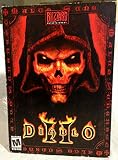
Diablo II | $79.97 | Buy on Amazon |
| 2 |

|
Diablo 2 | $29.99 | Buy on Amazon |
| 3 |

|
The Art of Diablo: Volume II: Volume II | $31.30 | Buy on Amazon |
| 4 |

|
Diablo II - Lord of Destruction Expansion Pack (Mac/PC CD) | $25.99 | Buy on Amazon |
If installation from the disc fails
First verify that the drive can read the disc. If it can, but installation still fails, do not treat old operating-system or DirectX advice from the original manual as a reliable fix for a modern computer. Blizzard Support lists a separate installer route for owners of original CD keys. Check the current Diablo II and Lord of Destruction installation guidance for the live download page and eligibility details.
If the installer rejects your CD key
Blizzard Support has a dedicated “Diablo II Error: CD Key Invalid” article, as well as guidance on finding a Diablo II CD key. Check those pages for current account-specific steps rather than replacing a working drive.
Free tools Windows power users keep installed
One-click scans. No signup required.
#1 Best Overall
- Single Player System Requirements:
- Pentium 233 or equivalent
- 32 MB ram; 600 MB available hard drive space
A Blizzard forum discussion from 2023 describes redeeming a legacy 16-digit key on a Battle.net account to obtain a newer key format for the download installer. That is forum guidance, not the authoritative current policy; confirm whether it applies to your key and region through Blizzard Support before relying on it.
Independent reader supportYour contribution helps us test, update, and keep practical guides available for everyone.If Diablo II asks for the Play Disc at launch
For the original disc-based edition, the manual’s answer is explicit: “You must have the Diablo II Play Disc in your CD-ROM drive in order to play the game.” The requirement applies to that disc route; it does not establish that every downloaded installation requires a disc. If you installed from a download, check Blizzard’s current installation instructions and determine which version you have before buying an optical drive.
Quick Recap
Rank #4
- Interactive environments such as siege towers and fortified battlements
- Thousands of new weapons, armor, and magical items, including class--specific quest items
- New recipes for the Horadric Cube
- Increased stash size
- Note: This product requires the full version of Diablo II
Rank #3
Rank #2
Choose the path that matches the problem
| What is happening | What to try | What it will not fix |
|---|---|---|
| Disc is not recognized | Inspect it and test the drive with another known-good disc; consider an external optical drive only if the computer lacks a usable one. | A damaged disc, invalid CD key, or software compatibility issue. |
| Disc reads but installation fails | Check Blizzard’s official download-install route if you have an eligible original key. | Eligibility or account problems; verify those with Blizzard Support. |
| CD key is rejected | Follow Blizzard’s current invalid-key and key-finding guidance. | A drive replacement, unless there is also a separate disc-reading fault. |
| Play Disc prompt appears | For a disc-based installation, insert the Diablo II Play Disc; for a downloaded installation, confirm the edition and follow its official instructions. | A key-validation error or a disc the drive cannot read. |
Product prices and availability are accurate as of the date/time indicated and are subject to change. Any price and availability information displayed on Amazon at the time of purchase will apply.




