There is no verified, universally best store floor plan for Discounty. A practical layout groups related products, leaves clear aisles for customers, and gives you room to restock and work the checkout. The game confirms that shelves and products can be rearranged, aisles designed, and decorations added; however, a developer-reported appeal rework means older advice about customers always favoring the highest-appeal shelf may no longer apply.
What makes a good layout in Discounty?
Think of “best” as a layout that is easy to navigate and practical to manage—not a proven arrangement that guarantees a particular sales result. The official Discounty Steam listing describes rearranging shelves and products, designing aisles, and adding decorations. It says decorations encourage purchases, but does not quantify their effect.
| # | Preview | Product | Price | |
|---|---|---|---|---|
| 1 |

|
Discounty - Nintendo Switch | $28.00 | Buy on Amazon |
| 2 |

|
Discounty - PS5 | $21.34 | Buy on Amazon |
| 3 |
|
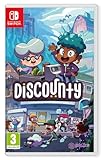
Discounty (Nintendo Switch) | $38.32 | Buy on Amazon |
| 4 |

|
Discounty Game Guide: Build Your Store, Win Over the Town, and Master Every Task in This Cozy... | $7.99 | Buy on Amazon |
As an Amazon Associate I earn from qualifying purchases.
- Keep aisles inviting and navigable. Arrange shelves so customers have clear routes through the shop rather than creating a confusing maze.
- Make restocking workable. Leave yourself space to reach shelves and handle stock without making the checkout area awkward to use.
- Use decorations thoughtfully. The game presents them as a way to encourage purchases, but the listing gives no measured bonus or placement formula.
- Adjust as you expand. A layout that fits a small shop may need to change as you add shelves, products, or decorations.
How to zone products and shelves
As a starting point, group similar products into recognizable zones. This is a community strategy, not an official requirement or a demonstrated optimal arrangement. The unofficial Discounty.org fan guide suggests areas for categories such as seafood, produce, household goods, meat, beverages, processed food, and checkout.
- Choose broad product zones. Place related categories together so the shop is easier for you to understand and manage.
- Keep the checkout area distinct. Leave a clear working area around the checkout instead of treating it as another shelf zone.
- Build aisles around the zones. Check that shelves do not turn the routes between categories into dead ends or obstructed passages.
- Revisit the arrangement after changes. When you add products or expand the shop, reassess whether customers can still move through the store and whether you can reach the shelves.
The fan guide also depicts a “perfect completion” layout with two shelves for most items, apples as an exception, and shelves at attractiveness level 5. Treat those details as one community build, not a guaranteed rule: the guide is unofficial, and its numerical layout claims are not independently confirmed by an official source.
#1 Best Overall
- A Warm-ish Welcome to Blomkest - Your aunt has invited you to manage the local store, 'Discounty', in the run-down harbour town of Blomkest. But beware, not everyone wants you to succeed. Build Friendships (or Make Lifelong Enemies) - Explore Blomkest after business hours and get to know the townsfolk. Turn them into loyal patrons of Discounty and uncover the town's hidden secrets.
- Design & Decorate Your Very Own Shop - Create an eye-catching, efficient store by rearranging shelves and products. Design inviting aisles for easy navigation and add decorations to encourage purchases! Strike Trade Deals With Locals - Blomkestians don't take well to newcomers. Gain manufacturers' trust, make trade deals, and sell local speciality goods to boost Discounty profits!
- Juggle the Responsibilities of a Shopkeeper - Keep shelves stocked, floors clean, and the storage room organised. Ring up customers shopping promptly to keep them happy! No one likes waiting around...
- Expand Your Supermarket Into An Empire! - As profits soar, reinvest and grow! Expand your shop to stock more goods and advertise it around town!
- Personalise Your Shopkeeper - Choose your appearance, handpick your outfit, and pick a name that reflects your unique style. Your ever-wise Aunt will always recognise you, no matter your chosen guise.
Why older appeal advice may be outdated
A Steam Community developer announcement reports that appeal was reworked. It describes earlier behavior in which customers could almost always choose the shelf with the highest appeal rating even when other appealing shelves were nearby, and says the behavior was changed so lower-appeal shelves could tempt more customers.
That update is a reason not to build around a blanket rule that every customer will choose the highest-appeal shelf. The announcement establishes the direction of the change, but does not provide a complete current formula for customer pathfinding. Later patches could also change behavior, so treat specific appeal-based layouts as version-sensitive rather than timeless.
Rank #2
- A warm welcome to Blomkest - your aunt has invited you to run the local store "Discounty" in the run-down port town of Blomkest. But beware, not everyone wants you to succeed.
- Make friendships (or make lifelong enemies) - Explore Blomkest after business hours and get to know the residents. Make them loyal customers of Discounty and reveal the hidden secrets of the city.
- Design and decorate your own shop - Create an eye-catching, efficient store by rearranging shelves and products. Design inviting aisles for easy navigation and add decorations to encourage purchase!
- Conclude trade contracts with locals - Blomkestians are not good at talking about newcomers. Win manufacturers' trust, trade contracts and sell local specialties to increase Discounty profits!
- Juggle the tasks of a shop owner - keep the shelves filled, the floors clean and the storage space organised. Report your customers' purchases on time to keep them satisfied! No one likes to wait...
How to test and refine your own floor plan
Because the available sources do not establish a tested winning layout, use a simple practical check rather than assuming a community plan is optimal:
- Can you move through the aisles and reach the shelves you need to restock?
- Is the checkout area easy to work from?
- Are related products grouped in a way that makes sense for your shop?
- Have you left space for decorations without making aisles difficult to navigate?
- Does the arrangement still work after your latest expansion or game update?
If a zone feels crowded or inconvenient, rearrange shelves and products and reassess. The game explicitly supports rearrangement; no source establishes exact ideal aisle widths, shelf counts, decoration placement, or a guaranteed sales-maximizing floor plan.
Rank #3
- A Warm-ish Welcome to Blomkest Your aunt has invited you to manage the local store, 'Discounty', in the run-down harbour town of Blomkest. But beware, not everyone wants you to succeed.
- Build Friendships (or Make Lifelong Enemies) Explore Blomkest after business hours and get to know the townsfolk. Turn them into loyal patrons of Discounty and uncover the town's hidden secrets.
- Design & Decorate Your Very Own Shop Create an eye-catching, efficient store by rearranging shelves and products. Design inviting aisles for easy navigation and add decorations to encourage purchases!
- Strike Trade Deals With Locals Blomkestians don't take well to newcomers. Gain manufacturers' trust, make trade deals, and sell local speciality goods to boost Discounty profits!
- Juggle the Responsibilities of a Shopkeeper Keep shelves stocked, floors clean, and the storage room organised. Ring up customers shopping promptly to keep them happy! No one likes waiting around…
What the game is—and what layout advice can establish
Discounty is a single-player, narrative-driven shop-management game. Its Steam listing describes stocking shelves, working the checkout, arranging products, designing aisles, adding decorations, building manufacturers’ trust, and expanding the shop. It gives a campaign estimate of 20–25 hours; that is the store listing’s estimate, not a measured completion-time study.
The official description calls for an “eye-catching, efficient store” and “inviting aisles,” but neither it nor the cited update specifies a single best floor plan. Category zoning and the completion example above are useful community ideas, not developer-endorsed solutions.
Quick Recap
Rank #4
Product prices and availability are accurate as of the date/time indicated and are subject to change. Any price and availability information displayed on Amazon at the time of purchase will apply.
What’s actually slowing this PC down?
Pick the symptom - the matching free tool is one click away.




