Yes—but there is no single SCUF app for every controller. The setup route depends on the exact model: supported Valor controllers use the Valor Companion App, Omega uses the SCUF App, Envision has configuration software, and SCUF documents Instinct paddle-profile changes as an onboard process. Check your controller’s exact model and revision before downloading software or following instructions.
Which software or setup method does each SCUF controller use?
| Controller | Configuration route | What it supports and what to check |
|---|---|---|
| Valor Pro Wireless | SCUF Valor Companion App on PC or Xbox | SCUF lists this model for direct app use. The app is described as beta; check the current Valor Companion App FAQ for setup details and known issues. |
| Valor Wired TMR | SCUF Valor Companion App on PC or Xbox | SCUF lists this model for direct app use. Beta caveats apply; see the current Valor FAQ. |
| Valor Wired with Hall Effect (non-TMR) | Firmware updater, then Valor Companion App | SCUF requires a firmware update before using the app. Follow the instructions for this specific hardware variant in the Valor FAQ. |
| Omega | SCUF App and onboard profile controls | The app supports remapping, deadzones, sensitivity, calibration, and PC polling rate. Omega’s manual also describes controller-based profile editing. PlayStation mode allows customization of G1 and G5; PC mode allows remapping all five G-Keys. See the Omega manual and SCUF App mapping guide. |
| Envision PC line | Configuration software | SCUF describes Envision as a PC-focused controller with customizable inputs and configuration software. The cited product information does not establish every app name, version, or compatibility detail; use the current SCUF PC controller page and model-specific support. |
| Instinct | On-controller paddle-profile remapping | SCUF documents selecting, changing, saving, and resetting paddle profiles using the controller’s controls. This confirms an onboard method for paddle remapping; it does not establish that no other utility exists for every Instinct use case. See SCUF’s Instinct profile instructions. |
What to know about the Valor Companion App
SCUF’s Valor FAQ, last updated October 6, 2026, describes the Companion App as a beta available through the Microsoft Store on PC and Xbox. Its current status and behavior can change, so consult the official FAQ before setup or troubleshooting.
Quick Recap
Rank #4

- Anti-drift Hall effect thumbsticks prolong the life of your controller
- Four rear, remappable paddles keep your thumbs on the sticks for faster reactions
- Five fully remappable G-Keys for advanced macros and Corsair iCUE integration
- Two unique side-mounted SAX buttons are designed to provide additional configurability and fit the natural placement of your fingers
- OMRON mechanical button switches operate like a mouse click for instant activations
Rank #3

- FASTER GAMEPLAY: Features four rear paddles so you can react faster in-game and with our instant triggers that eliminate trigger pull, shaving milliseconds off your reaction time. And when you're on PC, activate the 1k Hz polling rate for lightning-fast inputs.
- MULTIPLE WAYS TO CONNECT: Switch between low-latency wireless, Bluetooth, or ultra-fast wired. No matter how you play, Valor Pro keeps your connection stable so you can stay locked in.
- TAILORED FUNCTIONALITY: Use the audio control system to change volume levels on the fly and save up to three remapping configurations with the flip of a switch.
- ULTIMATE CUSTOMIZATION: Show off your personality and coordinate your controller with your space. With a wide range of colors, designs, and swappable faceplates and thumbsticks, it’s easy to create a look that’s all you.
- MORE COMFORT: Utilizing over a decade of expertise our performance grip provides ultimate non-slip comfort, and the new wraparound bumpers have more surface area for faster movements.
Rank #2
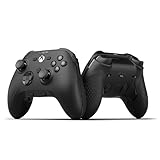
- FASTER GAMEPLAY: Features four rear paddles so you can react faster in-game and with our instant triggers that eliminate trigger pull, shaving milliseconds off your reaction time. And when you're on PC, activate the 1k Hz polling rate for lightning-fast inputs
- MULTIPLE WAYS TO CONNECT: Switch between low-latency wireless, Bluetooth, or ultra-fast wired. No matter how you play, Valor Pro keeps your connection stable so you can stay locked in
- TAILORED FUNCTIONALITY: Customize your inputs and adjust the TMR thumbstick deadzones directly from your Xbox or PC using the SCUF app; Built for total control with no need to pause
- ULTIMATE CUSTOMIZATION: Show off your personality and coordinate your controller with your space. With a wide range of colors, designs, and swappable faceplates and thumbsticks, it’s easy to create a look that’s all you
- MORE COMFORT: Utilizing over a decade of expertise our performance grip provides ultimate non-slip comfort, and the new wraparound bumpers have more surface area for faster movements
#1 Best Overall

- Built for PS5 Consoles: Officially Licensed PlayStation 5 performance controller, engineered for easy setup and low-latency connectivity. Designed to meet Sony Interactive Entertainment’s exacting performance standards for input response, power management, and wireless stability you can trust
- 11 Additional Inputs: x4 rear paddles, x2 side action buttons, G-Keys; all fully customizable for personalized gameplay, faster reactions, and more control at your fingertips
- New SCUF Mobile App: Customize almost every input on your controller. Full control over your trigger and thumbsticks response curves, action (Triangle, Circle, Square, and Cross) buttons, and true 0% thumbstick deadzone. Directly from your phone (iOS & Android) to your controller in real time
- Endurance TMR Thumbsticks: Delivers increased durability, preventing the wear and tear that causes drift and/or jitter while consistently providing precision and smooth control
- Omron Mechanical Switches: Faster activating, mouse-like clicks across Instant Triggers, Instant D-Pad, and Instant Action Buttons. Utilising Omron switches for the most durable, consistent, and crisp feeling possible
- Save changes before exiting; SCUF warns that unsaved settings may not appear correctly when the app is reopened.
- Custom or preset thumbstick and trigger response graphs may revert to Linear after a profile is saved and reloaded. The FAQ says there is no workaround at the time of its update.
- SCUF advises keeping thumbstick deadzones at or below 10% until a firmware fix because higher settings can cause a brief direction jump at full deflection. The FAQ says the default 7% setting is not affected.
- A 100% deadzone may prevent inputs from registering correctly, according to the FAQ.
How to find the right setup instructions
- Identify the exact model and revision. Check the controller, packaging, or purchase record. For a wired Valor, distinguish the TMR version from the Hall Effect non-TMR version.
- Use the matching SCUF support page. Valor owners should follow the FAQ instructions for their variant; Omega owners should use the Omega manual and SCUF App guide.
- Use onboard instructions when they apply. For Instinct paddle-profile changes, follow SCUF’s profile steps rather than assuming another model’s app applies.
- For Envision or an older or uncertain model, search by the exact model name. SCUF organizes setup information by product family in its Controller Setup & Configuration support section; app names and features do not necessarily carry across generations.
Product prices and availability are accurate as of the date/time indicated and are subject to change. Any price and availability information displayed on Amazon at the time of purchase will apply.




