Free tools Windows power users keep installed
One-click scans. No signup required.
There is no single “best” mod for Dragon Age: The Veilguard: early community picks tackle different annoyances and preferences, from stutter and bloom to build limits, movement speed, and interface-free screenshots. They can make the game feel substantially better for the right player, but none is a universal upgrade. Here’s what each option changes—and what to verify before installing it.
What are the best mods in Dragon Age: The Veilguard?
PCGamesN’s guide to early recommendations, updated March 5, 2025, covers several distinct jobs rather than one all-purpose improvement. Its picks include performance troubleshooting, visual adjustments, build flexibility, progression and currency changes, interface toggling, and character customization. Treat them as a menu: choose the change that addresses something you actually want to alter, then check the mod page for requirements and compatibility with your installed game version.


For stutter and performance troubleshooting
The Anti-Stutter mod uses a registry edit to assign Veilguard high CPU and disk priority, according to the guide. It describes the frame-rate effect as negligible and notes that it may not work for everyone. That makes it an experiment for players troubleshooting stutter, not a guaranteed performance fix. Because it edits the Windows registry, read the mod’s instructions carefully before deciding whether to use it.
For a different look
BloomBeGone disables bloom, an effect some players may prefer to keep. The guide also points to Clear View Reshade as an alternative for players who find BloomBeGone’s result too sharp. These are presentation choices, not objective visual corrections. Dark Fantasy LUT is another color-presentation option cited by the guide.
#1 Best Overall
![Dragon Age: The Veilguard Standard - EA App [Online Game Code]](https://m.media-amazon.com/images/I/51ZqXAl6P5L._SL160_.jpg)
- SAVE A BATTERED WORLD - Enter Thedas, a vibrant world of rugged wilderness, treacherous labyrinths and glittering cities. The world is teetering on a knife’s edge while corrupt gods unleash havoc across the continent. Nations war and factions splinter. Who will you trust? From the Arlathan Forest to the back alleys of Minrathous, this is a broken world. Your actions will affect the fate of Thedas forever.
- Unite THE VEILGUARD - Unite a team of seven companions, each with rich lives and deep backstories. These are characters to befriend, and even fall in love with. Among them, an assassin, a necromancer, a detective, each and all bringing their own expertise and unique abilities to the fight. You are never alone, decide who to take into battle and together face down demons, dragons and corrupt gods.
- BECOME THE LEADER OTHERS BELIEVE IN - Select from different races and combat classes, customize your appearance, choose your character’s backstory and begin your journey as Rook, Dragon Age’s newest hero. The choice is yours. Brace yourself, there are tough decisions to be made, allies to inspire, and a fight that needs every sword, staff and bow you can muster.
- Dramatic Single-Player Campaign - When corrupt Elven Gods threaten Thedas, lead the charge to save it. Rook isn’t afraid of a fight, no matter the odds. No matter the cost.
- Vibrant And Diverse Environments - Enter a vivid fantasy world and experience imaginative new locations as well as some you’ve heard of, but never seen. Larger Than Life Foes - Battle darkspawn, demons from beyond the Veil, dragons that rule the skies, and unique enemies as you advance your quest and fight for Thedas’s future
For more build freedom
No Specialization Limit is aimed at players who want to role-play or experiment with multiple specializations rather than remain within the game’s usual specialization limit. It changes build flexibility, so it is a gameplay preference rather than a cosmetic adjustment.
For screenshots without the interface
Toggle User Interface lets players hide the interface for screenshots or a less cluttered view. It addresses presentation without being a progression or build change.
Rank #2
![Dragon Age: The Veilguard Deluxe - EA App [Online Game Code]](https://m.media-amazon.com/images/I/51zBindg8NL._SL160_.jpg)
- SAVE A BATTERED WORLD - Enter Thedas, a vibrant world of rugged wilderness, treacherous labyrinths and glittering cities. The world is teetering on a knife’s edge while corrupt gods unleash havoc across the continent. Nations war and factions splinter. Who will you trust? From the Arlathan Forest to the back alleys of Minrathous, this is a broken world. Your actions will affect the fate of Thedas forever.
- Unite THE VEILGUARD - Unite a team of seven companions, each with rich lives and deep backstories. These are characters to befriend, and even fall in love with. Among them, an assassin, a necromancer, a detective, each and all bringing their own expertise and unique abilities to the fight. You are never alone, decide who to take into battle and together face down demons, dragons and corrupt gods.
- BECOME THE LEADER OTHERS BELIEVE IN - Select from different races and combat classes, customize your appearance, choose your character’s backstory and begin your journey as Rook, Dragon Age’s newest hero. The choice is yours. Brace yourself, there are tough decisions to be made, allies to inspire, and a fight that needs every sword, staff and bow you can muster.
- Dramatic Single-Player Campaign - When corrupt Elven Gods threaten Thedas, lead the charge to save it. Rook isn’t afraid of a fight, no matter the odds. No matter the cost.
- Vibrant And Diverse Environments - Enter a vivid fantasy world and experience imaginative new locations as well as some you’ve heard of, but never seen. Larger Than Life Foes - Battle darkspawn, demons from beyond the Veil, dragons that rule the skies, and unique enemies as you advance your quest and fight for Thedas’s future
For faster leveling or more currency
Faster Leveling offers several XP adjustments, while Gold Booster changes the currency received from chests and pouches. These affect progression and the in-game economy, so consider whether you want to change the pace of earning levels or gold before installing them.
For appearance customization
The guide also includes character presets and appearance mods for players who want to change how Rook or other characters look. These serve a different purpose from performance, progression, or build mods; check each page for its specific requirements and instructions.
Recommended Free Tools
What should you check before installing?
- Game version: Compare the mod page’s compatibility information with the version of Veilguard you have installed. The Nexus Mods listing shows that some entries received uploads or updates as recently as June 2026, but activity on the overall listing does not confirm that every older mod works with the latest game build.
- Requirements and installation: Follow the individual mod’s instructions, including any manager or dependency it names. A mod recommendation is not a substitute for its installation guide.
- Gameplay impact: Separate presentation changes from changes to XP, gold, movement, or specialization rules. The latter alter how the game plays or progresses.
- Reversibility and troubleshooting: Read the page’s instructions for disabling or removing the mod and any reported issues before applying it. This matters especially for changes that affect system settings or an ongoing save.
Faster Leveling: versions, Frosty, and an ongoing game
The Faster Leveling Nexus page describes multiple XP adjustments and says Frosty Mod Manager is required. Its 2.0.1 changelog says the mod was updated to match Patch 5; that note does not establish compatibility with later game builds. Check the page’s current requirements and installation instructions against your own game version before using it.
The page also warns that applying Faster Leveling during an ongoing game adjusts the character’s level but does not award skill points. If you are considering it for an existing save, read that detail on the Faster Leveling – Earn More XP page before installing; do not assume a level adjustment will grant the associated points.
Rank #4
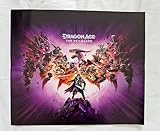
- Grading Scale: Mint, Near Mint, Very Good, Fair & Poor
- Original Promo Gaming Poster - Not a Reprint
- Posters come rolled in a plastic sleeve and shipped in a sturdy cardboard tube
- Posters are from Gaming Companies and sizes are approximate.
- Poster is in Near Mint Condition
How much faster is Faster Movement Speed?
The Faster Movement Speed author estimates that jogging and sprinting are about 35% faster. The author says that figure comes from manually timing Rook over a corridor, not from an independent benchmark, and notes that a speed cap may exist. Treat it as a rough creator estimate rather than a measured guarantee. The page identifies Frosty as a requirement, but the reviewed page information does not establish a current-version guarantee.
Frame-generation troubleshooting is a separate case
A Nexus Mods page for “Dragon Age The Veilguard enabling FG for all gpus” includes setup steps and a troubleshooting suggestion for a reported character issue: cap the frame rate to half the monitor’s refresh rate while awaiting an official update or fix. That is page-specific guidance for the scenario described there, not a general performance recommendation for every player or system.
Quick Recap
Product prices and availability are accurate as of the date/time indicated and are subject to change. Any price and availability information displayed on Amazon at the time of purchase will apply.



