Outdated Drivers Are Slowing You Down
One free scan finds every outdated or missing driver and matches the right update for your exact hardware.Free scan · exact hardware matchPC Slower Than It Used to Be?
A free scan shows the junk files, broken settings and background clutter dragging Windows down - then fixes them in one click.Free scan · Windows 10 & 11e2mfc.dll is an old 32-bit game file used by Max Payne and Max Payne 2: The Fall of Max Payne. If Windows reports that e2mfc.dll is missing, was not found, or could not be loaded, restore the original game files rather than downloading a replacement DLL.
For Steam installations, the safest first repair is Library → game Properties → Installed Files → Verify integrity of game files. For disc, demo, GOG, or modified installations, reinstall the exact game edition from its legitimate installer.
| # | Preview | Product | Price | |
|---|---|---|---|---|
| 1 |

|
Max Payne 3 - Playstation 3 | Buy on Amazon | |
| 2 |
|
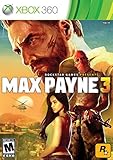
Max Payne 3 - Xbox 360 (Renewed) | $26.36 | Buy on Amazon |
| 3 |

|
Mad Max - PlayStation Hits (PS4) | $19.45 | Buy on Amazon |
| 4 |

|
Max Payne 2: The Fall of Max Payne - Xbox | $55.99 | Buy on Amazon |
What e2mfc.dll is
e2mfc.dll is an application-local Win32 DLL associated with the Max Payne game engine. It normally sits in the game’s installation folder beside the executable, such as MaxPayne.exe or MaxPayne2.exe.
It is not:
- A Windows system DLL
- A Microsoft Visual C++ Redistributable file
- A .NET component
- A standard DirectX system file
- A file that belongs in
C:WindowsSystem32orC:WindowsSysWOW64
The file is 32-bit even when the game is running on 64-bit Windows 10 or Windows 11. That is normal. Do not replace it with a 64-bit DLL just because your version of Windows is 64-bit.
#1 Best Overall
- Experience the latest and most grim chapter to date in the Max Payne saga, in crystal clarity of a Next-Gen console
- An explosive multiplayer experience, bringing Max Payne's signature Shootdodge and Bullet Time gameplay, along with a range of new and expanded special abilities into the arena of competitive online multiplayer
- A wide range of firearms and other weapons that can be dual-wielded
- A dark storyline full od seedy characters and gangs to interact and battle with
- Enjoy special game-related features including soundtrack info, PlayStation Trophies, and special events and contest opportunities for fans and Rockstar Games Social Club members
Different game editions, languages, demos, patches, and distribution releases can contain different builds. A copy taken from another installation may therefore be incompatible.
Fix 1: Verify the Steam game files
Time needed: 5–15 minutes, depending on the repair download
This is the correct first step for Steam copies of Max Payne or Max Payne 2.
- Open Steam.
- Select Library.
- Right-click Max Payne or Max Payne 2: The Fall of Max Payne.
- Select Properties.
- Select Installed Files.
- Click Verify integrity of game files.
- Wait for Steam to finish.
- Close the Properties window and start the game again.
Steam compares the local installation with its stored game files and replaces files that are missing or damaged. It may restore e2mfc.dll along with adjacent engine, graphics, sound, and runtime files.
The Tool Desk
Outbyte Driver Updater FREEFix the driver behind crashes, sound loss and screen glitchesFind Drivers →Outbyte PC Repair FREEClear out junk files and repair common Windows errorsFree Scan →Confirm the result
After verification, open the game’s installation folder and check that:
e2mfc.dllis present- It is beside the game executable or in the expected game folder
- You did not copy it into
System32 - The game starts without the same missing-file message
If Steam reports that files were repaired but the game still fails, restart Windows and run verification a second time. Then continue with the antivirus and compatibility checks below.
Fix 2: Check antivirus quarantine
Time needed: 5–10 minutes
Old game DLLs may be quarantined after a security scan, game update, or change to the installation. That does not prove the file is malicious, but you should not restore a file blindly.
Windows Security steps
- Open Start and search for Windows Security.
- Open Windows Security.
- Select Virus & threat protection.
- Select Protection history.
- Review recent detections.
- Look for an entry that identifies
e2mfc.dllor the Max Payne installation folder. - Check the file path and surrounding files carefully.
Restore the file only when:
- The game came from Steam, a legitimate disc, or another trusted official source
- The detected path is the expected Max Payne installation folder
- The surrounding game files have not been replaced by unofficial or pirated files
After restoring a trusted file, return to Steam and verify the game again. If malware is possible, do not restore the DLL. Scan the complete computer and reinstall the game from a legitimate source instead.
If the file repeatedly disappears, check whether your antivirus product is blocking the game directory. Use an exclusion only after confirming the installation is trustworthy, and remove the exclusion if it is no longer needed.
Fix 3: Reinstall the exact game edition
Time needed: 15–45 minutes
Use this fix for disc installations, old demos, GOG copies, failed installers, or installations that have been heavily modified.
Rank #2
- Back up saved games if the edition stores them inside the game folder.
- Uninstall the affected Max Payne game from Settings → Apps → Installed apps or from its launcher.
- Restart Windows.
- Reinstall the same game edition from its original legitimate installer.
- Apply only patches intended for that edition.
- Start the game before adding mods or unofficial fixes.
For a disc installation, retry the installation with other programs closed and enough free disk space available. An interrupted installation can omit e2mfc.dll or one of the files it needs.
Do not mix files between Max Payne 1 and Max Payne 2. Do not copy e2mfc.dll from another computer, a demo, a different language release, or a DLL-index website.
If the game works immediately after reinstalling but fails after adding a mod, remove the mod and test the clean installation. Restore the original files before troubleshooting Windows.
Fix 4: Remove unofficial patches and check the file path
Time needed: 10–20 minutes
A mod, widescreen patch, executable replacement, or compatibility wrapper can replace or redirect the game’s original modules.
Read the complete error message and note the path Windows reports. The expected location should be inside the Max Payne installation folder, not a Windows directory.
Then:
- Close the game and launcher.
- Temporarily move unofficial patches and mod files out of the game folder.
- Restore the original executable if you have a backup from the legitimate installer.
- Verify the game through Steam, or reinstall the non-Steam edition.
- Test the unmodified game.
- Add modifications back one at a time only after the clean game launches.
If Windows says the file is “not designed to run on Windows,” suspect a mismatched, corrupted, or altered 32-bit DLL first. Restore the file from the same game edition instead of downloading a replacement.
Free tools Windows power users keep installed
One-click scans. No signup required.
Fix 5: Install legacy DirectX components only when the error is separate
Time needed: 5–15 minutes
Installing DirectX does not provide e2mfc.dll. It can help with a different error involving legacy DirectX components after the game file itself has been restored.
Use Microsoft’s DirectX End-User Runtime only when the game reports a missing legacy DirectX component or fails with a graphics initialization message.
Do not treat DirectX as the primary repair for a missing e2mfc.dll message. Verify or reinstall Max Payne first.
For an older game that needs a Windows legacy feature:
Do these 3 things before closing this tab:
1Scan for outdated or missing drivers - takes under a minute2Repair Windows errors before they cause bigger problems3Fix the driver behind crashes, sound loss and screen glitchesRank #3
- Be Mad Max - Become the iconic post-apocalyptic warrior, crafting and upgrading Max's equipment and weapons to survive by combining melee combat, gunplay and tactical techniques. Gamers must form alliances as they work towards the goal of building their "Magnum opus."
- Immersive savage Wasteland - Explore the gritty, dynamic world while braving the treacherous landscapes, hostile weather patterns and deadly marauders.
- survive the open-world landscape - Staying alive isn't easy. Players clash with deadly factions and gangs through scores of dangerous side-missions and quests in the dynamic open-world full of exploration.
- intense vehicular combat - Engage in dynamic inter-vehicular combat, taking down enemy vehicles with a range of powerful weapons. Car combat is entirely physics-based, so no two battles are ever the Same.
- build the ultimate survival machine - Players design, customize and upgrade their ultimate vehicle-the Magnum Opus-choosing from different car chassis and a slew of upgrades including mounted weapons, armour and engines to survive another day
- Open Start and search for Windows Features.
- Select Turn Windows features on or off.
- Expand Legacy Components if it is available.
- Enable DirectPlay only if the game or its documented compatibility instructions require it.
- Select OK and restart Windows if prompted.
DirectPlay will not restore a missing game DLL. It addresses a separate compatibility dependency.
Fix 6: Update graphics drivers for separate launch or display failures
Time needed: 10–30 minutes
A graphics driver is relevant when the game launches and then crashes, displays a black screen, reports a graphics initialization failure, or behaves incorrectly. It is not normally the cause of a missing e2mfc.dll file.
To check the driver manually:
- Right-click Start.
- Select Device Manager.
- Expand Display adapters.
- Right-click your graphics device.
- Select Update driver.
- Select Search automatically for drivers.
- Restart Windows if a driver is installed.
For a clean vendor-supported update, use the graphics manufacturer’s official support channel. Avoid driver packages from download aggregators.
Manually checking several hardware devices and matching versions can be time-consuming. Outbyte Driver Updater can scan for outdated drivers; its free scan shows what it finds, while driver installation is handled by the full version. Reinstalling Max Payne remains the definitive fix when e2mfc.dll itself is missing.
Fix 7: Repair Windows components only when Windows has broader damage
Time needed: 15–30 minutes
SFC and DISM repair protected Windows components. They do not normally restore a proprietary Max Payne DLL that was never part of Windows.
Use them when you also see damaged Windows features, repeated system file errors, broken built-in applications, or other signs of operating-system corruption.
- Open Start.
- Search for Command Prompt.
- Right-click Command Prompt.
- Select Run as administrator.
- Run:
DISM.exe /Online /Cleanup-image /Restorehealth
- Wait for it to complete.
- Run:
sfc /scannow
- Restart Windows.
- Verify or reinstall Max Payne again.
Microsoft explains this order in its System File Checker repair guidance.
Repeating SFC and DISM without knowing what changed can make troubleshooting harder. Outbyte PC Repair can scan for broader Windows issues; its free scan shows the reported problems, while repair is handled by the full version. For this game-specific DLL, reinstalling the original Max Payne files remains the definitive repair.
What’s actually slowing this PC down?
Pick the symptom - the matching free tool is one click away.
Do not register e2mfc.dll with regsvr32
regsvr32 is intended for self-registering OLE and ActiveX components that provide a DllRegisterServer entry point. There is no evidence that e2mfc.dll is such a component.
Do not run:
regsvr32 e2mfc.dll
A message such as “DllRegisterServer entry point was not found” usually means the DLL is not designed for registration. It does not mean you need a different copy or a special registration command.
Independent reader supportYour contribution helps us test, update, and keep practical guides available for everyone.Why the error appears
The most likely causes are:
| Cause | Appropriate response |
|---|---|
| Deleted or corrupted game file | Verify Steam files or reinstall the game |
| Antivirus quarantine | Check Protection history and confirm file provenance |
| Interrupted installation or update | Reinstall from the original source |
| Mod or unofficial patch | Remove modifications and restore original files |
| Wrong game build or architecture | Use the matching 32-bit file from the same edition |
| Missing adjacent dependency | Restore the complete game installation |
| Separate compatibility or graphics problem | Check DirectX, Windows features, drivers, and compatibility settings |
The wording can vary between Windows versions and launchers. “The program cannot start,” “file not found,” “failed to load,” and “specified module could not be found” may all point to a missing file, a damaged file, or a dependency that the named DLL needs.
If verification does not fix the error
Work through these checks in order:
- Confirm the error path points to the correct Max Payne folder.
- Check Windows Security Protection history.
- Remove mods and unofficial executable patches.
- Confirm the game is not installed on a failing or nearly full drive.
- Restart Steam and verify again.
- Uninstall and reinstall the complete game.
- Test the clean installation before applying compatibility changes.
- If the game launches but then crashes, investigate graphics, legacy DirectX, or Windows compatibility separately.
You can use the game executable’s Properties → Compatibility tab for older-game behavior, but compatibility settings will not recreate a missing e2mfc.dll.
Quick wins for a faster PC:
Clear out junk files and repair common Windows errorsFree Scan →Scan for outdated or missing drivers - takes under a minuteDriver Scan →Repair Windows errors before they cause bigger problemsFix Now →Rank #4
- Max is back on the NYPD as a detective, still haunted by his dark, bloody past. Responding to a police dispatch at a warehouse leads Max down the same violent path he'd abandoned before, with old friends and new enemies along the way.
- Team up with the beautiful and deadly Mona Sax from the first game, as you control her intense sniping missions
- All-new Bullet Time features -- the more enemies you kill the faster Max moves
- New fighting moves and new weapons, like the MP5 and the twin Desert Eagles -- plus Max can equip grenades and Molotov Cocktails, and throw them while shooting
- Advanced AI and superior graphics bring this twisted tale of revenge and murder to life
Why random DLL downloads are unsafe
Downloading e2mfc.dll from a random DLL website can provide:
- The wrong Max Payne build
- The wrong architecture
- A modified or malicious file
- A file with missing dependencies
- A replacement that hides the original installation problem
It can also leave the game with mismatched engine modules. Restore the file through Steam verification or the game’s legitimate installer instead. Keep the DLL in the game directory where the original program expects it, not in System32 or SysWOW64.
FAQ
Is e2mfc.dll part of Windows?
No. It is a game-local DLL associated with Max Payne installations.
Does Max Payne 1 or Max Payne 2 use it?
The file appears in the installation files for both the original Max Payne and Max Payne 2: The Fall of Max Payne. Some demos and localized builds may also contain it.
Recommended Free Tools
Should I install Visual C++ Redistributable?
Not as the first fix. Max Payne installations can include old app-local runtime files, and installing a current Visual C++ package does not restore e2mfc.dll. Verify or reinstall the game first.
Should I copy the file into System32?
No. The file should normally remain beside the relevant game executable.
Why does Windows say the DLL is missing when it is visibly present?
The file may be corrupted, mismatched, blocked by antivirus, or unable to load one of its adjacent dependencies. Restore the complete game installation rather than replacing only the visible file.
Can SFC restore e2mfc.dll?
Normally no. SFC repairs protected Windows files, not proprietary game files.
What if the game still fails after reinstalling?
Check the exact new error. A DirectX, graphics-driver, compatibility, or missing-runtime message is a different problem from a missing e2mfc.dll message. Troubleshoot that dependency separately after confirming the game installation is complete.
Quick Recap
Product prices and availability are accurate as of the date/time indicated and are subject to change. Any price and availability information displayed on Amazon at the time of purchase will apply.



