There is no universal must-have mod list for The Sims 3. For a practical starting point, consider NRaas Overwatch for background maintenance, ErrorTrap for error handling, and MasterController for hands-on management. Add Traveler only if you are troubleshooting travel transitions. These are commonly recommended tools, not guarantees against crashes or save problems; choose only what addresses an issue or preference you actually have.
Which Sims 3 mods are useful for different needs?
NRaas is a community mod project whose listing names these and other mods. Community recommendations can help narrow the options, but they are not official EA endorsements. Check each mod’s own current download notes for its specific features and supported game setup before installing.
| # | Preview | Product | Price | |
|---|---|---|---|---|
| 1 |

|
The Sims 3 - Playstation 3 | $15.39 | Buy on Amazon |
| 2 |
|
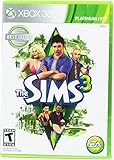
Electronic Arts The Sims 3 for Xbox 360 | $14.99 | Buy on Amazon |
| 3 |
|
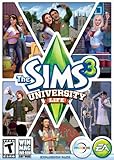
The Sims 3 University Life | $4.05 | Buy on Amazon |
| 4 |

|
Goliath The Sims Board Game | Family Strategy Game | Craft Your Story, Collect Matching SIMbols |... | $10.62 | Buy on Amazon |
| 5 |

|
The Sims 3 - Xbox 360 (Renewed) | $9.54 | Buy on Amazon |
| Mod | When to consider it | What to keep in mind |
|---|---|---|
| Overwatch | For background maintenance. | Community troubleshooting advice groups it with background tools; it is not a promise of improved stability. |
| ErrorTrap | For error handling. | Choose the variant that matches your patch level and game distribution; see the compatibility section below. |
| MasterController | For hands-on management, including manual resets. | It is a control tool rather than a background maintenance choice. |
| Traveler | When the specific problem is a broken travel transition. | Community advice identifies it as a focused troubleshooting option, not a general fix for every travel or save issue. |
Community advice describes Overwatch and ErrorTrap as background tools and MasterController as useful for manual resets. These roles are a guide to what to investigate, not a guarantee that any one mod will repair a particular save.
How should you choose a small mod set?
If you want background maintenance
Start by investigating Overwatch and, if error handling is relevant, the correct ErrorTrap variant. Read the download notes for each before installing; do not assume that installing both is required or that either prevents crashes.
Do these 3 things before closing this tab:
1Scan for outdated or missing drivers - takes under a minute2Clear out junk files and repair common Windows errors3Fix the driver behind crashes, sound loss and screen glitches#1 Best Overall
- Share your creations online and download content from other players around the world, without ever leaving your game
- Create any Sim you can imagine and give them unique personalities, fine-tuning their appearances
- Build the ultimate home for your Sims, improve your town with building upgrades, and more
- Unlock all-new Karma Powers, wielding the ultimate control over your Sims, giving them wealth, beauty, and love
- Choose whether or not to fulfill your Sims' destinies by making their wishes come true, or letting their dreams die
If you want more direct control
Consider MasterController if you want to manage or reset things manually. Its role differs from background tools, so it makes sense to add it for that control rather than simply because it appears on a recommended list.
If travel transitions are the problem
Traveler is the focused option to investigate when a transition involving travel is failing. Treat it as targeted troubleshooting, not as a general-purpose maintenance mod.
Rank #2
If you want to change population behavior
StoryProgression, Register, Traffic, and other NRaas modules are optional additions. Whether they suit you depends on the kind of population behavior and gameplay you want. Confirm each module’s current features and compatibility in its own documentation; the names alone are not enough to establish what it will do in your setup.
How do you install Sims 3 package files?
The documented package setup uses the game’s user Documents folder, not the Program Files installation directory. Mod The Sims’ setup guide dates to 2013, so use it as the described folder method and still check that each mod supports your game patch and installed expansions or stuff packs.
Quick wins for a faster PC:
Repair Windows errors before they cause bigger problemsFix Now →Scan for outdated or missing drivers - takes under a minuteDriver Scan →Clear out junk files and repair common Windows errorsFree Scan →Rank #3
- Sims 3:University Life Exp.Pk.PC/MAC
- Open
Documents/Electronic Arts/The Sims 3. - Create or use a
Modsfolder there, withPackagesandOverridessubfolders. - Place the framework’s
Resource.cfgfile in theModsfolder. - Extract the downloaded mod archive and put its
.packagefile inMods/Packages. - Read the mod’s instructions for any additional files or setup steps, and verify compatibility with your patch level and expansions before launching the game.
How do you avoid an ErrorTrap compatibility mismatch?
ErrorTrap has different variants associated in EA forum troubleshooting advice with The Sims 3 patch 1.67 disc, patch 1.67 Steam, and patch 1.69 Origin installations. That advice is useful as a warning that distribution and patch level matter, but it is not a current release check. Before downloading, confirm the live ErrorTrap notes against your actual installation; do not select a file based only on the mod name or on a guide written for another edition.
Independent reader supportYour contribution helps us test, update, and keep practical guides available for everyone.What should you do if a mod does not work?
- Confirm that the
.packagefile is in the user Documents folder’sMods/Packagesdirectory, not the game’s Program Files directory. - Recheck the mod’s own instructions and its stated patch, distribution, and expansion requirements.
- If the issue concerns travel transitions, investigate Traveler specifically; do not assume a general maintenance mod addresses it.
- Use community recommendations as troubleshooting leads, not as proof that a mod will fix a crash, error, or corrupted save.
For official game support context, see EA Help’s The Sims 3 page. For the project and mod names, see the NRaas GitHub project listing. The installation framework is described in Mod The Sims’ package setup guide.
Quick Recap
Best Value
- Share your creations online and download content from other players around the world, without ever leaving your game
- Create any Sim you can imagine and give them unique personalities, fine-tuning their appearances making them evil, romantic, paranoid, kleptomaniacs, or a mix of something completely different
- Build the ultimate home for your Sims, improve your town with building upgrades, and more
- Unlock all-new Karma Powers, wielding the ultimate control over your Sims, giving them wealth, beauty, and love, or take it all away with the click of a button
- Choose whether or not to fulfill your Sims' destinies by making their wishes come true, or letting their dreams die
Rank #4
- PLAY WITH LIFE, IN REAL LIFE: Dive into the neighborhood, meet iconic Sims, and fulfill your life’s aspirations like never before!
- A NEW WAY TO PLAY SIMS: Gather up to 5 players as you each craft your own story while collecting matching SIMbols along the way in this family strategy game
- EVERY GAME, A NEW STORY: Embark on an entirely new journey each time you play while encountering unexpected surprises at every turn — what will your life look like?
- ICONIC DETAILS FOR FANS: Ideal for play and display, featuring iconic artwork, nostalgic touches, plumbob movers, interaction dice, and a needs tracker familiar to fans
- MAIN CHARACTERS WANTED: Recommended for 2-5 players, ages 12 and up
Product prices and availability are accurate as of the date/time indicated and are subject to change. Any price and availability information displayed on Amazon at the time of purchase will apply.



