Two Point Museum has six main exhibit themes: Prehistory, Botany, Marine Life, Supernatural, Science, and Space. You find exhibits by sending expert teams on expeditions; the publisher’s available information does not establish a complete, current item-by-item catalog or total, so treat individual community lists as version-dependent guides rather than a definitive checklist.
What are the exhibit themes in Two Point Museum?
SEGA identifies six top-level themes for exhibits in Two Point Museum. These categories are the clearest official way to organize a collection, but they are not a complete inventory of individual items.
| # | Preview | Product | Price | |
|---|---|---|---|---|
| 1 |
|
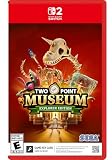
Two Point Museum: Explorer Edition - Nintendo Switch 2 | $35.99 | Buy on Amazon |
| 2 |

|
Two Point Museum - Explorer Edition (Xbox Series X) | $38.71 | Buy on Amazon |
| 3 |
|
TWO POINT MUSEUM GAME GUIDE: Expert Tips And Winning Tactics | $7.22 | Buy on Amazon |
| 4 |

|
Two Point Museum Explorer Edition | $40.51 | Buy on Amazon |
- Prehistory
- Botany
- Marine Life
- Supernatural
- Science
- Space
SEGA describes these themes in its launch announcement for the Steam and Xbox Series X|S versions and its PlayStation 5 release announcement. Neither announcement gives a verified current count for each theme or names every exhibit.
How do you find exhibits?
Exhibits come from expeditions. Send experts and their teams to explore expedition maps, where they search for artefacts and other finds, including rare exhibits. The items you recover feed into the museum-building loop: create galleries around your collection, arrange exhibits, and manage the staff and visitor facilities that keep the museum running. The official Two Point Museum page describes expeditions, gallery design, and day-to-day museum management.
#1 Best Overall
- DESIGN - Get creative to design your museum layout your way! Design thematic areas to guide your guests’ visit. Splash paint and lay carpet as you lovingly arrange each prehistoric fern, potentially melting iceman, and dinosaur remains wherever you see fit.
- EXPLORE - Coordinate Experts on far-flung expeditions to discover rare artifacts to entice droves of knowledge-hungry guests who will expect top info-tainment if they’re to leave impressed.
- MANAGE - Guests know best! The different types of guests who will frequent your museum may have different interests, but they do have some things in common… they expect the place to be kept clean, have plenty of refreshments, ample toilets, and a gift shop filled with goodies.
- Game-key card: 5 GB Full game download via internet required.
For a practical collection checklist, track what you have by theme and expedition location. Those are the organizing details supported by the publisher’s descriptions; a community list may include additional item names, rarity, or requirements, but check those details against your game version.
Is there a complete list of every exhibit?
The official material cited here does not establish a complete, current exhibit catalog or a reliable total. The community-maintained Big Book of Gaming exhibit page groups examples into subcategories and can help you identify possible collection gaps, but it is not publisher documentation and does not establish that its entries are exhaustive or up to date. Check its coverage against your platform, game version, and downloadable-content scope before relying on it to mark a collection complete.
Rank #2
- Pre-order now for exclusive Sonic themed items to decorate your museum and entertain your guests with!
- Get creative to design your museum layout your way! Design thematic areas to guide your guests’ visit. Splash paint and lay carpet as you lovingly arrange each prehistoric fern, potentially melting iceman, and dinosaur remains wherever you see fit.
- Coordinate Experts on far-flung expeditions to discover rare artifacts to entice droves of knowledge-hungry guests who will expect top info-tainment if they’re toleave impressed.
- Guests know best! The different types of guests who will frequent your museum may have different interests, but they do have some things in common… they expect the place to be kept clean, have plenty of refreshments, ample toilets, and a gift shop filled with goodies.
A real-world crossover announcement with Yokohama Hakkeijima Sea Paradise is a tie-in, not proof of an ongoing event or a new permanent exhibit category. The announcement alone does not establish that an event offer remains available.
Independent reader supportYour contribution helps us test, update, and keep practical guides available for everyone.How to work out which exhibits you are missing
- Sort your collection by the six official themes. Start with Prehistory, Botany, Marine Life, Supernatural, Science, and Space.
- Check expedition locations. Compare the locations you have explored with the gaps in your collection, then send experts to the relevant expeditions.
- Use community catalogs as cross-checks, not guarantees. Compare a listed exhibit’s name and any claimed location or requirement with your current game version and downloadable content.
- Revisit uncertain entries in-game. If a checklist does not match what your game shows, do not assume the catalog is complete or that your save is missing an item; the available official sources do not resolve every item-level requirement.
A Reddit player’s question, “What are these two exhibits I’m missing?”, captures the kind of completionist search that a checklist can help with. It does not identify the exhibits or establish a complete answer for other players.
What’s actually slowing this PC down?
Pick the symptom - the matching free tool is one click away.
Quick Recap
Rank #4
- Two Point County's most daring adventurers have travelled to the far reaches of the known map and returned with unique artefacts to host in your museum, along with the coordinates of a new expedition location, home to an exclusive special exhibit and events!
Product prices and availability are accurate as of the date/time indicated and are subject to change. Any price and availability information displayed on Amazon at the time of purchase will apply.



