If your Logitech pedals work nowhere, start with the wheel’s power, pedal cable and USB connection. If they register in Logitech software or Windows but not in F1 or Need for Speed, check the game’s bindings and whether an axis is inverted. Replace the pedal set only after those checks point to a hardware fault.
1. Check the wheel, pedals and power connections
- Turn off the wheel and check that its power lead is firmly seated in the wheel base and power outlet.
- Check the pedal cable: the pedal unit connects to the wheel base through a DB-9 connector. Reseat it firmly.
- Connect the wheel to your PC or console over USB, then power it on. Logitech says the wheel should rotate fully to each side and return to center to calibrate.
If the wheel does not perform that calibration movement, keep troubleshooting its power and connections before changing game controls. Logitech’s model-specific guidance is available for G29 and G920 pedals and G923 pedals.
2. On PC, check whether Logitech software and Windows detect the pedals
Test the pedals outside the game. Open the Logitech software appropriate to your wheel and move each pedal; also check whether the wheel appears and inputs register in Windows’ native controller test. Logitech’s G29/G920 instructions name Logitech Gaming Software 8.70 or later for PC, while its G923 instructions direct PC users to Logitech G HUB. Follow the current guidance for your model and operating system rather than treating one software requirement as universal.
Logitech’s connection troubleshooting guide also recommends checking G HUB and the Windows controller module. If the pedals do not register there either, the fault is below the game’s control profile: recheck the connections and software before adjusting game settings.
Crashes, No Sound, or Screen Glitches?
Random freezes, missing sound and display glitches usually trace back to one bad driver. Find and replace yours safely.Free scan · under a minuteWindows Errors? Fix Them Before They Spread
Repair common Windows errors and clear accumulated junk for a smoother, more stable PC - no reinstall needed.Free scan · no reinstall#1 Best Overall

- Immersive Gaming Experience: Perfect for PlayStation 5, PS4 and PC gaming titles, the Driving Force simulates the feeling of driving a real car with precision steering and pressure-sensitive pedals
- Premium Control: The Driving Force feedback racing wheel provides a detailed simulation of driving a real car, with helical gearing delivering smooth, quiet steering and a hand-stitched leather cover
- Customizable Pedals: These pressure-sensitive nonlinear brake pedals provide a responsive, accurate braking feel on a sturdy base - with adjustable pedal faces for finer control
- 900-Degree Rotation: Lock-to-lock rotation of the Driving Force means you can turn the wheel around two and a half times, hand over hand on wide turns - just like a real F1 race car
- Up Your Game: Take your racing simulation to the next level with Driving Force accessories like the Driving Force Shifter or desk and rig mounts
3. Rebind the pedals in F1 or Need for Speed
If pedal movement registers in Logitech software or Windows but not in the game, open that game’s control settings and assign the accelerator, brake and, if used, clutch to the intended pedal inputs. Menu names and wheel support vary by game, release and platform, so use the settings for the exact version you play.
Check whether an axis is inverted. Logitech notes that some games can invert pedal controls, which may make an input appear reversed. Correct the inversion setting in the game or applicable Logitech software, then test each pedal again.
Rank #2

- REALISTIC RACING SIMULATION DUO: Feel what is like to drive a real race car with G29 Driving Force Racing Wheel & Pedals and Driving Force Shifter
- PAIRED FOR PRECISION: Take full control of the race with G29 Driving Force Racing Wheel & Pedals and Driving Force Shifter
- PRECISE CONTROL: Helical transmission gears reduce noise and vibration with anti-backlash keeping wheel and pedals tight. The six-speed “H” shifter helps you execute smooth, accurate gear transitions
- FORCE FEEDBACK: The dual motor force-feedback realistically simulates the feel of tires on a turn, understeer, oversteer, drifting and more
- PREMIUM BUILT: Look, feel and durability of a real race car wheel, pedals and shifter. Wheel cover, knob and boot are covered in high-quality, hand-stitched leather with a solid steel gear shaft and polished metal pedals
4. Confirm that your exact game and platform support the wheel
Support for one F1 or Need for Speed release does not establish support for every other release or platform. EA’s current F1 25 controller and wheel list includes the Logitech G29, G923 and G920. EA routes PS5 and Xbox Series X|S users with wheel issues to the manufacturer; it gives the same guidance for PC users who are not using EA Javelin Anticheat.
Logitech’s compatibility list is narrower and reflects selected titles and platforms. It lists F1 titles through F1 2020, Need for Speed: Heat and Payback, and NFS 2016 on PC. Do not infer compatibility with newer releases or an unlisted platform from those entries; check the game’s current support information for your system.
Recommended Free Tools
Rank #3

- Immersive gaming: Driving Force is perfect for games on PlayStation 5, PS4 and PC and simulates the driving experience of real vehicles thanks to precise steering and pressure-sensitive pedals
- Premium control: the racing steering wheel with driving force feedback simulates in detail the driving feel of real vehicles with helical teeth for a fluid, quiet steering, hand-stitched leather cover
- CUSTOMIZABLE PEDALS: Pressure-sensitive non-linear brake pedals provide precise braking feel with fast response, durable base, adjustable pedal surfaces for even more precise control.
- 900° steering range. Two and a half turns of the steering wheel between stops, hand-over-hand in wide turns, just like a real F1 racing car
- Play even better: The next level for your racing simulation with Driving Force accessories such as the Driving Force gear lever or holders for desk and rig
5. Leave Registry calibration for advanced troubleshooting
Logitech documents Windows Registry paths for G29, G920 and G923 calibration issues, including cases where the Windows controller test page is blank. The procedure is labeled advanced and Logitech cautions users to double-check changes. Try the physical checks, Logitech software and Windows input test, and in-game mapping first. If you do use the Registry procedure, follow Logitech’s exact model-specific instructions and back up the relevant settings before editing; do not make arbitrary changes.
Independent reader supportYour contribution helps us test, update, and keep practical guides available for everyone.6. Consider service or replacement only after isolating the fault
If the wheel is powered and detected but pedal movement remains absent in the host’s controller test and across games after the cable has been reseated, the pedal unit may need service or replacement. Logitech’s pedal support pages provide a warranty-support route. Before buying pedals, confirm the exact wheel model, platform, connector and seller-stated compatibility; the cited support guidance does not establish that a particular third-party set will work.
Quick Recap
Best Value
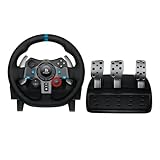
- Immersive Gaming Experience: Perfect for PlayStation 5, PS4 and PC gaming titles, the Driving Force simulates the feeling of driving a real car with precision steering and pressure-sensitive pedals
- Premium Control: The Driving Force feedback racing wheel provides a detailed simulation of driving a real car, with helical gearing delivering smooth, quiet steering and a hand-stitched leather cover
- Customizable Pedals: These pressure-sensitive nonlinear brake pedals provide a responsive, accurate braking feel on a sturdy base - with adjustable pedal faces for finer control
- 900-Degree Rotation: Lock-to-lock rotation of the Driving Force means you can turn the wheel around two and a half times, hand over hand on wide turns - just like a real F1 race car
- Up Your Game: Take your racing simulation to the next level with Driving Force accessories like the Driving Force Shifter or desk and rig mounts
Rank #4
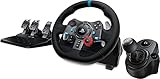
- Racing Wheel: A definitive sim racing wheel for PlayStation 4 and PlayStation 3: Realistic steering and pedal action for the latest racing titles
- Racing Wheel: Easy-access game controls: On-wheel D-pad, console buttons, paddle shifters and LED indicator lights
- Racing Wheel: Built to last: Durable solid steel ball bearings, stainless steel shifter and pedals and hand-stitched leather wheel grip
- Shifter: The sim racing shifter for G29 and G920 Driving Force Racing Wheels: Adds realistic shifting to your racing rig
Product prices and availability are accurate as of the date/time indicated and are subject to change. Any price and availability information displayed on Amazon at the time of purchase will apply.



