PC Slower Than It Used to Be?
A free scan shows the junk files, broken settings and background clutter dragging Windows down - then fixes them in one click.Free scan · Windows 10 & 11Crashes, No Sound, or Screen Glitches?
Random freezes, missing sound and display glitches usually trace back to one bad driver. Find and replace yours safely.Free scan · under a minuteFor a Wii or Wii mini, calibrate the on-screen pointer in Wii Options → Wii Settings → page 2 → Sensor Bar. Set Sensor Bar Position to match whether the bar is above or below the TV, then open Sensitivity and adjust with + or – until exactly two lights blink. Press A to save. This adjusts infrared pointer tracking—not motion-control sensitivity.
Calibrate the Wii pointer
- Position the Sensor Bar. Center it above or below the TV, where it has a clear view from your playing position. On the Wii, open Wii Options → Wii Settings → page 2 → Sensor Bar → Sensor Bar Position and select the placement that matches the bar. Confirm the selection; choosing the wrong position can make the pointer appear off-center. Nintendo’s Sensor Bar guidance explains the position setting.
- Start at a reasonable distance. Sit directly in front of the TV, roughly 3–10 feet (1–3 metres) away, as recommended in the Wii Operations Manual.
- Adjust sensitivity. In the Sensor Bar menu, choose Sensitivity and point the Wii Remote toward the TV. Use + or – until the test shows exactly two blinking lights, then press A to save. Nintendo’s instructions specify the two-light target.
What the calibration setting changes
The Sensor Bar setting tunes the Wii Remote’s infrared tracking for the pointer. Nintendo says sensitivity affects how far away the remote can be used; it does not change motion sensitivity. Games may provide their own directions for motion controls, so this menu is not a universal motion-controller calibration. See the Wii Operations Manual for the distinction.
Fix common pointer problems
Pointer is off-center
Check Sensor Bar Position and make sure the Above TV or Below TV selection matches the bar’s actual location. Confirm the setting after changing it. Nintendo’s troubleshooting guidance identifies placement as a cause of an unaligned pointer.
Three or more lights appear
The remote may be detecting extra light or heat sources. Direct sunlight and nearby lighting can interfere with tracking. Reduce those sources and repeat the sensitivity test; the goal is two blinking lights, not the highest possible sensitivity. A higher setting may help at greater distance, but it can also make the remote more susceptible to sunlight and other light or heat. Nintendo’s manual warns that three or more dots can indicate an extra light source.
The Tool Desk
Outbyte Driver Updater FREEScan for outdated or missing drivers - takes under a minuteDriver Scan →Outbyte PC Repair FREEClear out junk files and repair common Windows errorsFree Scan →#1 Best Overall
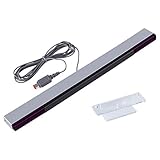
- Compatible: premium quality wired infrared sensor bar for Nintendo Wii and Wii U Consoles
- Feature: includes stand with adhesive for easy attachment to tv, monitor or any smooth surface
- Size: 6.6 ft/200 cm cable ensures convenient placement of sensor bar, sensor bar length: 9.5 inches
- Easy to use: plug and play, perfect replacement or extra sensor bar for Wii or Wii U Consoles, works just like the original sensor bar, and has the same port
- Enhance gaming experience: the sensor bar is perfect for Nintendo Wii remote controller, Wii remote plus controller, and Wii U consoles. LED infrared arrays on both sides provide an excellent gaming experience
One or no lights appear
Recheck the setup and surroundings. Nintendo says this can indicate a problem with the Wii Remote, Sensor Bar, or console. Its Sensor Bar troubleshooting steps also describe using a digital camera or phone camera to check for the bar’s infrared output.
Pointer flashes, jumps, or disappears
Clear anything blocking the Sensor Bar or the tinted pointer lens at the front of the remote, and clean both if needed. Check that the Wii Remote Jacket is seated correctly and is not covering or sitting askew over the lens. Then repeat the sensitivity test. Nintendo describes this symptom as an erratic, flashing pointer in its pointer troubleshooting guidance.
Rank #2

- Designed to receive signals from the device, for WII/WIIU.
- Simply connect the sensor connector to the Wii console for easy operation.
- Comes with a stand, it is easy to mount the receiver above or under the TV or monitor.
If calibration does not solve it
- Install fresh batteries and try the pointer again.
- Resync the Wii Remote with the console.
- If possible, try another Wii Remote. If the Sensor Bar’s infrared output is visible on a camera and another remote tracks correctly, the original remote is the likely faulty part. Nintendo’s Sensor Bar troubleshooting article covers these checks.
Normal calibration does not require a purchase. Replace hardware only if troubleshooting points to a failed component: check compatibility and power or connector details before choosing a Wii-compatible infrared Sensor Bar, or consider a licensed Wii Remote or Wii Remote Plus if the controller itself appears faulty. A replacement will not fix incorrect settings or environmental light interference.
Independent reader supportYour contribution helps us test, update, and keep practical guides available for everyone.Wii U note
The menu path above applies to Wii and Wii mini. Wii U has a separate pointer-sensitivity menu, so do not follow the Wii system-menu path on a Wii U.
Quick Recap
Best Value

- Work Out of the Box, Plug & Use - This Wii motion sensor bar is USB-powered. Simply plug and play, no extra setup required
- Upgraded Sensor Bar for Wii - Perfectly designed for Nintendo Wii / Wii U consoles. This wired infrared sensor bar delivers full compatibility and works as a must-have replacement accessory. NOTE: Not compatible with Wii Mini
- Enhanced Gaming Experience - Equipped with an LED infrared array for precise Wiimote tracking, bringing you better gaming immersion. Ideal for classic games like Resident Evil 4, Metroid Prime 3 and Super Mario Galaxy. Great as a replacement or spare sensor bar for Wii and Wii U
- Easy Setup & Portability - The usb sensor bar comes with an adhesive mounting stand for easy attachment to TVs, monitors and any smooth surfaces. The 6.6ft cable and 9.4in sensor bar enable flexible placement anywhere
- Package Included - 1 × Wii Sensor Bar. (Note: Wii console and controller are not included.) If you have any issues with installation or usage, feel free to contact us for a quick solution
Rank #4
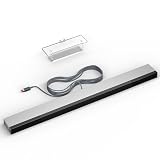
- 【Upgraded Sensor Bar for Wii】Specifically designed for Wii/Wii U consoles, this wired infrared sensor bar delivers enhanced compatibility as essential Wii accessories.
- 【Wired Motion Sensor Bar for Wii】LED infrared array ensures precise tracking of your Wii Remote, ideal for high-intensity games. Functions identically to original Wii sensor bar with plug-and-play simplicity for Wii U and Wii.
- 【Easy Setup & Portability】Designed for effortless installation: plug-and-play operation requires zero configuration. Includes adhesive mount for TVs/monitors. 8.2ft cable and 9.4in bar enable flexible placement.
- 【Enhanced Gaming Experience】Elevate gameplay with precise Wiimote tracking via LED infrared array.
- 【Robust Build Quality】Crafted from high-grade ABS plastic with reinforced wiring, ensuring longevity and daily gaming resilience. Ideal replacement for worn-out original sensor bars.
Rank #3
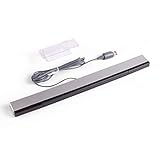
- Wired infrared sensor Bar for Nintendo Wii and Wii U consoles Includes stand with adhesive for easy attachment to TV, monitor or any smooth surface. Wii system is not included
- More than 6.5ft cable ensures convenient placement of sensor Bar, sensor Bar length: 9.4 inches. Perfect replacement or extra sensor for Wii or Wii U
- Compatible with all Wii controllers including Wii U controllers, motion plus controllers and other Wii controller addons
- It works Just like the original sensor bar with simple plug and play installation and does not require batteries or any power adapter
- Easy to set up and start playing out of the box. Color: Silver / Black
Product prices and availability are accurate as of the date/time indicated and are subject to change. Any price and availability information displayed on Amazon at the time of purchase will apply.



