Some links on this page are affiliate links: if you buy through them we may earn a commission, at no extra cost to you.
On PC, change Fallout 76’s first-person field of view from Character screen → Play → Settings → Camera → First Person → Field of View. Bethesda says the value is saved separately for each character. The documented PC range is 70–120 in steps of 5, although your current client’s displayed limits should take precedence.
Change FOV in Fallout 76 on PC
- Launch Fallout 76 and select the character you want to configure.
- Select Play to enter the game.
- Open the pause menu and choose Settings.
- Open Camera.
- Under First Person, adjust Field of View.
Bethesda’s support instructions place the control after you select a character and enter the game, rather than only on the initial title screen. The setting is stored per character, so repeat these steps for any other characters you play. See Bethesda’s FOV support article.
| # | Preview | Product | Price | |
|---|---|---|---|---|
| 1 |

|
Fallout 76: Wastelanders - PC | $33.99 | Buy on Amazon |
| 2 |
![Fallout 76 Tricentennial Edition [Online Game Code]](https://m.media-amazon.com/images/I/51LL0GS1mCL._SL160_.jpg)
|
Fallout 76 Tricentennial Edition [Online Game Code] | $59.99 | Buy on Amazon |
| 3 |
|
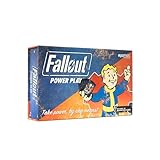
Fallout: Power Play Card Game | $31.77 | Buy on Amazon |
| 4 |

|
Fallout 3: Game of the Year Edition | $29.88 | Buy on Amazon |
| 5 |

|
Fallout 76: Official Guide | $19.18 | Buy on Amazon |
What FOV values does Fallout 76 support?
Bethesda’s December 11, 2018 PC patch notes documented a 70–120 range with 5-point increments. The current official settings guide still lists Field of View, but does not repeat those numbers; use the minimum and maximum shown by your installed client if they differ.
Crashes, No Sound, or Screen Glitches?
Random freezes, missing sound and display glitches usually trace back to one bad driver. Find and replace yours safely.Free scan · under a minuteWindows Errors? Fix Them Before They Spread
Repair common Windows errors and clear accumulated junk for a smoother, more stable PC - no reinstall needed.Free scan · no reinstall| Goal | Starting point |
|---|---|
| Narrower view with less edge distortion | 70–80 |
| Balanced general-purpose view | 85–100 |
| Very wide view | 105–120 |
These are practical starting points, not Bethesda presets. A higher value shows more of the surroundings and feels less zoomed in, but can make objects, weapon models and screen edges look stretched. A lower value enlarges the apparent size of distant objects while showing less peripheral scenery. Screen size, viewing distance, aspect ratio and personal comfort all matter. A wide or ultrawide monitor does not automatically require the maximum value.
#1 Best Overall
- Bethesda Game Studios, the award-winning creators of Skyrim and Fallout 4, welcome you to Fallout 76, the online prequel where every surviving human is a real person. Work together, or not, to survive. Under the threat of nuclear annihilation, you’ll experience the largest, most dynamic world ever created in the legendary Fallout universe
- Reclamation Day, 2102. Twenty-five years after the bombs fall, you and your fellow Vault Dwellers—chosen from the nation’s best and brightest – emerge into post-nuclear America. Play solo or join together as you explore, quest, build, and triumph against the wasteland’s greatest threats
- Contains Digital Download Code. No Disc Included
- Must be redeemed on the Bethesda client
Can you change FOV on Xbox or PlayStation?
Bethesda’s documentation describes the FOV slider as a PC feature. On Xbox or PlayStation, check Settings → Camera in the current game client, but do not assume the PC slider is available and do not rely on external tools as a workaround. Platform menus can change with later updates.
First-person FOV is not third-person camera distance
The documented slider controls first-person perspective. It is not necessarily a control for moving the camera farther from your character in third person, widening a third-person view, or reducing how much of the character or weapon blocks the screen. If your complaint is about third-person framing, switch camera modes and look for the game’s normal third-person camera-position controls instead.
Rank #2
- PRE-LOAD: Download the game now. Game will be playable on 11/14/18.
- Celebrate 300 years of freedom with the all-new Fallout 76 Tricentennial Edition, commemorating the opening of Vault 76. Our good friends at Vault-Tec have pulled double shifts, working around the clock to assemble this one-of-a kind compilation…for you! Be the talk of the town when you emerge from Vault 76 fully prepared and patriotically styled in the new American frontier! In addition to the highly anticipated game, the Fallout 76 Tricentennial Edition includes bonus in-game items:
- Tricentennial Power Armor Customization for the T-51, T-45, T-60, and X-01 Power Armors
- Tricentennial Weapon Customization for the 10MM Pistol, Hatchet, and Laser Rifle
- Spectacularly Handsome Vault Boy Mascot Head, Patriotic Uncle Sam Outfit, Celebratory Vault Boy Saluting Emote, First-Class Tricentennial Workshop Posters & Tricentennial Commemorative Photo Frame
Field of View is also separate from Depth of Field, resolution, display mode, blur and graphics-quality settings. Bethesda lists Field of View and Depth of Field as separate options in its gameplay and accessibility settings guide.
Free tools Windows power users keep installed
One-click scans. No signup required.
Why does my FOV appear to reset?
- You are editing a character’s appearance. Bethesda’s 2018 patch notes say FOV temporarily returns to 70 while appearance is being modified.
- You changed another character. FOV is saved per character, not as one universal profile.
- You are in third person. The first-person slider will not solve every third-person camera issue.
- The change did not persist. Restart the game and launcher, then set the value again through the in-game menu.
- A configuration file is overriding or damaging settings. Read-only files, conflicting custom entries or launcher changes can cause reversion or graphical problems.
If display options generally behave incorrectly, open Settings → Display, restore settings to Default where appropriate, and follow Bethesda’s PC display and low-FPS troubleshooting. Verify the game files in your PC launcher if the problem continues, then contact Bethesda Support.
Rank #3
- SEIZE POWER IN THE WASTELAND: Compete for dominance in a brutal post-apocalyptic world where only the strongest, smartest, and most ruthless survive.
- CONTROL ICONIC FALLOUT FACTIONS: Command one of four legendary factions—Brotherhood of Steel, Enclave, Raiders, or Super Mutants—each with unique strengths and playstyles.
- OUTSMART AND OUTMANEUVER YOUR RIVALS: Forge temporary alliances, complete dangerous quests, assassinate agents, and deploy dirty tricks to secure your path to victory.
- BALANCE STRATEGY SKILL AND LUCK: Combine guile, force, and raw luck as you battle opponents and the unforgiving wasteland itself in every match.
- DOMINATE FAST-PACED COMPETITIVE PLAY: Designed for 2–4 players, Fallout: Power Play delivers tense, high-stakes card game action perfect for Fallout fans and strategy gamers alike.
Should you edit Fallout 76’s .ini files?
Community guides sometimes suggest entries such as fDefault1stPersonFOV=90.00 or fDefaultWorldFOV=90.00. These are not Bethesda’s supported procedure. File names and locations can vary between installations, and Bethesda warns that configuration-file modifications can cause graphical issues; it also does not support Fallout 76 mods, add-ons or third-party programs. Prefer the built-in slider. If you already changed an .ini file and the game looks wrong, close the game, restore your backup or remove the custom change, then return settings to their defaults.
Do not copy console commands from other Fallout games
Commands published for Fallout 3, Fallout: New Vegas or Fallout 4 are not evidence of a working Fallout 76 FOV command. No standard Fallout 76 console-command method is verified here, so use the supported in-game control instead.
Rank #4
- Good Condition: No manual; Includes original cover art and game
Quick answer
PC path: select a character, choose Play, then open Settings → Camera → First Person → Field of View. Bethesda documented 70–120 in steps of 5, with the setting saved separately for each character.
Frequently Asked Questions
Does changing FOV improve FPS in Fallout 76?
Not reliably. FOV changes perspective and visible area; it is not a guaranteed performance fix. For low FPS, adjust display and graphics options using Bethesda’s PC troubleshooting guidance.
Best Value
- Brand New in box. The product ships with all relevant accessories
Why does my FOV look normal again after changing my character’s face?
Bethesda documented that FOV temporarily returns to 70 while modifying a character’s appearance. Check the setting again after finishing customization.
Is there a Fallout 76 FOV command for consoles?
No verified standard command is provided. Do not copy commands from other Fallout titles, and do not assume unsupported third-party tools are safe.
Quick Recap
Product prices and availability are accurate as of the date/time indicated and are subject to change. Any price and availability information displayed on Amazon at the time of purchase will apply.

