To check free space on a PS3, open Settings > System Settings > System Information on the XMB. Record the remaining hard-disk capacity, back up eligible files before cleanup, remove only content you no longer need, then revisit System Information to confirm the change.
Check how much PS3 storage is free
- On the XMB, open Settings.
- Select System Settings, then System Information.
- Read and record the remaining hard-disk capacity shown on the screen.
Use the same screen after cleanup to check whether the available space increased. The figure is the console’s reported remaining capacity, not necessarily a precise sum of files you can see in content menus.
Why the capacity may look lower than advertised
Sony explains that PS3 system software version 1.10 and later calculates capacity using binary units: 1 GB equals 1,073,741,824 bytes. A portion of the drive is also reserved for system administration and options. As a result, the usable capacity shown by the console can be lower than the decimal capacity printed on a drive; that difference alone does not mean storage has gone missing. Sony’s PS3 System Information guide describes the calculation and reserved space.
Back up eligible files before deleting anything
Copy important saves and media to a USB mass storage device before cleanup if the files allow it. Sony cautions that some data cannot be copied, moved, or backed up, so a USB backup should not be treated as a complete copy of everything on the console. Check the details for the file type you want to preserve in Sony’s copying guidance and backup utility guide.
Quick wins for a faster PC:
Scan for outdated or missing drivers - takes under a minuteDriver Scan →Repair Windows errors before they cause bigger problemsFix Now →Fix the driver behind crashes, sound loss and screen glitchesFind Drivers →#1 Best Overall

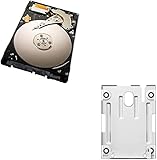
- 1TB Capacity, 9.5mm High, Rotation Speed of 5400RPM
- 8MB Buffer, SATA 3.0Gb/s Interface, 2.5inch Hard Drive
- Works for PS3 / PS4 Game Console HDD replacement / upgrade
- PS3 / PS4 Hard Drive installation & Playstation firmware download instruction included
- Backed by a 3-year warranty from Reseller
A USB drive is useful here as a destination for selected backups; the cited Sony guidance does not establish that a flash drive expands the PS3’s internal game-storage space.
Free space carefully
- Review what is stored. Identify content you are willing to remove or, where applicable, reinstall later. Take care not to confuse saved data or personal files with content you can replace.
- Preserve files you need. Back up eligible saves and media to USB before removing anything. Remember that some content is not copyable or restorable this way.
- Remove only unwanted content. Use the console’s relevant controls for the specific item. Menu paths and consequences can vary by content and PS3 model, so verify what the selected action deletes before confirming.
- Verify the result. Return to Settings > System Settings > System Information and compare the remaining capacity with the figure you recorded.
Make room for a system update
At the time the PlayStation support page was checked, Sony listed system software version 4.93 and said an update performed on the console required at least 200 MB free on the PS3 hard drive. Sony also documents a computer-based update method using removable storage. The software version and storage requirement can change, so check PlayStation’s current PS3 system software page before updating rather than relying on an old figure.
Independent reader supportYour contribution helps us test, update, and keep practical guides available for everyone.When to consider replacing the internal drive
If cleanup is not enough, replacing the internal hard drive is a separate, more involved option. The correct drive depends on the PS3 model, the replacement must be formatted for PS3 use, and improper removal or installation can damage the console or cause data loss. Consult Sony’s hard-drive replacement instructions for model-specific guidance and precautions before deciding whether to proceed.
Quick Recap
Rank #4

- Size 2.5" Speed: 5400 RPM, Capacity 320GB , Type Internal, Interface S-ATA, Warranty 1 year with Bipra Limited
- MDT Recertfiied Brand New 320gb Hard Drive MDT Means WD Recertified Hard Drive with Brand Name MDT Recertified Brand New 0 Hours Hard Drives Reliable and Sealed Unit Factory Recertified
- Warranty 1 year with Bipra Limited
Rank #3

- 2.5inch Notebook HDD, 7mm Height (Slim)
- 1TB Capacity, 5400RPM, 64MB Cache, SATA 6.0Gb/s
- Works for PlayStation gaming systems (PS3 / PS4 Original, PS4 Slim, PS4 Pro)
- Massive 1TB capacity can store up to 80 × 25GB games.
- 2 Years Warranty from Reseller
Product prices and availability are accurate as of the date/time indicated and are subject to change. Any price and availability information displayed on Amazon at the time of purchase will apply.
What’s actually slowing this PC down?
Pick the symptom - the matching free tool is one click away.




