Recommended Free Tools
To delete a household in The Sims 2, open Neighborhood View, select the family in the Family Bin, then click Delete and confirm if prompted. The game’s Double Deluxe manual describes the action this way: “To delete a family from the game, select the family and click the Delete button.” The manual calls households “families.”
Delete a family from the Family Bin
- Go to Neighborhood View for the neighborhood that contains the family.
- Open the Family Bin and select the family you want to remove.
- Click Delete. Confirm the prompt if the game displays one.
The Family Bin belongs to a specific neighborhood; it holds families until they are placed in residential lots and provides controls to move or delete them. See the Family Bin overview.
| # | Preview | Product | Price | |
|---|---|---|---|---|
| 1 |

|
The Sims 2: Double Deluxe - PC | $34.52 | Buy on Amazon |
| 2 |

|
The Sims 2 - PC | $4.50 | Buy on Amazon |
| 3 |
|
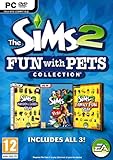
The Sims 2: Fun with Pets Collection - PC | $29.99 | Buy on Amazon |
| 4 |
|
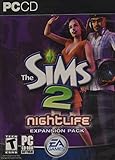
The Sims 2: Nightlife Expansion Pack - PC | $13.95 | Buy on Amazon |
| 5 |

|
The Sims 2: Apartment Life Expansion Pack | $44.49 | Buy on Amazon |
What deleting a family does—and does not do
Deleting a family through the Family Bin is the in-game way to remove it from that bin. It does not erase every trace of the Sims from neighborhood data: character files are converted to stub files that preserve information needed for references such as other Sims’ memories. For an ordinary in-game deletion, use the Delete control rather than manually removing character files. The Family Bin overview explains this behavior.
Deleting a household is different from removing its lot
The game treats family deletion and lot removal as separate actions. Use Delete on a family in the Family Bin to remove that family; use the Bulldoze Tool when your goal is to remove a lot from the neighborhood, as described in the Double Deluxe manual.
What’s actually slowing this PC down?
Pick the symptom - the matching free tool is one click away.
#1 Best Overall
- Classic The Sims 2 Gameplay—Create unique Sims with personalities and life goals. Fulfill their dreams and build their ultimate home as you design their world
- The Sims 2 Nightlife Expansion Pack—Send your Sims on an epic night out. Hit the downtown hot spots, play the dating game with your Sims, and live the Pleasure Life Aspiration
- The Sims 2 Celebration Stuff Pack-Host the social event of the season. Must-have stuff to throw the ultimate weddings, birthday parties, and fiestas for your Sims
- Get expert tips and tricks from the Bonus 101 Video. The game’s designers share their best tricks and strategies. Learn how to create Sims and build and design their homes
Moving an occupied lot to the Lot Bin is not a complete erasure of its Sims’ information. It transfers the Sims out of the neighborhood, but other Sims may retain memories and gossip references. If you only want a household out of play, use the in-game family controls rather than editing neighborhood files. See the neighborhood corruption guide.
Quick Recap
Best Value
- Move into the perfect apartment: a spacious loft, a cozy place for a young couple, or a multi-bedroom flat-share with friends
- Mingle with Sims from all-new social groups: stylish socialites, artsy bohemians, sports jocks, gadget-collecting techies, or edgy gearheads
- Take advantage of apartment life: form social networks to make new friends, advance their careers, or look for love
- Build your Sim’s new reputation meter: with a good reputation, your Sim can find the right friends to help them achieve their goals
- Control multiple households: will you make your Sims live in happy harmony or comical conflict
Rank #4
- Sims romantic attraction is now based on personality - Figure out their compatibility, then heat up their love life with new romantic social interactions
- Give the Sim of your dreams a longing gaze, go for a slow dance and top it off with a dramatic dip kiss
- Live it up in fun and style - over 125 new items objects & items including a DJ station, photo booth, karaoke machine and more. Exotic new Sims to mingle or date including vampires, hot waiters and more
- Doll up and head out -- chill out at mellow lounges, dance the night away at nightclubs, enjoy candlelight dinners at fine restaurants or hit the bowling alley with the guys and become the ultimate king of the pins
Rank #3
- Choose from three new architectural themes, Moroccan, Art Deco, and Second Empire, to re-imagine and re-make the exteriors of your Sims' estates
- The Sims 2 Fun with Pets Collection includes 3 great titles: The Sims 2 Pets Expansion, The Sims 2 H&M Family Fun Stuff Pack, and The Sims 2 Mansion and Garden Stuff Pack
- Your Sims can share a lifetime with their pets. Sims can adopt dogs, cats, birds, and more. Choose from dozens of dog and cat breeds, or customize features for a unique pet and then pick their personalities
- Your Sims can encourage and discipline pets, training them to shake, play dead, and more. Unruly pets might dig in the yard, claw the sofa, topple the trash, or surprise their Sims in other ways
- The ability to possess must-have items for your Sims' entire family. Hang loose with Hawaiian style patio furniture and clothing or bring out the kids' adventurous side with exciting costumes
Rank #2
- Electronic Arts 14726 Sims 2 PC
Avoid deleting neighborhood files to remove one family
- Do not delete files from the neighborhood’s Lots folder. Lot information is stored both in lot files and in the neighborhood package; deleting a lot file directly can leave the neighborhood incomplete. Handle lot removal in-game instead. See the neighborhood corruption guide.
- Do not delete the entire Neighborhoods folder for a single-household cleanup. That is a broad reset that removes families, houses, universities, downtowns, and shopping suburbs. See the neighborhood reset guide.
Product prices and availability are accurate as of the date/time indicated and are subject to change. Any price and availability information displayed on Amazon at the time of purchase will apply.



