PC Slower Than It Used to Be?
A free scan shows the junk files, broken settings and background clutter dragging Windows down - then fixes them in one click.Free scan · Windows 10 & 11Crashes, No Sound, or Screen Glitches?
Random freezes, missing sound and display glitches usually trace back to one bad driver. Find and replace yours safely.Free scan · under a minuteThe short answer: you normally download legally obtained game files on a computer, copy them to the Anbernic’s microSD card, and place them in the system’s appropriate ROM folder. Anbernic does not provide one universal game-download method: its handhelds use different operating systems, and the official Linux RG35XX documentation does not publish a standard in-device download path.
Before doing anything, identify your exact model and whether it runs Linux, Android, or Windows. The procedure, folder names, supported systems, and available software can differ substantially.
First, identify your Anbernic model and operating system
“Anbernic device” is not the name of a single platform. For example, the RG35XX H and RG35XX 2024 use Linux-based stock software, while other Anbernic products use Android or Windows.
Look at the model name printed on the handheld, packaging, or purchase record. Do not assume that instructions for an RG35XX H apply to an RG35XX 2024, RG35XX Plus, RG35XXSP, or another model. Firmware downloads are listed separately, and similarly named devices do not automatically share an image.
What’s actually slowing this PC down?
Pick the symptom - the matching free tool is one click away.
#1 Best Overall

- 1.【 System Configuration of RG476H 】CPU:Unisoc T820 processor, 。GPU:Quad-core Mali-G57, 850MHz。RAM:8GB LPDDR4X。Storage: 128GB UFS 2.2。System:Android 13 .Battery life:5000mAh Large-Capacity Battery,up to 6 hours of continuous use.
- 2. 【Android 13 System】NO GAME CARD – Please note that the RG476H does not come with a game card or any pre-installed games. The RG 476H retro game console handheld features a built-in game frontend for a richer gaming experience. It supports third-party software like RixelHK (a game downloader) and offers access to up to 30 popular emulator games and Android games. Users can also add their own games to the corresponding emulators.
- 3.【Borderless full screen】 RG 476H retro game handheld console is equipped with 4.7-inch LTPS In-Cell display, OCA full lamination, multi-touch, 1280*960 resolution, supports a maximum refresh rate of 120Hz.Ultra-high-definition realistic game graphics enhance your gaming experience.
- 4.【Powerful and Comprehensive Features】The RG476H handheld game console boasts a wide range of powerful features, including a six-axis gyroscope sensor, a high-speed fan with heat pipe active cooling, Hall effect triggers, USB Type-C port 3.5mm stereo headphone jack, power-saving settings. Furthermore, the RG476H retro gaming console features a large-angle 3D Hall effect joystick, a six-axis gyroscope, and a vibration motor, ensuring smooth and durable operation, realistic vibration feedback, and an immersive gaming experience.
- 5.【AI Function Now Available, Multiple Connectivity Modes】The RG476H retro game console features powerful AI functions, including one-click game recognition for accessing game guides and real-time translation, as well as intelligent chat, text-to-image generation, and image processing. The RG476H handheld gaming console also supports FOTA wireless updates, online multiplayer games, streaming media playback, and wireless screen mirroring. These rich online features are perfect for family gatherings or parties, adding more fun to social gaming.
Use legally obtained game files
Download games only from a source that has the legal right to distribute them. In many regions, downloading commercial ROMs without permission is copyright infringement. If you own a cartridge or disc, the legality of making a backup depends on your country’s law; Anbernic’s documentation does not grant permission to download copyrighted games.
Homebrew, freeware, public-domain releases, and game files supplied by their rights holders are the simplest legal options. Your game file must also match the emulator and system you intend to use. Anbernic’s product pages describe the RG35XX 2024 and RG35XX H as supporting more than 30 emulator types, but they do not publish a complete, current ROM-extension table.
Method 1: Copy games to the microSD card on a Linux RG35XX model
This is the usual method for stock Linux handhelds such as the RG35XX 2024 and RG35XX H.
- Back up the card first. Power off the handheld, remove the microSD card, and copy its contents to a computer. If the card fails, you will have a recovery copy.
- Download the legally obtained game file to your computer. Keep it in the format required by the relevant emulator. Do not convert or rename files unless your model’s documentation or emulator specifically requires it.
- Insert the card into a computer using a card reader. Open the visible ROM or games partition. Stock cards commonly organize games by system, but the exact folder names can vary by firmware.
- Copy the file into the matching system folder. For example, a game intended for a particular console should go in that console’s ROM directory, not a similarly named folder for another platform.
- Eject the card safely, reinstall it, and start the handheld. Allow the game list to refresh if the software does so automatically. If the title does not appear, check the file format, folder, card partition, and whether that system is supported by your exact model.
The official Anbernic pages say these models support users downloading games “in relevant formats,” but they do not specify a universal menu path, download service, button label, or command for downloading games inside the device. Therefore, the computer-and-microSD method is the reliable general workflow rather than an officially documented in-device procedure.
Method 2: Use Anbernic’s RixelHK downloader only if your model is listed
Anbernic separately lists a RixelHK game downloader and provides the domain download-na.rixelhk.com. The official list covers these models:
Rank #2

- [system configuration] Important Note : The RGDS Package don’t included Game Card, NO Preload Games.Anbernic's latest RG series product, the RG DS, is now available. CPU: RK3568 quad-core 64-bit Cortex-A55, Max frequency: 2.0 GHZ, GPU: The ARM G52 2ee has 3 + 32gb of memory and storage, and is powered by the latest Android 14 system. It is a folding type android game machine with built-in whole switch chip. It is a magnet type that enters sleep mode when the cover is closed, and closes automatically at a small Angle.
- 【Dual Screens】The foldable RG DS features an entirely new, evolved dual-screen interaction system distinct from the previous X18S/X15 models, offering enhanced operational convenience: supporting multi-touch and capacitive stylus input with a resolution of 640×480. It enables swift switching of keyboard focus between upper and lower screens while achieving synchronised application operation across both displays. Through dedicated shader optimisation, it delivers more vibrant colours and sharper visuals, offering a visual feast. (Includes capacitive stylus)
- 【Dual Screen Creative】 The Dual Screen Creative function unlocks infinite possibilities. Immersive games on the upper screen, strategy guides on the lower screen – freely switch apps between the upper and lower screens.
- 【Compatible with numerous simulators】: Supports Android games (such as Genshin Impact and Honor of Kings) and over 20 other emulators; users can download compatible games themselves. Features a built-in 6-axis gyro sensor and supports online multiplayer; compatible with Moonlight Streaming, enabling free play of PC games and delivering an enhanced user experience.
- 【Battery and WIFI/Bluetooth Function】Features a built-in 4000mAh ultra-high-capacity, high-density lithium-ion battery with a battery life of 6 hours. RG DS Supports 5V/2A charging, taking approximately 3.5 hours to fully charge. 2.4/5G WIFI 802.11a/b/g/n/ac, Bluetooth 4.2
- RG35XX Plus
- RG35XX H
- RG40XX H
- RG40XX V
- RG CubeXX
- RG35XXSP
- RG34XX
This is not evidence that every Anbernic handheld has an online store or universal downloader. The official page does not provide a complete installation procedure, menu path, button labels, command syntax, or compatibility statement for unlisted models.
There is also a naming issue worth checking carefully: the current firmware page uses “RG 34XXSP,” while the older downloader page says “RG35XXSP.” Do not treat those names as proof that packages for the two models are interchangeable. Confirm the exact model and package before installing anything.
Do not confuse firmware installation with downloading games
Anbernic’s official RG35XX 2024 instructions describe how to flash the operating system, not how to obtain games. The documented process is:
Free tools Windows power users keep installed
One-click scans. No signup required.
- Download the firmware for the exact model from Anbernic’s System Update page.
- Use a 7Z-compatible tool to extract the complete image.
- Use a computer, card reader, and the Rufus tool to format the TF1 card as FAT32 and write the firmware image.
- Reinsert the card and boot the handheld.
These instructions require a computer and network connection. They do not describe downloading games directly through the handheld’s operating system, and Anbernic does not publish shell commands for either game downloading or this firmware process.
Check the firmware image and card size before flashing
The current firmware page lists separate images and dated filenames. Examples include:
Rank #3
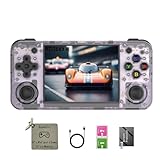
- 【3.5-inch HD creen】 3.5-inch HD Screen With Dual Joysticks, Vibration Motors, and Dual Speakers for better Fighting and Racing Gaming Experience.
- 【3300 mAh High-Capacity Battery】3300mAh High-Capacity Battery, Range of up to 8 Hours, USB Type-C Fast Charging. Enjoy Games Anytime, Anywhere.
- 【Built-in 10+ Emulators】64G TF Card built-in 10+ Emulators, Support PSP, Covering Adventure, Shooting, Action, Racing and Other types of Games.Supports 30+ Emulators, You Can Download Games For Related Emulators.
- 【Game Console Configuration】H700 Quad-core ARM Cortex-A53 with 1.5GHz Makes Retro Gaming Run Smoother and Ensures Higher Stability and Efficient Operation Speed.
- 【Anbernic retro gaming console】Screen is More Stable Using OCA Full Lamination, Horizontal Screen Design Makes the Grip More Comfortable and Easy to Operate. If There is a Problem, You Can Leave us a Message, We Try Our Best to Help You Out.
- RG35XX H:
V1.2.4-EN16GB-260526 - RG35XX 2024 / RG35XX Plus:
V1.2.4-EN16GB-260522 - RG35XXSP:
V1.1.5-EN16GB-260522 - RG34XX:
V1.0.6-EN16GB-260526 - RG40XX H:
V1.1.0-EN16GB-260521
The numbers in the filename are date-coded; for example, 260526 means May 26, 2026. Always use the entry for your exact model rather than choosing one because the version number looks similar.
Anbernic specifically warns that, for the listed current 16GB images, the SD card cannot be expanded after the operating system is installed and ROMs cannot be installed on that card. A 16GB image is therefore not equivalent to a 64GB image. Where the page does not expose a public 64GB download link, Anbernic says to contact customer service for it.
Quick wins for a faster PC:
Fix the driver behind crashes, sound loss and screen glitchesFind Drivers →Clear out junk files and repair common Windows errorsFree Scan →Scan for outdated or missing drivers - takes under a minuteDriver Scan →Why a copied game may not appear or run
- Wrong model instructions: folder layouts and operating systems differ across Anbernic products.
- Wrong folder: the file is on the card but not in the ROM directory scanned by the relevant emulator.
- Unsupported format: the emulator may not recognize the file type, archive, BIOS requirement, or disc-image layout.
- Unsupported system: “30+ emulators” is model-specific and is not a promise that every Anbernic device supports the same platforms.
- Incorrect card or partition: the game may have been copied to a non-scanned partition or to a card whose firmware layout differs.
- Corrupt card or firmware: a failing or damaged stock card can cause missing games, crashes, or inconsistent booting.
Start by removing and reinserting the card safely, confirming the exact folder and file format, and testing with a known-good legal file. Do not immediately reformat the card without a backup.
If the system or games crash
Anbernic’s official troubleshooting guidance for RG35XX system or game crashes is to reflash the firmware first. After updating, its instructions say to connect the charger, press the reset button, wait 15 minutes, check whether the charging light is on, and then try powering on again. Follow the model-specific support instructions and preserve your personal files before replacing the card contents.
Quick Recap
What you should not assume
- There is not a built-in online ROM store on every Anbernic device.
- The RixelHK downloader is not documented for every model.
- The RG35XX 2024, RG35XX Plus, and RG35XX H do not automatically use one interchangeable firmware image. The official page lists separate filenames for them.
- A stock 16GB firmware card cannot automatically be expanded for additional ROMs on the listed models.
- There is no official universal command-line recipe for downloading games to Anbernic handhelds.
Practical checklist
- Identify the exact model and operating system.
- Back up the microSD card.
- Use a legal game file in a format supported by that model’s emulator.
- Copy it to the correct ROM folder using a computer and card reader.
- Use RixelHK only when your exact model appears on Anbernic’s supported list.
- Never flash firmware from a similarly named model.
- Check whether you have a 16GB or 64GB image before changing the card.
- If games or the system crash, back up your data and follow Anbernic’s model-specific reflash guidance.
Product prices and availability are accurate as of the date/time indicated and are subject to change. Any price and availability information displayed on Amazon at the time of purchase will apply.



