NCAA Basketball 10 was released for PlayStation 3 and Xbox 360, not Windows. To play it on a PC, use a compatible PlayStation 3 emulator such as RPCS3 with a legitimate PS3 copy. Avoid websites offering unauthorized game downloads or claiming to provide an official PC installer.
NCAA Basketball 10 does not have an official Windows or PC release. Electronic Arts released it for PlayStation 3 and Xbox 360 in 2009. The legitimate way to play it on a PC is to use a compatible PlayStation 3 emulator, such as RPCS3, with a PlayStation 3 copy that you lawfully own and prepare according to the emulator’s current documentation.
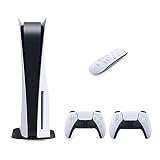
![PlayStation 5 Slim Disc with 1TB SSD Storage, Wireless Dualsense Controller - PS5 Gaming System, White (Renewed) [video game]](https://m.media-amazon.com/images/I/31TyhWkF85L._SL160_.jpg)
That is different from downloading a “NCAA Basketball 10 PC” installer, ISO, ROM, PKG, torrent, or preconfigured emulator from an unverified website. Those offers are not official PC versions and may infringe copyright, contain malware, or simply be the wrong game.
Is there a PC version of NCAA Basketball 10?
No official Windows edition has been identified. EA’s original release information lists PlayStation 3 and Xbox 360, and the ESRB record lists those same two platforms. The game was released on November 17, 2009, with an ESRB rating of E for Everyone.
The original game includes licensed college teams and presentation elements associated with CBS Sports and ESPN, but those features do not indicate that a native PC build exists. A PC player is using the PlayStation 3 version through emulation, not installing an EA Windows port.
The legitimate PC route: RPCS3 and your own PS3 copy
RPCS3 is an open-source PlayStation 3 emulator for PC operating systems including Windows and Linux. It does not provide NCAA Basketball 10, and its developers do not guarantee that every commercial game will run perfectly.
The basic process is:
- Obtain a legitimate PlayStation 3 copy of NCAA Basketball 10. A physical NCAA Basketball 10 PS3 physical copy is the relevant product for this route; it is not a native PC download.
- Install RPCS3 only from the project’s official source.
- Read the current RPCS3 Quickstart, firmware, software-management, and compatibility instructions before attempting setup.
- Use the documented process for preparing and managing PlayStation 3 software from your own game copy. The exact steps and hardware can differ between disc-based and digital software.
- Search RPCS3’s current compatibility database for the exact NCAA Basketball 10 game ID, region, and media type.
- Configure a controller and graphics settings using the current RPCS3 documentation, then test the game before changing advanced options.
Do not download a game dump from a ROM site just because it is described as an “NCAA Basketball 10 PC download.” The emulator and the copyrighted game are separate things: RPCS3 is software you can obtain from its project, while the game must come from a legitimate copy and be handled in accordance with applicable law.
What you need before installing
PC hardware and operating system
RPCS3’s baseline guidance covers a 64-bit operating system, x64-capable hardware, supported graphics APIs, current drivers, and the Windows components required by the emulator. Requirements can change as RPCS3 develops, so check its current documentation rather than treating an old hardware list as a guarantee.
Free tools Windows power users keep installed
One-click scans. No signup required.
For this particular game, there is no responsible universal “required CPU” or “required graphics card” to quote without testing the exact release on current RPCS3 builds. Performance can vary with:
- CPU architecture and single-thread performance;
- graphics hardware, driver version, and selected graphics API;
- RPCS3 revision and game-specific patches;
- the game’s region and release ID; and
- the emulator’s configuration and resolution.
Keep enough storage available for RPCS3, PlayStation 3 system software where required by the current setup guide, emulator caches, and your own game data. A wired or Bluetooth gamepad is strongly preferable to keyboard controls for a console sports title.
Rank #2

- FASTEST, MOST POWERFUL XBOX — Experience next-generation performance with 12 teraflops of processing power, delivering smoother gameplay, richer worlds, and faster responsiveness than any previous XBOX.
- TRUE 4K GAMING UP TO 120 FPS — Enjoy breathtaking visuals with true 4K resolution, HDR, and frame rates up to 120 FPS, plus hardware-accelerated ray tracing for a heightened level of realism.
- 1TB CUSTOM SSD AND XBOX VELOCITY ARCHITECTURE — Reduce load times dramatically with the custom 1TB NVMe SSD and XBOX Velocity Architecture, enabling lightning-fast performance and seamless world streaming.
- QUICK RESUME — Seamlessly switch between multiple games and resume exactly where you left off. No more waiting through title screens and loading bars.
- FOUR GENERATIONS OF GAMES — Play thousands of games from XBOX Series X|S, XBOX One, XBOX 360, and Original XBOX, with many titles enhanced for better visuals and performance on XBOX Series X.
Controller
RPCS3 supports local multiplayer with up to seven concurrent controllers according to its FAQ. That makes a standard USB or Bluetooth PC controller a sensible accessory for local play. No specific brand or model is required, and buying an expensive controller will not fix an emulator compatibility problem.
Check compatibility before spending money
RPCS3 compatibility entries are tracked by game ID. Disc and digital releases can have separate records, so searching only for the title name may not tell you exactly how your copy behaves.
Before buying hardware or assuming that the game will run perfectly, check the current compatibility entry for:
- the precise title and game ID;
- your region or release;
- disc versus digital media;
- the current RPCS3 version or revision used by the report; and
- known issues involving graphics, audio, saves, menus, or gameplay.
Compatibility labels and reports can change as the emulator improves. Do not rely on an old video or forum post claiming that every version is “fully playable.” Unless the current entry has been checked for your exact release, the accurate answer is that NCAA Basketball 10 may work in RPCS3 but is not guaranteed to be flawless on every PC.
Basic RPCS3 setup approach
The precise interface can change between RPCS3 releases, so use the current Quickstart for the exact menu names and supported files. In general, the workflow is:
- Download and extract or install the current RPCS3 build for your operating system from the official project source.
- Install the PlayStation 3 system software requested by the current RPCS3 setup guide. Use the official PlayStation-provided system software source where the guide directs you.
- Connect the controller and select the appropriate input handler in RPCS3’s controller settings.
- Add or install the software prepared from your own NCAA Basketball 10 copy using the method documented for that format.
- Locate the game in RPCS3’s game list and open its title-specific configuration only if the compatibility notes call for a change.
- Start with conservative, documented settings. Change one option at a time so you can identify what caused a new problem.
If the game does not appear, the issue may be an incorrectly prepared copy, missing PlayStation 3 system software, an unsupported format, or a mismatch between the software and the current RPCS3 workflow. Recheck the official guide rather than downloading a “fix” or a preconfigured package from a third party.
What’s actually slowing this PC down?
Pick the symptom - the matching free tool is one click away.
Rank #3

- CPU: x86-64-AMD Ryzen Zen 8 Cores / 16 Threads at 3.5GHz.GPU: AMD Radeon RDNA 2-based graphics engine.
- 16GB GDDR6/256-bit Memory; 825GB SSD Storage Capacity
- Ethernet (10BASE-T, 100BASE-TX, 1000BASE-T), IEEE 802.11 a/b/g/n/ac/ax, Bluetooth 5.1
- HDR technology, 8K output, 4K TV gaming, Up to 120 fps with 120Hz output, Tempest 3D AudioTech
- What's Included: Sony PlayStation 5 Disc Version; Wireless controller; USB cable, HDMI cable, AC power cord. Nogtox PVT HDMI_cable
Common problems and sensible fixes
The game will not boot
- Confirm that the copy is the PlayStation 3 version, not an Xbox 360 disc.
- Check that the exact game ID and region appear in the current compatibility database.
- Verify that RPCS3’s required PlayStation 3 system software is installed correctly.
- Update RPCS3 and your graphics drivers through legitimate sources.
- Remove unofficial patches or preconfigured files and return to the documented baseline configuration.
Graphics or audio are broken
Check the title-specific compatibility notes first. Use the graphics API and settings recommended by current RPCS3 documentation, and avoid copying settings from a different game. Emulator caches may also need to rebuild after a driver or RPCS3 update, so the first launch after a change may not represent normal behavior.
Performance is poor
Lowering resolution may help a graphics-limited system, but it cannot compensate for every CPU or emulator bottleneck. Close unnecessary applications, use current drivers, and compare your configuration with the current RPCS3 requirements. Do not install a system-cleanup utility as a supposed requirement for RPCS3; broader Windows maintenance may help a generally unhealthy PC, but no such utility is required to install or run this game.
The controller is not responding
Reconnect the controller, select the correct handler in RPCS3’s input settings, and map the buttons before launching the game. Test one controller at a time. Bluetooth pairing or driver issues are separate from NCAA Basketball 10 compatibility, so try USB if wireless input is unreliable.
Can you play online?
Do not expect the original online experience to work through RPCS3. The emulator documents local multiplayer support, but online multiplayer is not generally implemented. Local play with multiple compatible controllers is the safer expectation unless current RPCS3 documentation specifically confirms otherwise for this exact title.
What about the Xbox 360 version?
The Xbox 360 release is not a Windows PC version. An Xbox 360 disc cannot simply be inserted into a Windows computer and installed as a PC game.
Microsoft’s backward-compatibility program supports only selected Xbox 360 titles on supported Xbox consoles. The existence of an Xbox 360 release does not prove that NCAA Basketball 10 works on Xbox One or Xbox Series X|S. Check Microsoft’s current backward-compatibility catalog for the exact title before buying a newer console for it. Xbox Series S supports digital games only, so it cannot use a physical Xbox 360 disc even when a title is supported.
Rank #4

- Model Number CFI-2000
- Includes DualSense Wireless Controller, 1TB SSD, Disc Drive, 2 Horizontal Stand Feet, HDMI Cable, AC power cord, USB cable, printed materials, ASTRO’s PLAYROOM (Pre-installed game)
- Vertical Stand sold separately
Is a digital PS3 purchase still available?
PlayStation 3 storefront availability is market- and time-dependent. Sony has announced PS3 Store closures beginning in select markets during 2026 and continuing globally in 2027, while previously purchased content is expected to remain downloadable for the foreseeable future. That makes a new official digital purchase route less dependable than it once was.
Check the current PlayStation availability for your country before relying on a digital purchase. Do not assume that a listing in another region will work with your account, console, emulator setup, or saved data. A legitimate physical PS3 copy may be the more practical option, but verify the disc’s region, condition, completeness, and seller reputation before buying.
Outdated Drivers Are Slowing You Down
One free scan finds every outdated or missing driver and matches the right update for your exact hardware.Free scan · exact hardware matchWindows Errors? Fix Them Before They Spread
Repair common Windows errors and clear accumulated junk for a smoother, more stable PC - no reinstall needed.Free scan · no reinstallWhat to avoid
- “NCAA Basketball 10 PC full version” installers claiming to be official EA releases;
- unauthorized ROM, ISO, PKG, torrent, warez, or cracked-game downloads;
- pre-dumped game folders or “one-click RPCS3” bundles;
- instructions for bypassing copy protection or licensing checks; and
- claims that a particular CPU, GPU, setting, or utility guarantees perfect performance.
A legitimate emulator download does not make an unauthorized game download legitimate. If a page asks you to disable antivirus protection, run an unknown executable as administrator, or complete surveys before receiving the game, leave it.
Bottom line
There is no documented official PC edition of NCAA Basketball 10. For PC play, use the PlayStation 3 version with RPCS3, a legitimate personal game copy, current emulator documentation, and realistic expectations about compatibility. Check the exact game ID and release in RPCS3 before assuming the title will run perfectly, and treat online multiplayer as unsupported unless the emulator’s current documentation says otherwise.
Frequently Asked Questions
Is there an official PC version of NCAA Basketball 10?
No official Windows release has been identified. The documented original platforms are PlayStation 3 and Xbox 360. On PC, the relevant route is PlayStation 3 emulation rather than a native installer.
Can I download NCAA Basketball 10 from any website?
You can download RPCS3 from its official project source, but the game itself must come from a legitimate PlayStation 3 copy. Do not use unauthorized ROM, ISO, PKG, torrent, or pre-dumped downloads.
The Tool Desk
Outbyte Driver Updater FREEFix the driver behind crashes, sound loss and screen glitchesFind Drivers →Outbyte PC Repair FREERepair Windows errors before they cause bigger problemsFix Now →Can NCAA Basketball 10 run in RPCS3?
Possibly. Check the current RPCS3 compatibility database for the exact game ID, region, media type, and current emulator reports. Compatibility may vary by release, hardware, and RPCS3 revision.
Do I need a PS3 to play NCAA Basketball 10 on PC?
You need a legitimate PlayStation 3-format game copy and must follow the current RPCS3 instructions for preparing and managing that software. The exact hardware needed can differ between physical and digital copies.
Can I play NCAA Basketball 10 online through RPCS3?
Do not count on it. RPCS3 documents local multiplayer, including support for up to seven concurrent controllers, but online multiplayer is not generally implemented.
Does the Xbox 360 version work on Xbox One or Xbox Series X|S?
Only if the exact title is included in Microsoft’s current selected backward-compatibility catalog. An Xbox 360 release by itself does not establish compatibility with Xbox One or Xbox Series consoles.
Recommended Free Tools
The Bottom Line
Bottom line: NCAA Basketball 10 is a PlayStation 3/Xbox 360 game, not a native Windows title. The legitimate PC option is RPCS3 plus a lawfully obtained PS3 copy. Avoid unauthorized downloads, verify the exact compatibility entry, and do not expect guaranteed performance or online multiplayer.
Quick Recap
Product prices and availability are accurate as of the date/time indicated and are subject to change. Any price and availability information displayed on Amazon at the time of purchase will apply.



