The Tool Desk
Outbyte Driver Updater FREEFix the driver behind crashes, sound loss and screen glitchesFind Drivers →Outbyte PC Repair FREERepair Windows errors before they cause bigger problemsFix Now →On an Xbox 360 console, change vibration from the Guide button’s Settings or Preferences menu. On Windows, there is no reliable system-wide Xbox 360 rumble switch: use the game’s Vibration, Rumble, or Force Feedback setting instead. Steam Input and other controller wrappers can add another layer that must also be checked.
Choose the setting for your platform
| Where you use the controller | Where to enable or disable vibration | What to know |
|---|---|---|
| Xbox 360 console | Guide button → Settings or Preferences → Vibration | This is the established console menu path described in an archived Microsoft Community answer; menu wording can vary by dashboard version. |
| Windows PC game | The game’s Options, Controls, Gameplay, Accessibility, or Controller menu | Windows does not generally provide one official, persistent end-user rumble switch for all XInput games. |
| Steam or another input wrapper | The game’s setting plus its controller configuration | Steam Input, emulators, overlays, and remapping utilities can change how rumble commands reach the gamepad. |
Change vibration on an Xbox 360 console
- Press the controller’s center Guide button.
- Open Settings or Preferences.
- Select Vibration.
- Press A to switch vibration between enabled and disabled.
This is a controller-level preference intended to affect vibration across games using the Xbox 360 interface. The documented wording comes from a migrated Microsoft Community answer rather than a current Xbox product manual, so treat it as the established dashboard route rather than a newly verified support page. Individual games may still implement vibration behavior differently.
Enable or disable rumble on a Windows PC
An Xbox 360 controller using XInput normally does not expose a Windows-wide vibration toggle equivalent to the console preference. Change the setting in each game that supports rumble.
Look in the game’s controller options
- Launch the game and open Options, Controls, Gameplay, Accessibility, or Controller.
- Find Vibration, Rumble, or Force Feedback.
- Turn the option on or off, then apply the change and test it in gameplay.
Some games expose a strength slider instead of a simple switch. A game must support controller rumble and honor the XInput command; changing Windows’ controller calibration does not force a game to vibrate.
Free tools Windows power users keep installed
One-click scans. No signup required.
#1 Best Overall

- 🎮【Wide Compatibility】Xbox 360 Controller - Perfectly compatible with Microsoft Xbox 360 & Slim, PC Windows 11/10/8/7. !!TIPS!! ::: This controller is【【 NOT COMPATIBLE with Xbox One/Series】】. The 2.4GHz wireless connection range is up to 30 feet, providing more freedom and comfort for gaming.
- 💯【Close to Original】The guide button in the middle of the wireless gamepad brings quick access to your game libraries, music, and digital movies. Xbox 360 Wireless Controller. Upgraded controller's instruction and chip deliver high sensitivity and fast response overall performance.
- ✅【Upgraded Version】Xbox 360 Controller Wireless - Support Acceleration/Gravity Sensor, 2.5mm Audio Jack, Double Shock and Upgraded Joystick. Just the same as the joystick of the official wireless 360 controller. Spend less money to enjoy the same sensitivity.
- 🌌【2 Pack Xbox 360 Controller】Built-in dual vibration motors, which can provide different intensities of vibration feedback according to different collisions in the game. Equipped with new left and right trigger buttons and more sensitive joysticks and action buttons - Respond quickly to player commands without delay.
- 👍👍【What You Get】Gamrombo xbox 360 controller wireless 2 Pack, 45 Days Money Back, 365 Days Guarantee Against quality defect and 24 Hours Friendly Customer Support.
Use Game Controllers only to verify recognition
Press Windows key + R, enter joy.cpl, and press Enter. The Game Controllers panel can confirm that Windows sees the controller and its driver, but it should not be treated as a guaranteed permanent rumble-disable control. The XInput layer lets applications read controller state and send motor commands; the game, not this panel, normally decides when to use them.
Steam, Steam Input, and other wrappers
Steam does not have one universal vibration menu that behaves identically for every client version and game. Start with the game’s own rumble option, then inspect that title’s Steam controller configuration. If the game setting has no effect:
Rank #2
![Gamrombo 2 Pack Replacement for Xbox 360 Controller, Wireless Controllers Gamepad Upgraded Joystick Compatible with 360 & Slim, Windows 11/10/8/7 PC Controller with Dual Shock (Black+Pink) [microsoft_xbox_360]](https://m.media-amazon.com/images/I/41BBW6XlmNL._SL160_.jpg)
- 🎮【Wide Compatibility】Xbox 360 Controller - Perfectly compatible with Microsoft Xbox 360 & Slim, PC Windows 11/10/8/7. (Note!! This controller is not compatible Xbox One). The 2.4GHz wireless connection range is up to 30 feet, providing more freedom and comfort for gaming.
- 💯【Close to Original】The guide button in the middle of the wireless gamepad brings quick access to your game libraries, music, and digital movies. Xbox 360 Wireless Controller. Upgraded controller's instruction and chip deliver high sensitivity and fast response overall performance.
- ✅【Upgraded Version】Xbox 360 Controller Wireless - Support Acceleration/Gravity Sensor, 2.5mm Audio Jack, Double Shock and Upgraded Joystick. Just the same as the joystick of the official wireless 360 controller. Spend less money to enjoy the same sensitivity.
- 🌌【2 Pack Xbox 360 Controller】Built-in dual vibration motors, which can provide different intensities of vibration feedback according to different collisions in the game. Equipped with new left and right trigger buttons and more sensitive joysticks and action buttons - Respond quickly to player commands without delay.
- 👍👍【What You Get】Gamrombo xbox 360 controller wireless 2 Pack, 45 Days Money Back, 365 Days Guarantee Against quality defect and 24 Hours Friendly Customer Support.
- Restart Steam and relaunch the game.
- Temporarily disable controller-emulation, remapping, or overlay utilities.
- Disconnect other gamepads while testing.
- Test with Steam Input enabled and disabled when the title offers that choice.
XInput emulators, multiple connected controllers, overlays, and conflicting utilities can all alter controller behavior. Make one change at a time so you can identify which input layer is controlling vibration.
Advanced method: stop rumble with XInput
For software developers or advanced users, an Xbox 360-compatible controller exposes two conventional vibration motors through XInput. The XInputSetState function accepts an XINPUT_VIBRATION structure. Each motor speed is an unsigned value from 0 through 65,535: zero means that motor is not used, and 65,535 requests full motor output.
Rank #3

- [Wireless] Integrated bluetooth high-performance wireless technology lets you control the action from up to 30 feet away,which means you have more room to move.
- [Advanced Design] Precise thumb sticks, two pressure-point triggers, and an 8-way directional pad help you stay in control. New left and right shoulder buttons are designed for ease of use. Vibration feedback gives you a riveting gaming experience. Adjustable vibration feedback for longer battery life.
- [Best Game] Use up to four controllers simultaneously on one console,requires 2 AA batteries or dedicated battery. Integrated headset port for Xbox LIVE play. Use the Xbox 360 Guide button to keep track of your friends, access your games and media, or power on and off your Xbox 360 console.
- [For Xbox 360 and PC] Xbox 360 Controller for PC works with most PC, delivering a consistent and universal gaming experience. An extra received for PC is required for wireless connection. Or else, it is connected with cable on PC.
- [Ergonomic] Play in total comfort. Great new look with a matte black finish and gloss accents. Award winning compact ergonomics provide a more comfortable gaming experience. Third party made.
XINPUT_VIBRATION vibration{};
vibration.wLeftMotorSpeed = 0;
vibration.wRightMotorSpeed = 0;
XInputSetState(controllerIndex, &vibration);
Sending zero to both fields stops the command currently being sent to that controller. It is not a firmware change or a permanent device-wide preference. The game or another input layer can issue a later non-zero command.
When vibration will not enable
- Confirm game support. Make sure the title supports controller rumble and that its Vibration, Rumble, or Force Feedback option is enabled.
- Test another XInput game. This separates a game configuration problem from a controller or driver problem.
- Check Windows recognition. Open
joy.cpland verify that the controller appears. Install or repair the correct Xbox 360/XInput driver if Windows does not recognize it. - Remove conflicts. Disconnect other gamepads and temporarily disable emulators, overlays, and remapping tools.
- Check a wireless receiver. An Xbox 360 wireless controller needs a compatible, recognized Windows receiver; the controller cannot provide wireless PC connectivity by itself.
- Consider hardware failure. Broken motor wiring, worn motors, insufficient power, or a failing controller can leave buttons working while rumble does not.
Xbox 360 gamepads have the two conventional body motors used by XInput. They do not have Xbox One-style impulse-trigger motors, so a game’s trigger-specific haptic feature cannot work on this controller.
Rank #4

- Wide Compatibility: This Xbox 360 Controller compatible with Xbox 360 & Slim and most PC with Windows 7/8/10 system.This controller doesn't have an audio jack.Note: The controller is not compatible Xbox One S/X/Xbox Series X/S
- Advanced Design: Precise thumb sticks, two pressure-point triggers, and an 8-way directional pad help you stay in control. New left and right shoulder buttons are designed for ease of use
- Wireless Technology: 2.4GHz wireless technology with 32 ft range.Note: Up to 4 controllers can be used on the same host, which requires 4 wireless receivers to connect.Powered by 2pcs AA batteries,rechargeable battery is not included in the package
- Double Vibration: The xbox 360 controller has double vibration function to deliver timely instant feedback.You also can choose to turn off it to save power
- Ergonomic Design: Great new look with a matte black finish and gloss accents.The new shoulder design and streamlined grip design fit the player's hand and provide maximum comfort, ensuring you can enjoy hours of gaming at ease
If the controller disconnects when it vibrates
First disable vibration in the game, or use the Xbox 360 console vibration preference when playing on the console. A disconnect that occurs specifically when the motors start can indicate a weak battery, inadequate USB power, a damaged cable, a receiver problem, or an internal hardware fault. It is not proof of a universal Xbox 360 defect; isolate the controller, connection, and power source individually.
Accessibility and comfort
Turning off rumble can reduce discomfort, noise, or distraction. Games should provide a vibration or haptic-feedback control and, where supported, an intensity adjustment. If vibration communicates damage, impacts, or another gameplay event, use the game’s visual or audio alternatives so disabling it does not remove essential information.
What’s actually slowing this PC down?
Pick the symptom - the matching free tool is one click away.
Quick Recap
Best Value
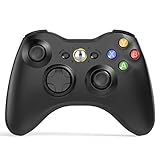
- 【Wide Compatibility】wireless controller perfectly compatible with Xbox 360/Slim, PC Windows 10/8/7.(Note: The controller is not compatible Xbox One S/X/Xbox Series X/S).
- 【Ergonomic Design】Grips's contours have been designed to fit your hands more comfortably to hold for a long time, 30ft wireless control provides more freedom and comfortable control state.
- 【Great Performance】: High sensitivity wireless Controller features of two Vibration feedback motors, two pressure-point triggers, and an 8-way arrow button help players complete control of the gaming world, providing them immersive feeling just like on the battlefield. The guide button in the middle of the wireless gamepad brings quick access to your game libraries, music, and digital movies.
- 【Ergonomics Design】: The asymmetrical grip and contour design of the joystick perfectly fits your hands, delivering a supper comfy holding. All buttons are very easy to press and won't hamper your performance. Better more, all buttons respond immediately which ensure fantastic tactile feedback for maximum comfortable gaming experience.
- 【Play where you want】2.4 GHz wireless connection with up to a 30-foot range means you have more room to move..
Product prices and availability are accurate as of the date/time indicated and are subject to change. Any price and availability information displayed on Amazon at the time of purchase will apply.




