Recommended Free Tools
“Missing Multiplayer Privileges” does not identify one specific fault. Start by checking whether the platform account you are using has access to online multiplayer and whether the platform’s services are operating. Then restart the console and reconnect. These are sensible first checks, not guaranteed fixes.
What the message means—and what it doesn’t
The message means Battlefield 1 cannot confirm multiplayer access for the current session. By itself, it does not prove that your subscription has expired, that the game is broken, or that Battlefield 1’s servers are offline. The same wording has appeared in community reports over multiple years, but those reports do not establish a single cause or a reliable workaround.
| # | Preview | Product | Price | |
|---|---|---|---|---|
| 1 |

|
Battlefield 1 (PS4) | $24.99 | Buy on Amazon |
| 2 |
|
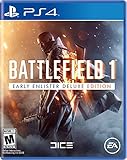
Battlefield 1 Early Enlister Deluxe Edition - PlayStation 4 | $37.99 | Buy on Amazon |
| 3 |

|
Battlefield 4 (PS4) | $10.45 | Buy on Amazon |
| 4 |

|
Battlefield V (PS4) | $54.99 | Buy on Amazon |
Check the account actually signed in on the console, not just whether someone in the household has a multiplayer subscription. If the account and platform services appear fine, try restarting and reconnecting before escalating the issue.
Check your platform’s multiplayer access
Xbox
EA’s advice in a historical Xbox One discussion was to verify that the affected player had an active Xbox Live Gold subscription. EA community manager EA_David wrote, “For most users affected by this, please double check that you have an active Xbox Live Gold subscription.” That is the plan name used in the old thread, not confirmation of the current Xbox plan name or proof that subscription access explains every occurrence of this error.
#1 Best Overall
- Epic 64-Player Multiplayer Battles – Squad up with your friends and join in the most epic multiplayer battles in FPS history with up to 64 players. Fight as infantry, lead horse charges or take control of amazing vehicles on land, air and sea, from tanks and biplanes to the gigantic Behemoths.
- Experience the Dawn of All-out War - Be a part of the greatest battles ever known to man. From the heavily defended Alps to the scorching deserts of Arabia, war is raging on an epic scale on land, air and sea as you witness the birth of modern warfare.
- No Battle is Ever the Same - Dynamic weather and intuitive destruction create an ever-changing landscape. Make your mark on the world with earth-shattering destruction, whether you're blasting craters in the ground with artillery strikes or ripping apart walls with gunfire.
- Push the Frontline in Operations - Take part in a series of inter-connected multiplayer battles spread across multiple maps in the new Operations. Attackers must break through the lines of defenders, and push the conflict onto the next map.
EA’s general connection guidance says to make sure the account has an Xbox subscription for online multiplayer and to check Xbox service updates. Confirm the affected account’s current multiplayer access with Xbox support if you are unsure whether it is entitled to play online.
PlayStation
Sony says an active PlayStation Plus subscription is required for online multiplayer in most PS4 and PS5 games, with exceptions. That general rule does not establish that a subscription is the cause of this particular Battlefield 1 message in every case.
Rank #2
- Battlefield 1 Early Enlister Deluxe Edition includes the Red Baron Pack and the Lawrence of Arabia Pack - containing themed weapons, vehicles and items. Plus five Battlepacks containing combinations of items. Also exchanges the visual appearance on three of the largest vehicles in the game. This Early Enlister edition allows you to play Battlefield 1 three days earlier starting from October 18
- Epic 64-Player Multiplayer Battles - Squad up with your friends and join in the most epic multiplayer battles in FPS history with up to 64 players. Fight as infantry, lead horse charges or take control of amazing vehicles on land, air and sea, from tanks and biplanes to the gigantic Behemoths
- Experience the Dawn of All-out War - Be a part of the greatest battles ever known to man. From the heavily defended Alps to the scorching deserts of Arabia, war is raging on an epic scale on land, air and sea as you witness the birth of modern warfare
- No Battle is Ever the Same - Dynamic weather and intuitive destruction create an ever-changing landscape. Make your mark on the world with earth-shattering destruction, whether you're blasting craters in the ground with artillery strikes or ripping apart walls with gunfire
- Push the Frontline in Operations - Take part in a series of inter-connected multiplayer battles spread across multiple maps in the new Operations. Attackers must break through the lines of defenders, and push the conflict onto the next map
Check PlayStation Plus access on the account being used and review the console’s subscription-sharing setup. If the account is a child account, age restrictions or parental-control settings can also restrict network multiplayer. Sony’s PlayStation Plus support page explains the general rules and account settings to review.
Restart, reconnect, and check service status
- Check platform status. Look for service interruptions or updates on the Xbox or PlayStation service-status page. A platform outage can prevent multiplayer access even when the account is entitled to play.
- Restart the console. EA recommends restarting a console as a connection check; on Xbox, this can also clear the console cache. Follow the console maker’s normal restart procedure.
- Reconnect and retry. After the restart, reconnect to the network and launch Battlefield 1 again. EA’s historical Xbox One reply also suggested disconnecting and reconnecting. Neither step is a guaranteed fix.
EA’s general connection troubleshooting guide covers subscription access, platform service checks, and restarting. It also notes that online servers for older games may be shut down. That is a general caution, not evidence that Battlefield 1’s servers are currently unavailable.
Quick wins for a faster PC:
Scan for outdated or missing drivers - takes under a minuteDriver Scan →Clear out junk files and repair common Windows errorsFree Scan →Rank #3
- Frostbite 3 Engine
- 64 Player Online Multiplayer
- Commander Mode
When to contact support
- Contact Xbox or PlayStation support if the affected account’s multiplayer entitlement, subscription sharing, or family restrictions are unclear, or if account access still fails after the platform-status check.
- Contact EA Help if platform multiplayer access is confirmed and the platform service is operating, but Battlefield 1 still has a connection or EA account problem.
Community posts mention other workarounds, such as launching another Battlefield game, restoring licenses, or removing and re-adding a profile. Those anecdotes do not establish that these are verified fixes, so treat them as unconfirmed rather than a standard troubleshooting step.
Quick Recap
Rank #4
- World War 2 as You've Never Seen It Before - Take the fight to unexpected but crucial moments of the war, as Battlefield goes back to where it all began.
- 64-Player Multiplayer in the Chaos of All-Out War - Lead your Company to victory in all-out multiplayer with new experiences like the massive Grand Operations mode. Take on classic modes like Conquest or squad up with friends in the cooperative Combined Arms.
- The Most Physical Battlefield Yet - Maneuver through the battlefield using a new soldier move set, fortifications, and mobile tools of destruction.
- Play Untold War Stories - Witness human drama set against global combat in the single player War Stories. Ski down Norwegian mountains as you battle for control of nuclear weapon supply lines, join the frontline with the French colonial troops, or go behind enemy lines in North Africa with a band of misfits sent to create mayhem.
- Tides of War - Embark on a journey where new content drops continuously transport you and your Company to a huge variety of key WW2 locations, where new battlefields and gear await.
Product prices and availability are accurate as of the date/time indicated and are subject to change. Any price and availability information displayed on Amazon at the time of purchase will apply.



