What’s actually slowing this PC down?
Pick the symptom - the matching free tool is one click away.
To move the household you are currently playing in inZOI, open the city map with M or the map control, select an uninhabited home or lot, review the move and furniture options, then confirm with OK. Moving selected Zois into a different family is a separate map-management task.
Move your current household to another property
The property-relocation steps below are documented in an April 2025 community guide, so follow the prompts in your current game if labels or behavior have changed. [source]
-
Open the city map by pressing M or using the map button on the phone.
-
Select an uninhabited home or lot. The guide describes available properties as gray lot symbols.
PerformanceWindows Errors? Fix Them Before They SpreadDriversOutdated Drivers Are Slowing You DownPerformancePC Slower Than It Used to Be?Special offer. See more information about Outbyte and uninstall instructions. Please review EULA and Privacy policy.#1 Best Overall
 Hotel Life - Free cooking simulation game
- Unique gameplay: Check guests in, react quickly to their requests, and set priorities
- Open new hotels all over the world
- Exciting levels: tons of fun, featuring unique boosters and gameplay
- Upgrade your stations and make the most delicious food and drinks.
- Win in various hotel competitions with lots of prizes!
-
Review the move panel before confirming. The guide says it displays the household name, current address and assets, as well as the destination name and cost. It also offers options to store or sell furniture from the current lot.
-
If you do not want to move, choose Go Back. If the destination and options are right, choose OK.
Rank #2
 Hasbro Gaming The Game of Life Board Game, Family Games for Kids Ages 8+, Includes 31 Careers, Family Board Games for 2-4 Players, (Amazon Exclusive)
- Choose an awesome vacation: take a ski trip, a safari, or go snorkeling in a coral Reef. Choose an awesome vacation from adventurous to relaxing
- Choose an interesting career: players can choose from 31 Career cards featuring unusual or quirky careers such as ice cream flavor Maker or a secret Agent
- Great family game: do you remember playing this classic Hasbro board game from your childhood. With instant setup and easy play, this exclusive edition is great fun to play when the family is together
- Life is full of adventures: this edition of the game of life game includes 115 cards offering exciting choices As players move through the twists and turns of life
- Play spin to win: who's bound for instant wealth and fortune. Play spin to win and find out. At the end, players pay debts, add up the wealth, and whoever has the most money at the end of the game wins
-
The guide says household members who are at home, or who are not scheduled at another lot for work, school or an event, travel to the new home. It also says vehicles on the old lot move automatically to the destination’s designated parking space. These details reflect the guide’s account, not a verified guarantee for every current build.
Move only some Zois or split a household
Transferring characters between families does not change the home address of the household you are playing. A player-authored inZOI forum guide dated February 5, 2026, describes this separate workflow; check the current interface as you go. [source]
Rank #3
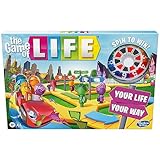
- MAKE CHOICES: Players get to make some big life decisions They can choose whether or not to go to college, to get married, grow their family, or retire early
- WILL IT PAY TO INVEST: Players can take a chance to grow their money by investing in numbers on the board Get paid every time someone spins that number
- Will it pay to invest: players can take a chance to grow their money by investing in numbers on the board get paid every time someone spins that number
- Kids can pick their own path: buckle up and take a spin in this fun family board game, every crossroad brings exciting twists, turns, and adventures
-
Open the city map with M.
-
Choose All Families in the upper-left area.
-
Open the household transfer interface, select the family, and use its arrows to transfer the Zois you want. The forum guide also describes sending assets between households.
-
The guide says the active Zoi cannot be selected for transfer. If that is the Zoi you need to move, switch the active Zoi first and check whether the current interface allows the transfer.
Rank #4
 Tomodachi Life: Living the Dream
- Populate your island with Mii characters and watch them come to life
- Base your Mii characters on family and friends, or whatever you want—and customizer, including some face customization options you haven’t seen before
- Pick your Mii characters up and place them near each other to chat and hang out
- Help your Mii characters explore likes and dislikes, find relationships, and get up to all sorts of fun
- Give Mii characters clothes, food, items, and life advice as they deal with all kinds of situations
-
To form a separate household, the guide describes choosing Create Temporary Family and selecting the source family. Despite the label, it says the resulting household remains.
Find a property and navigate the map
KRAFTON’s v0.5.0 patch notes, dated December 23, 2025, say a property-type filter was added to Edit City, including residential properties. That may help narrow the map while looking for a home. The same notes identify Game Options → Control → Top-View Keyboard Control Target as the setting for choosing whether WASD controls Zoi movement or camera movement and panning. [source]
Crashes, No Sound, or Screen Glitches?
Random freezes, missing sound and display glitches usually trace back to one bad driver. Find and replace yours safely.Free scan · under a minuteWindows Errors? Fix Them Before They Spread
Repair common Windows errors and clear accumulated junk for a smoother, more stable PC - no reinstall needed.Free scan · no reinstallIf relocation fails or causes a game issue
KRAFTON’s v0.5.0 notes document fixes for crashes when relocating on a pre-existing save and when using a laptop to relocate. They also list a fix for playback speed becoming unavailable after moving a family into a new property. These are fixes for issues addressed in that update, not confirmation that every current installation is free of relocation problems. [source]
If a move fails, confirm the destination and follow the current in-game error prompt. The available instructions do not establish definitive current property eligibility rules or a complete troubleshooting procedure, so do not assume a historical fix guarantees success in every build.
Quick Recap
Product prices and availability are accurate as of the date/time indicated and are subject to change. Any price and availability information displayed on Amazon at the time of purchase will apply.



