Quick wins for a faster PC:
Fix the driver behind crashes, sound loss and screen glitchesFind Drivers →Clear out junk files and repair common Windows errorsFree Scan →In 2025, the GTX 1070 Ti was worth considering only as a cheap used card for 1080p gaming—not at a premium. A sensible target was about $80–$100 in the U.S.; above $120, newer alternatives deserved a close look, and at $150 or more the card was usually a poor buy. That verdict still fits the available U.S. sold-listing examples through June 2026, though those listings are not a complete market average. The card remains capable in conventional 1080p games, but its age, 8GB of GDDR5, lack of DLSS and dedicated ray-tracing hardware, and used-card risks all matter.
What the GTX 1070 Ti is—and what that means now
NVIDIA released the GTX 1070 Ti in 2017, placing it between the GTX 1070 and GTX 1080 in the Pascal generation. It was built for conventional, rasterized gaming rather than the ray tracing and AI-upscaling features associated with newer RTX cards. NVIDIA’s reference specifications list 2,432 CUDA cores, a boost clock of about 1.68GHz, 8GB of GDDR5 on a 256-bit bus, and approximately 256GB/s of memory bandwidth. Reference typical board power is about 180W. The launch MSRP was approximately $449; that historical price is not a useful measure of its value as a used card today. NVIDIA’s GTX 1070 Ti specifications describe the reference card, not every partner model.
ASUS, EVGA, Gigabyte, MSI, Zotac, and other board partners sold variants with different coolers, factory clocks, connectors, dimensions, and display outputs. Check the exact model before buying: two cards with the same GPU can differ in noise, fit, condition, and power requirements.
How it performs in games
There is no single dependable FPS figure for every GTX 1070 Ti. Results depend on the game, resolution, preset, CPU, system memory, driver, card condition, and whether demanding effects such as ray tracing are enabled. Benchmark aggregations and comparisons are useful for relative positioning, but their test suites and configurations differ; treat them as directional rather than a promise of performance on your PC. See the Tom’s Hardware GPU hierarchy, TechSpot’s Pascal performance revisit, and Notebookcheck’s GTX 1070 Ti and RTX 3060 comparison for test-specific context.
#1 Best Overall
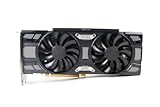
- Renewed products look and work like new. These products have been inspected and tested by Amazon-qualified Sellers, which typically perform a full diagnostic test, replacement of any defective parts, and a thorough cleaning process. Packaging and accessories may be generic. All products on Amazon Renewed come with a 6-month Seller-backed warranty. This warranty is in addition to, and does not affect your rights under, the Australian Consumer Law including any rights and remedies you may have in respect of faulty items.
| Game type or target | Practical expectation |
|---|---|
| Competitive esports | High settings and high frame rates are attainable in many titles if the CPU and game support them. |
| Older AAA games | Often a good fit for high or ultra settings at 1080p. |
| Modern rasterized AAA games | 1080p at medium-to-high settings can be viable, but some games call for lower settings, especially textures. |
| Ray-traced games | Generally a poor fit for practical ray-traced play; the card lacks dedicated RT cores. |
| Demanding new releases | Performance and frame-time consistency vary; high texture settings can be limited by memory capacity or other GPU constraints. |
| 1440p | Possible in older or lighter games with reduced settings, but not a dependable choice for modern high-refresh 1440p. |
Think of it as a 1080p card for players willing to tune settings, not as a guarantee of ultra settings or a consistent 144 FPS in demanding games. A lower-resolution or lighter title may behave very differently from a new, demanding release.
Is 8GB of VRAM enough?
Eight gigabytes remains usable for budget 1080p gaming, but it does not guarantee smooth performance in every modern game. VRAM allocation is not the same thing as a game’s actual memory requirement: some titles reserve memory aggressively, while others show texture or frame-time problems when their assets do not fit comfortably. Capacity is only one part of the picture; the 1070 Ti also uses older GDDR5 and lacks newer GPU features.
- Average FPS is the rate at which frames are rendered.
- Frame-time consistency is whether frames arrive evenly or the game stutters.
- VRAM capacity affects how much texture and other game data can be resident at once.
- Features such as DLSS and hardware ray tracing depend on capabilities the 1070 Ti does not have.
If a game stutters or struggles at 1080p, try lowering texture quality, disabling ray tracing, and reducing resolution scale before assuming the card is unusable. These adjustments can help, but they cannot make the card equivalent to a newer GPU.
Ray tracing, DLSS, encoding, and driver support
Ray tracing and upscaling
The GTX 1070 Ti has no dedicated RT cores. It can run some games that offer ray tracing through software-assisted paths, but it lacks the hardware headroom that makes the feature practical on modern RTX cards. DLSS is not supported on the 1070 Ti in its normal RTX hardware-accelerated form. Some games offer alternatives such as AMD FSR, Intel XeSS in certain modes, temporal upscaling, or resolution scaling. Those options may improve performance where supported, but they do not add RT cores, DLSS, more VRAM, or newer media hardware. NVIDIA’s GeForce comparison page and generation comparison provide the company’s feature comparisons.
Video and creator workloads
The GTX 1070 Ti’s Pascal-era media capabilities are older than those on newer RTX generations. That can matter to streamers and creators who rely on current hardware encoding or application-specific features. Encoder support and quality depend on the card, software, and workflow; check the application’s requirements rather than assuming that gaming performance predicts encoding suitability. NVIDIA’s generation comparison is a starting point for checking encoder differences.
Drivers
Driver support categories and release cadence can change. Check NVIDIA’s driver lookup and GeForce driver releases for the current support and operating-system details before buying. Operating-system compatibility, security updates, and game-specific optimization are separate questions; the fact that a card can install a driver does not establish that it receives the same feature support or game optimization as a current GPU.
How much should you pay?
For a U.S. used purchase, use about $100 as the practical ceiling for a tested GTX 1070 Ti in good condition. Three individual eBay sold listings in 2026 were $79.99, $90, and $97.99. They support the idea that sub-$100 examples exist, but they are individual sales—not a comprehensive market average—and do not establish what the card sold for in 2025. Local prices, shipping, condition, and return rights can change the calculation. One $79.99 sold listing, one $90 sold listing, and one $97.99 sold listing are examples.
Rank #2

- This Certified Refurbished product is tested and certified to look and work like new. The refurbishing process includes functionality testing, basic cleaning, inspection, and repackaging. The product ships with all relevant accessories, a minimum 90-day warranty, and may arrive in a generic box. Only select sellers who maintain a high performance bar may offer Certified Refurbished products on Amazon.com
- 1759 MHz Boost Clock (OC Mode) featuring 8GB GDDR5 256-bit memory powered by NVIDIA Pascal. Dimensions- 11.73 x 5.28 x 2.07 Inch
- ASUS Aura Sync RGB lighting on the shroud and backplate provides a nearly endless spectrum of colors with the ability to synchronize effects across asus Aura Sync enabled products
- MaxContact plus Auto-extreme manufacturing technology delivers 2X more GPU to heatsink contact for increased cooling efficiency with premium quality aerospace-grade Super Alloy Power II components
- Patented wing-blade 0dB fans with FanConnect II optimizes cooling performance using three axial fans to maximize airflow and two 4-pin headers for targeted system cooling
| Used price | Decision |
|---|---|
| Under $80 | Potentially excellent value if tested, functional, and returnable. |
| $80–$100 | Reasonable for a budget 1080p raster-gaming system. |
| $100–$120 | Consider only a clean, tested card with a return window; compare newer options first. |
| $120–$150 | Usually skip unless local availability is unusually limited and alternatives cost substantially more. |
| Above $150 | Usually not worth buying in normal circumstances. |
Price is only one part of value. A lower-priced card with uncertain condition or no recourse can be a worse choice than a more expensive newer GPU with a return option. Compare the total cost with the years of useful service you realistically expect, not with the card’s original MSRP.
Do these 3 things before closing this tab:
1Repair Windows errors before they cause bigger problems2Scan for outdated or missing drivers - takes under a minute3Clear out junk files and repair common Windows errorsHow it compares with the alternatives
Newer GPUs can be better choices without automatically being better bargains: the price difference matters. The listings below are individual U.S. sales from 2026, not current market averages or guaranteed asking prices. The RX 6600 comparisons on Notebookcheck and the RTX 3060 comparison above are useful for relative context, but performance depends on the test suite and configuration.
| Alternative | What it offers over the GTX 1070 Ti | Price context in the available U.S. sales | When the GTX 1070 Ti can still make sense |
|---|---|---|---|
| RTX 2060 | DLSS, dedicated ray-tracing hardware, and a newer media feature set. | Not stated in the cited sold listings. | If it is substantially cheaper and the buyer prioritizes ordinary raster gaming over newer features. |
| RTX 3060 12GB | Newer architecture, DLSS, ray-tracing hardware, and 12GB variants. | One 12GB RTX 3060 sold for $199.99 in a June 2026 eBay listing. | If the budget cannot stretch to the roughly $200 represented by that individual sale. |
| RX 6600 | A newer, more power-efficient design and strong 1080p raster performance. | Cited 2026 sold listings were about $175–$185. | If the 1070 Ti costs around $100 or less and the buyer accepts its older features and higher power draw. |
| GTX 1660 Super | Newer media capabilities and typically lower power consumption. | Not stated in the cited sold listings. | The 1070 Ti may offer more raw performance and 8GB rather than 6GB; condition and price decide. |
| RTX 3060 Ti | A considerably faster, newer feature set. | Not stated in the cited sold listings. | Usually only if the buyer’s budget cannot reach the price of this more substantial upgrade. |
| RX 5700 XT | Stronger raster performance in many comparisons. | Not stated in the cited sold listings. | The 1070 Ti may suit a buyer prioritizing lower power, lower price, or availability. |
The cited RX 6600 sales were $175, $184.97, and an additional sold listing; the cited RTX 3060 12GB sale was $199.99. Those examples show the price gap, not a universal ranking of value. For a buyer whose budget stops near $100, the GTX 1070 Ti can be rational; if a newer card is only modestly more expensive, its efficiency and feature set may justify the premium.
Independent reader supportYour contribution helps us test, update, and keep practical guides available for everyone.Who should buy it—and who should keep looking?
It can suit
- A buyer with a strict budget who finds a tested card at or below about $100.
- A player targeting 1080p and mostly conventional rasterized games.
- Someone upgrading from much older hardware such as a GTX 960, GTX 970, GTX 1060, RX 570, or integrated graphics, if the rest of the system is suitable.
- A secondary, LAN, or temporary PC where a low purchase price matters more than long-term features.
Look elsewhere if
- You are building a new gaming PC without a strict budget constraint.
- You want high-refresh 1440p, ray tracing, or DLSS.
- You stream or create content and need newer encoding or creator features.
- You expect several more years of high-settings performance in demanding new AAA games.
- The asking price approaches newer alternatives, or you cannot verify the card’s condition.
If you already own one
There is no need to upgrade solely because the card is old. Keep using it if your games run at settings and frame rates you find acceptable. Upgrade when a real limitation—such as unacceptable stutter, settings compromises, missing features, or a new monitor target—affects the games and applications you actually use.
Power, fit, and used-card checks
The reference board power is about 180W, but partner cards vary. Many models use one 8-pin PCIe connector; verify the exact card rather than relying on that as a universal rule. A quality power supply and the correct native PCIe connector matter more than wattage printed on the PSU alone. Large triple-fan variants may not fit compact cases. Dust, worn fans, aging thermal paste, and prior repairs can also affect temperatures and noise; do not assume every used card has the same condition or remaining lifespan.
Before paying, use this checklist:
- Confirm image output: Have the seller show the card working in a PC, ideally with the display outputs you plan to use.
- Test under load: Run a GPU stress test for 15–30 minutes and watch for artifacting, crashes, or driver resets.
- Check temperatures and fans: Observe temperature and hotspot behavior, if available, along with fan noise. There is no universal pass/fail temperature independent of the cooler, room temperature, fan curve, and case airflow.
- Inspect every output: Confirm the ports you need function; do not infer that one working port proves the rest work.
- Verify the hardware: Check the model label, BIOS, and physical card for signs of a modified BIOS, damaged PCB components, corrosion, or missing heatsink hardware.
- Ask about use and repairs: Mining history alone does not prove a card is bad; test stability, fans, and temperatures rather than treating history as a diagnosis.
- Check your PC: Verify the PSU has the connector required by that model and that the card’s length and thickness fit the case.
- Prefer recourse: Favor a seller with a return window or buyer protection, especially when you cannot test in person.
For broader used-GPU buying advice, see Tom’s Hardware’s guide to buying a used graphics card, TechSpot’s used-GPU value analysis, and TechSpot’s used-GPU recommendations.
Quick Recap
Common buying assumptions to avoid
- “It has 8GB, so it is future-proof.” Capacity alone does not determine longevity; architecture, memory type, features, game demands, and settings matter too.
- “It beats a GTX 1660 Super, so it is automatically the better buy.” The 1070 Ti can have more raw performance and 8GB instead of 6GB, while the 1660 Super may use less power and offer newer media capabilities. Compare the specific cards, prices, and condition.
- “A mining card is always bad.” Mining history raises questions but is not a verdict. Stability, temperatures, fan condition, BIOS integrity, and the chance to return the card are more useful checks.
- “It supports 1440p, so it is a good 1440p card.” A game running at 1440p is not the same as consistent high-refresh performance at that resolution.
- “FSR gives it modern RTX features.” Supported upscaling can help performance, but it does not provide DLSS, dedicated RT hardware, newer encoding, or extra memory.
- “All GTX 1070 Ti cards are alike.” Cooler, noise, clock, connector, dimensions, warranty, and used condition vary by model and individual unit.
Product prices and availability are accurate as of the date/time indicated and are subject to change. Any price and availability information displayed on Amazon at the time of purchase will apply.




