Quick wins for a faster PC:
Scan for outdated or missing drivers - takes under a minuteDriver Scan →Repair Windows errors before they cause bigger problemsFix Now →Fix the driver behind crashes, sound loss and screen glitchesFind Drivers →theHunter: Call of the Wild supports limited cross-platform multiplayer. Players on the PC versions from Steam and the Epic Games Store can play together using Avalanche Apex Connect. However, crossplay between PC and PlayStation or Xbox is not supported, so the game is not fully cross-platform.
Which platforms can play together?
| Platform combination | Crossplay support |
|---|---|
| Steam and Epic Games Store on PC | Yes |
| PC and PlayStation | No |
| PC and Xbox | No |
| PlayStation and Xbox | Not established by the verified support information |
The official Epic Games Store FAQ specifically documents multiplayer between Steam and Epic Games Store players through Avalanche Apex Connect. It does not extend that support to PlayStation or Xbox. Avalanche also confirmed in a developer response dated May 19, 2025, that Xbox-to-PC crossplay was not possible because of technical limitations and platform restrictions.
| # | Preview | Product | Price | |
|---|---|---|---|---|
| 1 |

|
theHunter: Call of the Wild - PlayStation 4 | $131.70 | Buy on Amazon |
| 2 |

|
theHunter: Call of the Wild - PC | $29.95 | Buy on Amazon |
| 3 |
|
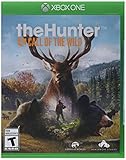
theHunter: Call of the Wild - Xbox One (Renewed) | $77.83 | Buy on Amazon |
| 4 |

|
theHunter: Call of the Wild - 2019 Edition - PS4 (PS4) | $90.00 | Buy on Amazon |
| 5 |

|
TheHunter Call of the Wild - 2019 Edition (Xbox One) | $99.95 | Buy on Amazon |
In practical terms, the supported crossplay feature is PC storefront crossplay, not universal crossplay across Steam, Epic, PlayStation and Xbox.
How to invite a player from the other PC store
To invite a Steam or Epic player while you are in a multiplayer session:
#1 Best Overall
- Step into a beautiful open world teeming with life, from majestic deer and awe-inspiring bison down to the countless birds, critters and insects of the wilderness
- Experience complex animal behavior, dynamic weather events, Full day and night cycles, simulated ballistics, highly realistic acoustics, scents carried by a sophisticated wind system, and much more
- Explore 50 square miles of varied terrain, ranging from wetlands and dense forests to lush Valley and open farm fields. The vast world is split up into separate and distinct hunting reserves
- Take on missions and challenges from the locals, or go Off the beaten path. Discover lookouts, hunting towers and outposts
- Thehunter: Call of the Wild is the Evolution of thehunter, expansive worlds' stand-out hunting game, with over 6 million registered players and 7 years of live Operations
- Open the Pause menu.
- Select Social Widget.
- Select the Friends icon.
- Use the arrow to open the sub-menu.
- Select Invite.
These are the menu labels provided by the official Epic Games Store FAQ.
Do you need an Avalanche Apex Connect account?
Yes, a Full Avalanche Apex Connect account is required to send and receive cross-store PC invitations. You can create or upgrade the account from the sign-up prompt shown when the game starts, or from the game’s settings.
From the main menu, use:
Settings → Avalanche Apex Connect → Upgrade to Apex Connect Account
Rank #2
- Enjoy a next-generation hunting experience featuring stunning visuals and a highly immersive soundscape.
- Explore 50 square miles of varied terrains teeming with life, from majestic deer and awe-inspiring bison down to the countless birds, critters and insects of the wilderness
- Experience the rich single player storyline or share your hunting experiences with up to 8 players in co-op and competitive play
- Acquire and equip a range of rifles, handguns and bows and customize them with scopes and different ammunition types
- Experience complex animal behavior, dynamic weather events, full day and night cycles, simulated ballistics, highly realistic acoustics, scents carried by a sophisticated wind system, and much more
This upgrades a Limited Account to a Full Account. An Apex Connect account is not required for ordinary multiplayer; it is required for the cross-store PC invitation feature and Apex Connect rewards. The account information is therefore an invitation requirement, not evidence that the game supports PC-to-console crossplay.
Free tools Windows power users keep installed
One-click scans. No signup required.
Does linking accounts enable cross-progression?
No. Linking Steam, Epic or console accounts to Apex Connect does not transfer your saves or progression between platforms.
The official FAQs state that:
- Owning or linking the game on both Steam and Epic does not move saves or progression between the two PC versions.
- Cross-platform saves are unsupported.
- One Apex Connect account can link to multiple platforms, but only one user account from each platform can be linked.
That means Apex Connect can help with account connectivity and PC invitations, but it is not a cross-save system. Starting the game on another platform should not be treated as a way to continue the same progression.
Rank #3
- Step into a beautiful open world teeming with life, from majestic deer and awe-inspiring bison down to the countless birds, critters and insects of the wilderness
- Experience complex animal behavior, dynamic weather events, Full day and night cycles, simulated ballistics, highly realistic acoustics, scents carried by a sophisticated wind system, and much more
- Explore 50 square miles of varied terrain, ranging from wetlands and dense forests to lush Valley and open farm fields. The vast world is split up into separate and distinct hunting reserves
- Take on missions and challenges from the locals, or go Off the beaten path. Discover lookouts, hunting towers and outposts
- Thehunter: Call of the Wild is the Evolution of thehunter, expansive worlds' stand-out hunting game, with over 6 million registered players and 7 years of live Operations.
What to check if a PC crossplay invitation fails
Steam–Epic multiplayer uses peer-to-peer connections rather than dedicated multiplayer servers operated by Expansive World. As a result, the host’s and guest’s network or machine configuration can affect whether the session works.
1. Confirm the account requirement
Both players should have Full Apex Connect accounts if they need to send or receive cross-store PC invitations. Check the account status through the Apex Connect settings in the main menu.
Windows Errors? Fix Them Before They Spread
Repair common Windows errors and clear accumulated junk for a smoother, more stable PC - no reinstall needed.Free scan · no reinstallOutdated Drivers Are Slowing You Down
One free scan finds every outdated or missing driver and matches the right update for your exact hardware.Free scan · exact hardware match2. Check the NAT type
The official support guidance describes these connection limits:
Rank #4
- Explore a Vast Open World. By Foot or ATV
- Different Species - Different Challenge
- Become a Hunter. Design the Hunt
- Open NAT: can connect to Open, Moderate or Strict NAT.
- Moderate NAT: can connect only to Open or Moderate NAT.
- Strict NAT: can connect only to Open NAT.
A strict NAT at the internet service provider level can produce the same symptoms as a strict NAT on your home network. If one player cannot join, the problem may therefore be network-related rather than a platform-compatibility problem.
3. Check Steam account eligibility
Steam Limited Accounts cannot use multiplayer. Steam applies this restriction to accounts that have never spent money or have spent less than $5 USD. This is a Steam platform restriction, not a limitation imposed specifically by theHunter: Call of the Wild.
4. Test the host and guest setup
Because sessions are peer-to-peer, try having the other player host. If one direction works and the other does not, that points toward a network or machine-configuration difference affecting the original host.
Best Value
- Explore a Vast Open World. By Foot or ATV
- Different Species - Different Challenge
- Become a Hunter. Design the Hunt
- Share Hunting Experiences and the Hunter Club. Earn Bragging Rights
- Includes all 11 DLC
There is no verified command, launch option or chat command required to enable crossplay. The feature is configured through the in-game menus and Apex Connect account system.
Independent reader supportYour contribution helps us test, update, and keep practical guides available for everyone.Can you unlink Apex Connect?
Apex Connect can be managed from the game’s settings. For a Limited Account, use Settings → Avalanche Apex Connect Account → Unlink. For a Full Account, the available option is Delete.
Unlinking the account does not delete the local save, according to the official Apex Connect FAQ. However, unlinking does not convert the game into a cross-save service or make PC-to-console play available.
The answer in one sentence
theHunter: Call of the Wild is cross-platform only between its Steam and Epic Games Store PC versions; PC-to-PlayStation and PC-to-Xbox crossplay are not supported.
Do these 3 things before closing this tab:
1Clear out junk files and repair common Windows errors2Scan for outdated or missing drivers - takes under a minute3Repair Windows errors before they cause bigger problemsQuick Recap
Product prices and availability are accurate as of the date/time indicated and are subject to change. Any price and availability information displayed on Amazon at the time of purchase will apply.



