mshwjpnrime.dll is a Microsoft Windows component associated with Japanese handwriting recognition and Japanese IME data. If Windows says mshwjpnrime.dll is missing or could not be loaded, repair the Japanese language features rather than downloading a loose DLL.
What mshwjpnrIME.dll does
The filename is normally written as mshwjpnrIME.dll, although searches and error messages may show it in lowercase. Its description is commonly listed as Microsoft Japanese Handwriting Data.
It supports Japanese handwriting recognition and related Japanese Input Method Editor data. It is a Windows language component, not a Visual C++ runtime, DirectX file, .NET component, game file, or ordinary third-party application DLL.
Windows may include Japanese language components because they were:
#1 Best Overall
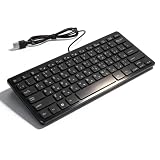
- [Premium Durability]: The Mini Keyboard is skillfully crafted with superior craftsmanship to ensure outstanding durability. Its sturdy design guarantees long lasting performance, while the legible text on the keys will not fade over time. This keyboard is built to withstand the test of time and provide reliable typing for years to come
- [Effortless Convenience]: Experience the convenience of plug and play with this Mini Keyboard. It requires no complicated installation process, allowing you to quickly connect it to your device and start typing without any hassle. Enjoy the simplicity and ease of use, making it ideal for both beginners and advanced users
- [Enhanced Typing Comfort]: Designed for comfort, this Mini Keyboard offers a satisfying typing experience. Whether you're using it for office or home use, or even with your laptop or desktop, the keys are ergonomically positioned for optimal comfort and efficiency. Say goodbye to wrist strain and enjoy long hours of comfortable typing
- [Multilingual Support]: Choose the version that suits your language preferences with the Mini Keyboard's three available versions in Russian, French, and German. With a total of 78 keys, this keyboard ensures seamless typing and communication in your desired language. It is perfect for users who require specific language support and greatly enhances convenience and efficiency
- [Universal Compatibility]: Versatility is key with this Mini Keyboard. It is universally applicable to various models, making it a reliable choice for a wide range of devices. Whether you're using a PC, laptop, or desktop, this keyboard guarantees compatibility across the board. Enjoy its consistent performance and exceptional typing experience, regardless of your device
- Added by another Windows user
- Included in an original manufacturer image
- Installed with a language pack
- Added temporarily during language or handwriting setup
- Left behind after an incomplete language-feature change
The file has historically appeared in locations such as:
C:WindowsIMEIMEJPDICTS
Older Windows 7 installations may instead use:
C:WindowsSystem32IMEIMEJP10APPLETS
These paths are not universal. Current Windows releases may package the functionality differently through language packs and Features on Demand.
| Item | What can safely be identified |
|---|---|
| Component | Microsoft Japanese handwriting and IME data |
| Publisher | Microsoft Corporation |
| Common association | Japanese handwriting recognition |
| Historical Windows 7 record | 32-bit file, version 6.1.7600.16385 |
| Current Windows 10/11 version | Must match the installed Windows build and language component |
| Correct source | Windows servicing, language features, or verified recovery media |
Do not treat the historical Windows 7 version or path as the correct replacement for every Windows 10 or Windows 11 installation.
Error messages you may see
Commonly reported loader messages include:
- “The program can’t start because mshwjpnrIME.dll is missing from your computer. Try reinstalling the program to fix this problem.”
- “There was a problem starting mshwjpnrIME.dll. The specified module could not be found.”
- “Error loading mshwjpnrIME.dll. The specified module could not be found.”
- “The code execution cannot proceed because mshwjpnrIME.dll was not found.”
- “mshwjpnrIME.dll is either not designed to run on Windows or it contains an error.”
These are generic Windows loader messages. “The specified module could not be found” can indicate a missing dependency or incomplete Windows component, not only a missing file with that exact name.
Fix 1: Reinstall Japanese language and handwriting features
This is the safest first repair when Japanese IME, handwriting, or dictionary functionality is affected.
- Save your work and restart Windows.
- Open Settings.
- Select Time & language.
- Select Language & region.
- Under Preferred languages, select Add a language.
- Search for Japanese.
- Select Japanese, then select Next.
- Ensure the required language features are selected, especially Handwriting if it is offered.
- Select Install.
- Restart Windows after the installation completes.
If Japanese is already listed:
- Open Settings > Time & language > Language & region.
- Select the three-dot menu beside Japanese.
- Choose Language options.
- Review the installed language features.
- Remove and reinstall the affected feature if Windows provides that option.
- Restart the computer.
Test the repair by pressing Windows key + Space and selecting the Japanese keyboard or IME. Then open an application such as Notepad and test Japanese input.
If the feature will not install, do not copy mshwjpnrIME.dll into System32, SysWOW64, or an application folder. Continue with the Windows repair steps below.
Fix 2: Install Windows updates and retry
A failed or incomplete language download can leave Japanese IME files unavailable.
Rank #2
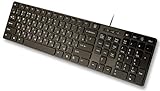
- Slim and Lightweight Desktop Design: Features a compact and portable design that saves desk space while providing full-size keyboard functionality
- Water Resistant Construction: Protects against accidental spills and liquid damage, ensuring durability and longevity in everyday use
- USB Connection: Simple plug-and-play connectivity through standard USB interface for easy setup with your computer
- Complete Russian Character Set: Includes ALL Russian letters and commonly missed Cyrillic characters for authentic Russian typing experience
- Laser Etched Letters: Durable laser-etched characters ensure long-lasting visibility of both English and Russian letters that won't fade over time
- Open Settings.
- Select Windows Update.
- Select Check for updates.
- Install all available updates.
- Restart when requested.
- Return to Language & region.
- Retry the Japanese language or handwriting installation.
Language Features on Demand are delivered through Windows servicing. Windows Update restrictions, offline systems, organizational policies, or damaged servicing files can prevent the feature from completing.
On a managed computer, contact the administrator. Microsoft documents language packages using names such as:
Microsoft-Windows-LanguageFeatures-Handwriting-<language>-Package
The exact package and dependency requirements depend on the Windows release and deployment method.
Fix 3: Repair Windows with DISM and SFC
Use DISM when the language feature is installed but damaged, or when Windows reports that SFC cannot repair the file.
Crashes, No Sound, or Screen Glitches?
Random freezes, missing sound and display glitches usually trace back to one bad driver. Find and replace yours safely.Free scan · under a minutePC Slower Than It Used to Be?
A free scan shows the junk files, broken settings and background clutter dragging Windows down - then fixes them in one click.Free scan · Windows 10 & 11- Open Start.
- Type
Command Prompt. - Right-click Command Prompt.
- Select Run as administrator.
- Select Yes if User Account Control appears.
- Run this command:
DISM.exe /Online /Cleanup-image /Restorehealth
Wait for it to finish. DISM may take time and may use Windows Update as a repair source.
When DISM completes, run:
sfc /scannow
Do not close the window until verification reaches 100 percent. Restart Windows afterward and test Japanese input again.
Microsoft recommends running DISM before SFC because DISM can repair the component store that SFC uses as its source.
Running these commands manually is useful, but it can be difficult to identify which component changed when Windows repeatedly reports corruption. Outbyte PC Repair can scan for system issues and show what needs attention; its repair functions require the full version, and it is not required for this fix.
What’s actually slowing this PC down?
Pick the symptom - the matching free tool is one click away.
If SFC says it could not repair the file
If SFC reports that it found corrupted files but could not fix some of them:
Rank #3

- Sleek & Wireless: Stainless steel & Abs construction with a 10 tilt. Allows for cluster-free operation on your desktop, making it an ideal choice for office use.
- Multi-Devices & Multi-OS: Seamlessly switch among 3 devices with BT 5.1 tech. Automatically recognizes different operating systems and layouts. Supports Windows PC/Laptop, iMac/Macbook, iPhone/iPad, Android smartphone/tablet.
- Responsive & Low-Profile: The scissor key mechanism enhances feedback and stability. The optimized key-travel, and anti-slip tapes make typing more comfortable, quiet, and precise.
- Compact & Efficient: Built with a standard numeric keypad. Features hotkeys, Calculator, Fn lock, Mute, Volume up and down, etc., to increase your workflow and productivity.
- USB-C Rechargeable & Energy Saving: The rechargeable battery provides 45 days of use after 2 hours of charging.Power-saving takes the keyboard to sleep after 30 minutes of inactivity. (Press any key to wake up.)
- Restart Windows.
- Run DISM again.
- Run
sfc /scannowagain. - Check whether Japanese handwriting now installs correctly.
- Review the SFC result before attempting manual replacement.
Do not replace the file with a copy from another computer. A different Windows build, language package, or architecture can cause a “not designed to run on Windows” error or create servicing inconsistencies.
Fix 4: Check antivirus quarantine
If the file disappeared immediately after a security scan, inspect the antivirus history before changing Windows files.
- Open Windows Security.
- Select Virus & threat protection.
- Select Protection history.
- Look for an event involving the original Japanese IME path.
- Confirm whether the security product identified the file as malware, a potentially unwanted file, or a suspected false positive.
- Run a full scan before restoring anything.
Restore the file only when the security product identifies the detection as a false positive and the original location is confirmed. Afterward, reinstall the Japanese language feature or run DISM and SFC so Windows restores the correct build-matched component.
Free tools Windows power users keep installed
One-click scans. No signup required.
Do not disable antivirus protection simply to force a DLL into a Windows directory.
Fix 5: Check whether the language installation is stuck
If Japanese downloads remain pending or never complete:
- Restart Windows.
- Install all pending Windows updates.
- Confirm that the computer has a working internet connection.
- Return to Settings > Time & language > Language & region.
- Remove the incomplete Japanese language entry if Windows permits it.
- Restart again.
- Add Japanese and select the required features again.
If the installation still fails, run DISM and SFC as described above. On an offline or managed installation, the administrator may need matching Features on Demand media for the exact Windows release.
Fix 6: Check broader input-device problems
A keyboard or touchscreen problem does not normally indicate a missing mshwjpnrIME.dll. If Japanese IME is installed but the physical input device itself is failing, check its driver separately.
Do these 3 things before closing this tab:
1Fix the driver behind crashes, sound loss and screen glitches2Clear out junk files and repair common Windows errors3Scan for outdated or missing drivers - takes under a minute- Right-click Start.
- Select Device Manager.
- Expand Keyboards, Human Interface Devices, or the relevant device category.
- Right-click the affected device.
- Select Update driver.
- Choose Search automatically for drivers.
- Restart Windows if a driver is installed.
Do not use Device Manager to search for a replacement for the IME data file. Drivers and Windows language components are separate repair paths.
Rank #4

- Authentic Spanish Layout for Natural spanish Typing – No more software hacks, sticker overlays, or relearning key positions. This spanish keyboard features the standard 105-key QWERTY layout (including dedicated umlaut keys: "ñ" y "ç") that spanish speakers know and trust. Type emails, documents, and messages in spanish with the muscle memory you've built. Perfect for native spanish speakers, expats, bilingual professionals, and spanish language learners who need an authentic typing experience.
- Laser-Etched Keycaps That Never Fade – Unlike cheap silk-screened or sticker letters that wear off after months of heavy use, our keycaps feature professional-grade laser etching(not fading). The crisp white characters are burned deep into the keycap surface, resisting thousands of keystrokes and accidental spills. Ideal for high-traffic environments like call centers, shared offices, student dorms, and libraries where keyboards take a daily beating.
- Reliable Wired USB Connection – Zero Lag, Zero Battery Anxiety – Say goodbye to Bluetooth dropouts, pairing frustrations, and dead batteries in the middle of important work. This wired USB keyboard plugs directly into your PC, desktop, or laptop for instant responsiveness. Whether you're on a video conference call with spanish, typing a client report, you get consistent, lag-free performance. No pairing, no charging, no interruptions
- Full-Size 105 Keys with Numeric Keypad – Work Faster – This full keyboard design gives you everything: dedicated number pad for spreadsheet work (accounting, data entry, billing), complete F-key row for software shortcuts, and a standard arrow cluster. No learning curve, no missing keys. Designed for Windows PC users who need maximum productivity for office work, remote jobs, academic research, and ERP systems common in spanish business environments.
- SPECIALLY DESIGNED FOR LEARNING AND PROFESSIONAL DEVELOPMENT: The keyboard is an ideal learning tool for spanish language students, as well as a powerful assistant for cross-border e-commerce customer service, translation, and content creators. Choosing a professional spanish keyboard is an investment in smoother communication, more efficient productivity, and a more focused learning experience.Plug-and-play simplicity means no IT support needed. A meaningful gift for parents or grandparents who prefer typing in spanish
Manually hunting through many driver versions can be repetitive when the underlying problem is an input-device driver rather than the IME. Outbyte Driver Updater can scan for outdated drivers and install updates through its full version, but driver software is not required to restore a damaged Japanese language component.
Why regsvr32 is not the answer
Do not run this command against mshwjpnrIME.dll:
regsvr32 mshwjpnrIME.dll
regsvr32 is intended for DLLs that expose registration entry points such as DllRegisterServer. It is not a general DLL installation command. Japanese IME data is restored through Windows language servicing, not by registering the file manually.
An error from regsvr32 does not prove that the file is missing, and a successful registration would not repair a damaged language package.
Recommended Free Tools
What not to do
Do not download a random DLL
There is no Microsoft standalone download page for mshwjpnrIME.dll. Downloading a loose copy from an unofficial DLL website can provide:
- Malware or tampered code
- The wrong Windows version
- The wrong architecture
- A file with an invalid signature
- A copy that does not match the component store
- A replacement that leaves the underlying language installation broken
Use Windows Settings, Windows Update, DISM, SFC, or verified Microsoft Features on Demand media instead.
Do not choose System32 or SysWOW64 by guesswork
Historical records describe a 32-bit Windows 7 version, but that does not establish what a current 64-bit Windows installation needs. This is an IME data component, not an ordinary application DLL that should be selected by copying between System32 and SysWOW64.
Do not use registry cleaners
Registry cleaners, Visual C++ redistributables, DirectX installers, and game repair tools are not established fixes for this Windows Japanese handwriting component.
The Tool Desk
Outbyte Driver Updater FREEFix the driver behind crashes, sound loss and screen glitchesFind Drivers →Outbyte PC Repair FREERepair Windows errors before they cause bigger problemsFix Now →Advanced recovery if repair still fails
Use these options only after language-feature reinstall, Windows Update, DISM, and SFC have failed.
System Restore
If the problem began recently and a suitable restore point exists:
Best Value

- ⌨【Large Print Keyboard】With letter characters larger than usual and command keys in a larger bolder font, these high-contrast keys can really help those who have trouble seeing keyboards. Perfect for elderly, the visually impaired, schools, special needs departments and libraries, as well as companies.
- ⌨【Spill resistant keyboard】It is designed to keep electronic components of keyboard safe. Water-Resistant function protection against accidental spills provides extra peace of mind. Be sure to air dry completely after spill before further use.
- ⌨【High Contrast】Large print keyboard offers increased visibility with easy to see yellow key caps and crisp large print black letters, Easily seen print, even in low light. With a life cycle of 5 million keystrokes, membrane key switches provide a faster response along with a quieter typing experience.
- ⌨【Ergonomics Design】Unfold the feet at back of the keyboard to reduce hand fatigue and enjoy long hours of playing. Full QWERTY English (US) 104 key keyboard layout with numeric keypad, Large Print keys provides superior comfort without forcing you to relearn how to type.
- ⌨【Wide Compatibility & Lifetime After-Sales Service】Compatible with Windows 10 / 8 / 7 / Vista / XP / 2000 / 98 | Also works with Mac OSX and macOS. Easy to install with plug and play technology | No additional software required.Except for Windows systems, other system hotkeys may not work and are only used for typing
- Open Start and search for Create a restore point.
- Open it.
- Select System Restore.
- Choose a restore point from before the language installation failed.
- Follow the prompts and restart.
System Restore may not be available or may not include the missing language package.
In-place Windows repair
An in-place repair installation can replace damaged Windows components while preserving supported personal files and applications. Use installation media that matches the installed Windows edition and architecture, and follow Microsoft’s current repair-installation guidance.
Back up important files first. A repair installation should be performed only after confirming that ordinary component repair cannot resolve the problem.
Reset or clean installation
A Windows reset or clean installation is a last resort. Consider it only when multiple Windows components are damaged and repair installation or System Restore is unavailable. Back up personal data and verify application installers before proceeding.
Frequently asked questions
Is mshwjpnrIME.dll a genuine Windows file?
Yes. It is associated with Microsoft Japanese handwriting recognition and Japanese IME data. The correct copy must come from the Windows language component that matches the installed build.
Why do I have it if I never use Japanese?
Windows can contain language components added by an OEM image, another user, a previous setup attempt, or a language pack. Its presence does not prove that you intentionally enabled Japanese.
Quick wins for a faster PC:
Fix the driver behind crashes, sound loss and screen glitchesFind Drivers →Repair Windows errors before they cause bigger problemsFix Now →Scan for outdated or missing drivers - takes under a minuteDriver Scan →Is the file 32-bit or 64-bit?
Historical Windows 7 metadata identifies a 32-bit version. That old record must not be used to select a replacement for Windows 10 or Windows 11. The correct architecture and version are determined by Windows servicing.
Should I copy it from another computer?
No. The other computer may have a different Windows build, language package, or architecture. Repair the component through Settings, DISM, and SFC.
Does regsvr32 fix it?
Normally, no. This is not an appropriate general-purpose registration target.
What if SFC cannot repair it?
Run DISM first, then run SFC again. If the problem remains, reinstall the Japanese language feature, check Windows Update, inspect antivirus quarantine, and consider System Restore or an in-place repair.
Do these 3 things before closing this tab:
1Clear out junk files and repair common Windows errors2Scan for outdated or missing drivers - takes under a minute3Repair Windows errors before they cause bigger problemsCan I remove Japanese language features?
If you do not need them, you can remove the Japanese language entry and its optional features from Settings > Time & language > Language & region. If another user needs Japanese input or handwriting, leave the feature installed and repair it instead.
Quick Recap
Product prices and availability are accurate as of the date/time indicated and are subject to change. Any price and availability information displayed on Amazon at the time of purchase will apply.



